
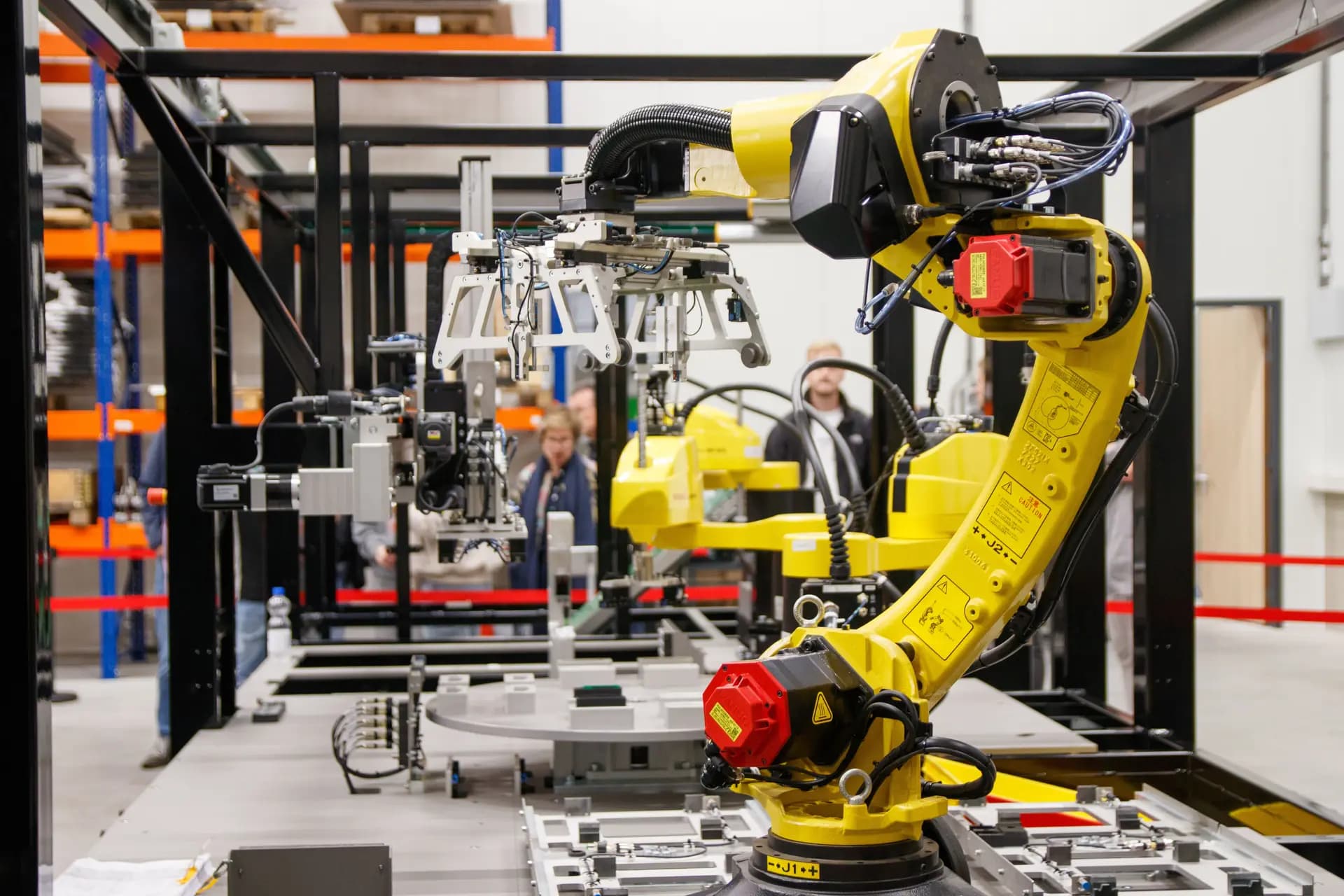
Free job simulation · Automation and controls
Robotics engineer job simulation
A robotics engineer job simulation is practice at industrial robot cell work. You assess the hazards of a simulated palletising cell, calculate light curtain distance, review the robot and PLC handshake, test cycle time and faults in an EDWartens Lab exercise, then write the safety validation and handover pack. It runs on a virtual robot, so no hardware is needed. It is practice, not employment.
You join Brackenridge Automation Ltd (simulated company), a automation integrator in Coventry. Days 1 to 5 are free, with about 9 h 35 min of tickets. Premium continues to day 20. It is practice, not employment.
Days 1 to 5 are free. You need a free account and no card. Create an account.
- Free days
- 1 to 5
- Free tickets
- about 9 h 35 min
- Project documents
- 6
- Certificate, optional
- £14.99
The project
You join Brackenridge Automation Ltd (simulated company)
Brackenridge Automation Ltd (simulated company) is a automation integrator in Coventry. You help its team deliver a project for Dunmore Packaging Ltd, at End-of-line palletising cell PAL-1 (project PAL-610).
You are the junior robotics engineer on a new case palletising cell. The robot must be safe first and fast second. You review the functional specification and the PLC handshake, work out how far the light curtain must be from the robot, estimate the required safety level for each hazard, and learn to teach and run in T1 before automatic. Then the Production Manager asks you to mute the curtain for speed, the client changes the pallet size, the safety validation has failures, and a tool change leads to a collision near miss. The skill is to simulate first, to move slowly first, and to be impossible to hurry past a safety rule.
What you will do
- Calculate the safety distance of a light curtain and say no, politely, to muting it for speed
- Estimate the required performance level for each hazard from the ISO 13849-1 risk graph
- Review a robot and PLC handshake for deadlock and double cycles
- Use a cycle-time study to find seconds without touching safety
- Write a factual near-miss report and a safety validation record that nobody can argue with
The people you deal with
- Lead Robotics Engineercompany
- Project Managercompany
- PLC Engineercompany
- Machinery Safety Engineercompany
- Client Production Managerclient
- Client Maintenance Supervisorclient
- Client Safety Officerclient
- Line Operatorclient
The company, client and site are fictional. The people are fictional too.
Look inside
What the simulator looks like
The workplace, your tickets, the documents and the team chat, as a learner sees them.
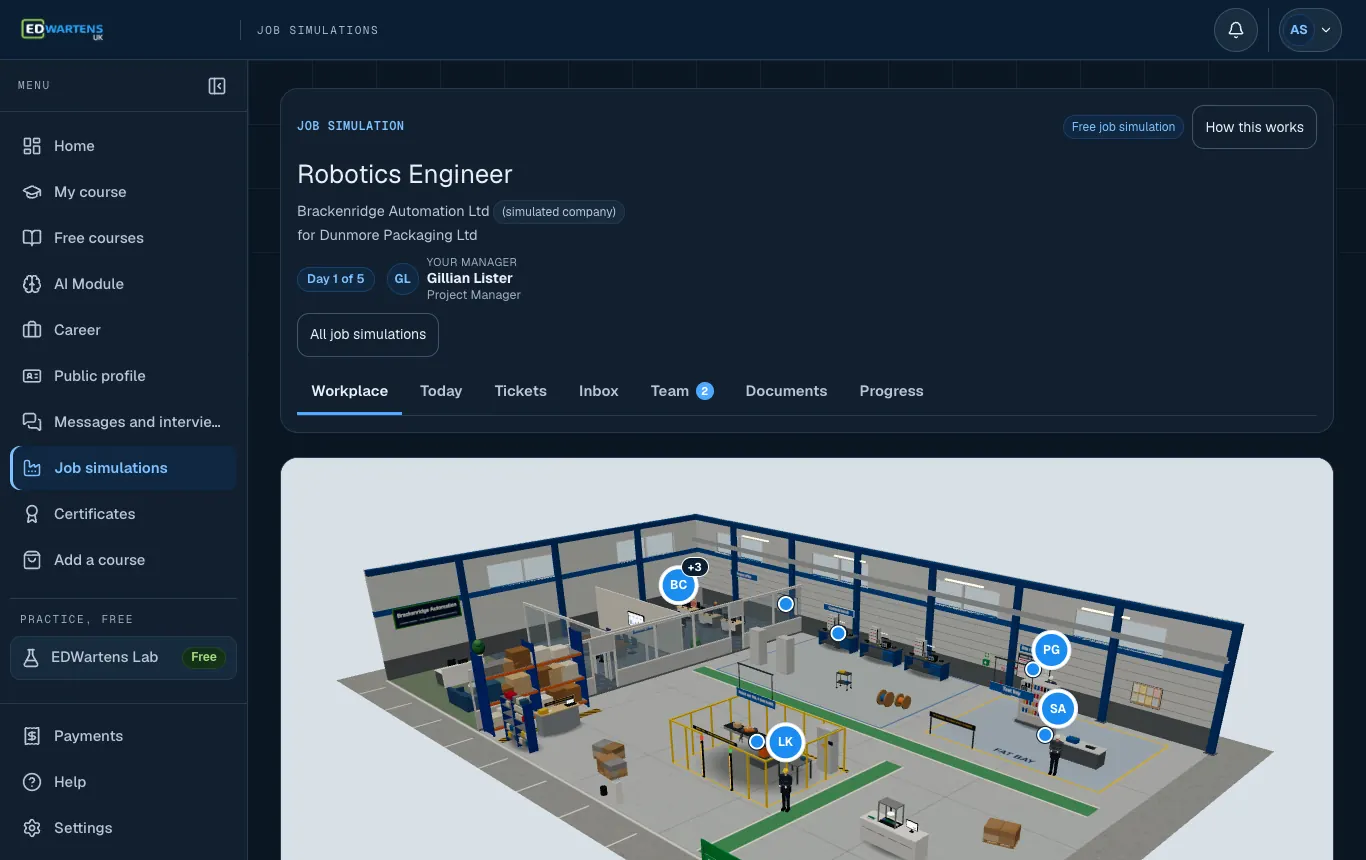
Start in the workplace, with the team around you. 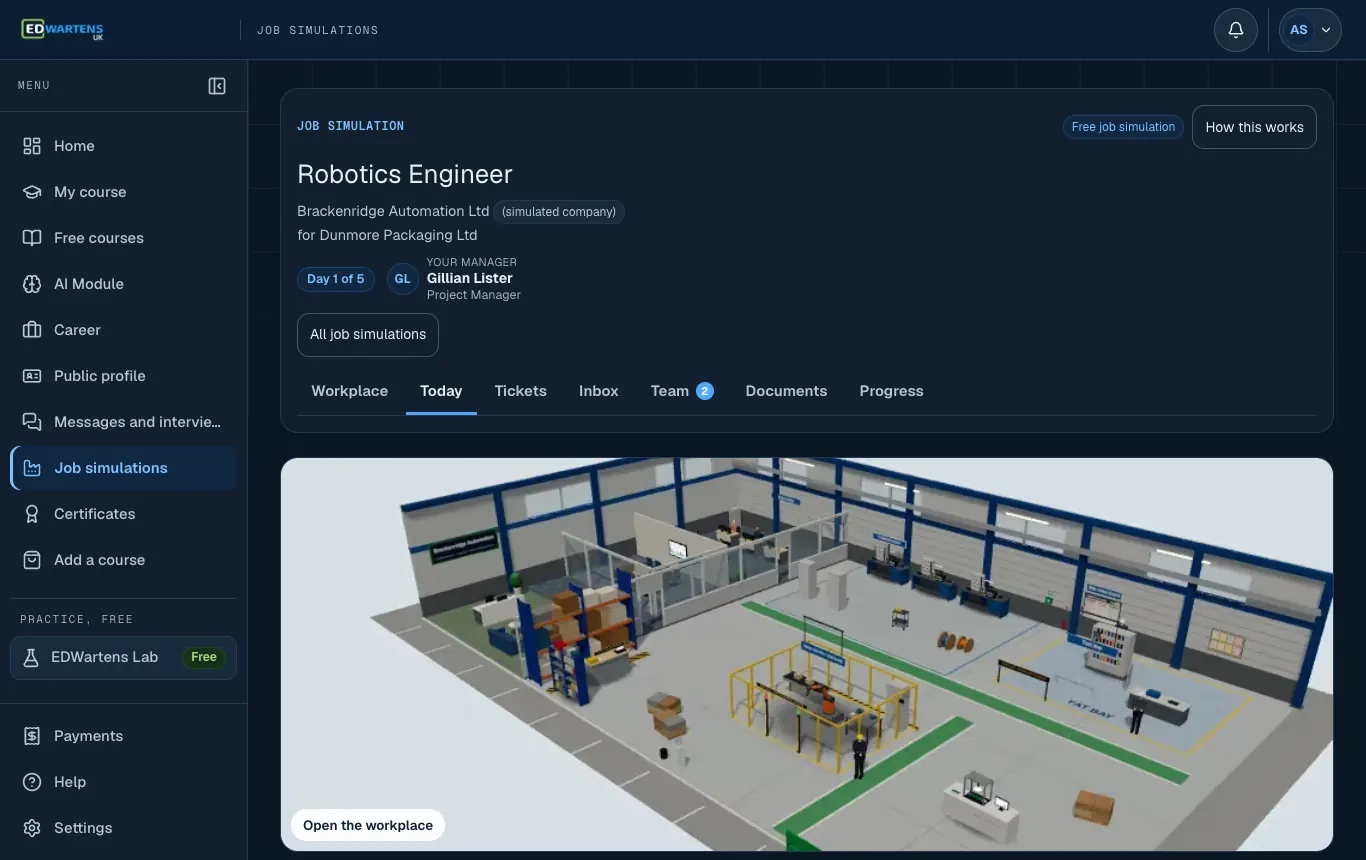
Today: the morning email and your tickets for the day. 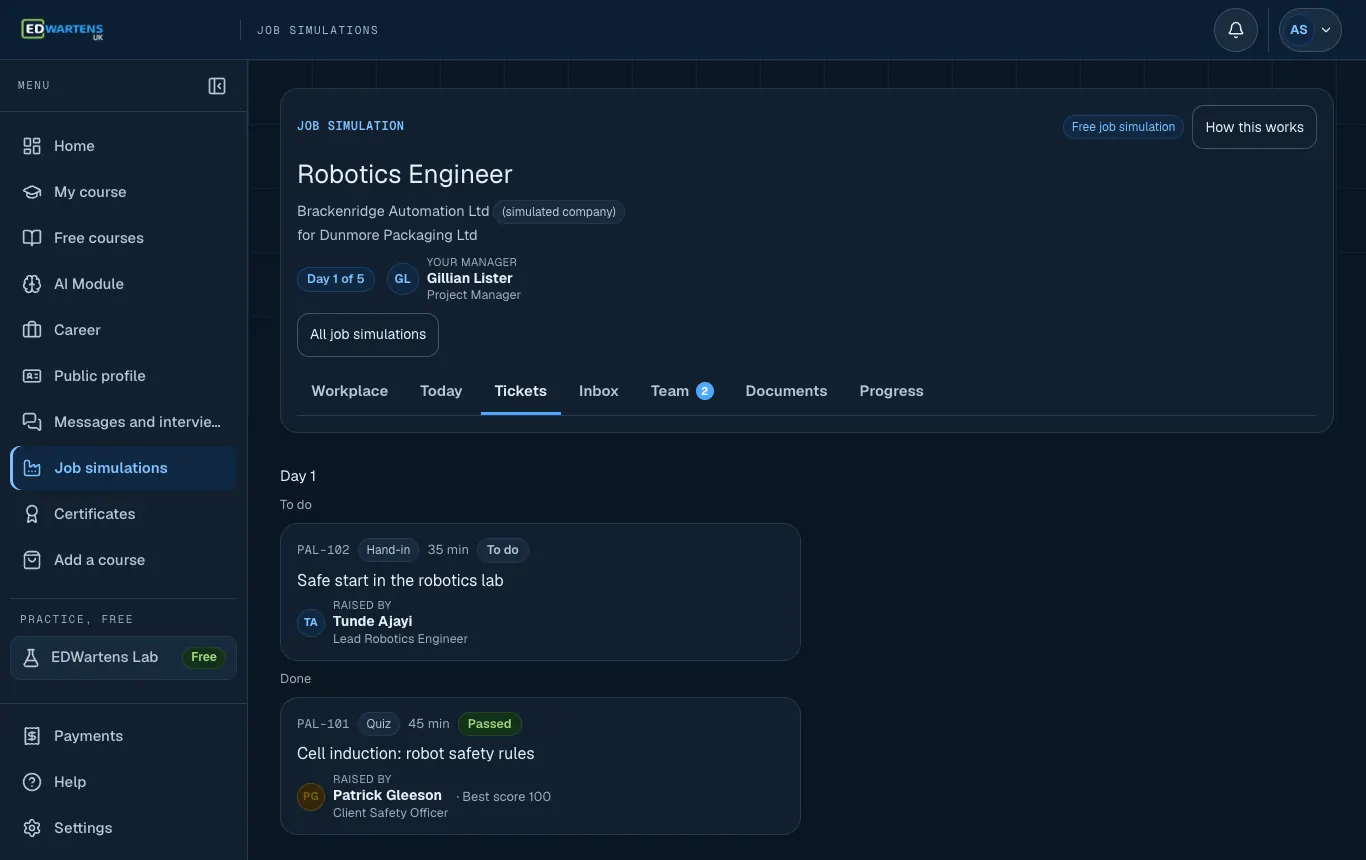
Work: every ticket, by day, with its status. 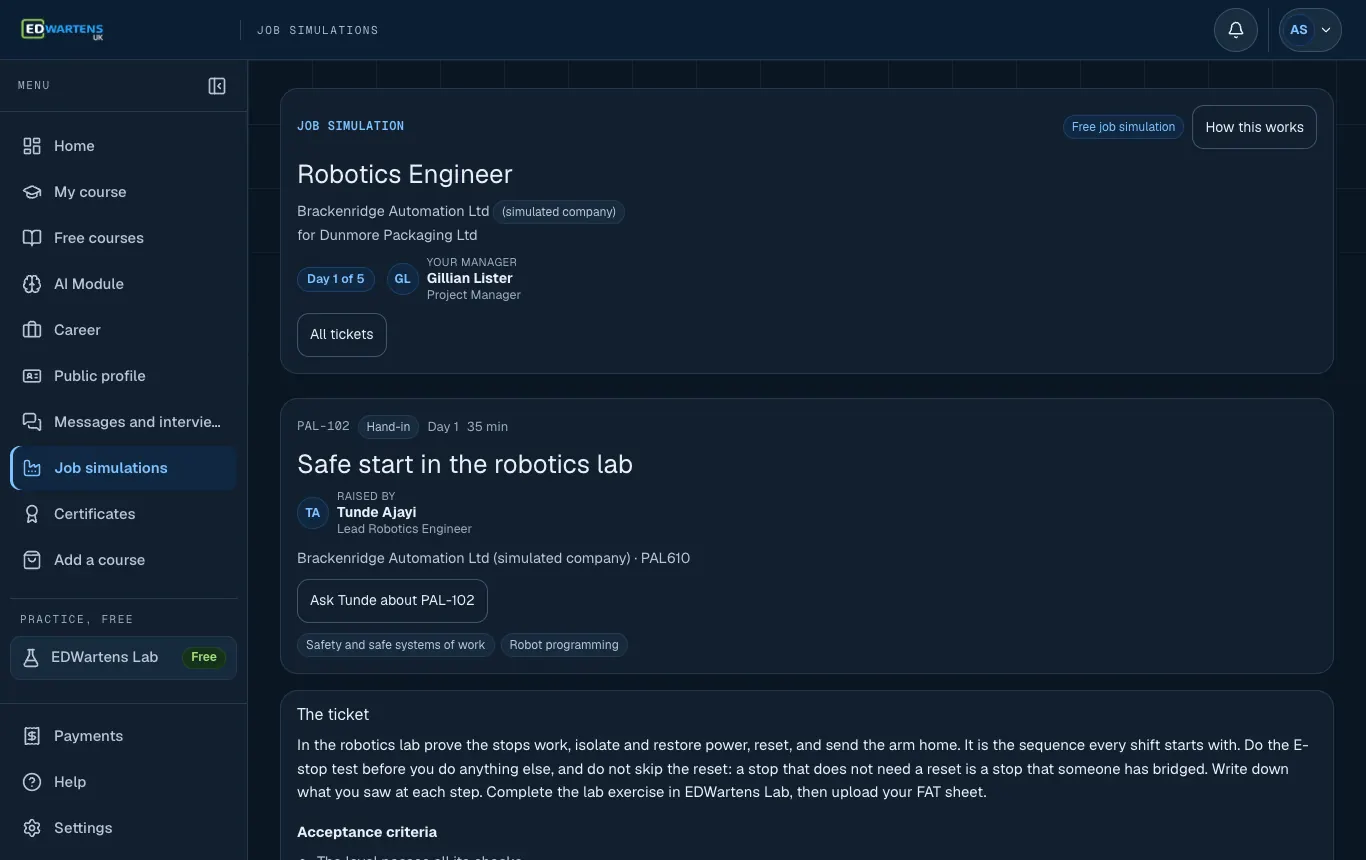
A ticket, written the way a colleague would write it. 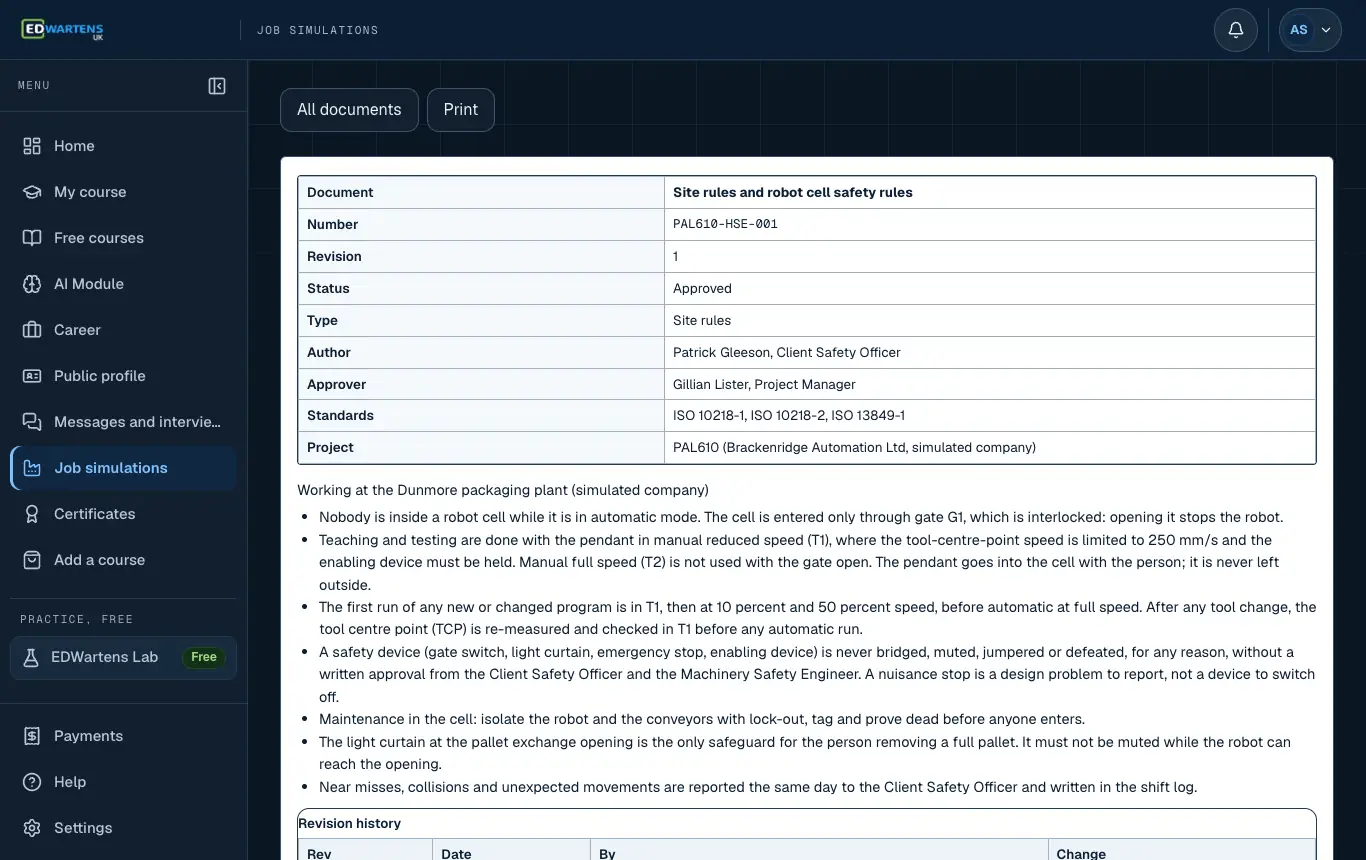
A project document with its number, revision and status. 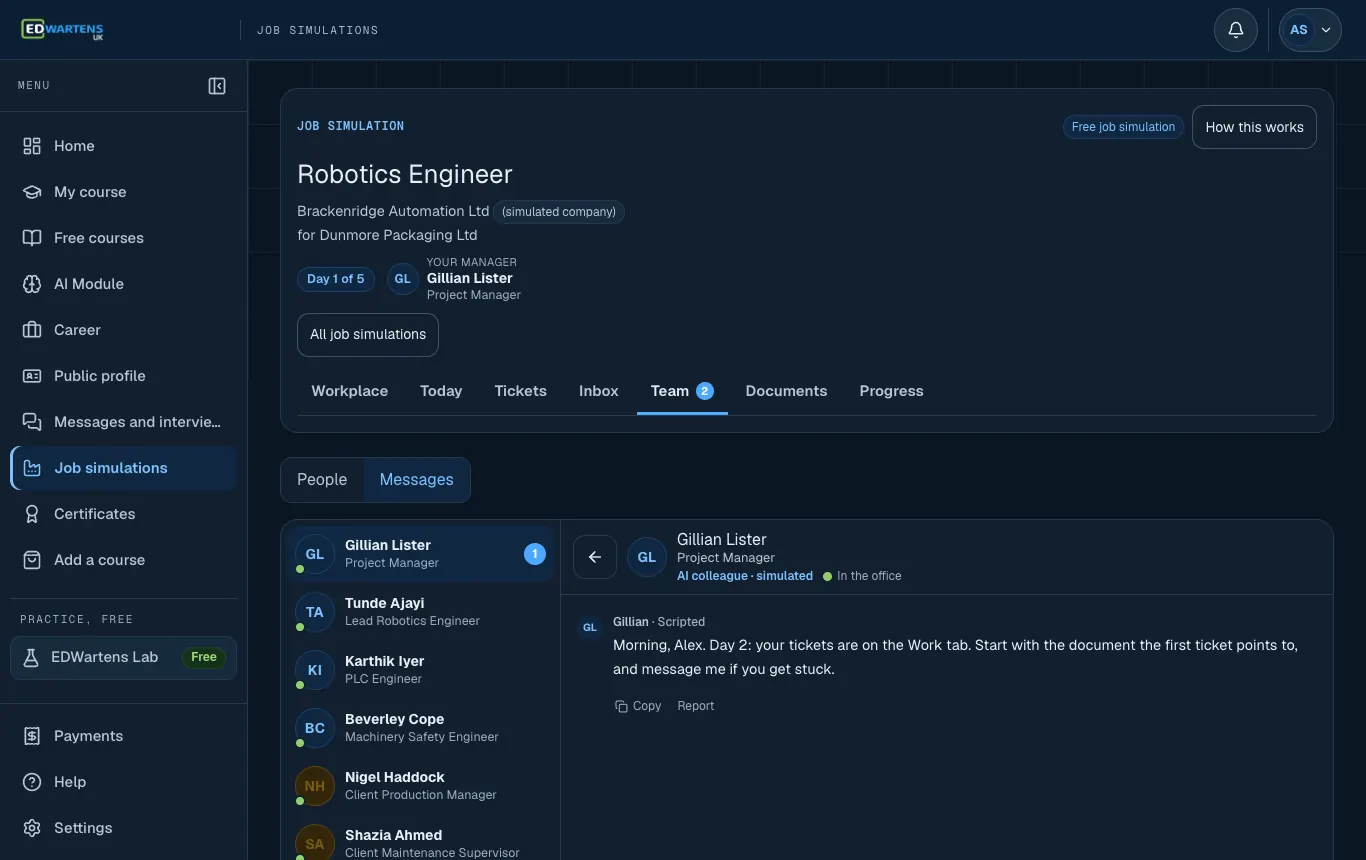
Ask a colleague. They are AI colleagues: they help you think, they do not hand out answers.


Screenshots from the simulator. Company, people and data are fictional. Portraits are AI-generated.
Meet the team
The colleagues you work with
You can read their messages and ask them questions. They are AI colleagues, clearly labelled. They help you think a ticket through; they do not hand out its answer.
- GLGillian ListerProject ManagerSimulated colleague, company side
- TATunde AjayiLead Robotics EngineerSimulated colleague, company side
- KIKarthik IyerPLC EngineerSimulated colleague, company side
- BCBeverley CopeMachinery Safety EngineerSimulated colleague, company side
- NHNigel HaddockClient Production ManagerSimulated colleague, client side
- SAShazia AhmedClient Maintenance SupervisorSimulated colleague, client side
- PGPatrick GleesonClient Safety OfficerSimulated colleague, client side
- LKLena KovacsLine OperatorSimulated colleague, client side
Fictional people. Portraits are AI-generated.
What you get
What you walk away with
Design, program and safety-validate a palletising robot cell, from layout review to the operator note.
What you produce
Functional specification review findings
Design review
Robot and PLC handshake signal table
Signal list
Required performance level for each hazard
Risk assessment record
Written reply to a request to mute a light curtain
Client correspondence
Change impact note for CR-01
Change controlPremium
Completed safety validation record
Safety validation reportPremium
Near-miss report
Incident reportPremium
Robot cell design and safety pack
CapstonePremium
Skills you practise
- Safety and safe systems of work
- Robot programming
- Applying standards
- Testing and acceptance
- Written communication
- Handover and documentation
- Analysis and statistics
- Fault finding
Roles to look for
- Robotics Engineer
- Robot Programmer
- Automation Engineer (Robotics)
- Robot Cell Commissioning Engineer
969 live openings on the UK jobs board, checked 24 Oct 2026. See the jobs
Your proof
- A certificate anyone can verify. Optional, and included in Premium.
- An entry on your EDWartens profile under Work experience, marked as a job simulation.
- A work record with your skill scores, with Premium.
Free courses that go with it
- Free course Machine Safety: ISO 12100, ISO 13849 and SISTEMA
- Free course ABB Robot Programming with RobotStudio and RAPID
- Free course FANUC Robot Programming with the Teach Pendant and ROBOGUIDE
- Free course Industrial Communication: Serial, Fieldbus, Ethernet, Modbus, PROFINET and OPC UA
- Free course Servo Drives and Motion Control
What you can talk about at interview
- You can explain how you check a light curtain safety distance and what you do when a client asks to mute it.
- You can describe a robot and PLC handshake, signal by signal.
- In Premium, you can talk through a cycle-time study, a safety validation and a near-miss report.
Day by day
Days 1 to 5, ticket by ticket
Self-paced. A day opens when you hand in the previous day's tickets. Every ticket is checked, and you see the model answer after it.
Day 1
about 1 h 20 min- Cell induction: robot safety rulesQuiz · 45 min
- Safe start in the robotics labHand-in · 35 min
Day 2
about 2 h 20 min- Review the robot cell functional specificationDocument review · 1 h 15 min
- Direction and type of each handshake signalTable · 1 h 5 min
Day 3
about 1 h 45 min- Is the light curtain far enough away?Calculation · 1 h 10 min
- Jog the arm in the robotics labHand-in · 35 min
Day 4
about 2 h 35 min- Required performance level for each hazardTable · 1 h 15 min
- Teach and run in the robotics labHand-in · 1 h 20 min
Day 5
about 1 h 35 min- The Production Manager asks to mute the light curtainDecision · 35 min
- Reply to the Production ManagerWriting · 1 h
Premium: days 6 to 20about 23 h more
After day 5 the project goes on with a change request, site work, faults, a handover and a capstone reviewed by an engineer.
Day 6
about 1 h 20 min- Review the robot and PLC handshake sequenceDocument review · 1 h 20 min
Day 7
about 1 h 30 min- Palletise twelve parts in the robotics labHand-in · 1 h 30 min
Day 8
about 1 h 40 min- Change impact note for CR-01Writing · 1 h 40 min
Day 9
about 1 h 5 min- Can the robot reach the new corner?Calculation · 1 h 5 min
Day 10
about 1 h 10 min- Cycle-time study: how to get from 11.4 s to 10 sCalculation · 1 h 10 min
Day 11
about 1 h 50 min- Complete the safety validation recordTable · 1 h 50 min
Day 12
about 2 h 5 min- Safety validation in the robotics labHand-in · 1 h 20 min
- Sign the validation as passed?Decision · 45 min
Day 13
about 1 h 35 min- Near-miss report: the robot hit a caseWriting · 1 h 35 min
Day 14
about 1 h 30 min- Fault finding in a loading cellHand-in · 1 h 30 min
Day 15
about 55 min- Acceptance run: fault ratesCalculation · 55 min
Day 16
about 1 h 20 min- Match each stop to the right recoveryTable · 1 h 20 min
Day 17
about 1 h 15 min- Check the handover dossier indexDocument review · 1 h 15 min
Day 18
about 4 h- Capstone: the robot cell design and safety packHand-in · 4 h
Day 19
about 1 h- Day-one note for the operatorsWriting · 1 h
Day 20
about 45 min- A conversation about your own workViva · 45 min
Real documents
The documents you will work with
Each one has a number, a revision and an approver, the way a project document does. You read them, check them and write your own.
PAL610-HSE-001
Site rules and robot cell safety rules
Rev 1Site rules
PAL610-LAY-001
Cell layout and reach study
Rev BCell layout
PAL610-SFS-001
Safety function specification and safety distance rule
Rev 2Safety function specification
PAL610-RA-001
Risk assessment method and hazard list, robot cell PAL-1
Rev 1Risk assessment
PAL610-IOL-001
Robot and PLC handshake signal list
Rev BSignal list
PAL610-FS-001
Robot cell functional specification
Rev AFunctional specification
Documents that arrive in Premiumchange requests, records, handover
PAL610-HS-001
Robot and PLC handshake sequence, draft
Rev ASequence descriptionPremium
PAL610-LAY-001
Cell layout and reach study, change to Rev C
Rev CCell layoutPremium
PAL610-CYC-001
Cycle-time study
Rev ACycle-time studyPremium
PAL610-VAL-001
Safety validation record
Rev ASafety validation reportPremium
PAL610-NM-001
Near-miss notes, collision at the pick position
Rev 1Shift logPremium
PAL610-SOP-001
Fault recovery and restart procedure
Rev 1Recovery SOPPremium
PAL610-HOV-001
Handover dossier index, robot cell
Rev ADossier indexPremium
Tools
In the industry, and here
| In the industry | Here |
|---|---|
| Robot controller and teach pendant | EDWartens Lab's robotics exercises: safe start, jog, teach and run, palletising, validation and fault finding |
| Offline simulation and layout tools | A reach calculation from the layout coordinates |
| Risk assessment and safety validation records | Tables where you set the performance level and judge each test |
| Cycle-time and acceptance test spreadsheets | Calculations from the study and the run results |
Standards
The standards the work follows
- ISO 12100
- ISO 10218-1
- ISO 10218-2
- ISO 13849-1
- ISO 13855
In the UK
The Robotics Engineer role in a UK setting
Who employs this kind of engineer: Automation integrators and manufacturers of packaging, food and drink, automotive and logistics equipment.
Where: Industrial regions such as the North West, Yorkshire, the Midlands, Scotland and the South West have many integrators and manufacturers that use robot cells. This is context, not a statement about vacancies.
UK standards and regulations to know about
BS EN ISO 10218-1 and -2
Safety requirements for industrial robots and for robot systems and integration.
BS EN ISO 13849-1 and BS EN ISO 13855
Safety-related control, and the positioning of safeguards relative to approach speeds.
PUWER 1998
The Provision and Use of Work Equipment Regulations: equipment must be suitable, maintained and safe to use. HSE guidance L22 explains them.
Supply of Machinery (Safety) Regulations 2008
The rules for machinery supplied in Great Britain. Check the current marking requirements on gov.uk.
These are named so that you recognise them. A job simulation does not teach them as a qualification, the tasks use simplified data, and you should always read the current edition of anything you rely on.
Your proof, optional
A certificate you can verify
The free days are free. The graded, verifiable certificate is an optional extra, and it is included in Premium.
- A graded, verifiable certificate with your score and band
- A public verification page and QR code
- One-click add to LinkedIn as a licence or certification
- Issued by WARTENS LTD. It is a training certificate, not an accredited qualification, and the company is simulated
Optional: £14.99 including VAT, once you pass.
Job Simulation Certificate
Your name
completed the Robotics Engineer job simulation at Brackenridge Automation Ltd (simulated company). Your score and band are shown on the real certificate.
- Number
- EDW-JS-0000
- Issued by
- WARTENS LTD
Not an accredited qualification. A verification page and QR code are printed on the real certificate.
Prepare
Free courses and labs that get you ready
Linked from the tickets that need them. You can read them before you start.
Free courses
- Machine Safety: ISO 12100, ISO 13849 and SISTEMA
- ABB Robot Programming with RobotStudio and RAPID
- Servo Drives and Motion Control
- Health and Safety Foundations: HSWA 1974, RIDDOR and ISO 45001
- Industrial Communication: Serial, Fieldbus, Ethernet, Modbus, PROFINET and OPC UA
- FANUC Robot Programming with the Teach Pendant and ROBOGUIDE
- KUKA Robot Programming with KUKA.Sim, smartPAD and WorkVisual
- HAZOP and Process Safety Management
EDWartens Lab guides
The hands-on tickets are finished in EDWartens Lab, then you record the figures and upload a FAT sheet or notes for checking. Nothing is marked as passed on the lab's say-so.
A course that goes with this role
Professional Module
A paid course in PLC, HMI and WinCC SCADA programming with Siemens TIA Portal, taught live online by an instructor. It is a separate product: you do not need it to finish the job simulation, and it does not lead to a job. Its certificate is a certificate of completion, not a regulated qualification.
- Price
- £2,568 including VAT (£2,140 + VAT)
- Format
- Live online, five days, with self-paced modules after
About the Robotics Engineer role
Risk assessment for a pick and place cell
On an automation project the robot is rarely the only hazard. The simulation starts from a hazard list for an end-of-line palletising cell and asks you to set the required performance level for each hazard using the risk graph in ISO 13849-1.
ISO 12100 gives the general method of risk assessment, and ISO 10218-1 and ISO 10218-2 cover the safety of industrial robots and their integration. You apply the ideas to speed, force, access and tooling, then record the protective measures you choose.
Robot to PLC handshake: the signals you must agree
In most cells the PLC starts robot programs and supervises safety and I/O. A handshake is the agreed sequence of signals, and a poor one can deadlock or run a double cycle.
You set the direction and type of each signal, then review a draft handshake sequence for those faults. Later, in the robotics exercise, you palletise a set of parts and match each kind of stop to the right recovery. The documents you work from include a signal list and a fault recovery procedure.
Safety distance, muting and the request you must refuse
ISO 13855 sets out how to position safeguards relative to a hazard. You calculate whether a light curtain is far enough from the robot, and you meet a Production Manager who asks to mute it to save time.
The expected answer is a reasoned, polite refusal with alternatives, written as a reply. Later a collision near miss tests you again: you write a factual report and a safety validation record that nobody can argue with. Declining to sign a validation as passed is also on the menu.
Cycle time, reach and acceptance
Customers buy output, so cycle time matters. A cycle-time study shows where the seconds go, and a reach check shows whether the robot can get to a new corner when the layout changes.
You find savings without touching safety, then run an acceptance calculation on fault rates. These are the numbers that decide whether a cell is accepted, and they are all produced from the study files in the pack.
The lesson is that speed and safety are not traded against each other: the savings come from motion, waiting and handshake timing, never from the safeguarding.
Where robotics leads
Cell integrators grow towards design lead or service roles, and some move into vision and AI robotics. A working knowledge of PLCs and safety circuits helps in all of them.
A virtual cell teaches sequence, safety logic and documentation, not teach pendant time or physical tuning, so plan some hands-on practice if you can. The linked roles and courses cover PLC programming, machine safety and servo motion.
Add a vendor programming course when you know which brand an employer uses. The free courses linked on this page cover several, and the safety standard course explains the performance level ideas used in the cell.
Keep going
Related job simulations and courses
PLC Programmer
Write the I/O list, program the line, run the FAT and handle a change request.
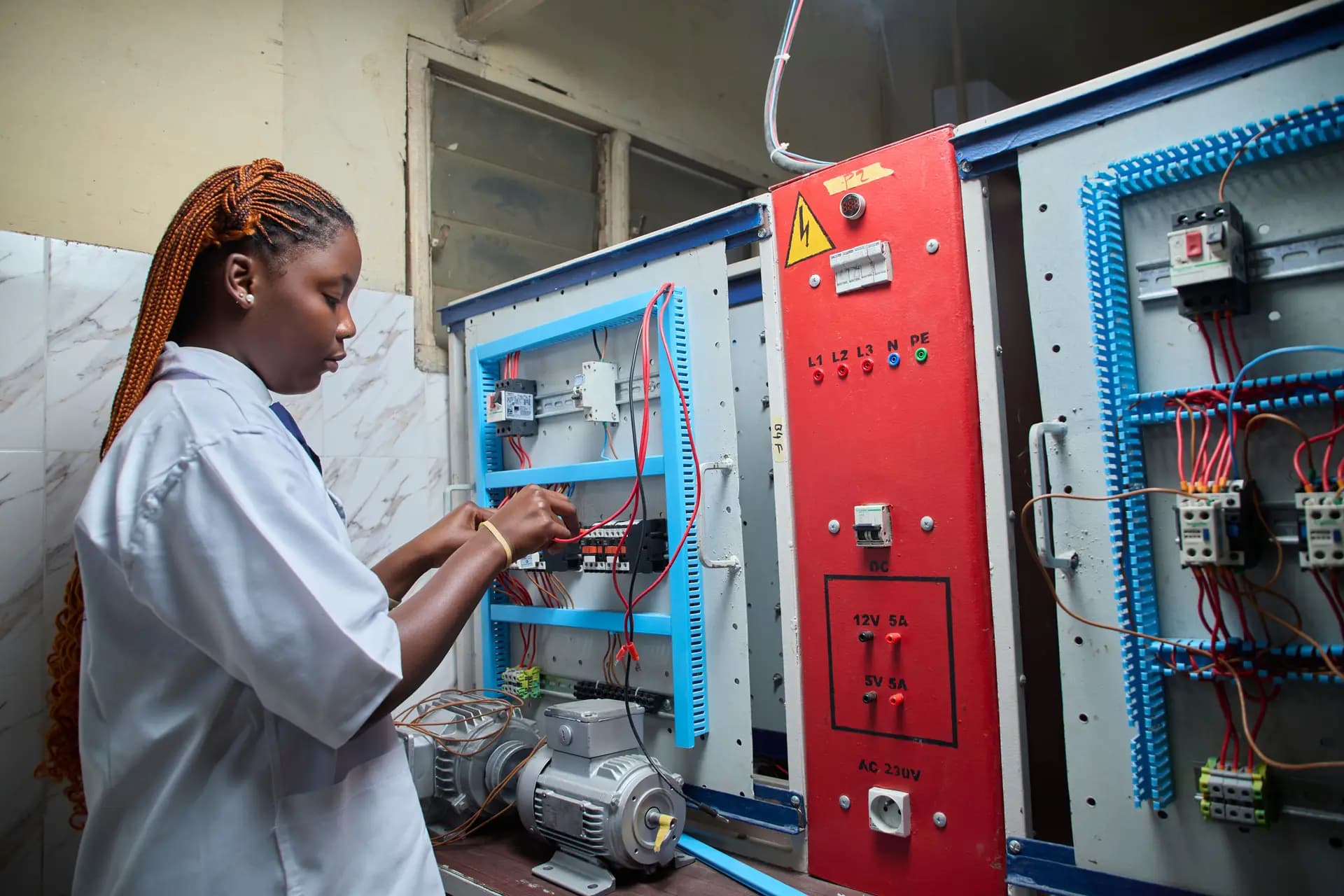
Control Panel Design Engineer
GA drawing, schematics, BOM, heat calculation and the routine test.
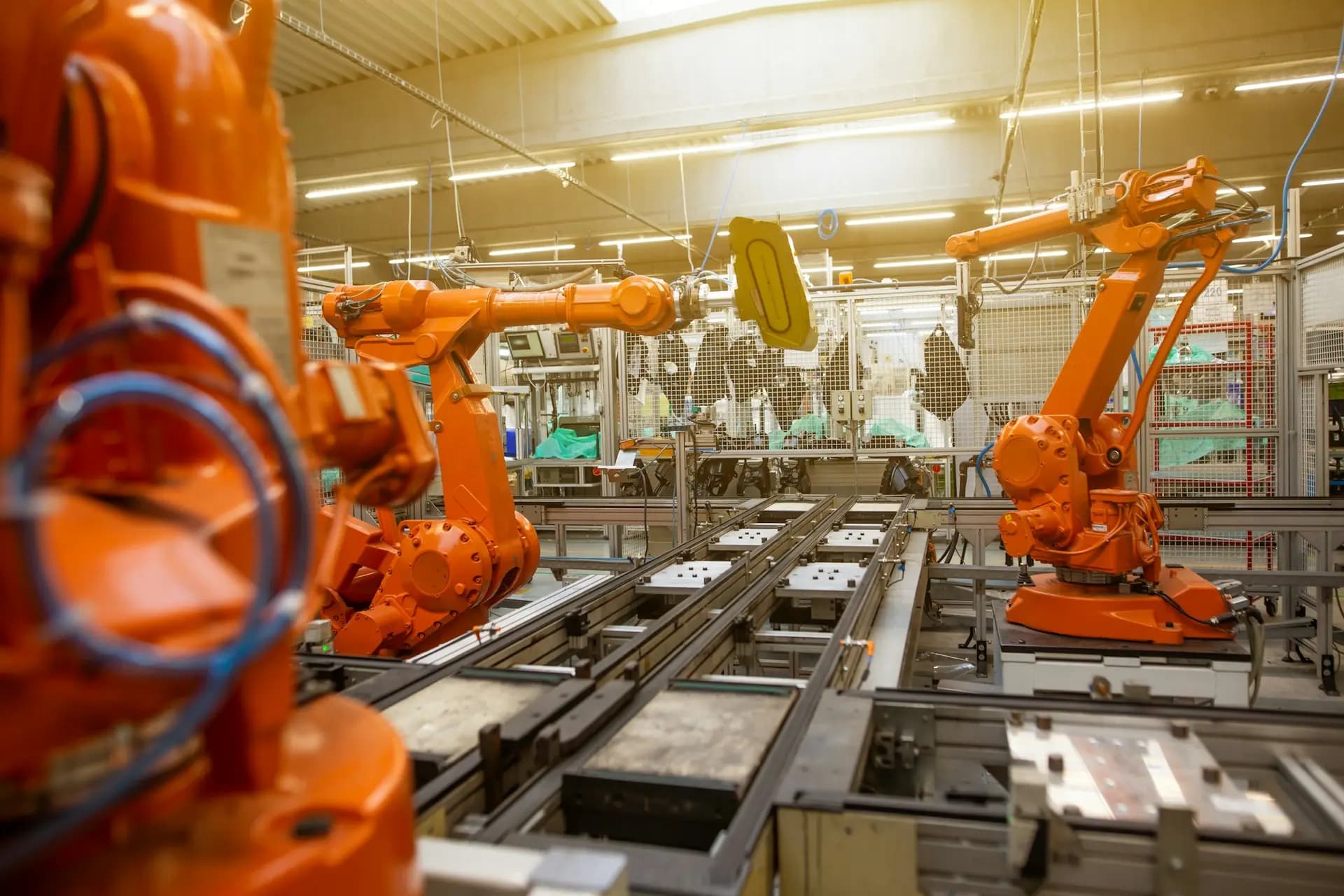
Computer Vision Engineer
Specify, label and evaluate an inspection model on a production line.
- Engineering job simulations
- Free courses
- Browse jobs
- Virtual work experience in the UK
- Job simulation questions
Content reviewed 19 Oct 2026; UK context added 21 Oct 2026. Practice, not employment.
Questions
Quick answers
What does a robotics engineer do on an automation project?
They select and integrate robots, program motions, design the cell safeguarding, test the cell and hand it over. Research and software robotics roles differ, and this simulation covers the industrial integration role.
What is a robot cell risk assessment?
It is a structured review of hazards such as speed, force, access and tooling, and of the protective measures chosen. ISO 10218-1 and ISO 10218-2 cover the safety of robots and their integration.
How is an industrial robot different from a cobot?
Cobots are built for shared workspaces, with limits on force and speed. Industrial robots usually need fences, light curtains or scanners. Safety depends on the whole application, not on the robot alone.
Do I need a vendor teach pendant to learn?
Not to learn concepts such as frames, motion types and I/O handshakes. Vendor skills are needed for a specific employer, and the free robot programming courses linked here cover several vendors.
What are good robotics projects for a CV?
A pick and place cell with an I/O handshake, safeguarding assumptions, a cycle-time record and fault recovery. That is what the simulation asks you to produce.
Do robot engineers need to know PLCs?
In cell integration, usually yes, because the PLC often starts programs and manages safety and I/O. The PLC role in this catalogue is a sensible companion.
Is a virtual robot cell worth doing?
It teaches sequence, safety logic and documentation. It does not replace physical tuning and teach pendant time, and the page says so plainly.
What does a robot cell handover include?
A program backup, the I/O list, the risk assessment, operating and maintenance notes and the test records. You assemble a handover dossier in the capstone.
Do I need robot programming experience first?
No. The simulation teaches the order of work, the safety reasoning and the documents as you go, with a robot you jog and program in an EDWartens Lab exercise.
Is the packaging plant real?
No. Brackenridge Automation and Dunmore Packaging are made-up companies and the project is simulated. The documents, standards and situations follow what a junior robotics engineer meets.
How long does it take?
The free week is about ten hours over five days. The full Premium edition runs over twenty working days and about thirty-three hours, at your own pace.
Which robot brands does it use?
None. The content is vendor-neutral, so it applies to any robot that follows the same standards.
What do I get at the end?
A work record with scores by task and skill, which shows on your EDWartens profile under Work experience, marked as a job simulation.
Is the Robotics Engineer job simulation free?
Yes, to start. Days 1 to 5 are free. The certificate (£14.99) and the Premium edition (£53.99) are optional, and both prices include VAT.
Does it count as work experience?
No. It is a training project at a simulated company, not employment, an internship or a placement. A job simulation is a realistic training project at a simulated company. It is not employment, an internship or a work placement, and it is not a job offer. Hours are active hours the learner logged on EDWartens UK.
A job simulation is a realistic training project at a simulated company. It is not employment, an internship or a work placement, and it is not a job offer. Hours are active hours the learner logged on EDWartens UK.
Start the Robotics Engineer job simulation today
Days 1 to 5 are free. No card to start. Practice, not employment.