
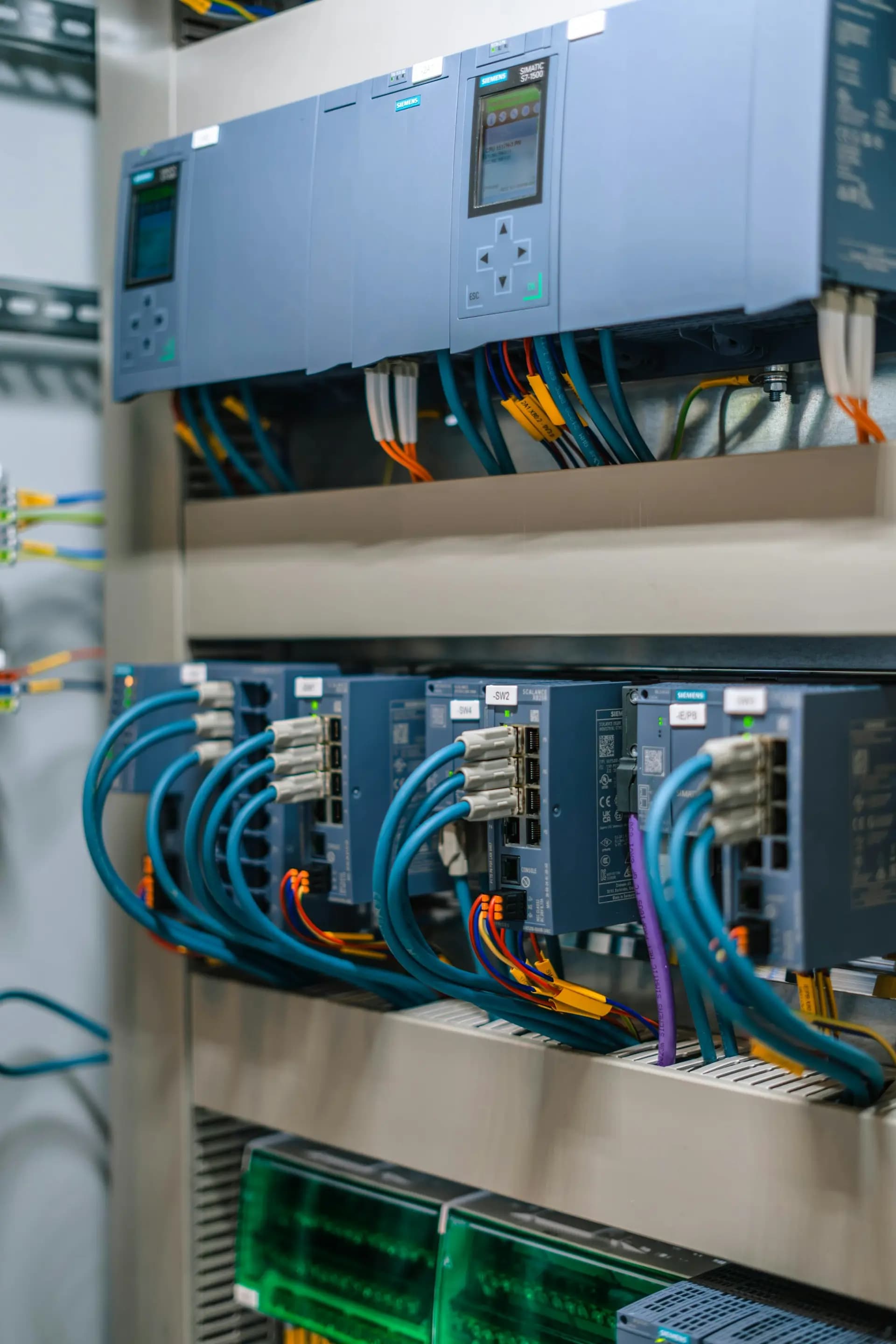
Siemens Module · TIA Portal and S7
Learn the Siemens skills UK controls adverts ask for
Program S7-1200 and S7-1500 PLCs, build WinCC screens, set up PROFINET and SINAMICS drives, find faults and commission a line with a test script. 69 lessons, a browser lab to practise in, 4 graded projects for your portfolio and four job simulators, all at your own pace for 12 months.
£780 including VAT
£650 + VAT for businesses
One payment, no deposit. Every lesson opens the day you pay.
- 69 lessons, 13 modules
- 4 graded projects
- EDWartens Lab practice
- 4 job simulators included
- Certificate of completion
Is it for you?
Built for people who want to work on Siemens systems
Be honest with yourself about what you need. This course is strong for some people and the wrong choice for others.
This course suits you if you are
- An electrician or maintenance technician who wants to move into PLC and controls work
- A graduate or career changer who wants a structured, practical route into controls engineering
- An engineer who knows another PLC brand and needs Siemens TIA Portal for a new role
- Someone who learns best at their own pace and wants to repeat any lesson as often as they like
- A PLC beginner who wants to see the whole job, from addressing and wiring to commissioning, not only ladder logic
Choose something else if you want
- Live classes with an instructor every day. For that, take the Professional Module, our five-day live course
- An official Siemens certificate or a regulated qualification. This course gives neither
- To wire and test real hardware. You practise in simulation in our lab, not on a physical rig
- A promise of a job. Nobody honest can give one, and we do not
Why this skill
Siemens skills appear in UK controls adverts every day
Most people who want a controls job have the same problem: adverts ask for experience on specific platforms, and there is nowhere cheap to practise them.
£60,000
median advertised salary for UK PLC engineer roles
ITJobsWatch, as of 21 October 2026, from 144 adverts with salaries. Source
11.1%
of UK PLC engineer adverts name Siemens (Rockwell: 4.9%)
ITJobsWatch, six months to 23 October 2026.
135
trainee PLC jobs listed on Reed
Reed, as of 21 October 2026. Source
Typical adverts name TIA Portal and S7-1200 or S7-1500 first, then WinCC, then commissioning, FAT and SAT, and site travel. Senior roles add PROFINET, SINAMICS drives and PROFIsafe. That is the order this course teaches them in.
The course is built around what the job asks you to do: read a drawing, set up the hardware, write clean logic, add an operator screen, bring a drive online, find a fault under pressure and hand over a documented system.
These are advertised figures, not what a newly trained person will be paid. Adverts with salaries mostly ask for experience; entry roles advertise lower (£25,000–£30,000 for graduate and trainee roles, £30,000–£40,000 for junior controls/PLC engineers, Reed, 21 October 2026). ITJobsWatch counts IT-focused adverts, with small samples. We do not promise a job or any level of pay.
What classroom training costs. Siemens' own SITRAIN UK listed its five-day TIA Portal Programming 1 course at £2,930 when we checked on 23 October 2026 (VAT not stated). SITRAIN UK. The Siemens Module is £780 including VAT. They are different things: SITRAIN is official classroom training; ours is self-paced and independent, so check what you need.
What you get
Skills, practice and proof, for a fraction of classroom cost
The skills UK adverts list
Practise as you learn, with nothing to buy
Four graded projects for your portfolio
Fault-finding, not only programming
Networks, drives and safety included
A fraction of classroom vendor-course prices
Four job simulators included
The UK job board, with alerts
A certificate employers can check
After the course
What you will be able to do
- Set up a Siemens CPU and I/O in the device view, assign addresses and tags, and get online over PROFINET
- Write ladder logic with timers, counters, edges and the interlocks every starter circuit needs
- Structure a program with OBs, FCs, FBs and data blocks, and build a reusable motor block
- Write SCL, scale 4-20 mA signals and set up a PID_Compact loop
- Design a sequence on paper and build it as a state machine with modes, timeouts and fault handling
- Build operator screens with alarms, trends and recipes in WinCC
- Bring a SINAMICS drive online and read its control and status words
- Find faults with the diagnostics buffer, watch and force tables used safely, trace and compare
- Run an I/O checkout, write a FAT and SAT test script and prepare a handover pack
How you learn
Every lesson ends with you doing it
Watching is not learning to program. Each lesson has the same four steps, so you always know what to do next.
Step 1
Watch
A curated video lesson, chosen to teach the point clearly and checked before it goes in.
Step 2
Read
Our own notes, written for UK sites: what to remember, what goes wrong, and what to check first.
Step 3
Check
A short practice quiz tells you straight away whether it has stuck. A longer gate test closes each module.
Step 4
Practise
A lab task in the EDWartens Lab, in a Siemens-style view, so you do it rather than only watch it.
Curriculum
13 modules, from your first project to commissioning
Open a module to see what it covers. Every lesson has notes, a quiz and a lab task.
Module 1Orientation: the UK controls engineer and the Siemens platform
What controls engineers do on UK sites, how a PLC thinks, the SIMATIC family, a tour of TIA Portal and how to practise legally.
- What a controls engineer does on a UK site
- How a PLC works: the scan cycle and process images
- The SIMATIC family: S7-1200 (incl. G2), S7-1500, ET 200SP and HMI panels
- A tour of TIA Portal: portal view, project view and the project tree
- Setting up to practise: the EDWartens Lab, the TIA Portal trial and PLCSIM
5 lessons, each with notes and a quiz, most with a lab task, then a gate test.
Module 2Hardware configuration, addressing and tags
Wire-side basics, a CPU and I/O in the device view, address areas, tag tables and getting online over PROFINET.
- Electrical basics for PLC engineers: 24 V DC, sinking and sourcing, PNP and NPN sensors
- Device view: a CPU, signal modules and an ET 200SP station
- Address areas: %I, %Q and %M, bits, bytes, words and double words
- PLC tag tables, symbolic names and naming conventions
- IP addresses, PROFINET device names, download and going online
5 lessons, each with notes and a quiz, most with a lab task, then a gate test.
Module 3Ladder logic fundamentals (LAD)
The seal-in, set and reset, edges, IEC timers and counters, maths and the interlocks every starter circuit needs.
- Contacts, coils and the seal-in circuit
- Set, reset and edge detection (P_TRIG, N_TRIG, R_TRIG)
- IEC timers: TON, TOF, TP and TONR with instance data
- Counters (CTU, CTD, CTUD) and comparison instructions
- Move, maths and conversion instructions
- Interlocks and permissives: forward-reverse and star-delta
6 lessons, each with notes and a quiz, most with a lab task, then a gate test.
Module 4Program structure: OBs, FCs, FBs and data blocks
Organisation blocks, functions and function blocks, global and instance DBs, PLC data types, a reusable motor block and programming standards.
- Organisation blocks: OB1, start-up OB100 and cyclic interrupts
- Functions (FC) and function blocks (FB): when to use each
- Global and instance data blocks, optimised and standard access
- Data types, PLC data types (UDTs) and arrays
- Building a reusable motor FB with multi-instances
- Programming standards, comments and the cross-reference
6 lessons, each with notes and a quiz, most with a lab task, then a gate test.
Module 5SCL and analogue handling
Structured Control Language from first assignment to CASE, 4-20 mA scaling, signal alarms, PID_Compact and reading legacy STL.
- SCL basics: assignments, expressions and the editor
- IF, CASE, FOR and WHILE in SCL
- Analogue signals: 4-20 mA, raw counts, NORM_X and SCALE_X
- Limits, filtering and signal-quality alarms
- PID_Compact: setting up a loop and basic tuning
- Reading legacy code: STL and S7-300/400 migrations
6 lessons, each with notes and a quiz, most with a lab task, then a gate test.
Module 6Sequences and state machines
Design a sequence on paper, build it as a state machine, add modes, timeouts, fault handling and first-out alarms.
- Designing a sequence: state diagrams and GRAFCET thinking
- A step sequence in LAD and an SCL CASE state machine
- Auto, manual and maintenance modes
- Fault handling, timeouts and reset logic
- Alarm logic and first-out detection
5 lessons, each with notes and a quiz, most with a lab task, then a gate test.
Module 7HMI and WinCC
Panels, connections and HMI tags, operator-friendly screens, alarms, trends, recipes, users and WinCC Unified.
- HMI families: Basic, Comfort and WinCC Unified panels
- Connecting an HMI to the PLC: connections and HMI tags
- Screen design for operators: layout, navigation and high-performance style
- Alarms: discrete, analogue, classes and acknowledgement
- Trends, recipes and user administration
- WinCC Unified and SCADA concepts for site systems
6 lessons, each with notes and a quiz, most with a lab task, then a gate test.
Module 8PROFINET and industrial networks
PROFINET IO, device names and IP plans, ring redundancy and remote I/O, other fieldbuses, and finding network faults.
- PROFINET IO: controllers, devices, RT and IRT
- Topology, device names and IP planning
- Ring redundancy (MRP), switches and remote I/O
- PROFIBUS, Modbus TCP and talking to other systems
- Diagnosing network faults
5 lessons, each with notes and a quiz, most with a lab task, then a gate test.
Module 9Drives and motion basics
Why drives, SINAMICS G120 commissioning, telegrams with control and status words, setpoints, faults and motion concepts.
- Variable-speed drives: V/f and vector control in plain English
- SINAMICS G120: commissioning flow and key parameters
- Telegrams, control word and status word over PROFINET
- Speed setpoints, ramps and drive faults
- Servo and motion concepts: axes and technology objects
5 lessons, each with notes and a quiz, most with a lab task, then a gate test.
Module 10Functional safety
UK machinery safety law, safety functions and stop categories, performance levels, Safety Integrated, reset and validation.
- UK machinery safety law: PUWER, supply of machinery and risk assessment
- Safety functions: e-stops, guards, light curtains and stop categories
- BS EN ISO 13849-1 performance levels and IEC 62061 in plain English
- Safety Integrated: F-CPUs, PROFIsafe and fail-safe programs
- Reset, acknowledgement and validation
5 lessons, each with notes and a quiz, most with a lab task, then a gate test.
Module 11Diagnostics and fault-finding
A method that finds faults fast: diagnostics buffer and LEDs, watch and force tables used safely, trace, compare and handover notes.
- A structured fault-finding method for PLC systems
- The diagnostics buffer, LEDs and module status
- Watch tables, force tables and their risks
- Trace and comparing online and offline
- Fault logs, handover notes and working safely on a running plant
5 lessons, each with notes and a quiz, most with a lab task, then a gate test.
Module 12Commissioning, FAT/SAT and documentation
What FAT and SAT prove, I/O checkout, test scripts and sign-off, backups and version control, and the handover pack.
- FAT and SAT: what each one proves
- I/O checkout and loop testing
- Functional test scripts and sign-off
- Backups, version control and change control
- The handover pack: O&M manual, as-builts and operator training
5 lessons, each with notes and a quiz, most with a lab task, then a gate test.
Module 13Job readiness and capstone
Read UK Siemens adverts, put the course honestly on your CV, build a portfolio, answer the interview questions, and sit the final.
- Reading UK Siemens job adverts
- Your Siemens skills on a UK CV, honestly
- Building your portfolio from the course projects
- Siemens interview questions and how to answer them
- Site life: safety, cards, contract or permanent, and your first 90 days
5 lessons, each with notes and a quiz, most with a lab task, then the final exam.
4 projectsGraded projects, including a capstone
- Warehouse conveyor line (after module 4)
- Water pumping station with HMI (after module 7)
- Food packaging line with drive and safety zone (after module 10)
- Capstone: air handling unit and commissioning pack (after module 13)
About 90 hours of lessons, notes, quizzes, lab tasks and tests, plus about 55 hours for the four projects. Each module ends with a 15-question gate test (70% to pass). The final exam has 50 questions (70% to pass).
EDWartens Lab
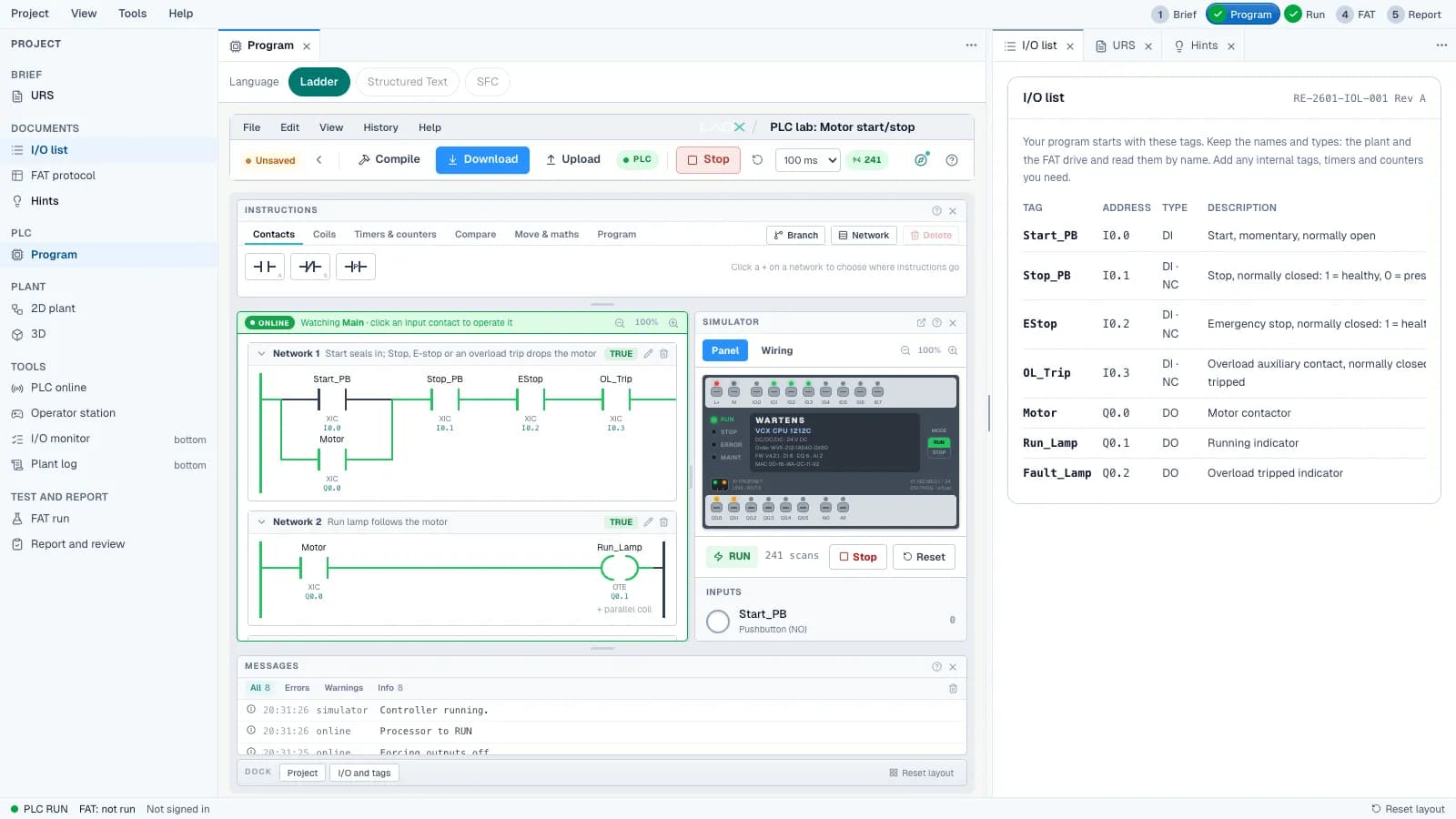
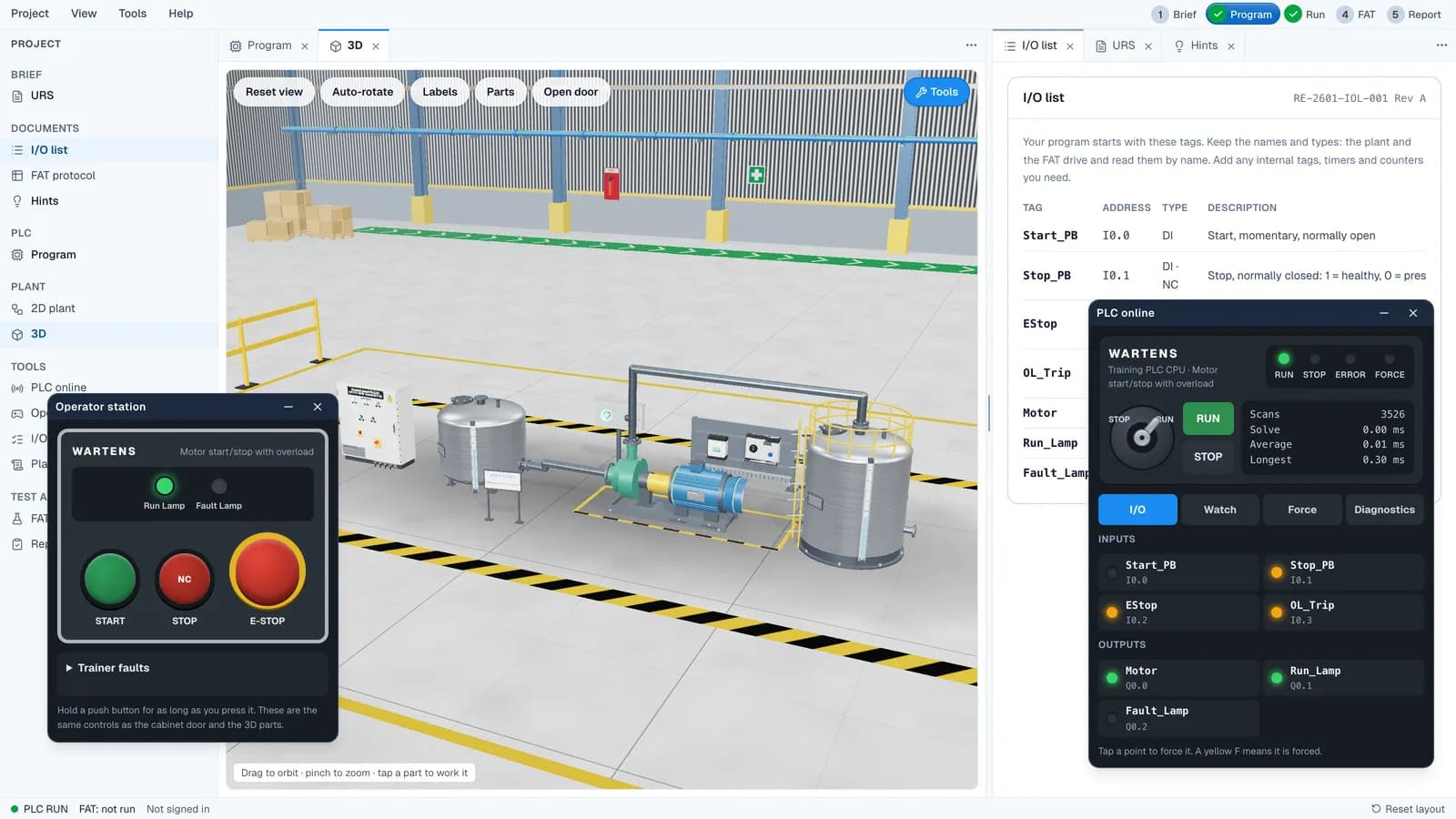
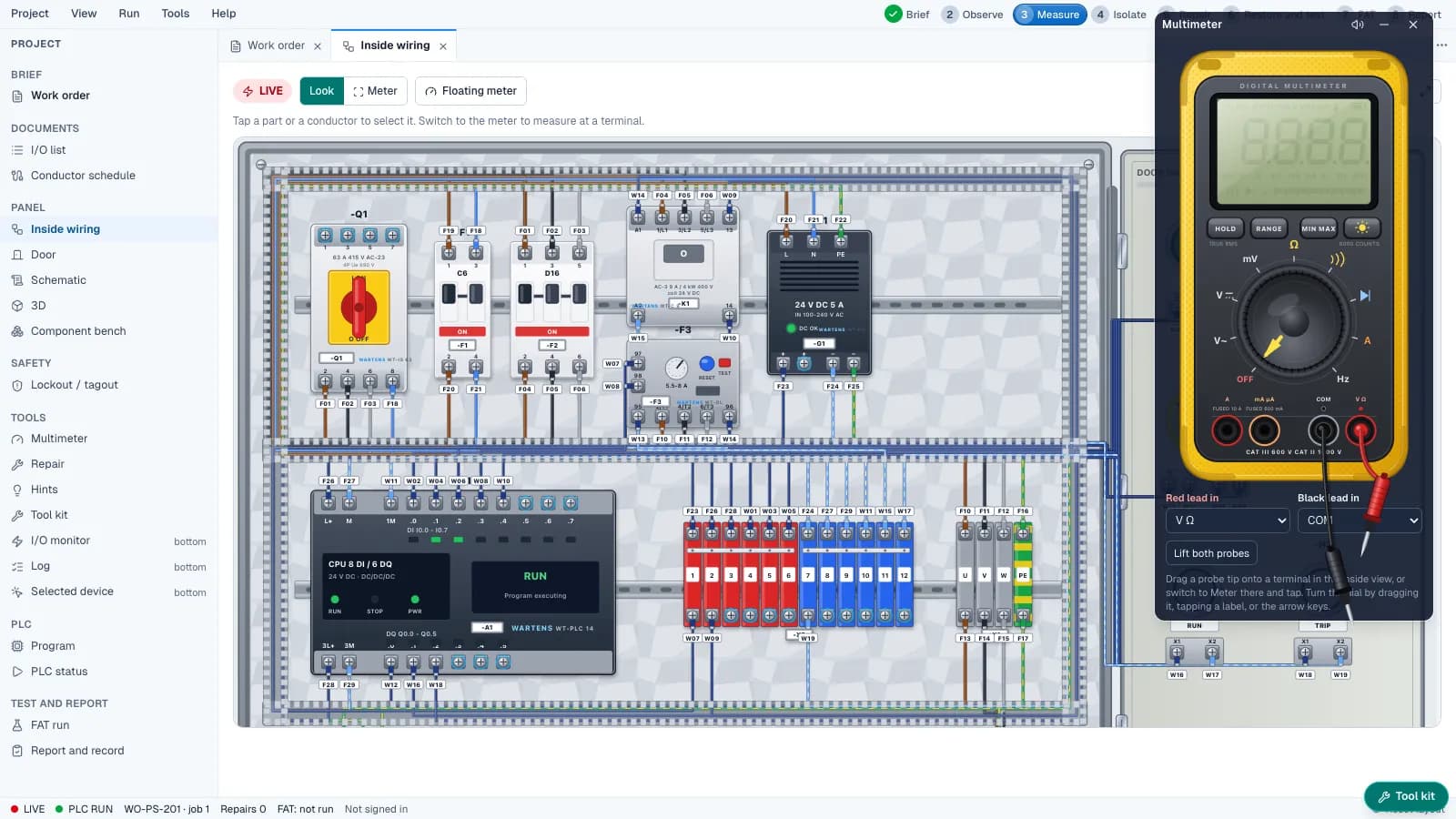
Practise in the EDWartens Lab as you learn
Our own browser lab gives you a simulated PLC, control panel and process to work on. In the Siemens-style view it uses Siemens-style names (networks, OB1 Main, %I0.0 addresses, IEC timer instances and SCL) so what you learn transfers. It is not TIA Portal and does not replace it. Try the lab free, any time.
PLC programmingProgram a PLC, see it run.Open this lab Control panel buildWire a real control panel.Open this lab
Projects
Four projects you can show an employer
Each project is a small version of real work, with a brief, a lab task and a rubric. You finish with evidence, not just a certificate.
Project 1 · after module 4
Warehouse conveyor line
Three conveyors with sensors, jam detection and an e-stop, built with a reusable motor function block.
You hand in: the reusable motor FB, a tag table and an I/O list.
Project 2 · after module 7
Water pumping station with HMI
A duty and standby pumping station with SCL level scaling and an HMI with alarms.
You hand in: the program, the HMI screens and an alarm list.
Project 3 · after module 10
Food packaging line with drive and safety zone
An infeed, filler and sealer with VFD speed control, a safety zone and auto and manual modes.
You hand in: a sequence diagram, the program, the drive control and a safety description.
Capstone · after module 13
Capstone: air handling unit and commissioning pack
An air handling unit with temperature and pressure control, then a commissioning pack with a mock FAT and SAT.
You hand in: the program, the HMI, a FAT and SAT report, a fault log and a short walkthrough.
Projects are marked against a rubric you can read before you start. The first pass is AI-assisted; our engineers review it and can change the result. 70 out of 100 passes, 75 for the capstone. If you fall short you get feedback on what to change.
Included job simulators
Four job simulators, included
Do the job before you apply. Each simulation puts you in a simulated UK workplace with a morning email, tickets, documents and colleagues, and builds the habits an employer looks for.
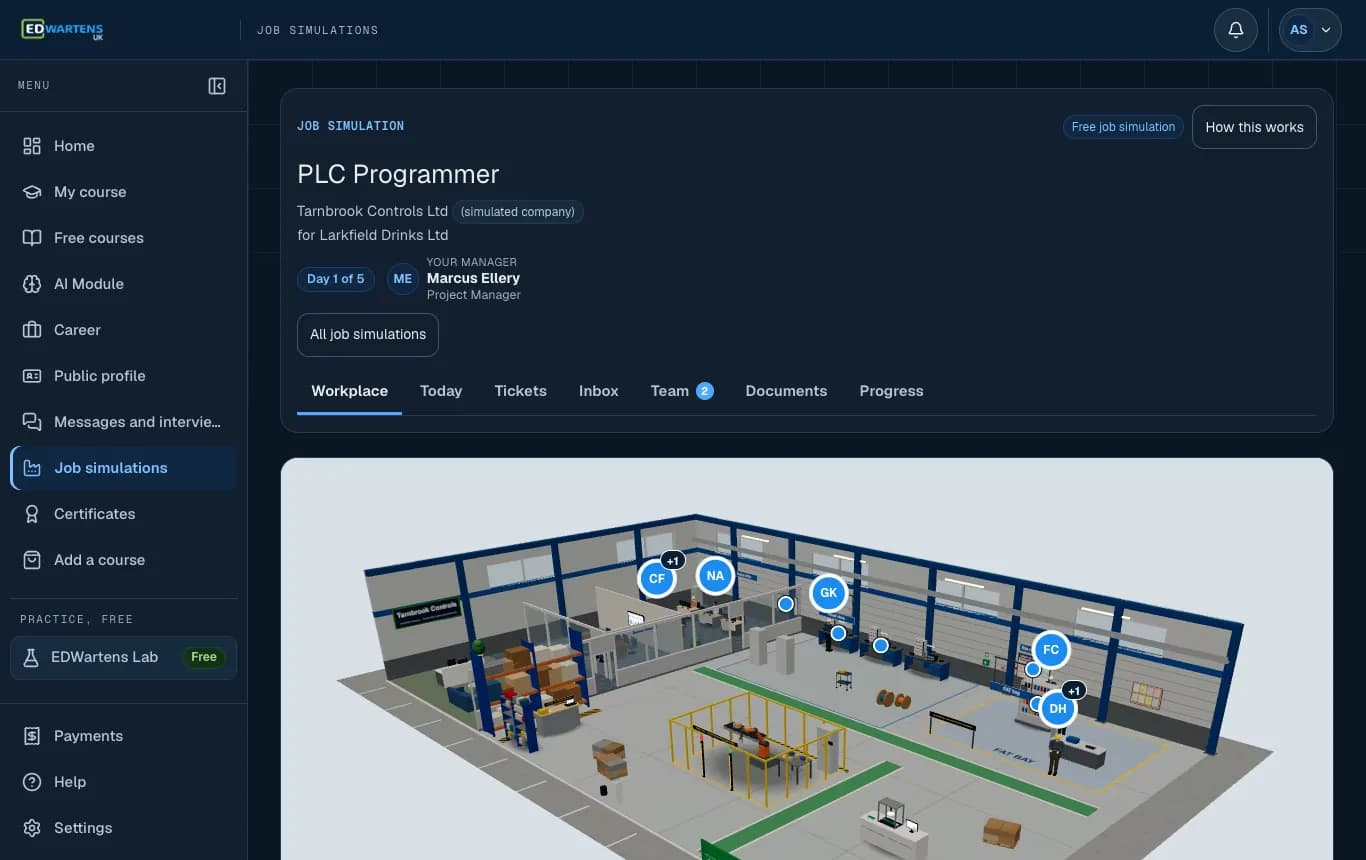
Start in the workplace, with the team around you. 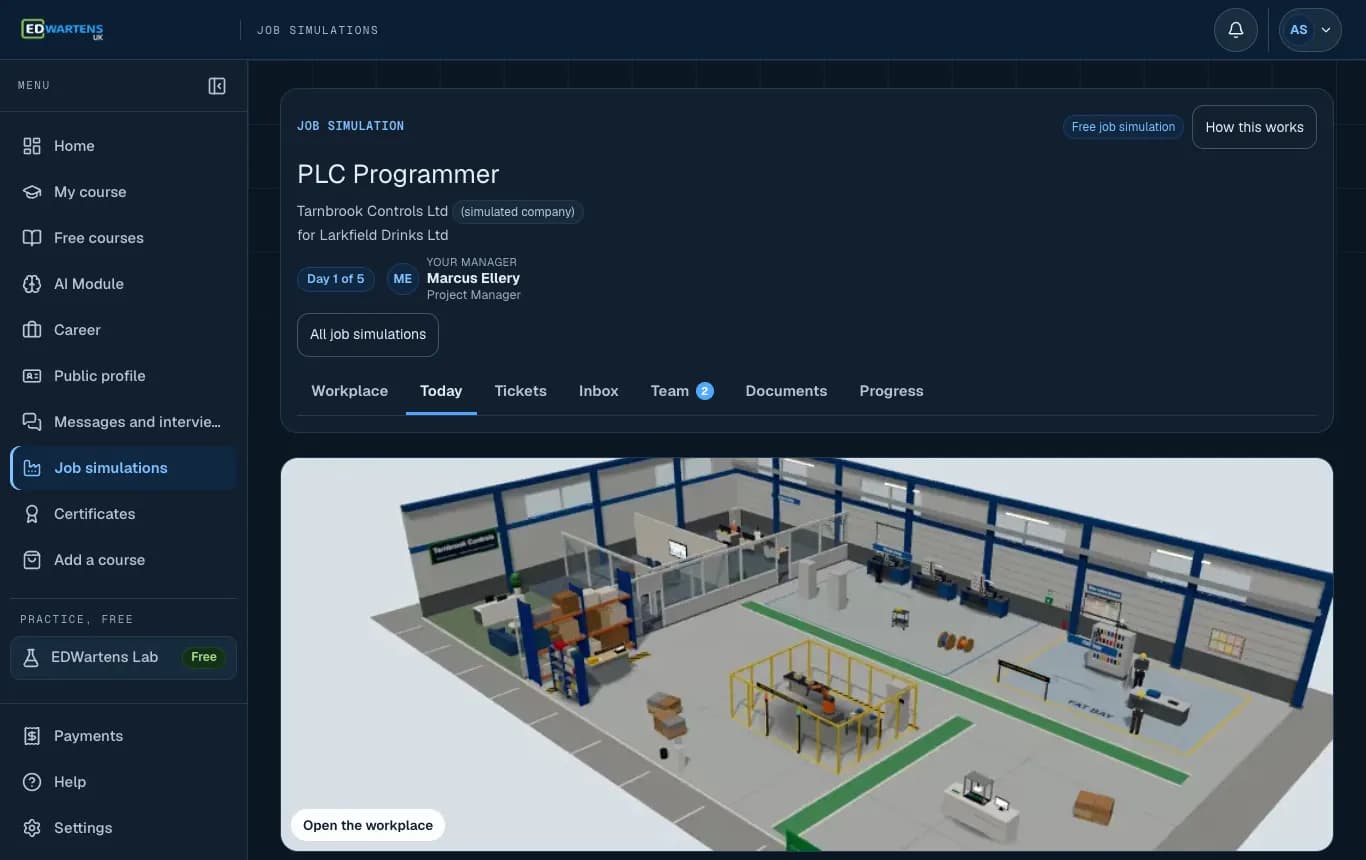
Today: the morning email and your tickets for the day. 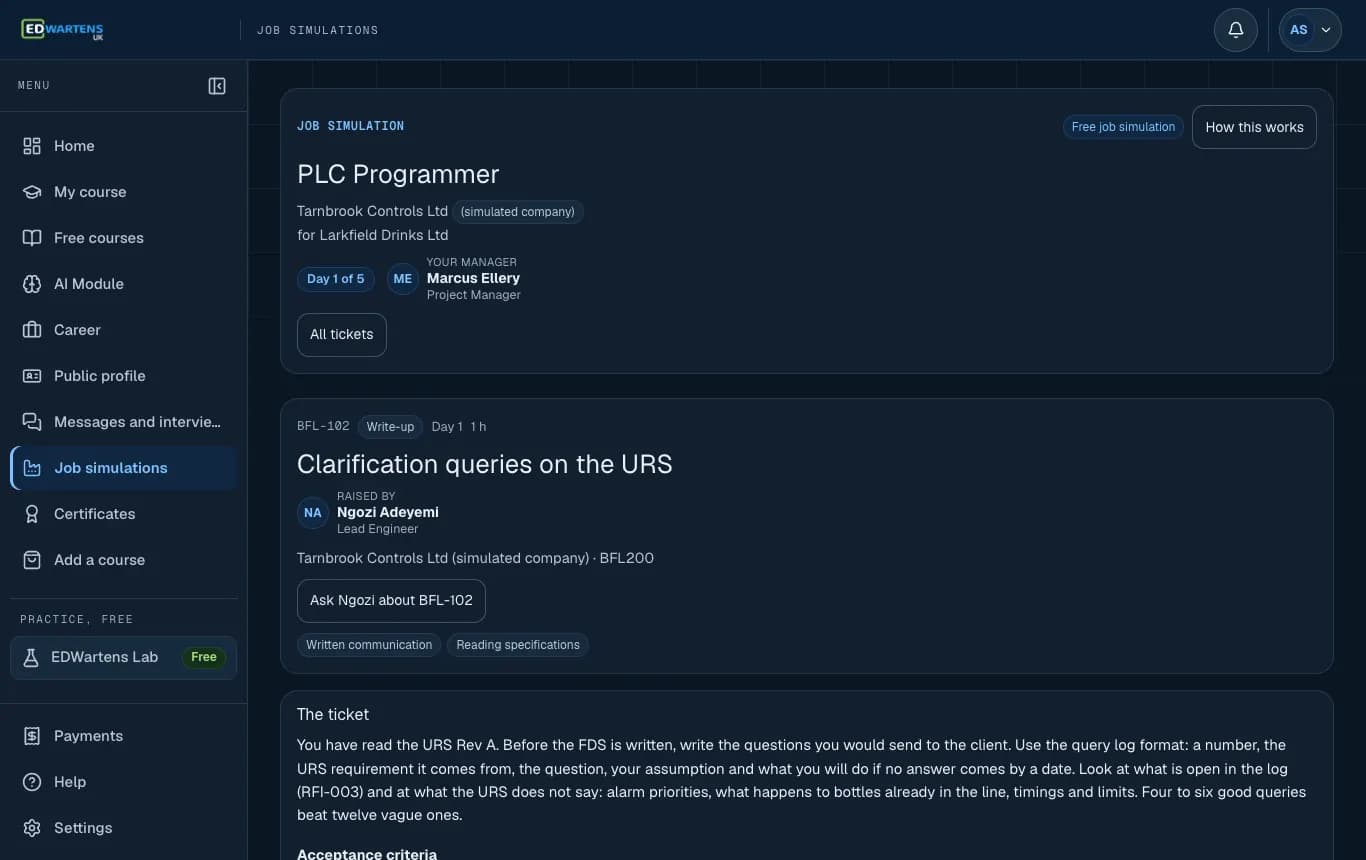
A ticket, written the way a colleague would write it.
Screenshots from the simulator. Company, people and data are fictional. Portraits are AI-generated.
The 4 simulations that come with the Siemens Module
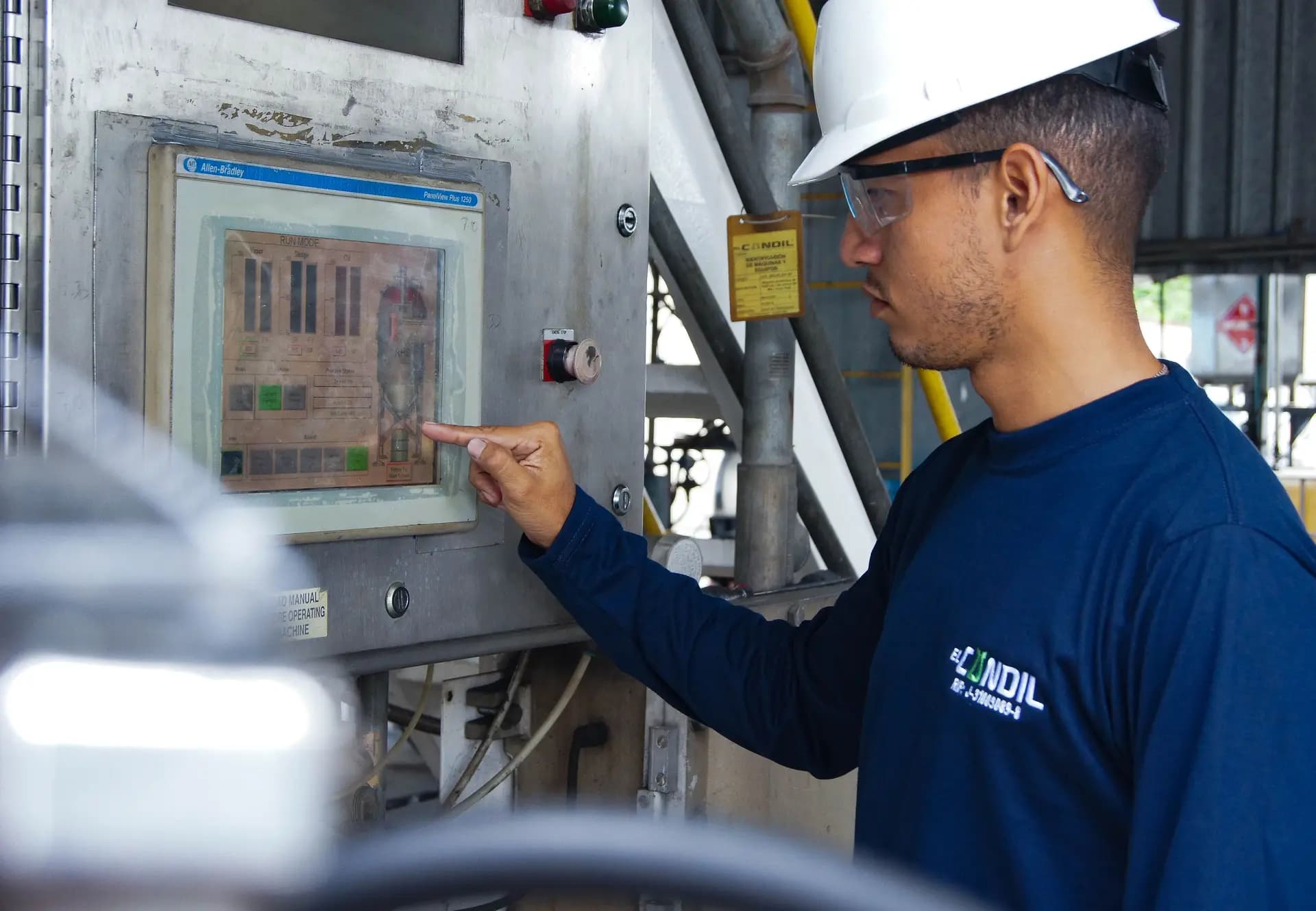
PLC Programmer
Write the I/O list, program the line, run the FAT and handle a change request.
SCADA and HMI Engineer
Build the tag list, alarm list and screens for a live process.
Commissioning Engineer
Loop checks, I/O checkout, SAT and a punch list on a plant that is nearly ready.

Maintenance Electrical Engineer
Work orders, safe isolation, fault finding and a root-cause report.
Each simulation is sold separately: the Premium edition (days 6 to 20, an engineer-reviewed capstone and a viva) is £53.99 including VAT. With this course you get Premium and its certificate for these roles at no extra charge. The companies are simulated; a simulation is training, not employment or a work placement.
Job support
Help to turn the skills into applications
The last module teaches you to read UK Siemens adverts, put the course honestly on your CV, build a portfolio and answer the interview questions. Then the portal helps you search.
The UK job board
Automation and controls adverts from UK employers, refreshed daily, with visa-sponsor licences marked.
Job alerts
Tell us the roles and places you want, and new matches come to you.
An application tracker
Keep every application, date and next step in one place.
Module 13: job readiness
Honest CV wording, a portfolio, interview questions and how UK recruitment works.
The job board lists real vacancies. We cannot promise an interview or a job, and we do not quote placement rates.
Your certificate
Proof you can show an employer
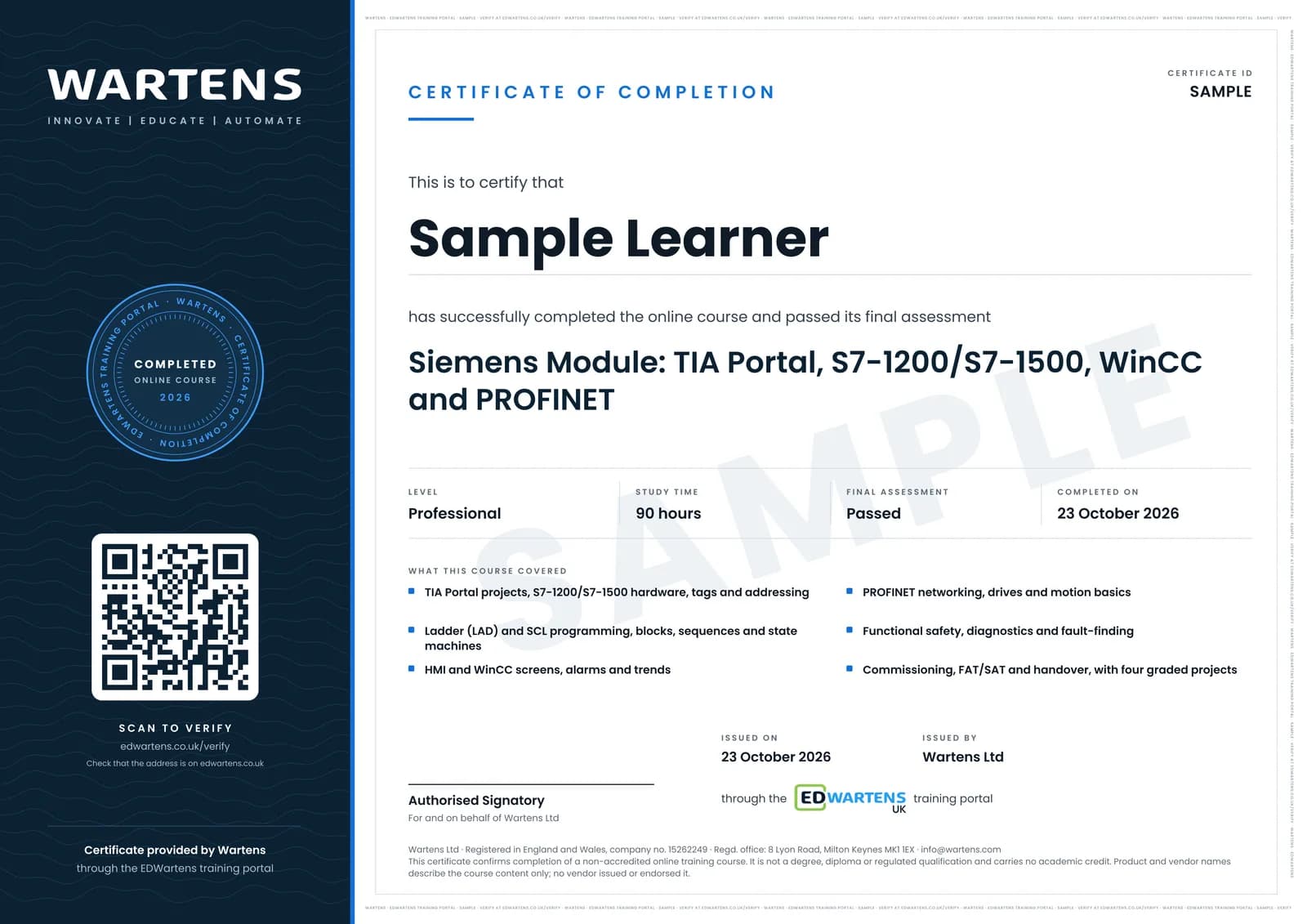
You earn a certificate of completion from Wartens Ltd when you have done all of these:
- Pass all 12 module gate tests and the final exam
- Pass all 4 graded projects (70 out of 100, or 75 for the capstone)
It is a certificate of completion, not a regulated qualification, not CPD-accredited and not a Siemens certification. It does not guarantee a job. Employers can check any certificate at edwartens.co.uk/verify.
Price and payment
£780 including VAT, everything included
One price. No extra charges for the portal, the career support or the certificate.
One price
£780
including VAT (£650 + £130 VAT)
- How you pay
- In full, once
£65.00 per month of access, if you use all 12 months.
Those are sums from our own price and a national average. They say nothing about what you will earn.
What the fee covers
- 69 lessons in 13 modules. Recorded lessons, each with notes, a practice quiz and a lab task, open to you from the day you pay.
- Gate tests and the final exam. A test at the end of every module and a final exam.
- 4 graded projects. Marked against a published rubric, with feedback on what to change.
- Lab practice. The EDWartens Lab, in a Siemens-style view, for almost every lesson.
- Four job simulators. The Premium edition and its certificate for each of the four roles.
- Job board, alerts and tracker. For the whole of your access.
- Questions to a trainer. From any lesson, throughout your access.
- Certificate of completion. Issued automatically when every test and all four projects are passed.
Not included: your computer and internet connection, and real TIA Portal licences. We show you the legal trial routes and how to use them. Lessons stream from their creators' YouTube channels; the study plan, notes, quizzes, tests, projects and grading are ours.
Pay in full: £780
Includes VAT (£650 + VAT). By debit or credit card through Stripe; we never see your card details. The whole course opens straight away.
One payment, no deposit
This course is paid in full, once. Your 12 months' access starts on the day you pay, and every lesson is open from that day.
Employer paying?
We can send a VAT invoice; the payment terms on the invoice apply. Contact us with the company's details before you enrol. A VAT-registered employer can usually reclaim the VAT.
This is a private course. It is not eligible for Advanced Learner Loans or Skills Bootcamp funding; see fees and payment.
Your 14-day right to cancel
- If you buy as a consumer, you can cancel within 14 days of the day we confirm your booking, without giving a reason, and we refund what you paid.
- Siemens and Allen-Bradley Modules: the lessons are digital content that opens as soon as you pay, so at checkout you ask for access straight away. If you cancel within 14 days and have not opened any lesson, you get everything back. Once you open a lesson, the right to cancel ends.
The full rules are in the cancellations and refunds policy and the Siemens and Allen-Bradley Module terms. Nothing here affects your legal rights.
Start today
Pay once and the whole course opens straight away: every lesson, the lab, your four job simulators and the job board. 12 months' access.
Prices include VAT. Changed your mind? You have 14 days to cancel if you have not opened a lesson. Course terms · Cancellations and refunds
Course facts
The practical details
- Delivery
- Self-paced online learning: recorded lessons, notes, quizzes and the browser lab in the student portal. There are no live classes.
- Start
- Start the day you enrol
- Access period
- 12 months from the day you pay. Every lesson is open from day one; module gate tests are taken in order.
- Duration
- About 90 hours of lessons and tests plus about 55 hours of projects. At 6 hours a week that is about six months; at 10 hours, three to four.
- Requirements
- A computer or laptop with a current browser (Chrome, Edge, Firefox or Safari) and a broadband connection. The lab works best on a larger screen. No PLC experience needed.
- Software
- None to buy. You practise in the EDWartens Lab in your browser. Siemens has offered time-limited trials of TIA Portal through its Siemens Industry Online Support site, and the course shows you how to find the current terms and when to start a trial clock. Check Siemens' terms, which change.
- Assessment
- A 15-question gate test per module, a 50-question final exam and 4 graded projects
- Certificate
- A certificate of completion from Wartens Ltd with a verification code and QR code. It is not a regulated qualification and not CPD-accredited.
Questions
Questions people ask before enrolling
How is the course delivered?
Do I need PLC or programming experience?
How many hours a week will it take?
Are the lessons your own videos?
Can I use the real TIA Portal?
Is it recognised? Is it a Siemens certificate?
I am on a visa. Can I still take it?
What if I do not get a job?
How is this different from the Professional Module?
What does the price cover, and can my employer pay?
Can I cancel or get a refund?
Start building real Siemens skills today
£780 including VAT, one payment, 12 months' access. Open your first lesson straight away, and cancel within 14 days if you have not opened one.
Independence and trademarks
Siemens, SIMATIC, TIA Portal, WinCC and SINAMICS are trademarks of Siemens AG. PROFINET is a registered trademark of PROFIBUS Nutzerorganisation e.V.
EDWartens is independent and not affiliated with, sponsored or endorsed by the companies named above. The certificate is issued by Wartens Ltd. It is not CPD-accredited. This is a private course, not a regulated qualification, and it does not guarantee a job or an interview.