





Free job simulation · Automation and controls

OT security analyst job simulation

An OT security analyst job simulation is practice at protecting industrial control networks. You build an asset inventory, judge network flows against zones and conduits, review firewall rules and respond to a suspicious engineering workstation login at a simulated dairy plant. It uses safe simulated data and an exercise in EDWartens Lab, with no live systems. It is practice, not a security certification or employment.

You join Marrowdale Controls Security Ltd (simulated company), a ot security consultancy in Leeds. A working day takes 30 to 45 minutes. Days 1 to 5 are free, about 3 to 4 hours in all. Premium continues to day 20, about 12 to 15 hours. It is practice, not employment.

Days 1 to 5 are free. You need a free account and no card. Create an account. Or try the 3-minute demo (opens in a new tab), with no account.

Free
5 days, 3 to 4 hours
A working day
30 to 45 minutes
Project documents
10
Certificate, optional
£14.99
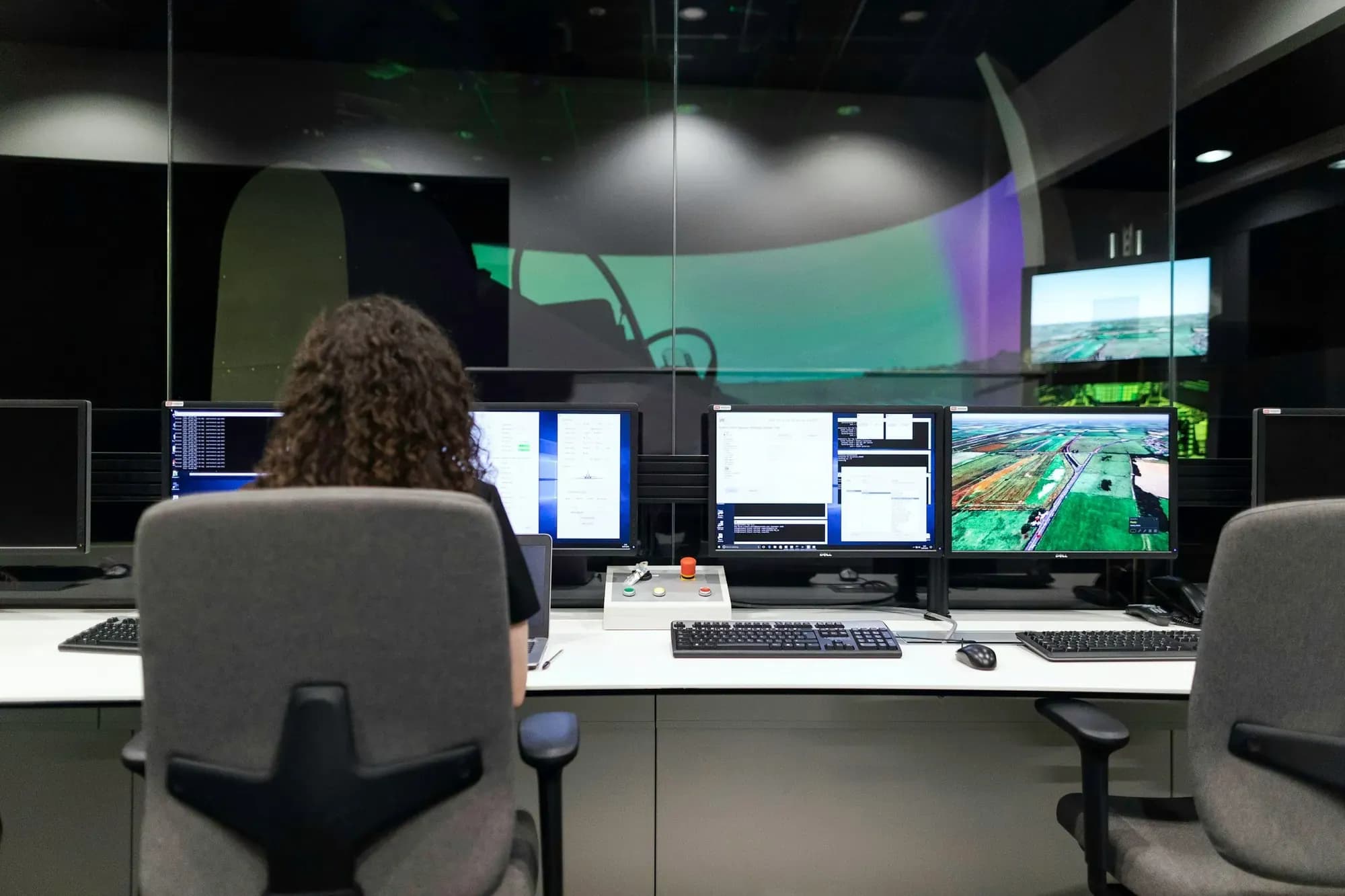
Woman at a control desk with several monitors, facing a dark curved screen wall in a control room

The project

You join Marrowdale Controls Security Ltd (simulated company)

Marrowdale Controls Security Ltd (simulated company) is a ot security consultancy in Leeds. You help its team deliver a project for Skellmoor Dairy Foods Ltd, at Milk processing plant, pasteuriser and filling line (project SKL-400).

You are the junior analyst on an OT security assessment at a dairy. In four weeks you build the asset inventory, place devices on their levels, judge the observed network flows against zones and conduits, review the firewall rules and triage the vulnerabilities, all without scanning a single PLC. A vendor then demands permanent remote access and you answer with a controlled design. One night an unapproved login appears on the engineering workstation and you help contain it without stopping the plant, write the incident report, face a request to hide it, check the backups and hand over a pack the plant team can use. The skill is to protect the process first and be exact about what you know.

What you will do

  • Build an asset inventory and place every device on its level
  • Judge network flows against zones and conduits and review a firewall rule export
  • Triage vulnerabilities and choose patch or protect without stopping the plant
  • Answer a vendor's always-on demand with just-in-time access, MFA and a jump host
  • Triage an alert log, contain a suspicious login safely and write the incident report

The people you deal with

  • Lead OT Security Consultantcompany
  • Client Plant Engineering Managerclient
  • Client IT Managerclient
  • Client Plant Managerclient
  • Client Shift Leadclient
  • Control System Vendor Supportvendor

The company, client and site are fictional. The people are fictional too.

Look inside

What the simulator looks like

The workplace, your tickets, the documents and the team chat, as a learner sees them.

  • The workplace of the simulated company in the OT Security Analyst job simulation
    Start in the workplace, with the team around you.
  • The Today screen of the OT Security Analyst job simulation: the morning email and the day's tickets
    Today: the morning email and your tickets for the day.
  • The Work screen of the OT Security Analyst job simulation, listing tickets by day
    Work: every ticket, by day, with its status.
  • A ticket in the OT Security Analyst job simulation with its brief and acceptance points
    A ticket, written the way a colleague would write it.
  • A project document in the OT Security Analyst job simulation with number, revision and status
    A project document with its number, revision and status.
  • The Team screen of the OT Security Analyst job simulation with a chat open with an AI colleague
    Ask a colleague. They are AI colleagues: they help you think, they do not hand out answers.

Screenshots from the simulator. Company, people and data are fictional and always labelled as simulated.

Meet the team

The colleagues you work with

You can read their messages and ask them questions. They are AI colleagues with names, roles and faces, always labelled as simulated. They help you think a ticket through; they do not hand out its answer.

  • Portrait of Rhiannon Griffiths, an AI colleague (simulated)Rhiannon GriffithsLead OT Security ConsultantSimulated colleague, company side
  • Portrait of Hamza Ghani, an AI colleague (simulated)Hamza GhaniClient Shift LeadSimulated colleague, client side
  • Portrait of Keith Ainscough, an AI colleague (simulated)Keith AinscoughClient Plant Engineering ManagerSimulated colleague, client side
  • Portrait of Priti Desai, an AI colleague (simulated)Priti DesaiClient IT ManagerSimulated colleague, client side
  • Portrait of Eileen Lomax, an AI colleague (simulated)Eileen LomaxClient Plant ManagerSimulated colleague, client side
  • Portrait of Lukas Brandt, an AI colleague (simulated)Lukas BrandtControl System Vendor SupportSimulated colleague, vendor

Fictional people, with simulated faces.

What you get

What you walk away with

Assess the security of a dairy's control systems without stopping the plant, from asset inventory to incident report.

Roles to look for

  • OT Security Analyst
  • ICS Cyber Security Analyst
  • Industrial Cyber Security Engineer
  • OT Security Consultant (junior)

39 live openings on the UK jobs board, checked 14 Nov 2026. See the jobs

Your proof

  • Your work pack, as a PDF and a zip, with your documents, timesheet and skills before and after.
  • A certificate anyone can verify. Optional, and included in Premium.
  • An entry on your EDWartens profile under Work experience, marked as a job simulation.
  • A work record with your skill scores, with Premium.

What you can talk about at interview

  • You can explain why passive methods come first on a live plant, and what an active scan can do to old controllers.
  • You can walk through an asset inventory, a zone and conduit judgement and a firewall review.
  • In Premium, you can talk through a vendor remote access design, an incident triage and report, and a security level gap table.

Day by day

Your 5 free days, and the project they build

Each working day takes 30 to 45 minutes: clock in, a morning meeting, your tickets, an end-of-day report, clock out. Do a day at a time or several in one sitting. On day 1 your manager checks what you know and plans your learning. Every ticket is checked, and you see the model answer after it.

Skellmoor plant security assessment

For Skellmoor Dairy Foods Ltd (fictional)

Skellmoor Dairy Foods runs day and night, and its PLCs, SCADA server and an old vendor support link have never been assessed. This project builds the picture without scanning a single PLC: assets, zones, firewall rules and vulnerabilities, then a controlled remote access design and an incident drill. It ends with an assessment pack the plant team can use.

In scope for you

  • Build the asset inventory and place every device on its level
  • Judge network flows and firewall rules against the zones
  • Triage vulnerabilities and choose patch or protect
  • Design just-in-time remote access through the DMZ
  • Contain an unapproved login and write the incident report
  • Prove a restore and hand over the assessment pack

You hand over

  • OT asset inventory with level and criticalityAsset inventory
  • Firewall rule review findingsFirewall rule review
  • Vulnerability triage registerVulnerability register
  • First findings note to the plant engineering managerFindings note
  • Incident report for an unapproved loginIncident reportPremium
  • OT security assessment packAssessment packPremium
Milestones in the free days

  1. By day 3Inventory built, network mapped, flows and firewall reviewedSkellmoor plant security assessment
  2. By day 5Minimum rules written, vulnerabilities triaged, first findings sentSkellmoor plant security assessment

Tickets, day by day

  1. Day 1

    2 tickets
    • Induction: rules of engagement for a plant assessmentQuiz
    • Complete the asset inventory: level and criticalityTable
  2. Day 2

    1 ticket
    • Map the plant network on the labHand-in
  3. Day 3

    2 tickets
    • Judge the eleven observed flows against the zone rulesTable
    • Review the plant firewall rulesDocument review
  4. Day 4

    2 tickets
    • Firewall rules: the minimum, then deny by defaultHand-in
    • The Plant Engineering Manager wants a full scan tonightDecision
  5. Day 5

    3 tickets
    • Triage the eight vulnerabilitiesTable
    • Spot the intruder in a day of plant logsHand-in
    • First findings note to the Plant Engineering ManagerWriting

On day 5 you clock out and your manager does a final review with you, and your work pack is ready: the free days, in about 3 to 4 hours.

Premium: days 6 to 20about 12 to 15 hours with the free days

After day 5 the project goes on with a change request, site work, faults, a handover and a capstone reviewed by an engineer. Your manager also checks in on days 5, 10 and 15, and the final review comes after day 20.

  1. By day 10Risk scored, patch or protect chosen, remote access designedSkellmoor plant security assessment
  2. By day 15Alerts triaged, incident handled and reported, restore provedSkellmoor plant security assessment
  3. By day 20Safety zone gaps found and the assessment pack deliveredSkellmoor plant security assessment

See the Premium plan

  1. Day 6

    1 ticket
    • Inherent and residual risk for three scenariosCalculation
  2. Day 7

    1 ticket
    • Patch or protect within the maintenance windowHand-in
  3. Day 8

    1 ticket
    • Reply to the vendor and raise the change requestWriting
  4. Day 9

    1 ticket
    • Remote access through the DMZ and a jump hostHand-in
  5. Day 10

    1 ticket
    • Check the draft remote access procedure Rev BDocument review
  6. Day 11

    2 tickets
    • Triage the night's alert logTable
    • The workstation is probably compromised: what now?Decision
  7. Day 12

    1 ticket
    • Responding to an OT incident: the order of actionsQuiz
  8. Day 13

    1 ticket
    • Incident drill: a note on one operator screenHand-in
  9. Day 14

    1 ticket
    • Write the incident report for the EWS-01 loginWriting
  10. Day 15

    1 ticket
    • Backup and recovery: prove a restore on the benchHand-in
  11. Day 16

    1 ticket
    • The Plant Manager asks you to leave the incident outDecision
  12. Day 17

    1 ticket
    • Security level gaps for the safety zoneTable
  13. Day 18

    1 ticket
    • Capstone: the assessment packHand-in
  14. Day 19

    1 ticket
    • Could the plant have recovered inside 4 hours?Calculation
  15. Day 20

    1 ticket
    • A conversation about your own workViva

Your workplace

Where you work, and with what

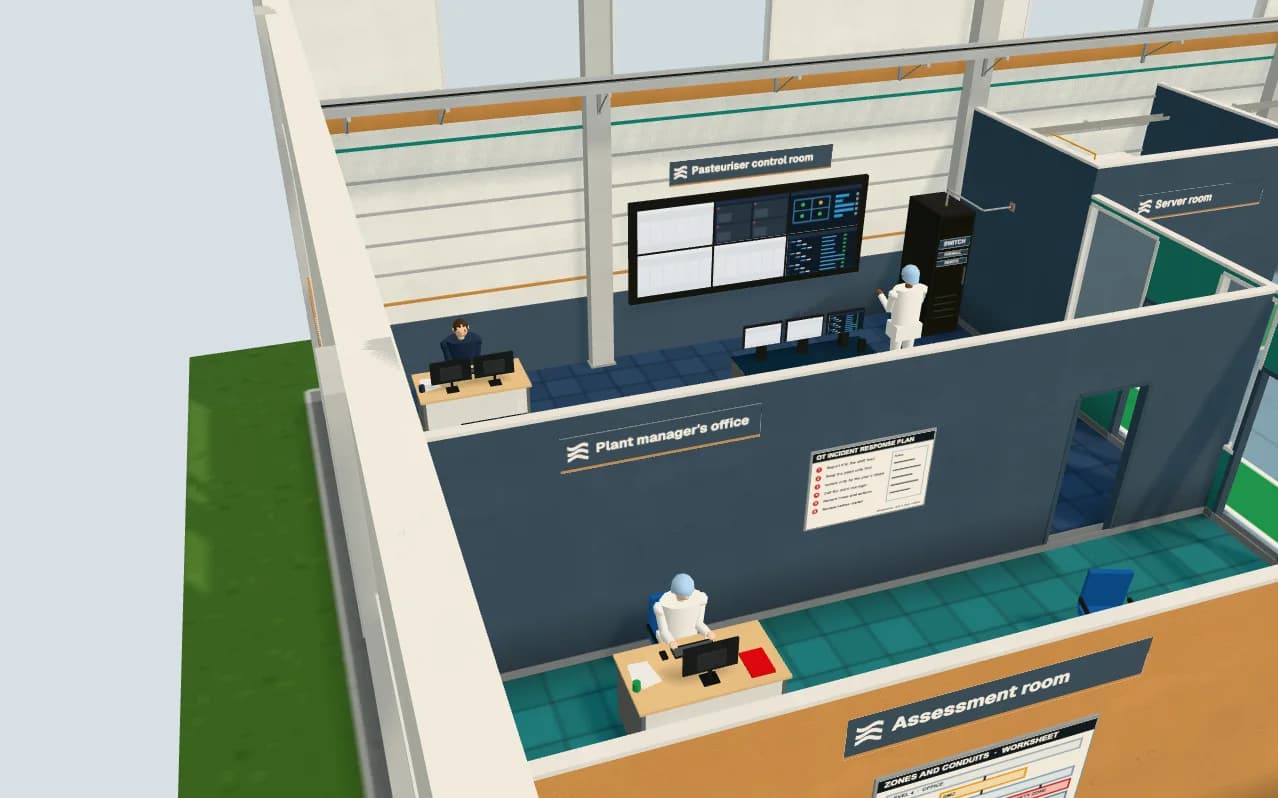
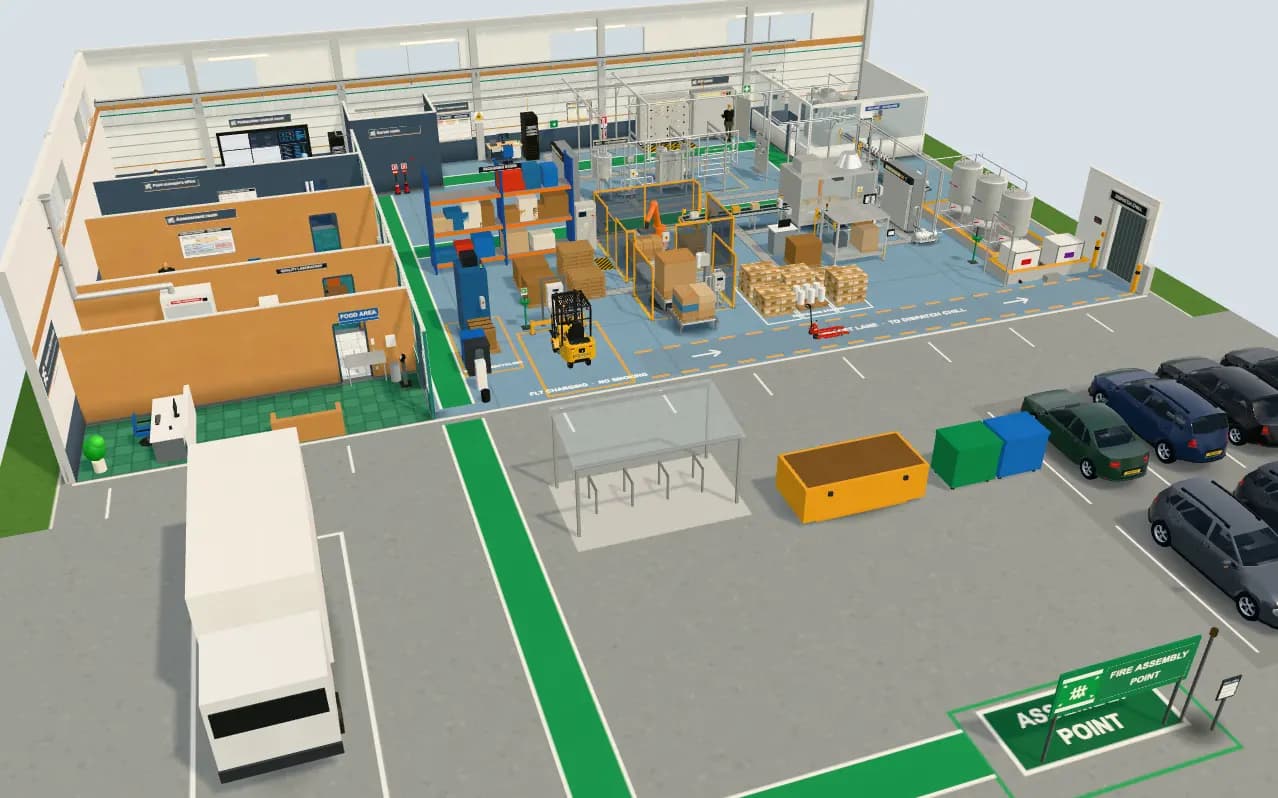
You work in a process plant with a control room: Skellmoor Dairy Foods (simulated company), Milk processing plant, pasteuriser and filling line. It is a 3D room with your colleagues in it.

Hours and rhythm

Days, 08:00 to 16:30, Monday to Friday, with one night visit in week three (simulated)

  • 08:15 plan for the day with Rhiannon
  • 08:30 sign in at the gatehouse and check the rules of engagement
  • 12:30 review slot
  • 16:00 update tickets and the evidence log

You clock in and out of every day. The simulated clock runs faster between events, so a day takes 30 to 45 minutes of real time.

Machines and equipment

Real lab machines stand in the workplace, and the hands-on tickets point to the matching EDWartens Lab exercise. In the UK edition you do the lab exercise yourself, tick a checklist and hand in your notes and figures. It is a self-review hand-in. The lab does not mark you or send us a result.

The lab exercises for this role are listed under Prepare, further down.

Systems and kit

Assessment ticket tracker (simulated). Each piece of work is a ticket such as SKL-112. You do the work, attach your evidence and hand it in for Rhiannon to review.

PPE on site: Safety boots, Hi-vis vest, Hairnet and beard snood in production areas, Safety glasses, Ear defenders in the filling hall.

The 3D workplace of the simulated company in the OT Security Analyst job simulation
The simulated workplace you walk around. The company and the people are fictional.

Skills checked

The skills your manager checks

On day 1 you rate yourself on about eight skills for the role, from never done it to could teach it. Your manager then asks two short "show me" questions on the skills you rated highest. The same skills are rated again at the final review, so you see a before and after.

  • OT security
  • Applying standards
  • Risk assessment
  • Safety and safe systems of work
  • Industrial networks
  • Working with clients and stakeholders
  • Written communication
  • Root-cause analysis

A "How to do this" panel opens on tickets that use a skill you rated low. Where you have shown you know a skill, the help stays folded away, and you can open it any time.

Real documents

The documents you will work with

Each one has a title block with a number, a revision, a status and who prepared, checked and approved it, the way a project document does. You read them, check them and write your own, and what you hand in becomes a controlled document too. Everything is kept in your work pack.

  • SKL400-POL-001

    Rules of engagement for the OT security assessment

    Rev 2Rules of engagement

  • SKL400-STD-001

    Plant network levels and criticality rules

    Rev 1Standard

  • SKL400-AST-001

    OT asset inventory, as found on the walk-down

    Rev BAsset inventory

  • SKL400-NET-001

    Observed network flows from the passive capture

    Rev ANetwork description

  • SKL400-ZC-001

    Zones and conduits worksheet, rules of the design

    Rev AZones and conduits

  • SKL400-FWR-001

    Plant firewall rule export, for review

    Rev AFirewall rule review

  • SKL400-VUL-001

    Vulnerability and patch register, first triage

    Rev AVulnerability register

  • SKL400-RAP-001

    Vendor remote access, current arrangement

    Rev ARemote access procedure

  • SKL400-ZCD-001

    Zone diagram, target design

    Rev AZone diagram

  • SKL400-MS-001

    Method statement, passive network capture at the core switch

    Rev 1Method statement

Documents that arrive in Premiumchange requests, records, handover
  • SKL400-RSK-001

    Risk assessment worksheet, three scenarios

    Rev ARisk assessmentPremium

  • SKL400-VEN-001

    Vendor support agreement extract and the vendor's demand

    Rev AContract extractPremium

  • SKL400-RAP-001

    Vendor remote access procedure, proposed

    Rev BRemote access procedurePremium

  • SKL400-ZC-001

    Zones and conduits worksheet, remote access conduit added

    Rev BZones and conduitsPremium

  • SKL400-MON-011

    Passive monitor alert log and change register, night of D10 into D11

    Rev 1Alert triage logPremium

  • SKL400-IRP-001

    OT incident response plan

    Rev 1Incident response planPremium

  • SKL400-INC-014

    Incident file: unapproved login on EWS-01, facts after the first day

    Rev 1Incident evidencePremium

  • SKL400-BKP-001

    Backup register and recovery targets

    Rev ABackup registerPremium

  • SKL400-SLR-001

    Security level gap table, safety zone Z1

    Rev ASecurity level requirementsPremium

  • SKL400-HOV-001

    Assessment handover pack requirements

    Rev AHandover indexPremium

Tools

In the industry, and here

Tools in the industry and what you use here
In the industryHere
Passive network monitor and packet captureA merged alert log and flow list you read and classify
Asset inventory and vulnerability toolsRegisters you complete and triage with stated rules
Firewall management consoleRule exports to review and EDWartens Lab's OT security exercise for writing rules
Jump host and remote access gatewayThe remote access exercise in EDWartens Lab and procedures to review
Incident ticketing and reportingIncident files and reports you write

Standards

The standards the work follows

  • IEC 62443-3-2
  • IEC 62443-3-3
  • IEC 62443-2-1
  • NIST SP 800-82
  • NIST SP 800-61

In the UK

The OT Security Analyst role in a UK setting

Who employs this kind of engineer: Water, energy and manufacturing operators, and the integrators and security consultancies that support them.

Where: Operators are spread across the whole UK. Many security roles can be partly remote, but plant visits are usual. This is context, not a statement about vacancies.

UK standards and regulations to know about

  • IEC 62443

    The family of standards for industrial automation and control system security, including zones and conduits.

  • NIS Regulations 2018 and the NCSC Cyber Assessment Framework

    Operators of essential services such as water and energy are regulated for the security of their networks and information systems. The NCSC framework is used to assess them.

  • NCSC guidance on operational technology

    Free UK government guidance for people securing control systems.

  • NIST SP 800-82

    US guidance on securing industrial control systems, widely used internationally.

These are named so that you recognise them. A job simulation does not teach them as a qualification, the tasks use simplified data, and you should always read the current edition of anything you rely on.

Your proof, optional

A certificate you can verify

The free days are free. The graded, verifiable certificate is an optional extra, and it is included in Premium.

  • A graded, verifiable certificate with your score and band
  • A public verification page and QR code
  • The details to list it on LinkedIn under Licences & certifications, ready to copy
  • Issued by WARTENS LTD. It is a training certificate, not an accredited qualification, and the company is simulated

Optional: £14.99 including VAT, once you pass.

Sample

Job Simulation Certificate

Your name

completed the OT Security Analyst job simulation at Marrowdale Controls Security Ltd (simulated company). Your score and band are shown on the real certificate.

Number
EDW-JS-0000
Issued by
WARTENS LTD

Not an accredited qualification. A verification page and QR code are printed on the real certificate.

Premium

Want the full project, reviewed by an engineer?

Premium runs to day 20, about 12 to 15 hours in all, and includes the graded certificate. Your free days carry over, and nothing you did is lost.

£53.99 including VAT, one payment. If you have bought the certificate, you pay £39.00.

  • Working days 6 to 20 (about 12 to 15 hours in all): change requests, site work, faults and handover
  • A capstone deliverable reviewed by an engineer
  • An AI viva on your own work
  • The graded certificate and a work record PDF with your skill scores

Prepare

Free courses and labs that get you ready

Linked from the tickets that need them. You can read them before you start.

Free courses

EDWartens Lab guides

The hands-on tickets point to these lab exercises. You do the exercise, tick the checklist and hand in your notes and figures. In the UK edition that is a self-review, and nothing is marked as passed on the lab's say-so.

About the OT Security Analyst role

The plant asset inventory: what to record

You cannot protect what you have not listed. The first task is an inventory built from a walk-down, where each device is placed on its network level and given a criticality.

A useful row records what the device is, where it sits, what it talks to, how it is managed and what happens to the plant if it stops. The simulation gives you the rules for levels and criticality, and the inventory feeds every later decision: zones, patching and incident triage.

Zones and conduits on a plant network

A zone groups assets with similar security needs, and a conduit is a controlled path between zones, where firewalls and monitoring sit. IEC 62443-3-2 describes the method of splitting a system this way.

You judge a list of observed network flows against the zone rules, review a firewall rule export, then write the minimum rules with deny by default in the OT security exercise. A Plant Engineering Manager asking for a full scan tonight is a decision case, because active scanning can upset fragile controllers.

The remote access incident: decisions you have to make

OT incidents are decisions under pressure, with safety and uptime weighing as heavily as confidentiality. A vendor demands always-on remote access, and you answer with just-in-time access, multi-factor authentication and a jump host through a demilitarised zone.

Later an alert log points at a login on an engineering workstation. You triage the night's alerts, decide what to do first, contain safely and write the incident report. A Plant Manager asks you to leave the incident out of the report, and the right answer is to decline.

Which standard answers which task

IEC 62443 is a family of standards for industrial automation and control system security. Part 3-2 helps with zones and conduits, part 3-3 with system security requirements and part 2-1 with the security programme.

NIST SP 800-82 is guidance on securing industrial control systems, and NIST SP 800-61 covers incident handling. The simulation draws on all of them and shows which task each supports.

Using the map, you can see how a single task, such as drawing a conduit, ties to a part of a standard, which is useful when you explain your work to a plant engineer or an auditor.

How people reach OT security

There are two common routes: IT security staff who learn control systems, and controls engineers who learn security. Both need the basics of PLCs, networks and plant safety.

The free courses linked here cover industrial control system security and IEC 62443, and the related roles, SCADA and PLC, are the systems you would be protecting. Check each provider for current details of any certifications.

Whichever route you take, spend time on the plant side: how a process runs, what a safe state is and why an operator may refuse a change. Security advice that ignores the process is rarely adopted.

Questions

Quick answers

What is OT security?

It is protecting industrial control systems such as PLCs, SCADA and plant networks, where safety and availability matter as much as confidentiality. Plant staff and security staff must work together because a wrong change can stop production.

How is OT security different from IT security?

OT prioritises safety and uptime, uses long-lived equipment and specialist protocols, and often cannot be patched or scanned like office IT. Changes need to be planned with the plant.

What is IEC 62443?

It is an international family of standards for the security of industrial automation and control systems, covering general topics, policies and procedures, systems and components. Your employer will tell you which parts they follow.

What are zones and conduits?

Zones group assets with similar security needs. Conduits are the controlled links between zones, where firewalls and monitoring sit.

How do I start in OT security without an OT job?

Learn control basics such as PLCs and networks, take free introductory material, and practise asset inventory and incident response in a lab. Public bodies such as the National Cyber Security Centre (NCSC) publish free guidance on securing operational technology, so check their sites for what is current.

What does an OT security analyst do each day?

They maintain asset inventories, review alerts and remote access, and support segmentation and incident response with plant engineers. Work with plant engineers is constant, because every change has to fit the process.

Do I need to know PLCs for OT security?

A basic understanding helps, because incidents often involve controller and engineering workstation behaviour. The PLC and SCADA roles here are good companions.

Which OT security certifications exist?

Several providers, including ISA and SANS, offer industrial security training and exams, at a range of prices. Verify current details with each provider, and note that a job simulation is not a certification.

Do I need a security or networking background?

No. The simulation teaches the levels, zones, rules and the order of work. It helps to know what an IP address is, and the preparation links explain the rest.

Is the dairy a real one?

No. Skellmoor Dairy Foods is a made-up company and the plant is simulated. The documents, logs and situations follow what a junior OT security analyst meets.

Do I attack anything?

No. You read, classify, review and write. The EDWartens Lab exercise uses a safe simulated plant. Nothing in this simulation teaches you to break into a real system.

How long does it take?

The free week is about eleven hours over five days. The full Premium edition runs over twenty working days and about thirty to forty hours, at your own pace.

What do I get at the end?

A work record with scores by task and skill, which shows on your EDWartens profile under Work experience, marked as a job simulation.

Is the OT Security Analyst job simulation free?

Yes, to start. Days 1 to 5 are free. The certificate (£14.99) and the Premium edition (£53.99) are optional, and both prices include VAT.

Does it count as work experience?

No. It is a training project at a simulated company, not employment, an internship or a placement. A job simulation is a realistic training project at a simulated company. It is not employment, an internship or a work placement, and it is not a job offer. Hours are active hours the learner logged on EDWartens UK.

A job simulation is a realistic training project at a simulated company. It is not employment, an internship or a work placement, and it is not a job offer. Hours are active hours the learner logged on EDWartens UK.

Start the OT Security Analyst job simulation today

Days 1 to 5 are free, about 3 to 4 hours. No card to start. Practice, not employment.

A corner of the simulated workplace in the OT Security Analyst job simulation