
Free course · Cybersecurity
OT Security Assessment: Testing a Plant Without Stopping It
The assessment half of OT security, for engineers who have to do it on a plant that is running. Rules of engagement first, then passive capture, careful enumeration, what an attacker does with a protocol that has no authentication, the Windows machines nobody mentions, the logging that would have caught it, and a report written in the language of consequence.
Free to learn. Verifiable certificate £19 when you pass the final exam (optional, VAT included).
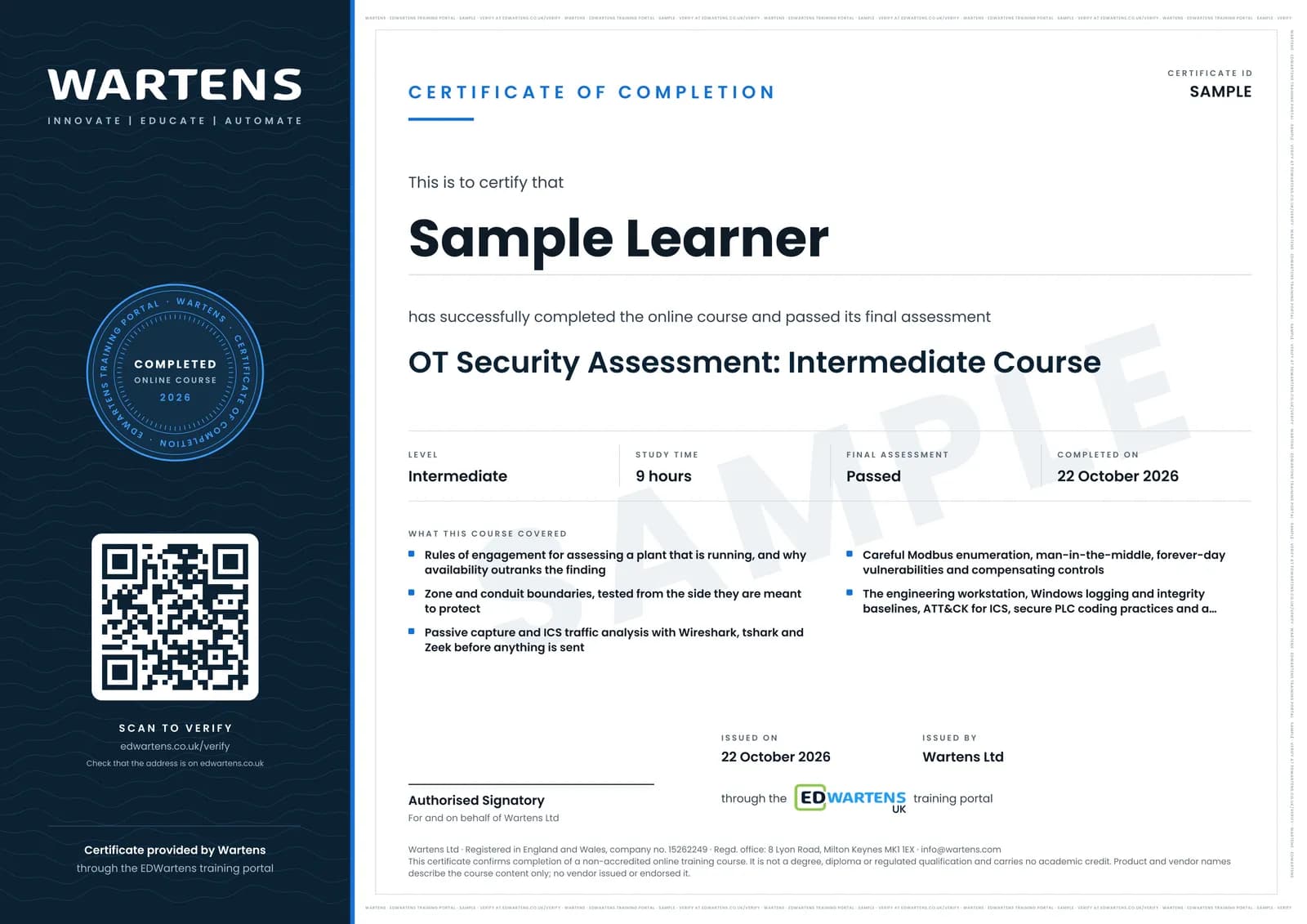
Sample certificate. Optional, issued when you pass the final exam.
- Level
- Intermediate
- Modules
- 12
- Video
- 15 hours
- Price
- Free
Outcome
What you will be able to do
Write rules of engagement for assessing a system that cannot be stopped; draw and test the zone boundaries that are supposed to exist; capture and read ICS traffic before sending any; enumerate a Modbus endpoint knowing the cost of every request; explain a man-in-the-middle and a forever-day vulnerability and choose compensating controls for a device that will never be patched; assess the engineering workstation and the service accounts on it; leave behind logging and an integrity baseline; decide whether deception is worth its operational cost; review PLC code against the Top 20 Secure PLC Coding Practices; and write a two-page report ordered by consequence that says what you did not test and why.
- Write rules of engagement with a window, a named owner and an abort condition, for a plant that cannot stop
- Draw the zones yourself and test each conduit from the side it is meant to protect
- Capture and read ICS traffic in Wireshark, tshark and Zeek before sending a single packet
- Enumerate a Modbus device knowing what every request will do, and say when it is not worth the risk
- Explain a Modbus man-in-the-middle and choose compensating controls for a device nobody will ever patch
- Map findings to ATT&CK for ICS honestly, and read a real incident as a chain of techniques
- Assess an engineering workstation: local accounts, services, shares and who can reach it
- Leave behind Windows logging and an integrity baseline on a host that must never be rebooted
- Review PLC code against the Top 20 Secure PLC Coding Practices and raise a finding engineering will accept
- Write the two-page report: scope, method, findings by consequence, and what you deliberately did not test
Software
Wireshark, a Linux virtual machine, a Modbus simulator or a lab PLC, and CHAPS. All free downloads. Nothing in this course requires a licence or a paid lab.
Hardware
None required. A spare PLC or a Raspberry Pi running a Modbus simulator makes the enumeration and capture work more real, and every exercise is written to work without one.
Syllabus
12 modules
Each module has video lessons, notes and a short quiz. The final exam closes the course.
- Rules of Engagement: Assessing a Plant That Is Running1 lesson
- Field Rules and the Ground You Are Assessing: Architecture and Segmentation3 lessonsLab
- Reading the Traffic Before You Send Any2 lessons
- Enumeration, Carefully2 lessons
- What the Attacker Does Next2 lessonsLab
- Naming What You Found: ATT&CK for ICS2 lessons
- The Windows Machines Nobody Mentions2 lessons
- Seeing It Happen: Windows Logging and Integrity Baselines2 lessons
- Deception and Hunting2 lessons
- Assessing the Logic Itself1 lesson
- The Report, and the Assessment You Can Repeat2 lessons
- Final Assessment1 lesson
How it works
How this course works
- Watch the video lessonsOne module at a time, at your own pace.
- Take the module quizA short quiz at the end of each module shows what stuck.
- Keep your notesWrite in My notes beside each module and ask the trainer if you are stuck.
- Practise in the labOptionalTry a task from the module in the EDWartens Lab, in your browser.
- Sit the final examPass it once you have been through the modules.
- Certificate, if you want oneOptionalPaid, and only after you pass. Anyone can check it online.
EDWartens Lab
Practise this in the EDWartens Lab
Map a plant network, find the odd device and set deny-by-default firewall rules in the Lab's OT security simulator.
Works alongside OT Security Assessment: Testing a Plant Without Stopping It. The Lab is ot security practice in your browser: no install, no hardware, free to use. Sign in as a learner and it opens with your account.
Levels to try with this course
OTS-01 · OT security lab
Map the plant network: put every device on its level
Open in the lab (opens in a new tab)OTS-02 · OT security lab
Zones and conduits: split a flat network
Open in the lab (opens in a new tab)OTS-06 · OT security lab
Patch or protect: choose within the maintenance window
Open in the lab (opens in a new tab)
Optional. Skip it whenever you like: it never blocks your progress or your certificate.
Why practise in a lab
Technical work is judged on what you can do: wiring, commissioning, finding a fault. Doing a task yourself teaches more than watching it a second time, and a lab lets you try it safely before you meet real equipment. It does not replace working on real hardware.
- Practise safely, so a mistake costs nothing.
- The lab checks your work like a site test, so you know when it is right.
- Free, in your browser, with nothing to install.
Certificate
An optional certificate when you pass
Learning is free. Pass the final exam and you can have a certificate for £19, including VAT, with a number employers can check online. It records that you completed a free online course; it is not a regulated qualification or a CPD certificate.
- Your name, the course, its study time and your final exam score
- A unique certificate number and a QR code to its verification page
- Issued by Wartens Ltd; add it to your LinkedIn profile in one click
- Pay now or after you pass: it is issued the moment you pass the final
Credits
Who made the lessons
The video lessons belong to their creators. EDWartens wrote the study plan, notes, quizzes and the final exam.
- SANS ICS Security
the entire ICS Concepts series that this course is built from: attacker methodology, field practice, network architecture, Modbus traffic analysis, enumeration and man-in-the-middle, Zeek, ATT&CK Navigator, Windows hardening and logging, integrity baselining, honeypots, the Top 20 Secure PLC Coding Practices, CHAPS and cyber informed engineering
Questions
About this course
Is this a hacking course?
How is it different from the OT and ICS Cybersecurity course?
Do I need a lab, or a real PLC?
Do I need penetration testing experience?
Is this a SANS course, or does it lead to a GIAC certification?
What will I have at the end?
Is the course really free?
What certificate do I get?
Want a live class and career support?
The Professional Module is five live days of Siemens PLC, HMI and SCADA with an instructor, then a resume session and a CPD certificate.