





Free job simulation · AI and data

Computer vision engineer job simulation: specify, label and test an inspection model

A computer vision engineer job simulation is a guided exercise in which you define what a camera must detect on a production line, review labelling, judge an inspection model by its escapes and false rejects, and handle night-shift lighting and latency. It is practice, not employment. This version follows a solder bridge inspection on a simulated circuit board line, and ends with a validation pack.

You join Brightfield Vision Systems Ltd (simulated company), a machine vision integrator in Coventry. A working day takes 30 to 45 minutes. Days 1 to 5 are free, about 3 to 4 hours in all. Premium continues to day 20, about 12 to 15 hours. It is practice, not employment.

Days 1 to 5 are free. You need a free account and no card. Create an account. Or try the 3-minute demo (opens in a new tab), with no account.

Free
5 days, 3 to 4 hours
A working day
30 to 45 minutes
Project documents
9
Certificate, optional
£14.99
Close-up of a collaborative robot arm with a two-finger gripper in a bright workshop

The project

You join Brightfield Vision Systems Ltd (simulated company)

Brightfield Vision Systems Ltd (simulated company) is a machine vision integrator in Coventry. You help its team deliver a project for Wrenfield Electronics Manufacturing Ltd, at SMT line 3, sensor board W3-220 (ticket CVI-054).

You are the junior vision engineer on a camera inspection system for solder bridges on a connector. The Senior Vision Engineer gives you a ticket, an inspection spec, an acquisition sheet with blanks, a labelling guide with mistakes and a set of image-level results. Over four weeks you check the optics, review the labels, find that the test set shares boards with the training set, show that 97 percent accuracy means nothing, discover that the night shift is dark, and then handle a new board variant, a production manager who wants to loosen the threshold in secret, lens dust, a customer escape and the handover to the line team.

What you will do

  • Work out resolution, blur and time to the reject gate from an image acquisition sheet
  • Review a labelling guide, measure annotator agreement and find a split that puts the same board in train and test
  • Show why 97 percent accuracy means nothing when 97 percent of boards are good, and report escapes and false rejects by shift
  • Choose a threshold with costs, resist a zero-escape demand and a request to loosen the threshold in secret
  • Judge latency at the 95th percentile, track lens dust, review a validation report and hand the system to the line team

The people you deal with

  • Head of Vision Engineeringcompany
  • Senior Vision Engineercompany
  • Delivery Managercompany
  • Client Quality Managerclient
  • Client Production Managerclient
  • Client Line Engineerclient
  • Client Lead Inspectorclient

The company, client and site are fictional. The people are fictional too.

Look inside

What the simulator looks like

The workplace, your tickets, the documents and the team chat, as a learner sees them.

  • The workplace of the simulated company in the Computer Vision Engineer job simulation
    Start in the workplace, with the team around you.
  • The Today screen of the Computer Vision Engineer job simulation: the morning email and the day's tickets
    Today: the morning email and your tickets for the day.
  • The Work screen of the Computer Vision Engineer job simulation, listing tickets by day
    Work: every ticket, by day, with its status.
  • A ticket in the Computer Vision Engineer job simulation with its brief and acceptance points
    A ticket, written the way a colleague would write it.
  • A project document in the Computer Vision Engineer job simulation with number, revision and status
    A project document with its number, revision and status.
  • The Team screen of the Computer Vision Engineer job simulation with a chat open with an AI colleague
    Ask a colleague. They are AI colleagues: they help you think, they do not hand out answers.

Screenshots from the simulator. Company, people and data are fictional and always labelled as simulated.

Meet the team

The colleagues you work with

You can read their messages and ask them questions. They are AI colleagues with names, roles and faces, always labelled as simulated. They help you think a ticket through; they do not hand out its answer.

  • Portrait of Philip Ranasinghe, an AI colleague (simulated)Philip RanasingheHead of Vision EngineeringSimulated colleague, company side
  • Portrait of Aiko Matsumoto, an AI colleague (simulated)Aiko MatsumotoSenior Vision EngineerSimulated colleague, company side
  • Portrait of Tobias Sheridan, an AI colleague (simulated)Tobias SheridanDelivery ManagerSimulated colleague, company side
  • Portrait of Leanne Rowe, an AI colleague (simulated)Leanne RoweClient Quality ManagerSimulated colleague, client side
  • Portrait of Ashley Tranter, an AI colleague (simulated)Ashley TranterClient Production ManagerSimulated colleague, client side
  • Portrait of Chinedu Okeke, an AI colleague (simulated)Chinedu OkekeClient Line EngineerSimulated colleague, client side
  • Portrait of Wendy Rothwell, an AI colleague (simulated)Wendy RothwellClient Lead InspectorSimulated colleague, client side

Fictional people, with simulated faces.

What you get

What you walk away with

Build the evidence for a camera inspection: optics, labels, metrics, thresholds and a validation and handover pack.

Roles to look for

  • Computer Vision Engineer
  • Machine Vision Engineer
  • Vision Systems Engineer
  • Applications Engineer (Machine Vision)

471 live openings on the UK jobs board, checked 14 Nov 2026. See the jobs

Your proof

  • Your work pack, as a PDF and a zip, with your documents, timesheet and skills before and after.
  • A certificate anyone can verify. Optional, and included in Premium.
  • An entry on your EDWartens profile under Work experience, marked as a job simulation.
  • A work record with your skill scores, with Premium.

What you can talk about at interview

  • You can explain how you worked out whether a camera and lens could see a defect in the time available.
  • You can walk through a confusion matrix and say what escape rate and false reject rate each mean on a line.
  • In Premium, you can describe the night shift lighting problem, an attribute agreement study and a validation report.

Day by day

Your 5 free days, and the project they build

Each working day takes 30 to 45 minutes: clock in, a morning meeting, your tickets, an end-of-day report, clock out. Do a day at a time or several in one sitting. On day 1 your manager checks what you know and plans your learning. Every ticket is checked, and you see the model answer after it.

Camera inspection for sensor board W3-220

For Wrenfield Electronics Manufacturing Ltd (fictional)

Wrenfield's quality manager wants a camera at the end of the reflow oven on SMT line 3 to replace the manual check for solder bridges. This project, ticket CVI-054, proves the system: optics, labels, a clean test split, honest escape and false reject rates by shift, and a handover pack the line team can run.

In scope for you

  • Check the optics from the acquisition sheet
  • Review the labelling guide and measure annotator agreement
  • Write the dataset manifest and a clean train and test split
  • Report escapes and false rejects by shift
  • Choose the threshold by cost, and handle the dark night shift and lens dust
  • Review the validation report and hand over to the line team

You hand over

  • Acquisition sheet check: resolution, blur and time to the gateImage acquisition calculation
  • Annotator agreement (Cohen's kappa)Inter-annotator agreement
  • Dataset manifest with counts and splitDataset manifest and datasheet
  • Confusion matrix, escape rate and false reject rateEscape and false reject evaluation
  • End-of-week evaluation note for the Quality ManagerCustomer update
  • Validation and handover packValidation and handover packPremium
Milestones in the free days

  1. By day 3Optics checked, labels reviewed, agreement measured, manifest writtenCamera inspection for sensor board W3-220
  2. By day 5Confusion matrix worked out, zero-escape demand answered, shift results and weekly note doneCamera inspection for sensor board W3-220

Tickets, day by day

  1. Day 1

    2 tickets
    • Induction: standards, the line and the metricsQuiz
    • Acquisition sheet: resolution, blur and time to the gateCalculation
  2. Day 2

    2 tickets
    • Review the labelling guide v1.3 against the inspection specDocument review
    • Annotator agreement: Cohen's kappa on the borderline sampleCalculation
  3. Day 3

    2 tickets
    • Lab: vision inspection on the conveyorHand-in
    • Dataset manifest: counts and the splitTable
  4. Day 4

    2 tickets
    • EXP-007: the confusion matrix, escape rate and false reject rateCalculation
    • "Zero escapes, I do not care how many good boards it rejects"Decision
  5. Day 5

    2 tickets
    • Results by shift: the night shift is differentTable
    • End-of-week evaluation note for the Quality ManagerWriting

On day 5 you clock out and your manager does a final review with you, and your work pack is ready: the free days, in about 3 to 4 hours.

Premium: days 6 to 20about 12 to 15 hours with the free days

After day 5 the project goes on with a change request, site work, faults, a handover and a capstone reviewed by an engineer. Your manager also checks in on days 5, 10 and 15, and the final review comes after day 20.

  1. By day 10Threshold chosen, overfitting seen, CR-12 handled, night shift and inspectors studiedCamera inspection for sensor board W3-220
  2. By day 15Latency checked, lens dust tracked, deployment note reviewed, escape containedCamera inspection for sensor board W3-220
  3. By day 20Escape rate proved, validation report reviewed, handover pack deliveredCamera inspection for sensor board W3-220

See the Premium plan

  1. Day 6

    1 ticket
    • Choose the threshold by cost: escapes against false rejectsTable
  2. Day 7

    1 ticket
    • Lab: overfitting on a small datasetHand-in
  3. Day 8

    1 ticket
    • Impact note for change request CR-12Writing
  4. Day 9

    1 ticket
    • The night shift is dark: how do we fix it?Decision
  5. Day 10

    1 ticket
    • Attribute agreement study: inspectors against the modelTable
  6. Day 11

    1 ticket
    • Latency budget: can the edge device reach the gate in time?Calculation
  7. Day 12

    1 ticket
    • "Raise the threshold to 0.9 and do not copy the Quality Manager"Decision
  8. Day 13

    1 ticket
    • Lens dust: the false reject rate by weekCalculation
  9. Day 14

    1 ticket
    • Review the deployment note for the edge deviceDocument review
  10. Day 15

    1 ticket
    • A customer escape: containment and root cause in 24 hoursWriting
  11. Day 16

    1 ticket
    • How many defective boards prove a 1 percent escape rate?Calculation
  12. Day 17

    1 ticket
    • Review the validation report before it is signedDocument review
  13. Day 18

    1 ticket
    • Capstone: the validation and handover packHand-in
  14. Day 19

    1 ticket
    • Handover note for the line teamWriting
  15. Day 20

    1 ticket
    • A conversation about your own workViva

Your workplace

Where you work, and with what

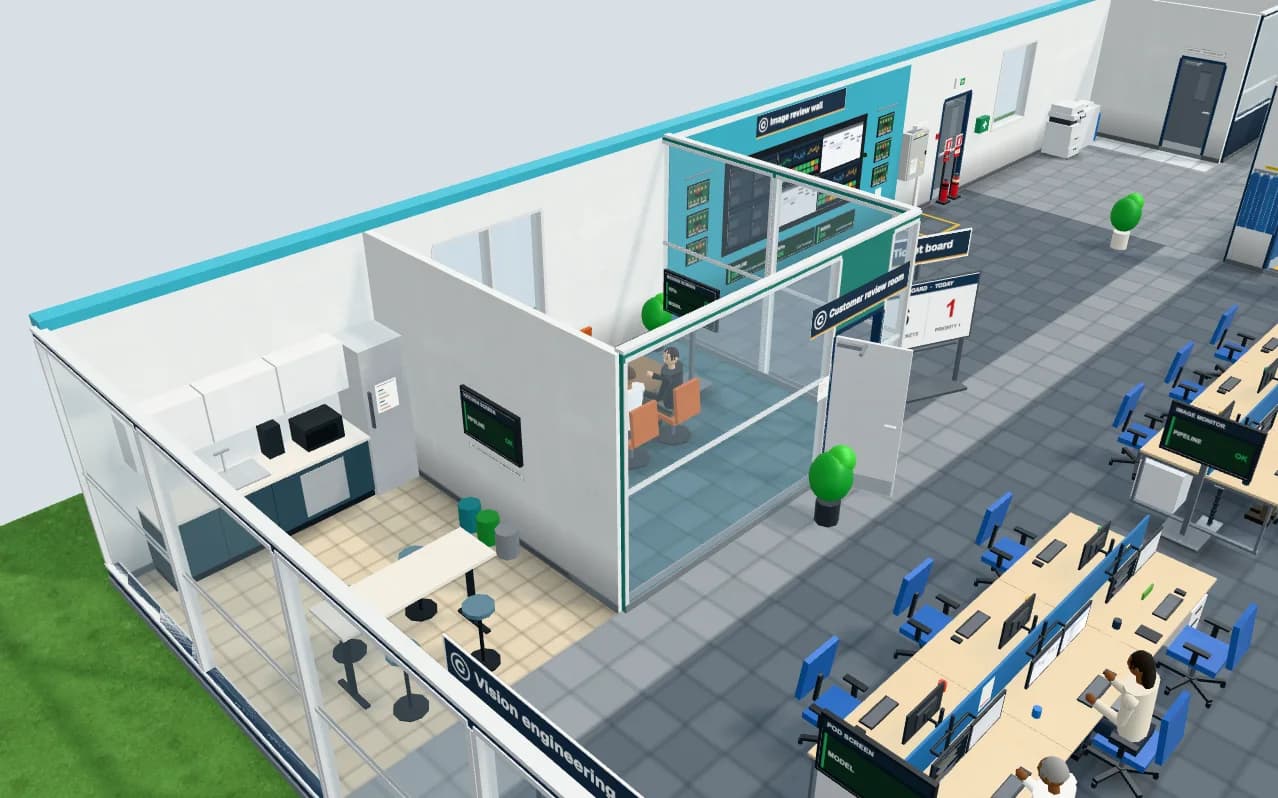
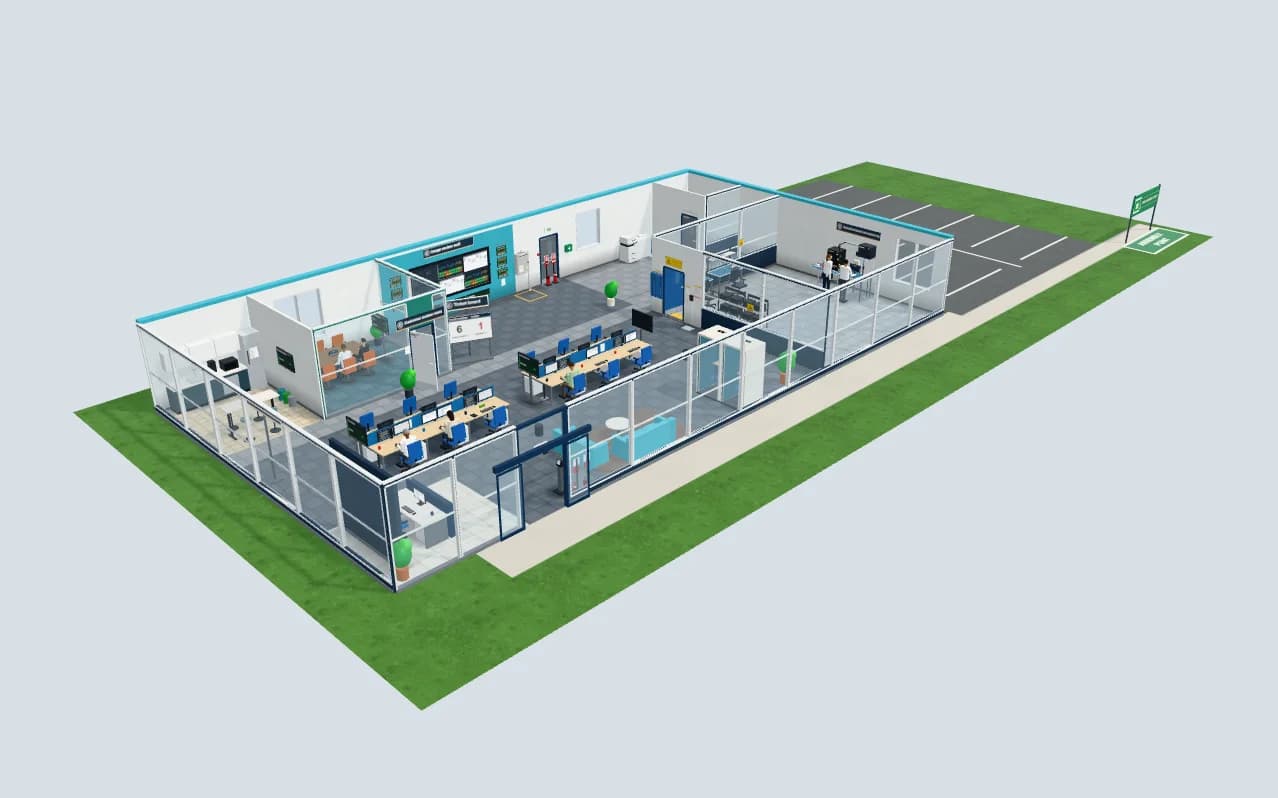
You work in a technology office: Brightfield Vision Systems (simulated company), Vision lab and project office, Coventry. It is a 3D room with your colleagues in it.

Hours and rhythm

Days, 08:30 to 17:00, Monday to Friday, with line visits to Wrenfield planned by Tobias (simulated)

  • 08:30 team stand-up at the ticket board
  • 08:45 read Aiko's morning email and your tickets
  • 13:30 image and results review with Aiko
  • 16:30 update your tickets and the experiment log

You clock in and out of every day. The simulated clock runs faster between events, so a day takes 30 to 45 minutes of real time.

Machines and equipment

Real lab machines stand in the workplace, and the hands-on tickets point to the matching EDWartens Lab exercise. In the UK edition you do the lab exercise yourself, tick a checklist and hand in your notes and figures. It is a self-review hand-in. The lab does not mark you or send us a result.

Systems and kit

Vision project ticket tracker (simulated). Each piece of work is a ticket with a number such as CVI-054. You read it, do the work, hand it in and Aiko reviews it against the team standards.

PPE on site: Staff pass worn visibly, Safety boots and hi-vis on line visits, Safety glasses near the camera station and the reflow oven, ESD wrist strap near boards.

The 3D workplace of the simulated company in the Computer Vision Engineer job simulation
The simulated workplace you walk around. The company and the people are fictional.

Skills checked

The skills your manager checks

On day 1 you rate yourself on about eight skills for the role, from never done it to could teach it. Your manager then asks two short "show me" questions on the skills you rated highest. The same skills are rated again at the final review, so you see a before and after.

  • Evaluation and metrics
  • Analysis and statistics
  • Written communication
  • Applying standards
  • Testing and acceptance
  • Working with clients and stakeholders
  • Root-cause analysis
  • Reading specifications

A "How to do this" panel opens on tickets that use a skill you rated low. Where you have shown you know a skill, the help stays folded away, and you can open it any time.

Real documents

The documents you will work with

Each one has a title block with a number, a revision, a status and who prepared, checked and approved it, the way a project document does. You read them, check them and write your own, and what you hand in becomes a controlled document too. Everything is kept in your work pack.

  • CVI-TKT-054

    Ticket CVI-054: detect solder bridges on connector J4, SMT line 3

    Rev ATicket

  • CVI-STD-001

    Vision team working standards (one page)

    Rev BStandard

  • CVI-SPC-001

    Inspection specification: connector J4 on sensor board W3-220

    Rev AInspection spec

  • CVI-ACQ-001

    Image acquisition sheet: line 3 camera station

    Rev AAcquisition sheet

  • CVI-LBL-001

    Labelling guide v1.3

    Rev 1.3Labelling guide

  • CVI-DST-001

    Dataset manifest and datasheet

    Rev 0.2Datasheet

  • CVI-EXP-001

    Experiment log and first evaluation (EXP-007)

    Rev BExperiment log

  • CVI-DWG-001

    Inspection station layout and signal flow, line 3

    Rev AStation layout drawing

  • CVI-TPL-001

    Change and revalidation request (blank form)

    Rev AChange request form

Documents that arrive in Premiumchange requests, records, handover
  • CVI-CHG-012

    Change request CR-12: new board variant W3-240 on line 3

    Rev AChange requestPremium

  • CVI-SPC-001

    Inspection specification: connectors J4 and J9, boards W3-220 and W3-240

    Rev BInspection specPremium

  • CVI-ACQ-001

    Image acquisition sheet: line 3 camera station, with controlled lighting

    Rev BAcquisition sheetPremium

  • CVI-MSA-001

    Attribute agreement study: inspectors and model

    Rev AMSA studyPremium

  • CVI-LAT-001

    Latency log: edge device on line 3

    Rev ATest recordPremium

  • CVI-DEP-001

    Deployment note: model v1.0 on the line 3 edge device

    Rev ADeployment notePremium

  • CVI-VAL-001

    Validation report and model card v1.1 (draft)

    Rev AValidation reportPremium

  • CVI-HOV-001

    Validation and handover pack requirements

    Rev AHandover indexPremium

Tools

In the industry, and here

Tools in the industry and what you use here
In the industryHere
OpenCV, a deep learning framework and an annotation toolPer-image labels and model scores in CSV files you analyse in your own spreadsheet or Python, plus the vision exercise in EDWartens Lab
Image acquisition: camera, lens, lighting and trigger sheetA numbered acquisition sheet and the calculations that go with it
Measurement system analysis softwareAn attribute agreement study file you compute yourself
Edge device profiling and a ticket trackerA latency log and numbered tickets in the inbox

Standards

The standards the work follows

  • IPC-A-610
  • AIAG MSA
  • ISO 2859 (sampling)

In the UK

The Computer Vision Engineer role in a UK setting

Who employs this kind of engineer: Machine vision integrators, electronics and automotive manufacturers, food producers and logistics operators.

Where: Industrial regions such as the North West, Yorkshire, the Midlands, Scotland and the South West have many manufacturing sites that use inspection cameras. This is context, not a statement about vacancies.

UK standards and regulations to know about

  • IPC-A-610

    Acceptability criteria for electronic assemblies, used here as the inspection reference.

  • PUWER 1998

    The Provision and Use of Work Equipment Regulations: equipment must be suitable, maintained and safe to use. HSE guidance L22 explains them.

  • BS EN ISO 13849-1

    Relevant where a reject gate or stop is part of a safety function.

  • UK GDPR

    Applies if images can identify people. The simulation uses images of boards, not people.

These are named so that you recognise them. A job simulation does not teach them as a qualification, the tasks use simplified data, and you should always read the current edition of anything you rely on.

Your proof, optional

A certificate you can verify

The free days are free. The graded, verifiable certificate is an optional extra, and it is included in Premium.

  • A graded, verifiable certificate with your score and band
  • A public verification page and QR code
  • The details to list it on LinkedIn under Licences & certifications, ready to copy
  • Issued by WARTENS LTD. It is a training certificate, not an accredited qualification, and the company is simulated

Optional: £14.99 including VAT, once you pass.

Sample

Job Simulation Certificate

Your name

completed the Computer Vision Engineer job simulation at Brightfield Vision Systems Ltd (simulated company). Your score and band are shown on the real certificate.

Number
EDW-JS-0000
Issued by
WARTENS LTD

Not an accredited qualification. A verification page and QR code are printed on the real certificate.

Premium

Want the full project, reviewed by an engineer?

Premium runs to day 20, about 12 to 15 hours in all, and includes the graded certificate. Your free days carry over, and nothing you did is lost.

£53.99 including VAT, one payment. If you have bought the certificate, you pay £39.00.

  • Working days 6 to 20 (about 12 to 15 hours in all): change requests, site work, faults and handover
  • A capstone deliverable reviewed by an engineer
  • An AI viva on your own work
  • The graded certificate and a work record PDF with your skill scores

Prepare

Free courses and labs that get you ready

Linked from the tickets that need them. You can read them before you start.

Free courses

A course that goes with this role

AI Module

A paid, self-paced course in AI and machine learning for industry: 83 lessons, 5 graded projects and career sessions. It is a separate product: you do not need it to finish the job simulation, and it does not lead to a job. The certificate is a certificate of completion, not a regulated qualification.

Price
£2,688 including VAT (£2,240 + VAT); or start with a £100 deposit
Format
Self-paced online, 12 months' access

About the Computer Vision Engineer role

The inspection specification: the page tutorials skip

A model cannot be judged without a specification: which defects matter, what the lighting and speed are, and what miss rate the customer accepts.

The pack has an inspection specification and an image acquisition sheet, and your first task works out resolution, blur and time to the reject gate from the sheet. If the camera cannot see the defect, no model will. This is the engineering step that lists of project ideas rarely include.

The specification also sets the acceptance test the line team will use, so it is worth writing carefully.

Labelling quality and annotator disagreement

Labels cap model quality. Two annotators can disagree on a borderline image, and a guide that is unclear produces inconsistent data.

You review the labelling guide against the inspection specification, measure annotator agreement with Cohen's kappa on a borderline sample, and read a dataset manifest for a split that puts the same board in both training and test. That last mistake inflates results and is easy to make.

The kappa figure then tells you how much of the model's apparent error is really the humans disagreeing.

The confusion matrix in cost terms

Defects are rare, so a model that calls every board good looks accurate and misses everything. Escape rate and false reject rate tell you what accuracy hides.

You compute both from a confusion matrix, then see results by shift, where the night shift behaves differently. Choosing the threshold means weighing the cost of a scrapped good board against a defective board that escapes. A demand for zero escapes at any cost is a decision case, as is a request to loosen the threshold in secret.

Latency, lens dust and the validation report

A model that is accurate but late misses the reject gate. You judge latency at the 95th percentile on an edge device, track the false reject rate by week to spot lens dust, and review a deployment note.

A customer escape then arrives, and you write containment and root cause in 24 hours. Finally you review the validation report before it is signed. IPC-A-610 is the usual acceptability reference for electronic assemblies, and attribute agreement studies come from the AIAG measurement system analysis guidance.

Public datasets to go further

After the simulation, public industrial inspection datasets let you practise on more defect types. Check label quality before you trust any of them, because inconsistent labels hide behind good-looking images.

The linked free courses cover machine vision for quality inspection and OpenCV. The related roles are the machine learning engineer and the quality engineer, whose 8D and SPC work is the other half of an inspection story.

Keep the evaluation note and the validation review. Reviewers value a clear account of what the model misses, why, and what the line team should do about it, more than a headline accuracy figure.

Questions

Quick answers

What does a computer vision engineer do in a factory?

They specify what the camera must catch, collect and label images, train a model and check false rejects and misses on the real line. The simulation follows that order.

How do I build a defect detection project?

Pick a dataset with defect labels, split by batch or board so near-duplicates do not cross the split, train, then report precision and recall for each rare defect type. Write down which defects matter before you start.

Why is accuracy a poor metric for defects?

Defects are rare, so a model that says good every time scores high while missing every defect. Escape rate and false reject rate, or precision and recall per defect, show what is missed.

How many images do I need?

It depends on defect variety and lighting, and there is no single number. Start small, measure, and add examples of the failures.

What is image labelling and why does it matter?

Labelling marks what is in each image so a model can learn. Inconsistent labels cap model quality, which is why the simulation measures annotator agreement.

Can I do computer vision without a GPU?

Small inspection models can often be trained on modest hardware or free notebooks. In this simulation you analyse per-image scores in files, plus a vision level in the browser lab.

Is a computer vision simulation useful for a CV?

Yes, as a project line with a metric and a failure analysis, and not as work experience. Name the metric and the failure you found.

What do computer vision roles pay in the UK?

UK advertisements that mention computer vision show a median salary of £80,000, with the middle half between £57,251 and £90,000, over the six months to 19 October 2026. This covers UK IT vacancies only, and pay in other countries varies.

Source: ITJobsWatch, Computer Vision (UK IT vacancies) (opens in a new tab), checked 19 Oct 2026.

Do I need to know image processing or deep learning?

No. The tasks are checked as numbers, decisions and writing, and the data comes as per-image labels and scores in CSV files. A spreadsheet is enough. The vision exercise in EDWartens Lab shows the ideas on a conveyor.

Is this a real factory and a real model?

No. Brightfield Vision Systems and Wrenfield Electronics Manufacturing are made-up, the data is synthetic and generated with planted problems. The documents, tickets and situations follow what a junior vision engineer meets on a real line.

How long does it take?

The free week is about ten hours of work spread over five days. The full Premium edition runs over twenty working days and roughly thirty to forty hours, at your own pace.

Which cameras, libraries or cloud do I have to use?

None. The content is vendor-neutral and talks about a camera, a lens, a model and an edge device, so what you learn applies to any supplier.

What do I get at the end?

A work record with your scores by task and skill, which shows on your EDWartens profile under Work experience, marked as a job simulation.

Is the Computer Vision Engineer job simulation free?

Yes, to start. Days 1 to 5 are free. The certificate (£14.99) and the Premium edition (£53.99) are optional, and both prices include VAT.

Does it count as work experience?

No. It is a training project at a simulated company, not employment, an internship or a placement. A job simulation is a realistic training project at a simulated company. It is not employment, an internship or a work placement, and it is not a job offer. Hours are active hours the learner logged on EDWartens UK.

A job simulation is a realistic training project at a simulated company. It is not employment, an internship or a work placement, and it is not a job offer. Hours are active hours the learner logged on EDWartens UK.

Start the Computer Vision Engineer job simulation today

Days 1 to 5 are free, about 3 to 4 hours. No card to start. Practice, not employment.

A corner of the simulated workplace in the Computer Vision Engineer job simulation