
Free course · AI and machine learning
Edge AI and TinyML for Industrial Sensing
Put machine learning on the sensor: vibration, current and sound from motors, fans and pumps, sampled correctly, turned into spectral features, classified or scored for anomalies by a tiny model on an ESP32 or Arduino, quantised to fit, sent over MQTT or Modbus to a Node-RED dashboard, and deployed with a battery budget, updates and a drift check. Vision on a Raspberry Pi AI HAT and Jetson too. Hardware optional.
Free to learn. Verifiable certificate £19 when you pass the final exam (optional, VAT included).
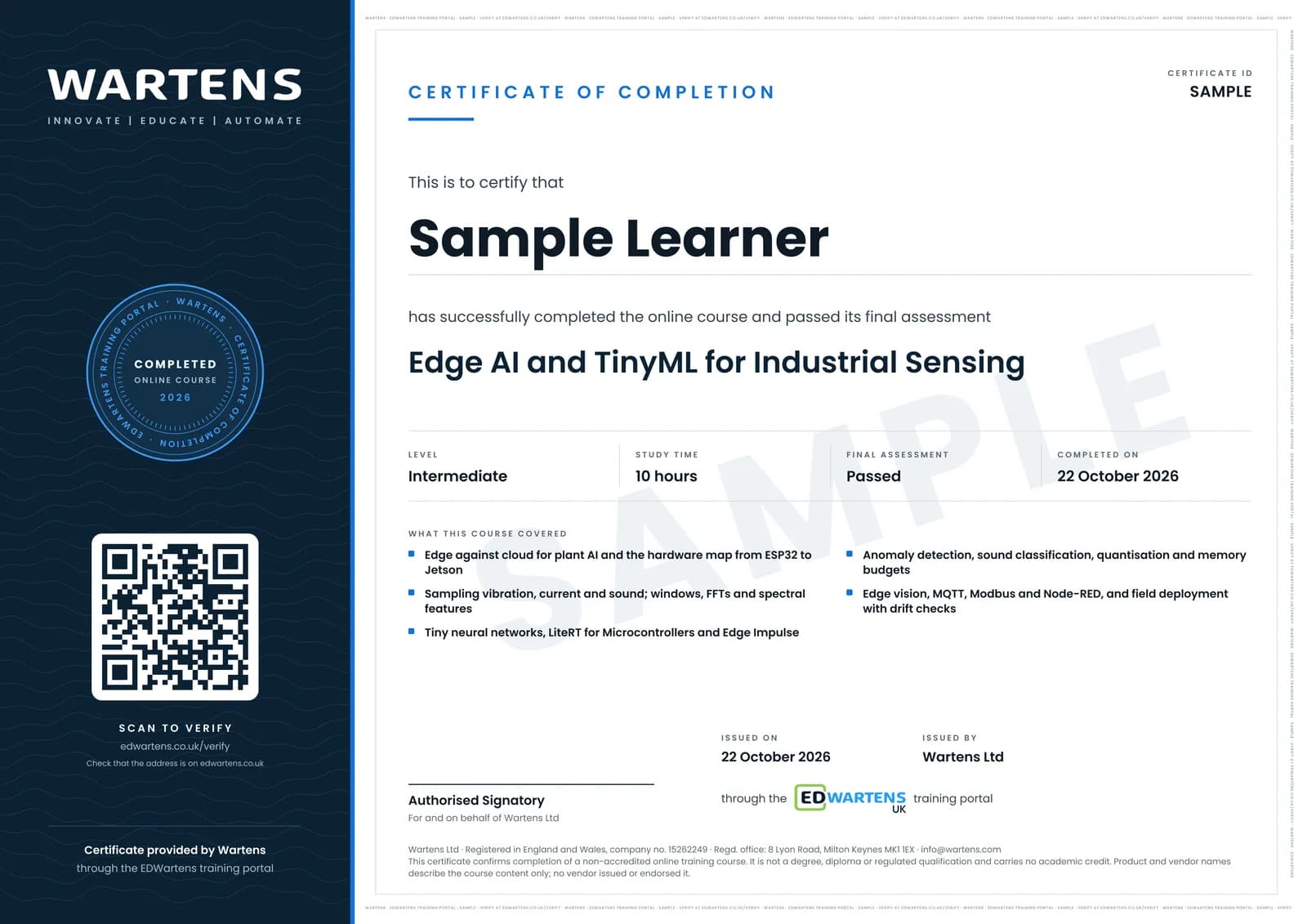
Sample certificate. Optional, issued when you pass the final exam.
- Level
- Intermediate
- Modules
- 13
- Video
- 18 hours
- Price
- Free
Outcome
What you will be able to do
Decide which plant AI belongs at the edge; choose a board from memory, compute and power figures; sample vibration, current and sound at the right rate; compute windows, FFTs and spectral features; train, evaluate and convert a tiny network for LiteRT for Microcontrollers; run Edge Impulse from data to deployment; build an anomaly detector with a threshold and debounce on an ESP32; classify machine sounds; quantise to int8 and build a memory and latency budget; run YOLO on a Raspberry Pi AI HAT or Jetson; publish results over MQTT and Modbus to Node-RED; and deploy with a battery budget, over-the-air updates and a drift check.
- Decide which plant AI belongs on the sensor node and which in the cloud, with the data rates worked out
- Choose between ESP32, Arduino Nano 33 BLE Sense, STM32, Raspberry Pi with an AI HAT and Jetson from memory, compute and power
- Set a sample rate from shaft and bearing frequencies, and read vibration, motor current and sound safely
- Turn signals into windows, FFTs and spectral features, and train a tiny network for LiteRT for Microcontrollers
- Build an anomaly detector on an ESP32 that learns normal, with a threshold and debounce set from data
- Classify machine sounds, quantise models to int8 and write a memory and latency budget
- Run YOLO on a Raspberry Pi AI HAT or Jetson, and publish results over MQTT and Modbus to Node-RED
- Deploy in the field with a battery budget, over-the-air updates with rollback and a monthly drift check
Software
Edge Impulse (free Developer plan, in the browser), Arduino IDE 2, Google Colab with TensorFlow and LiteRT, Ultralytics YOLO, Mosquitto, Node-RED and the Wokwi simulator. All have a free route.
Hardware
Optional. Every module can be done with a smartphone as the sensor, the Wokwi simulator and public datasets. To build the real node: an ESP32 or Arduino Nano 33 BLE Sense with an ADXL345 or MPU6050 accelerometer and a small fan; a Raspberry Pi 5 with an AI HAT or a Jetson Orin Nano is optional for the vision module.
Syllabus
13 modules
Each module has video lessons, notes and a short quiz. The final exam closes the course.
- Edge or cloud for plant AI: latency, bandwidth, reliability and cost3 lessons
- The hardware map: microcontrollers, Raspberry Pi with an AI HAT, and Jetson3 lessons
- Collecting sensor data: accelerometer, current clamp and microphone4 lessons
- Features for signals: windows, FFT and spectral features3 lessons
- Training a tiny neural network for LiteRT for Microcontrollers4 lessonsLab
- Edge Impulse end to end: data, impulse, test and deploy4 lessons
- Anomaly detection on a motor or fan with an ESP323 lessonsLab
- Sound classification for machine states4 lessons
- Quantisation, memory and latency budgets3 lessons
- Vision at the edge: YOLO on the Raspberry Pi AI HAT, Jetson and ESP32-CAM3 lessons
- Getting results out: MQTT, Modbus and Node-RED dashboards3 lessons
- Field deployment: power, enclosures, updates and drift4 lessons
- Final assessment1 lesson
How it works
How this course works
- Watch the video lessonsOne module at a time, at your own pace.
- Take the module quizA short quiz at the end of each module shows what stuck.
- Keep your notesWrite in My notes beside each module and ask the trainer if you are stuck.
- Practise in the labOptionalTry a task from the module in the EDWartens Lab, in your browser.
- Sit the final examPass it once you have been through the modules.
- Certificate, if you want oneOptionalPaid, and only after you pass. Anyone can check it online.
EDWartens Lab
Practise this in the EDWartens Lab
Train a model on plant data, move the decision threshold and weigh the cost of errors in the Lab's AI workbench.
Works alongside Edge AI and TinyML for Industrial Sensing. The Lab is ai for industry practice in your browser: no install, no hardware, free to use. Sign in as a learner and it opens with your account.
Levels to try with this course
AIW-04 · AI Workbench
Overfitting: tune the tree
Open in the lab (opens in a new tab)AIW-03 · AI Workbench
Choose the metric and the threshold
Open in the lab (opens in a new tab)
Optional. Skip it whenever you like: it never blocks your progress or your certificate.
Why practise in a lab
Technical work is judged on what you can do: wiring, commissioning, finding a fault. Doing a task yourself teaches more than watching it a second time, and a lab lets you try it safely before you meet real equipment. It does not replace working on real hardware.
- Practise safely, so a mistake costs nothing.
- The lab checks your work like a site test, so you know when it is right.
- Free, in your browser, with nothing to install.
Certificate
An optional certificate when you pass
Learning is free. Pass the final exam and you can have a certificate for £19, including VAT, with a number employers can check online. It records that you completed a free online course; it is not a regulated qualification or a CPD certificate.
- Your name, the course, its study time and your final exam score
- A unique certificate number and a QR code to its verification page
- Issued by Wartens Ltd; add it to your LinkedIn profile in one click
- Pay now or after you pass: it is issued the moment you pass the final
Credits
Who made the lessons
The video lessons belong to their creators. EDWartens wrote the study plan, notes, quizzes and the final exam.
- Edge Impulse
Shawn Hymel's Introduction to Embedded Machine Learning lessons on embedded and ML hardware, data collection, motion features, neural networks, evaluation, deployment to Arduino, audio classification and keyword spotting, plus What is Edge AI, connecting the ESP32, the C++ library and advanced anomaly detection
- DigiKey
Intro to TinyML Parts 1 and 2, the Edge AI Anomaly Detection series on data collection, features and deploying to an ESP32, wake word feature extraction, feature selection, STM32 X-CUBE-AI, and the Let's Talk Technical edge AI panel used as the final recap
- IBM Technology
the explainer on edge AI against distributed AI
- EDGE AI FOUNDATION
the tinyML Talks practical guide to neural network quantisation and the talk on managing tiny machine learning at industrial scale
- Andreas Spiess
the test of seven current sensors for microcontrollers and the ESP32 over-the-air update tutorial
- Hardware.ai
predictive maintenance with Arduino and Edge Impulse
- Core Electronics
YOLO object detection on the Raspberry Pi AI HAT with Python
- Edje Electronics
running YOLO26 detection models on the NVIDIA Jetson Orin Nano
- Jeff Geerling
the review of the Raspberry Pi AI HAT
- Joyce Lin
the edge AI comparison of Raspberry Pi, Hailo-8 and Jetson Orin Nano
- Efficient NLP
quantisation, pruning and distillation compared
- Circuit Digest
object detection on the ESP32-CAM with an Edge Impulse model
- ThinkIOT
the Wokwi ESP32 simulator with MQTT and a Node-RED dashboard
- Learn Embedded Systems
an ESP32 MQTT sensor node and a Raspberry Pi IoT server with InfluxDB, MQTT, Grafana, Node-RED and Docker
- educ8s.tv
the ESP32 deep sleep tutorial for low-power nodes
- Evidently AI
the explainer on data drift in machine learning monitoring
Questions
About this course
Who is this edge AI and TinyML course for?
Do I need to buy hardware?
Is the course free to learn?
What do I need to know first?
Is Edge Impulse still free now that it is part of Qualcomm?
Can an edge AI node trip or stop a machine?
How long does the course take?
What certificate do I get?
Want a live class and career support?
The Professional Module is five live days of Siemens PLC, HMI and SCADA with an instructor, then a resume session and a CPD certificate.