
Free course · Networking
Computer Networking and CCNA 200-301 Prep
Learn computer networking from the ground up and prepare for Cisco's CCNA 200-301 exam: the OSI and TCP/IP models, Ethernet switching, IPv4 addressing and subnetting, VLANs and trunks, spanning tree, static routing and OSPF, IPv6, DHCP, DNS and NAT, ACLs and security basics, wireless, and network automation, with Packet Tracer labs throughout. Exam preparation only: the EDWartens certificate is not Cisco's CCNA, which is earned only by passing Cisco's 200-301 exam.
Free to learn. Verifiable certificate £19 when you pass the final exam (optional, VAT included).
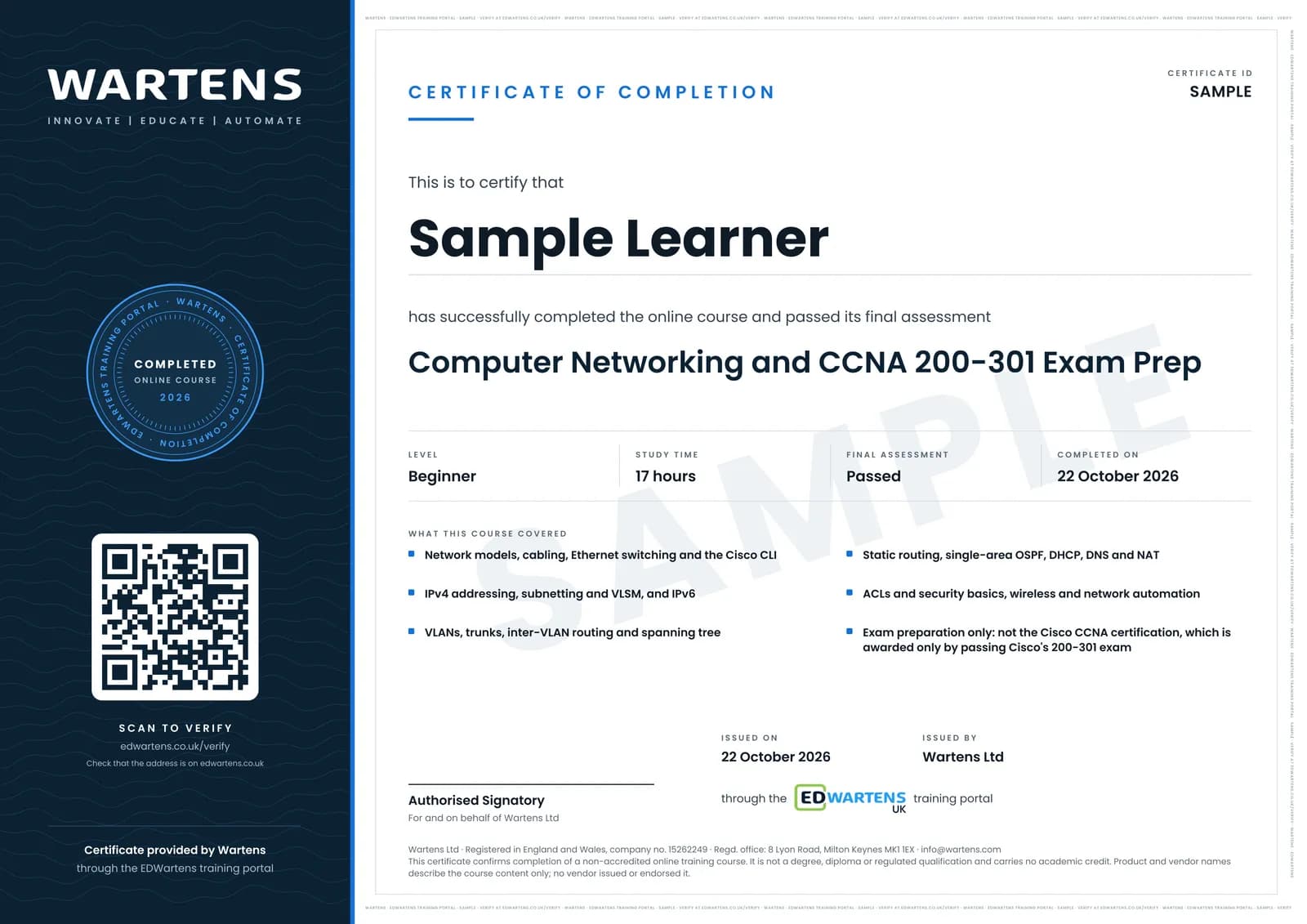
Sample certificate. Optional, issued when you pass the final exam.
- Level
- Beginner
- Modules
- 15
- Video
- 23 hours
- Price
- Free
Outcome
What you will be able to do
Explain how data crosses a network using the OSI and TCP/IP models; choose cables and Ethernet standards; predict how a switch learns and forwards frames; subnet any IPv4 network and allocate addresses with VLSM; configure VLANs, trunks and inter-VLAN routing; read a spanning tree topology; configure static routes and single-area OSPF; address and route IPv6; configure DHCP, NAT and PAT and explain DNS; write and place standard and extended ACLs; plan wireless channels and security; read a REST API reply in JSON; and build and test all of it in Cisco Packet Tracer, ready to sit Cisco's CCNA exam after further practice.
- Explain the OSI and TCP/IP models and encapsulation, and choose copper or fibre for a link
- Configure Cisco routers and switches from the command line in Packet Tracer, and secure and save them
- Predict how a switch learns MAC addresses and how ARP finds a host
- Subnet any IPv4 network in under a minute and build a VLSM address plan
- Configure VLANs, 802.1Q trunks, inter-VLAN routing and Rapid PVST+
- Configure static routes and single-area OSPF, and read a routing table
- Address and route IPv6, including EUI-64
- Write and place ACLs, configure DHCP and PAT, and explain DNS, wireless security and REST APIs
Software
Cisco Packet Tracer, free with a Cisco Networking Academy account (64-bit Windows, macOS 12 or newer, or Ubuntu 22.04 or 24.04 LTS, on an Intel or AMD x86-64 processor). A web browser for everything else.
Hardware
A computer that can run Packet Tracer. No routers or switches are needed.
Syllabus
15 modules
Each module has video lessons, notes and a short quiz. The final exam closes the course.
- Networks, devices and how the CCNA exam works2 lessons
- Cables, interfaces and the OSI and TCP/IP models2 lessons
- Packet Tracer and the Cisco command line3 lessons
- Ethernet switching, MAC address tables and ARP3 lessons
- IPv4 addressing3 lessons
- Routing fundamentals and static routes3 lessons
- Subnetting and VLSM3 lessons
- VLANs, trunks and inter-VLAN routing3 lessonsLab
- Spanning Tree Protocol2 lessons
- OSPF single-area routing2 lessons
- IPv62 lessons
- Access control lists and security basics2 lessonsLab
- DHCP, DNS and NAT3 lessons
- Wireless, network automation and APIs2 lessons
- Final Assessment1 lesson
How it works
How this course works
- Watch the video lessonsOne module at a time, at your own pace.
- Take the module quizA short quiz at the end of each module shows what stuck.
- Keep your notesWrite in My notes beside each module and ask the trainer if you are stuck.
- Practise in the labOptionalTry a task from the module in the EDWartens Lab, in your browser.
- Sit the final examPass it once you have been through the modules.
- Certificate, if you want oneOptionalPaid, and only after you pass. Anyone can check it online.
EDWartens Lab
Practise this in the EDWartens Lab
Practise the same ideas as VLANs and access lists on a plant network: split it into zones, join them with few links and deny the rest.
Works alongside Computer Networking and CCNA 200-301 Prep. The Lab is ot security practice in your browser: no install, no hardware, free to use. Sign in as a learner and it opens with your account.
Levels to try with this course
OTS-01 · OT security lab
Map the plant network: put every device on its level
Open in the lab (opens in a new tab)OTS-02 · OT security lab
Zones and conduits: split a flat network
Open in the lab (opens in a new tab)OTS-03 · OT security lab
Firewall rules: the minimum, then deny by default
Open in the lab (opens in a new tab)
Optional. Skip it whenever you like: it never blocks your progress or your certificate.
Why practise in a lab
Technical work is judged on what you can do: wiring, commissioning, finding a fault. Doing a task yourself teaches more than watching it a second time, and a lab lets you try it safely before you meet real equipment. It does not replace working on real hardware.
- Practise safely, so a mistake costs nothing.
- The lab checks your work like a site test, so you know when it is right.
- Free, in your browser, with nothing to install.
Certificate
An optional certificate when you pass
Learning is free. Pass the final exam and you can have a certificate for £19, including VAT, with a number employers can check online. It records that you completed a free online course; it is not a regulated qualification or a CPD certificate.
- Your name, the course, its study time and your final exam score
- A unique certificate number and a QR code to its verification page
- Issued by Wartens Ltd; add it to your LinkedIn profile in one click
- Pay now or after you pass: it is issued the moment you pass the final
Credits
Who made the lessons
The video lessons belong to their creators. EDWartens wrote the study plan, notes, quizzes and the final exam.
- Jeremy's IT Lab
most of the course: lessons and Packet Tracer labs from the free CCNA 200-301 course on network devices, interfaces and cables, the OSI model and TCP/IP, the CLI and device security, Ethernet switching, IPv4 addressing, routing and static routes, subnetting and VLSM, VLANs, spanning tree, OSPF, IPv6, standard and extended ACLs, DHCP, NAT, wireless fundamentals, network automation, and his CCNA exam experience
- freeCodeCamp.org
the short introduction to computer networks: LANs, WANs, network interface cards and MAC addresses
- David Bombal Tech
the lesson on installing Cisco Packet Tracer on Windows 11
- PowerCert Animated Videos
the animated explanation of how a DNS server resolves names
Questions
About this course
Is this the CCNA certification?
Which version of the CCNA exam does it follow?
Who is this course for?
Do I need routers and switches?
Whose lessons are these?
Is the course really free?
How long does it take?
What is the project?
Want a live class and career support?
The Professional Module is five live days of Siemens PLC, HMI and SCADA with an instructor, then a resume session and a CPD certificate.