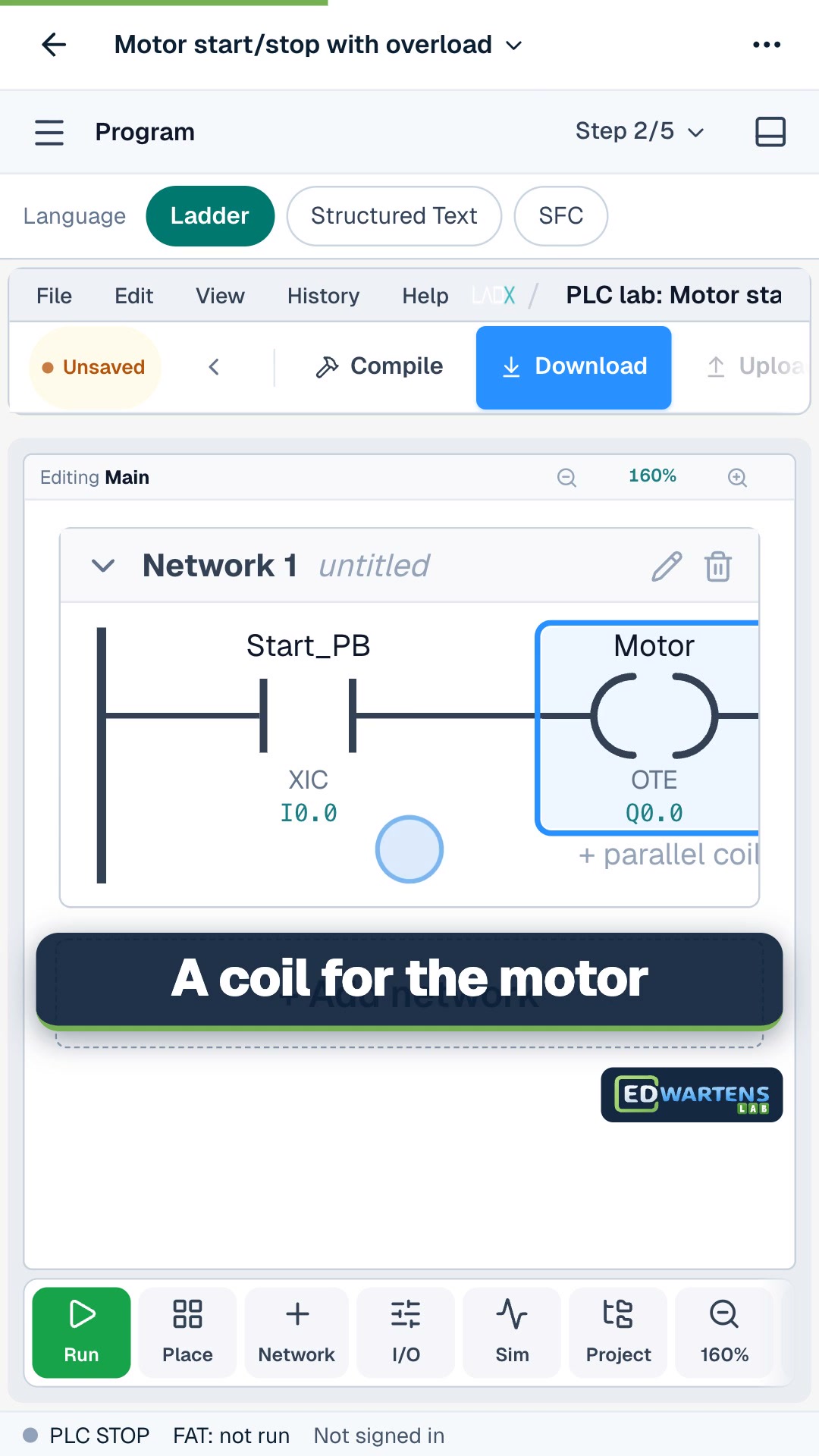
A free PLC simulator online lets you write and test ladder logic in your browser, with no PLC, licence or install. The free browser options we compared on 24 October 2026 are the EDWartens Lab (which we make), plcsimulator.online, rungs.dev, the ACC PLC Simulator and PLC Fiddle. The vendor tools, Siemens PLCSIM and Studio 5000 Emulate, are not free.
Which free PLC simulators can you use online?
| Simulator | Runs in | Cost | Languages | Good for | Limits |
|---|---|---|---|---|---|
| EDWartens Lab PLC lab (ours) | Browser | Free to open, no account to start; a free account keeps your work everywhere | Ladder, Structured Text, SFC | 19 levels (about 20 hours) on 3D machines, each marked by numbered acceptance tests | Its own engine with Siemens-style addressing, not a copy of any vendor's software. In beta |
| plcsimulator.online | Browser, PC and mobile | Free | Ladder | Quick rungs; save and share by link. Its own page claims 250,000+ learners a year | Ladder; its page points to rungs.dev for Structured Text |
| rungs.dev | Browser | First 8 exercises free with no account; the rest are paid | Ladder, Structured Text | Logix-style instructions (XIC, XIO, OTE), tags, a test runner, an AI assistant | Most exercises sit behind a payment |
| ACC PLC Simulator | Browser | Free | Ladder, Structured Text | 6 interactive 3D scenes, timers, counters, analog I/O, Modbus link to your own PLC software | Its own instruction set; the page lists no assessed exercises |
| PLC Fiddle | Browser | Free | Ladder | Basic instructions, timers, shareable URL | Described by its author in 2017 as early-stage; we could not confirm recent updates |
| OpenPLC | Computer editor, runs on boards | Free, open source | Ladder, Structured Text (IEC 61131-3) | Learning IEC 61131-3 with real boards | The editor installs on your computer; the page does not confirm a built-in simulator |
| CODESYS Development System | Windows | Free to download per our course page | All IEC 61131-3 languages | A simulation mode runs your program on a simulated target | An install and a learning curve; check current licence terms |
| LogixPro (now Professor Bill's LadderLab) | Windows only | $40 a key, free trial | Ladder | Ladder practice on a Windows PC | Not browser, not Mac, not free after the trial |
| Siemens TIA Portal PLCSIM | Windows | Needs a TIA Portal licence; Siemens offers time-limited trials | Ladder, SCL and more | The real Siemens software environment | Trial only; heavy install |
| Studio 5000 Logix Emulate | Windows | Paid; we found no Rockwell price | Ladder and more | Real Logix code on an emulated controller | Needs the paid Studio 5000 too |
How do the free browser simulators differ in practice?
plcsimulator.online and PLC Fiddle are quick sketchpads. You build a rung, change the inputs and watch outputs. That is enough to learn contacts, coils and a seal-in. Neither tells you whether your logic is right for a real machine.
rungs.dev feels closest to a professional editor. Its page lists a tag database with BOOL, DINT and REAL types, single-scan stepping, a test runner and trend charts, and says the first eight exercises are free with no account. The catalogue beyond that is paid.
The ACC PLC Simulator adds 3D scenes and a link to outside software over Modbus. It is a good free playground, especially if you want to connect your own tools.
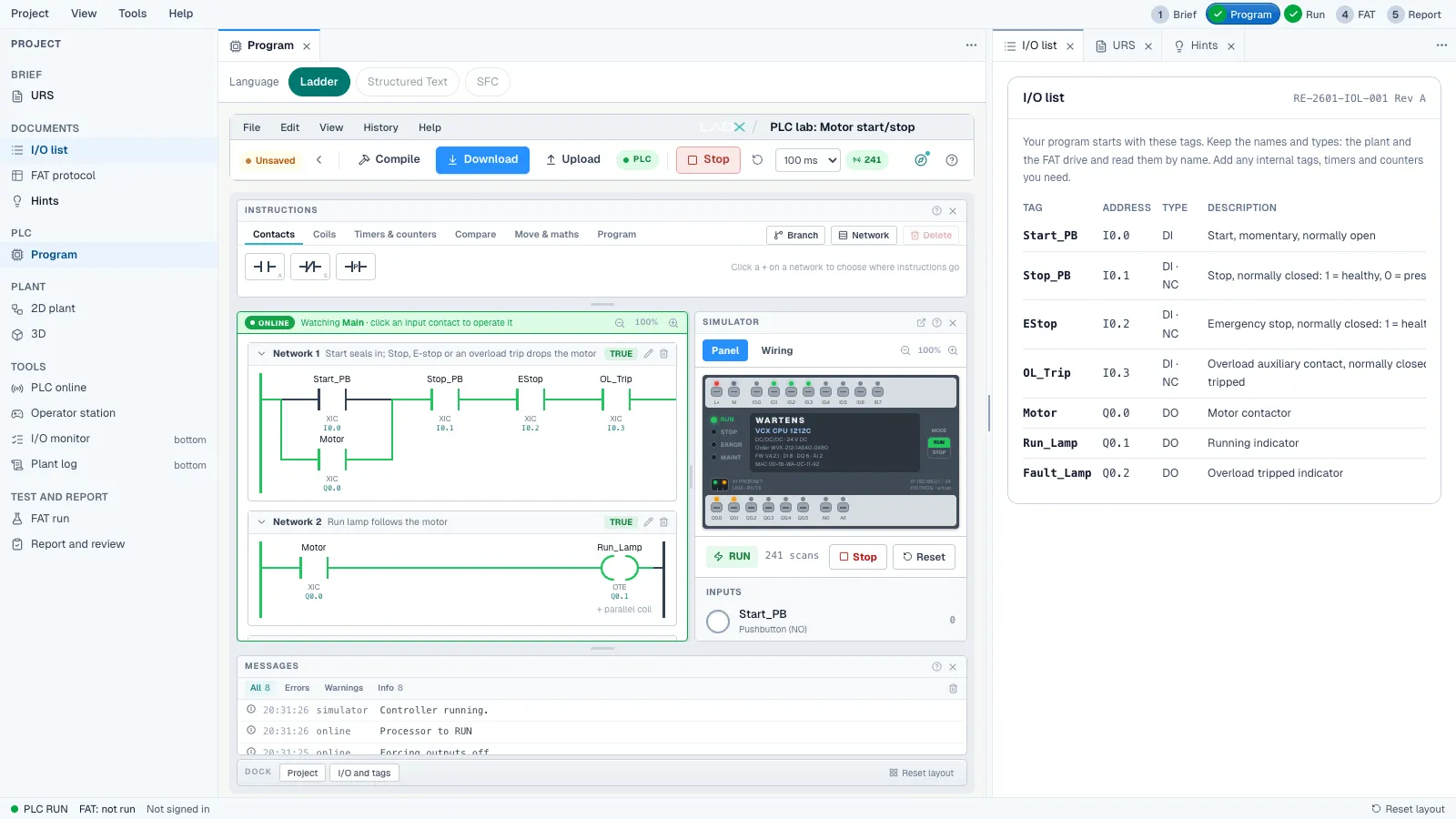
The EDWartens Lab is built around marked jobs: a brief, an I/O list and a factory acceptance test. Level 1 is a motor start/stop with overload. Later levels include a star-delta starter, a batch counter, duty and standby pumps and a safety gate interlock. The acceptance tests include awkward cases such as a backed-up conveyor. Its limits are real: it is in beta, it uses its own engine, and some instruction details will differ from the PLC you use at work.
None of the free browser tools we read about is an HMI or SCADA package. Learn screen design separately in our free HMI courses.
Which instructions can you practise?
All of the browser tools cover the basics. rungs.dev lists contacts, coils, timers, counters and maths blocks, with XIC, XIO and OTE named on its page. The ACC simulator lists coils, timers and counters, 16 digital inputs and outputs and analog channels. The Lab's editor has palettes for contacts, coils, timers and counters, compare, move and maths, and program control. PLC Fiddle's author says the basic instructions found in most PLCs are included.
What to look for is not the length of the list but whether the tool shows you why a rung is true or false. Watching rungs energise on every scan, and forcing an input to see the result, teaches more than a long instruction set.
How can you tell a good simulator from a toy?
Ask five questions of any tool, ours included:
- Does it run a scan cycle, and can you see it?
- Can you force inputs and watch outputs while the program runs?
- Does it give you a machine or process to control, not only empty rungs?
- Does it check your result, or leave you to guess?
- Does it say plainly what it is not? A tool that claims to replace vendor software or real hardware is overselling.
Can you practise Siemens or Allen-Bradley in a free simulator?
Only partly. Siemens PLCSIM and Studio 5000 Emulate are the real vendor tools, and neither is free. The free browser simulators teach the logic, which carries across brands, but not the vendor's software.
For Siemens, our free TIA Portal course lists a 21-day TIA Portal trial and uses PLCSIM. For Allen-Bradley, our Studio 5000 course says Studio 5000 is paid with no public trial and points to free software for the exercises. For no licence at all, CODESYS and OpenPLC have free software and courses.
What should you build first in a PLC simulator?
Start with the motor start/stop with seal-in, the first exercise in most courses. The rung logic is:
- A start push button (normally open) is wired in parallel with the motor's own holding contact.
- That group sits in series with the stop button (normally closed), the emergency stop (normally closed) and the overload trip (normally closed).
- All of it drives the motor coil.
Then test it as a commissioning engineer would: press start and release, press stop, hold the emergency stop, trip the overload and make sure the motor does not restart by itself. The ladder logic tutorial for beginners walks through the same pattern with more detail.
The video is an 11-minute walkthrough of PLC Fiddle by PLC4YOU, not by us. It shows what a basic browser editor feels like.
What mistakes should you test for?
A simulator is most useful when you try to break your own logic. Run these checks on every program you write:
- Power cycle the simulated PLC and see whether the motor restarts by itself.
- Press start and stop together and check which wins. Stop should win.
- Hold the emergency stop while pressing start.
- Trip the overload during a run, then reset it, and make sure a fresh start is needed.
- For counters, push boxes past a sensor faster than the scan can follow and check the count.
- For timers, check what happens if the input drops before the timer finishes.
Which free PLC simulator should you choose?
- You want the fastest start: plcsimulator.online or PLC Fiddle, no account.
- You want Structured Text and a professional-style editor: rungs.dev (first 8 exercises free) or the ACC simulator.
- You want marked exercises tied to a course: the Lab PLC lab with the free ladder logic course.
- You want real vendor software: a TIA Portal trial, or CODESYS and OpenPLC for free.
- You want to know if a simulator replaces hardware: it does not. Our PLC training kit vs simulator guide weighs the two.
Start free
Open the Lab and build level 1 in a few minutes. Follow it with the free PLC foundations path, then try the PLC Programmer job simulation, where the first five days are free. Look at live PLC and automation jobs to see which skills employers ask for. The Lab and the simulation are practice, not employment.