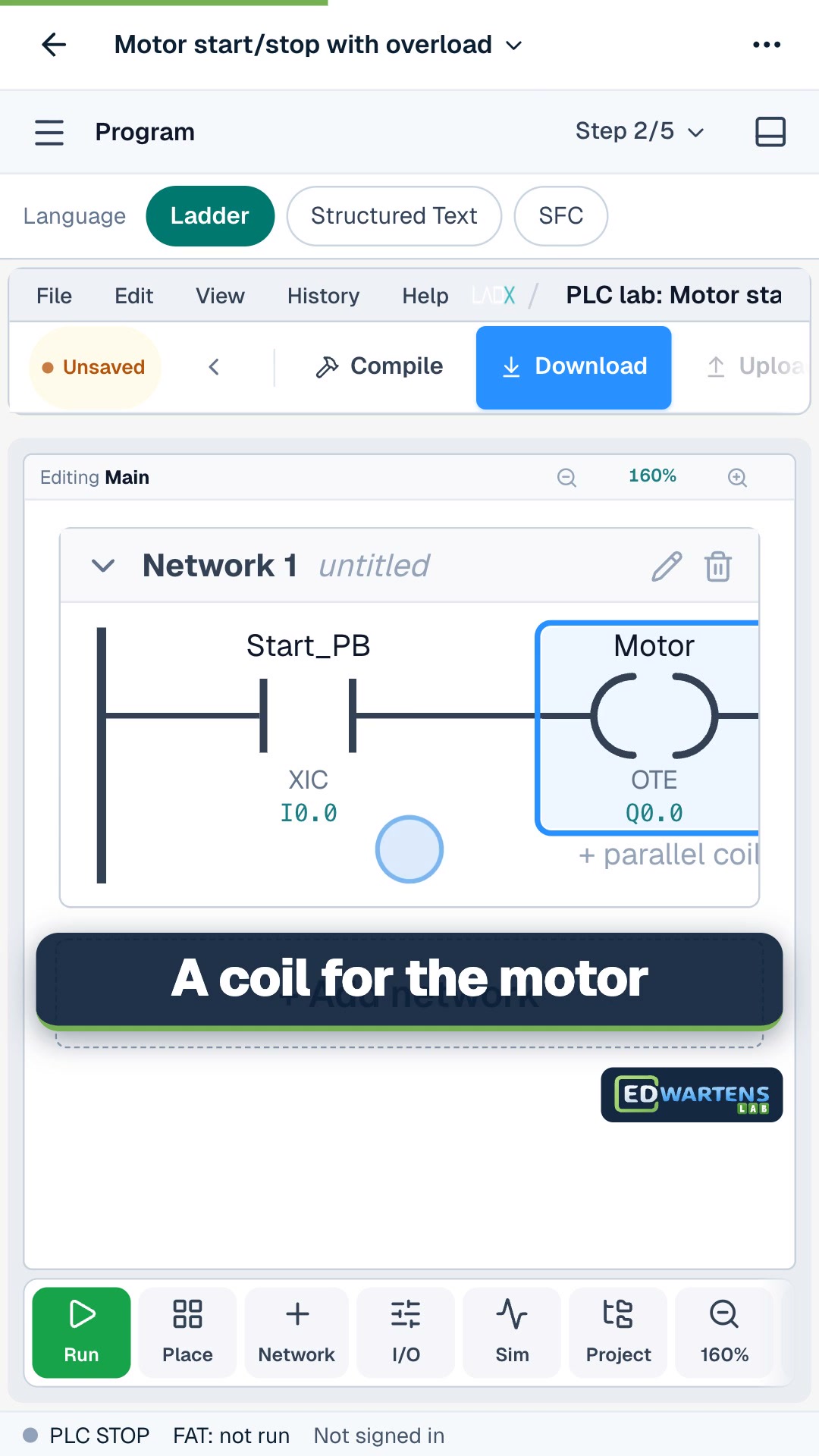
The best PLC programming exercises are small machines with a written brief and a test that tells you what failed: a motor start/stop, a tank pump, a pedestrian crossing, a star-delta starter. You do not need a PLC to practise them. The ten below run free in your browser in the EDWartens Lab, each marked by numbered tests, and you can work through them in order, starting with the easiest.
What makes a good PLC programming exercise?
A good exercise has four parts. A brief says what the machine must do. An I/O list names the inputs and outputs. A plant reacts to your logic, so you see the result and not only a lamp. A test checks your work against the brief, so you know whether you are right without asking someone.
Most free PDFs of exercises have the brief only. That is useful for thinking, but you cannot tell whether your answer works. Browser simulators fill the gap by running the logic against a model of the machine. We compare the options in our guide to PLC training kit versus simulator.
How do the ten exercises work?
Each exercise below is a level in the free EDWartens Lab PLC simulator, which runs in your browser with nothing to install. You write the logic in ladder, Structured Text or SFC, press Simulate, and run a factory acceptance test (FAT). The tests are numbered, and the numbers in each brief are drawn per learner, so you have to build the logic and cannot copy a remembered answer. Work is saved on your device, and a free account keeps it everywhere. The lab is in beta.
The whole PLC lab has 19 levels and about 20 hours of work; all 19 are listed with their difficulty on the PLC programming exercises page. The times below are the ones the lab lists.
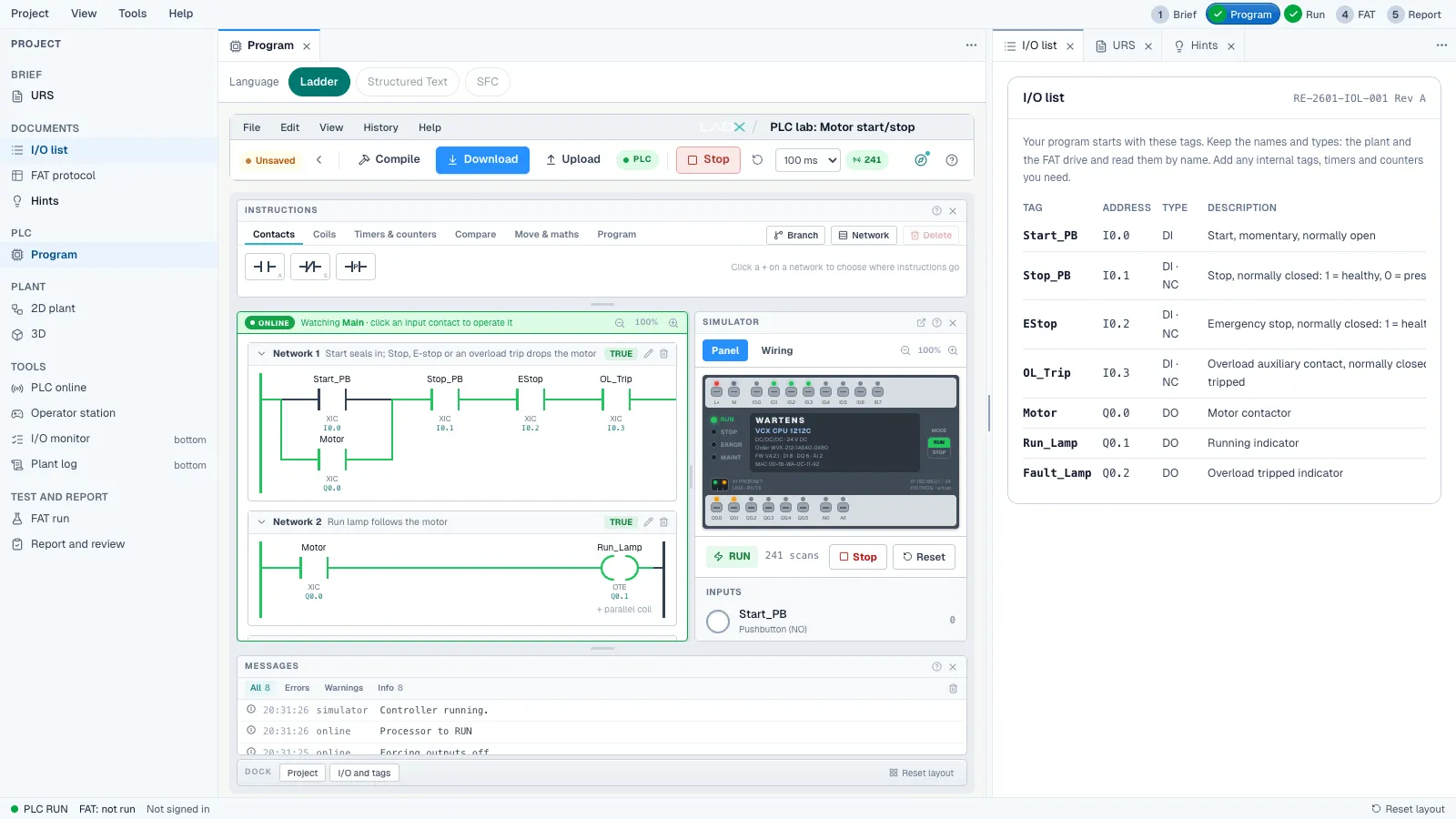
Exercise 1: Motor start/stop with overload
About 45 minutes, foundation. Start, seal-in, stop, E-stop and an overload that trips. It is the first thing every PLC programmer builds. The five tests include that the motor keeps running after Start, that an E-stop needs a fresh Start, and that an overload trip does not restart the motor by itself. Skills: seal-in circuits, normally closed safety inputs and fail-safe stop logic.
Exercise 2: Forward/reverse conveyor
About 1 hour, foundation. Two contactors that must never close together, with a dead time before the motor may reverse. You practise electrical and software interlocks and TON timers. The tests check that the opposite direction is locked out and that changing direction waits for the dead time.
Exercise 3: Star-delta fan starter
About 1 hour, foundation. Start in star, change to delta through a dead gap, and make Stop drop all three contactors in either state. This is the classic timer-sequencing exercise, and it reinforces why contactors must never overlap. If you already know star-delta from the panel side, this is where the PLC and wiring knowledge meet.
Exercise 4: Batch counter on a packing line
About 45 minutes, foundation. Count boxes past a photo-eye once each, stop after exactly eight, and survive a box that sits in the beam. You practise CTU counters, rising-edge detection and counter reset. The classic mistake is counting a box on every scan while it blocks the eye, and the test catches it.
Exercise 5: Tank filling pump
About 50 minutes, foundation. Fill between two floats without chattering, protect the pump from running dry, and latch a high-high alarm that needs acknowledging. This one teaches latch and unlatch (OTL and OTU), level control with hysteresis and dry-run protection. If you were searching for a tank level PLC program, this is the one to start with.
Exercise 6: Pedestrian crossing (the traffic light program)
About 1 hour 15 minutes, intermediate. A push-button crossing that runs through amber, walk and clearance on timers, never shows Walk to pedestrians while cars can move, ignores presses during the cycle and runs one cycle only if the button is held. It is the closest exercise to the traffic light PLC program people search for, and the video below walks through a traffic light ladder diagram. The brief is a safety one: a wrong light puts somebody in danger.
Exercise 7: Duty and standby pumps
About 1 hour 15 minutes, intermediate. Alternate two pumps on each demand, hand over to the standby when one trips, never start a tripped pump and light a lamp when both have failed. It teaches duty/standby alternation, edge detection and fault takeover, which real building services and water sites use daily.
Exercise 8: Scale the tank level
About 55 minutes, intermediate. Turn raw 4 to 20 mA counts into a level, pick set points from a recipe, run the pump between levels, raise high and low alarms with a dead band, and treat a broken wire as a fault and not an empty tank. Seven tests cover scaling, clamping, recipes, alarms and the live-zero fault. It is the first exercise that feels like instrumentation work.
Exercise 9: Conveyor jam detection
About 1 hour, intermediate. Three belts in a row: start them in order, spot a jam with a timer on a photo-eye, stop the jammed belt and the ones feeding it, let the others clear, and make sure nothing restarts by itself. Six tests, 14 tags. It is where sequencing, latching faults and restart prevention come together.
Exercise 10: Fault-finding challenge
About 1 hour, intermediate. A colleague's pump program is already loaded. It runs and looks right, but it fails six tests. You find each fault and fix it, or rewrite the program your own way. Faults include normally closed input wiring mistakes, seal-in and latch faults, and timer preset and unit errors. Reading someone else's logic is a large part of real PLC work, which is why this one is worth doing last.
What about the other nine exercises?
Once you have done the ten, the rest of the lab carries on in the same style:
| Level | What it asks you to do |
|---|---|
| Parcel sorter | Read the lane at the beam, wait for the parcel to travel and fire the pusher at the right moment |
| Reusable motor block | One motor routine with seal-in, overload and feedback check, copied for four fans |
| Filling sequence | Fill, settle and discharge in order with a step number, and stop a fill that takes too long |
| Packaging line drive | A variable-speed belt drive with set point limits, drive faults and a stall check |
| Safety gate interlock | A guarded press that never restarts by itself. Standard logic practice, not a safety function |
| Air handling unit temperature | A proportional heating valve with a dead band, airflow proved first and frost protection |
| Palletiser sequence | Count cartons into layers, push each layer and stop with a lamp when the pallet is full |
| Batch mixer with recipes | Two selector bits pick a recipe, with the recipe locked and a hardwired high-high abort |
| Bottling line | Stop each bottle, fill it for a set time, check the cap and reject bad ones |
How should you practise PLC programming at home?
Whatever tool you use, the habit matters more than the exercise. A method that works:
- Read the brief twice and underline every condition: when it starts, when it must stop, and what must never happen.
- Write the I/O list before any logic. Name each input and output and say whether it is normally open or normally closed.
- Write your own tests first. Turn every "never" in the brief into a test, such as "an overload trip must not restart the motor by itself".
- Build the simplest version that works, then run it and watch the rungs.
- Break it on purpose. Hold a button down, trip an overload mid-cycle, stop the line half-way, and see what the program does.
- Write three lines on what failed first and why. Keep them: they become the honest part of a portfolio.
If you want ladder logic explained first, read our ladder logic tutorial for beginners and work through the free ladder logic course. Our guide on how long it takes to learn PLC programming helps you set a realistic plan.
Why do exercises matter for a job?
Employers hire people who can explain a finished project, not people who have read about PLCs. A short write-up of two or three finished exercises, with an I/O list, the logic, the test results and what went wrong first time, is a small portfolio. Ten exercises will not make you a hired programmer, and a simulator does not replace field time with real terminals, noisy signals and a hot cabinet. It does give you the working habit: read the brief, test against criteria and record faults honestly.
Start free
Open the first exercise, motor start/stop with overload, and see how far you get in 45 minutes. When you are ready for the next step, the free Siemens TIA Portal course teaches a vendor workflow, and the PLC Programmer job simulation puts the same skills inside a simulated company project with an I/O list, a factory test and a change request (days 1 to 5 are free; the certificate is optional at £14.99 including VAT). You can also browse UK PLC and automation jobs to see what employers ask for. If you later want a structured class, the Professional Module is a five-day live online course in Siemens TIA Portal, CPD accredited with 80 CPD credits from The CPD Group, and not a regulated qualification.