
Free course · PLC programming
PLC and Electrical Troubleshooting for Maintenance Teams
Find the fault fast on a machine you did not build: a method that goes from symptom to cause, safe isolation before you touch, drawings and I/O lists, meter work on 24 V DC control and motor circuits, sensors and 4-20 mA loops, online diagnostics in TIA Portal, Allen-Bradley and CODESYS, VFD and network faults, and fault reports that stop repeats.
Free to learn. Verifiable certificate £19 when you pass the final exam (optional, VAT included).
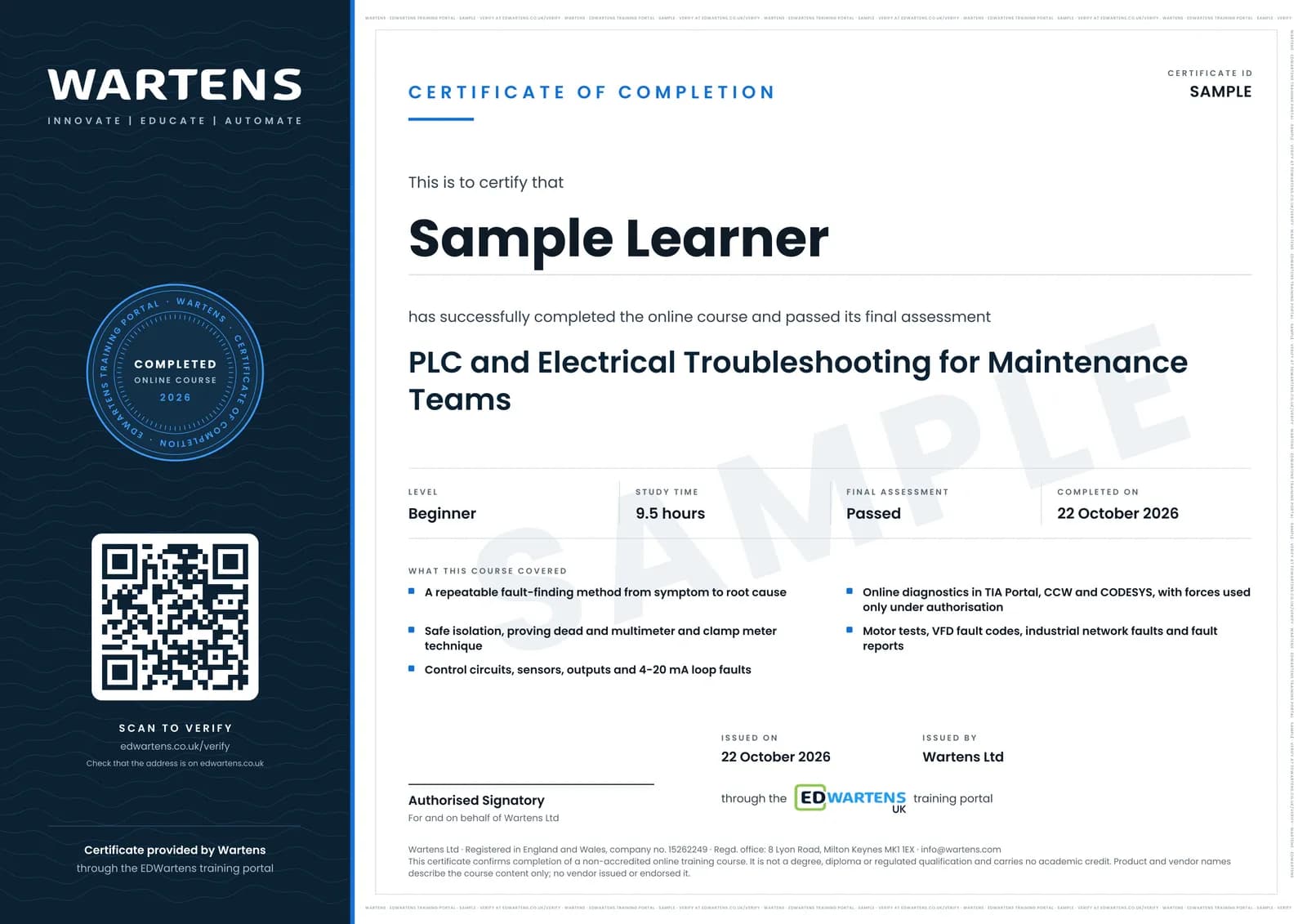
Sample certificate. Optional, issued when you pass the final exam.
- Level
- Beginner
- Modules
- 13
- Video
- 14 hours
- Price
- Free
Outcome
What you will be able to do
Find faults with a repeatable method that goes from the symptom to the failed part and on to the root cause; isolate and prove dead before touching, and justify every live test; read drawings, cross-references and I/O lists in the field; test 24 V DC control circuits, contactors, overloads, sensors and outputs with a multimeter and clamp meter; diagnose 4-20 mA loop and scaling faults; go online in TIA Portal, Allen-Bradley, CCW and CODESYS to read diagnostics, cross-reference tags and use forces only with authorisation; interpret motor test results and VFD fault codes; find PROFINET, EtherNet/IP and Modbus TCP faults; and write fault reports and preventive tasks that stop the fault coming back.
- Find faults with a repeatable method that goes from the symptom to the failed part and its root cause
- Isolate and prove dead before touching, and justify every live test you make
- Read drawings, cross-references and I/O lists on the shop floor
- Test 24 V DC control circuits, contactors, overloads, sensors and outputs with a multimeter and clamp meter
- Diagnose NPN, PNP and 4-20 mA sensor faults and scaling errors
- Go online in TIA Portal, CCW and CODESYS to read diagnostics and cross-reference tags, using forces only with authorisation
- Interpret motor winding tests, VFD fault codes and PROFINET, EtherNet/IP and Modbus TCP faults
- Write fault reports and preventive tasks that stop the same fault coming back
Software
Siemens TIA Portal with S7-PLCSIM (21-day trial), Connected Components Workbench Standard Edition with its Micro800 Simulator (free) and the CODESYS Development System (free), plus a spreadsheet for the fault log. Studio 5000 is not free, so its screens are shown in the videos and the same skills are practised in CCW and CODESYS.
Hardware
None required: the PLC exercises run in simulation. A multimeter, and a clamp meter if you have one, let you practise the meter work on a 24 V DC supply and a sensor.
Syllabus
13 modules
Each module has video lessons, notes and a short quiz. The final exam closes the course.
- The fault-finding method: from symptom to cause3 lessonsLab
- Before you touch: safe isolation and meter technique5 lessonsLab
- Reading drawings and I/O lists in the field2 lessons
- Control circuits: contactors, overloads and interlocks5 lessonsLab
- Digital inputs: sensors, NPN, PNP and the input LED7 lessonsLab
- Digital outputs: when the PLC says ON but nothing moves3 lessons
- Analog signals: 4-20 mA loop faults and scaling2 lessonsLab
- Going online in Siemens TIA Portal without breaking anything3 lessons
- Going online in Allen-Bradley, CCW and CODESYS3 lessons
- Motors and VFDs: winding tests and drive fault codes3 lessonsLab
- Network faults: PROFINET, EtherNet/IP and Modbus TCP4 lessons
- Fault reports, root cause and stopping repeat faults3 lessons
- Final Assessment1 lesson
How it works
How this course works
- Watch the video lessonsOne module at a time, at your own pace.
- Take the module quizA short quiz at the end of each module shows what stuck.
- Keep your notesWrite in My notes beside each module and ask the trainer if you are stuck.
- Practise in the labOptionalTry a task from the module in the EDWartens Lab, in your browser.
- Sit the final examPass it once you have been through the modules.
- Certificate, if you want oneOptionalPaid, and only after you pass. Anyone can check it online.
EDWartens Lab
Practise this in the EDWartens Lab
Isolate, lock off and prove dead (live, dead, live) with a voltage tester on the Lab's control panel.
Works alongside PLC and Electrical Troubleshooting for Maintenance Teams. The Lab is control panel build practice in your browser: no install, no hardware, free to use. Sign in as a learner and it opens with your account.
Levels to try with this course
Panel Lab
Commission the transfer-pump starter
Open in the lab (opens in a new tab)Panel Lab
Fault-find the outfeed conveyor starter
Open in the lab (opens in a new tab)Panel Lab
Commission the sorting station sensors
Open in the lab (opens in a new tab)Panel Lab
Commission the 4-20 mA level loop
Open in the lab (opens in a new tab)
Optional. Skip it whenever you like: it never blocks your progress or your certificate.
Why practise in a lab
Technical work is judged on what you can do: wiring, commissioning, finding a fault. Doing a task yourself teaches more than watching it a second time, and a lab lets you try it safely before you meet real equipment. It does not replace working on real hardware.
- Practise safely, so a mistake costs nothing.
- The lab checks your work like a site test, so you know when it is right.
- Free, in your browser, with nothing to install.
Certificate
An optional certificate when you pass
Learning is free. Pass the final exam and you can have a certificate for £19, including VAT, with a number employers can check online. It records that you completed a free online course; it is not a regulated qualification or a CPD certificate.
- Your name, the course, its study time and your final exam score
- A unique certificate number and a QR code to its verification page
- Issued by Wartens Ltd; add it to your LinkedIn profile in one click
- Pay now or after you pass: it is issued the moment you pass the final
Credits
Who made the lessons
The video lessons belong to their creators. EDWartens wrote the study plan, notes, quizzes and the final exam.
- Greg Roche Automation
technician habits that fix a machine faster
- RealPars
basic PLC troubleshooting tips
- The Electrical Guy
electrical troubleshooting method and testing contactors and overload relays with a multimeter
- Martindale Electric
proving dead with a voltage indicator and proving unit
- Interstates-Craft
testing a proving unit and keeping gloves on
- Fluke Corporation
ghost voltage on a multimeter and measuring current with a clamp meter
- Tim Wilborne
motor resistance, current and insulation tests, and PLC troubleshooting steps
- Industrial Control Academy
reading electrical and termination drawings, control circuit troubleshooting and interlocks
- McNaughton-McKay Electric Company
finding a wiring fault with a safety relay's diagnostics
- KletteTech
troubleshooting normally open and normally closed PLC inputs and several failed inputs
- TURCK USA
troubleshooting PNP and NPN sensors
- Aaron Dahlen
why an NPN sensor will not drive a sourcing PLC input
- Ingus Sudints
fault finding an S7-1500 digital output card with its diagnostics
- Transcat
testing and troubleshooting 4-20 mA loops, with Fluke
- Dan Staifer
TIA Portal watch tables, force tables and system bytes
- Siemens Knowledge Hub
S7-1500 system diagnostics and PROFINET diagnostics and commissioning
- Automation Consulting, LLC
cross-referencing tags in Allen-Bradley and Siemens software
- SolisPLC
ladder logic fault traps and time stamps
- U.S. Drives and Automation Training
troubleshooting a VFD overvoltage fault
- eMotors Direct
resolving VFD fault codes step by step
- CaptiveAire
VFD ground fault troubleshooting
- #FletchyFridays
a free tool for PROFINET IO diagnostics without a PLC
- Helmholz Benelux
PROFINET network troubleshooting with a test tool
- EPM
the five whys for root cause analysis
- Velaction Continuous Improvement
using the five whys problem-solving tool
Questions
About this course
Who is this PLC troubleshooting course for?
Is the course free to learn?
Do I need a real PLC or machine?
Which PLC brands does it cover?
Is it safe to force inputs and outputs while troubleshooting?
What does the course teach about motors and VFDs?
How long does the course take?
What certificate do I get?
Want a live class and career support?
The Professional Module is five live days of Siemens PLC, HMI and SCADA with an instructor, then a resume session and a CPD certificate.