
Free course · CAD
Revit MEP: Electrical BIM, HVAC, Plumbing and Documentation
Free Revit MEP course for beginners: model electrical, HVAC and plumbing, circuit panels, make panel schedules and sheets. The certificate is optional and paid.
Free to learn. Verifiable certificate £19 when you pass the final exam (optional, VAT included).
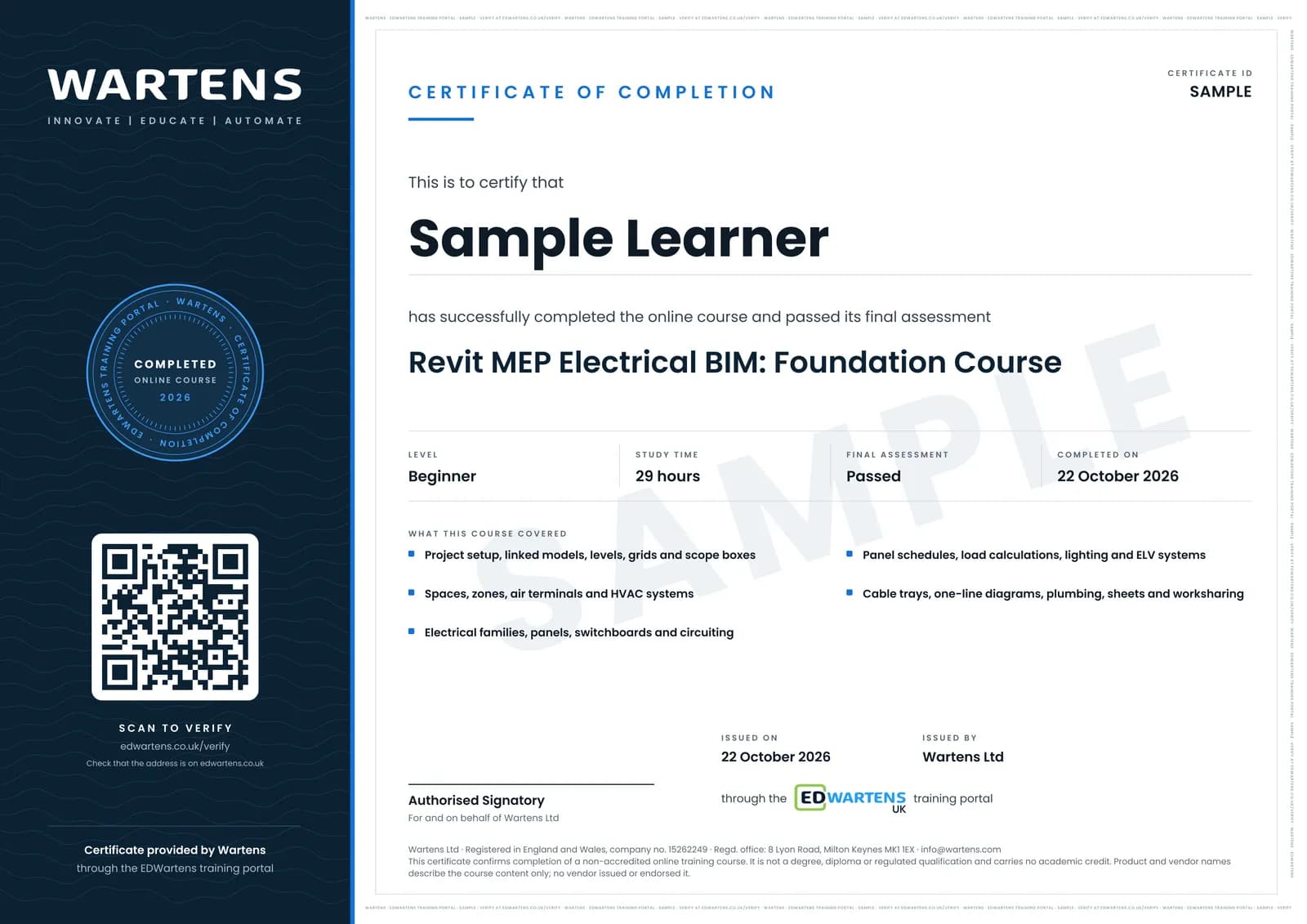
Sample certificate. Optional, issued when you pass the final exam.
- Level
- Beginner
- Modules
- 14
- Video
- 37 hours
- Price
- Free
Outcome
What you will be able to do
Set up a Revit MEP project from a template, link and coordinate an architectural model, place spaces and zones, model HVAC, plumbing and fire-protection systems, create electrical families, place and circuit sockets, lighting, panels and switchboards, produce panel schedules and load calculations, route cable trays and draw one-line diagrams, document with views, tags, legends, schedules and sheets, print sets, and collaborate with worksets.
- Start a Revit MEP project and link the architectural model correctly
- Place spaces, zones, air terminals and HVAC systems
- Build electrical families and circuit sockets, lighting and panels
- Produce panel schedules, load calculations and one-line diagrams
- Model cable trays, plumbing, piping and fire protection
- Document with sheets, tags, legends and printing, and share work with worksets
Software
Autodesk Revit (education licence or trial)
Hardware
None required.
Syllabus
14 modules
Each module has video lessons, notes and a short quiz. The final exam closes the course.
- Starting an MEP Project and the Template5 lessons
- Linking the Architectural Model, Levels, Grids and Scope Boxes9 lessons
- Building Envelope, Spaces and Zones4 lessons
- HVAC: Air Terminals, Systems and Schedules5 lessons
- Electrical Families: Sockets, Panels and Isolators5 lessons
- Panels, Switchboards, Circuits and Feed-throughs10 lessons
- Panel Schedules and Load Calculations4 lessons
- Lighting Plans and Fixtures4 lessons
- Low Voltage: Data, Telephone, CCTV and Access Control5 lessons
- Cable Trays, Power Drawings and One-Line Diagrams6 lessons
- Plumbing, Piping and Fire Protection3 lessons
- Views, Annotations, Sheets and Printing11 lessons
- Worksharing, Worksets and Multi-Floor Circuiting3 lessons
- Final Assessment1 lesson
How it works
How this course works
- Watch the video lessonsOne module at a time, at your own pace.
- Take the module quizA short quiz at the end of each module shows what stuck.
- Keep your notesWrite in My notes beside each module and ask the trainer if you are stuck.
- Sit the final examPass it once you have been through the modules.
- Certificate, if you want oneOptionalPaid, and only after you pass. Anyone can check it online.
Certificate
An optional certificate when you pass
Learning is free. Pass the final exam and you can have a certificate for £19, including VAT, with a number employers can check online. It records that you completed a free online course; it is not a regulated qualification or a CPD certificate.
- Your name, the course, its study time and your final exam score
- A unique certificate number and a QR code to its verification page
- Issued by Wartens Ltd; add it to your LinkedIn profile in one click
- Pay now or after you pass: it is issued the moment you pass the final
Credits
Who made the lessons
The video lessons belong to their creators. EDWartens wrote the study plan, notes, quizzes and the final exam.
- Electric Rob
the Revit Electrical accelerated beginner's guide
- SL - Engineering Solutions
the step-by-step Revit MEP electrical BIM tutorial
- Learning With Rich
Revit MEP 2023 lessons
- Learning With Rich
Revit Electrical 2022 circuits, schedules and switchboards
Questions
About this course
Is Revit used for electrical design?
Can Revit calculate electrical loads and demand factors?
Is Revit free?
Revit MEP or AutoCAD Electrical?
Does it cover HVAC and plumbing too?
Is the course really free?
What certificate do I get, and is it a vendor qualification?
Who made the video lessons?
How long does the course take?
Building services engineer
Take it with
Electrical
Electrical Design Engineering: Loads, Cables, Breakers and Distribution
Beginner · 17 hours
Electrical CAD
DIALux evo Lighting Design: Interior, Daylight and Documentation
Beginner · 21 hours
Building automation
Building Management Systems (BMS): HVAC Control, BACnet and Building Automation
Beginner · 20 hours
Want a live class and career support?
The Professional Module is five live days of Siemens PLC, HMI and SCADA with an instructor, then a resume session and a CPD certificate.