
Free course · Electrical CAD
DIALux evo Lighting Design: Interior, Daylight and Documentation
Professional lighting simulation with the free industry tool: interface and settings, importing DWG plans, building outlines, rooms, floors, doors, windows and roofs, spaces, ceilings, cut-outs and stairs, furniture and materials, luminaire catalogues and selection, automatic arrangement and lux calculation, lighting fundamentals with CRI and manual calculation, daylight, architectural techniques with cove and linear luminaires, raytraced images, documentation and export to AutoCAD, and a complete house project.
Free to learn. Verifiable certificate £19 when you pass the final exam (optional, VAT included).
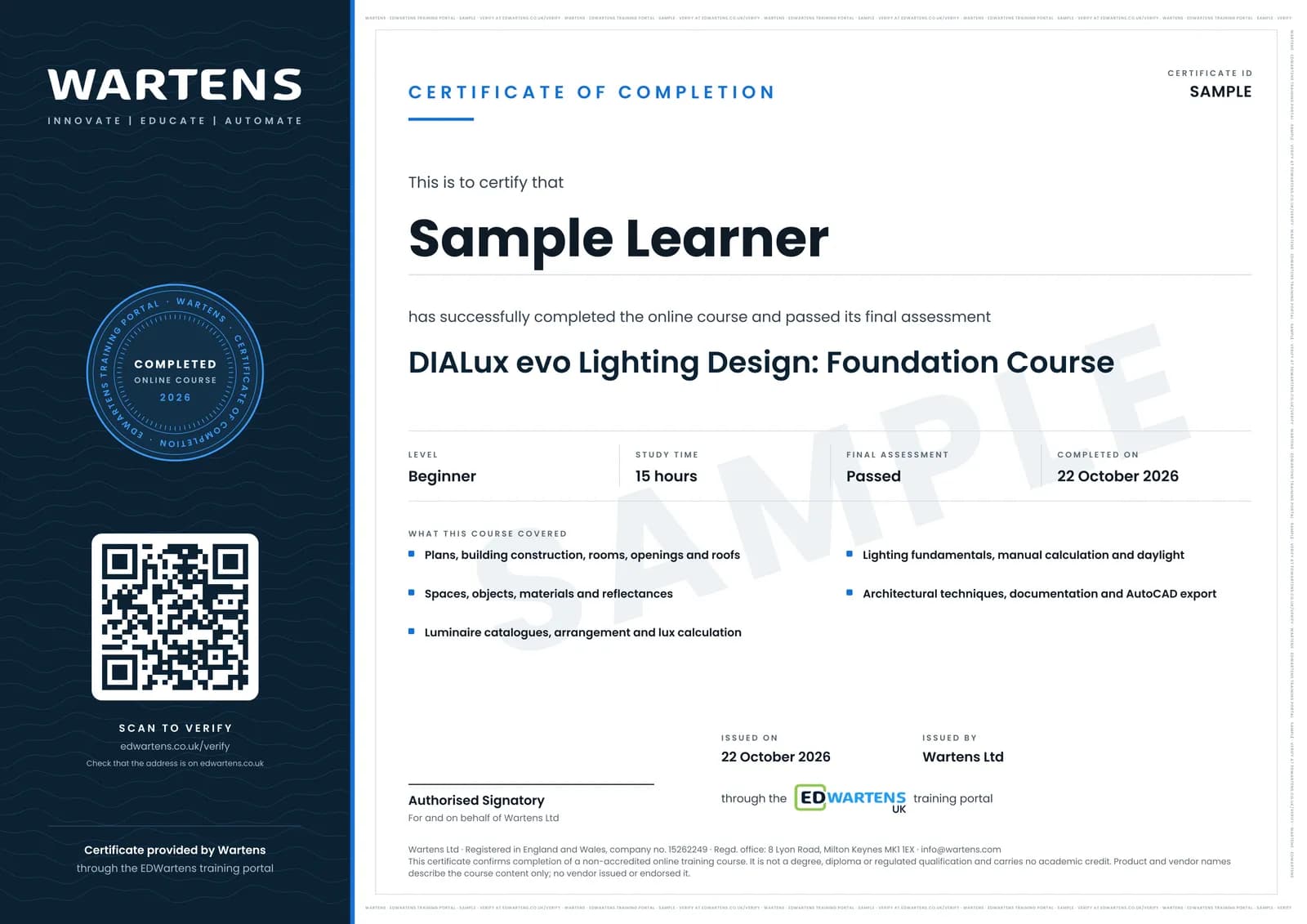
Sample certificate. Optional, issued when you pass the final exam.
- Level
- Beginner
- Modules
- 12
- Video
- 21 hours
- Price
- Free
Outcome
What you will be able to do
Set up a DIALux evo project from a DWG plan, model a building with rooms, openings, floors and roofs, furnish it with objects and materials, choose luminaires from manufacturer catalogues, arrange them by hand or automatically, run lux, uniformity and daylight calculations against the required levels, apply architectural lighting techniques, and deliver raytraced images, reports and AutoCAD exports.
- Import plans and model buildings, rooms, openings and roofs in DIALux evo
- Furnish and assign materials with correct reflectances
- Select luminaires from catalogues and arrange them to hit lux and uniformity
- Check results with the lumen method and add daylight
- Apply cove, linear, accent and task lighting techniques
- Deliver reports, luminaire lists, images and AutoCAD exports
Software
DIALux evo (free download from DIAL)
Hardware
None required.
Syllabus
12 modules
Each module has video lessons, notes and a short quiz. The final exam closes the course.
- DIALux evo: Introduction, Installation and Interface8 lessons
- Importing Plans and Building Outlines7 lessons
- Rooms, Floors, Doors, Windows and Roofs11 lessons
- Spaces, Ceilings, Cut-outs, Stairs and Textures7 lessons
- Furniture, Objects and Materials7 lessons
- Luminaire Catalogues and Selection5 lessons
- Arranging Luminaires and Running the Calculation7 lessons
- Lighting Fundamentals, Manual Calculation and Daylight4 lessons
- Architectural Lighting Techniques9 lessons
- Images, Raytracing, Documentation and Export7 lessons
- Complete House Project13 lessons
- Final Assessment1 lesson
How it works
How this course works
- Watch the video lessonsOne module at a time, at your own pace.
- Take the module quizA short quiz at the end of each module shows what stuck.
- Keep your notesWrite in My notes beside each module and ask the trainer if you are stuck.
- Sit the final examPass it once you have been through the modules.
- Certificate, if you want oneOptionalPaid, and only after you pass. Anyone can check it online.
Certificate
An optional certificate when you pass
Learning is free. Pass the final exam and you can have a certificate for £19, including VAT, with a number employers can check online. It records that you completed a free online course; it is not a regulated qualification or a CPD certificate.
- Your name, the course, its study time and your final exam score
- A unique certificate number and a QR code to its verification page
- Issued by Wartens Ltd; add it to your LinkedIn profile in one click
- Pay now or after you pass: it is issued the moment you pass the final
Credits
Who made the lessons
The video lessons belong to their creators. EDWartens wrote the study plan, notes, quizzes and the final exam.
- Electrical Design Engineering
the free DIALux evo crash course
- Khadija Academy
the DIALux evo complete guide
- DIALux made by DIAL
the official DIALux evo 13 interior tutorials
- Lighting Design with Artem Voronov
the architectural lighting techniques
- Autodesk Learning Center
the complete house design series
Questions
About this course
Is DIALux evo really free?
Which standard are the lux levels from?
Do I need AutoCAD?
Is the course really free?
What certificate do I get, and is it a vendor qualification?
Who made the video lessons?
How long does the course take?
Building services engineer
Take it with
Want a live class and career support?
The Professional Module is five live days of Siemens PLC, HMI and SCADA with an instructor, then a resume session and a CPD certificate.