
Free course · Robotics
RoboDK Offline Programming and Simulation
Brand-independent offline programming with RoboDK's own academy: installation, robots, tools and frames, targets and programs, teaching on surfaces, station creation, pick and place, simulation events, 3D models and mechanisms, simulation tools, curve-follow and machining paths, modelling your own robot, the Python API, post processors and export.
Free to learn. Verifiable certificate £19 when you pass the final exam (optional, VAT included).
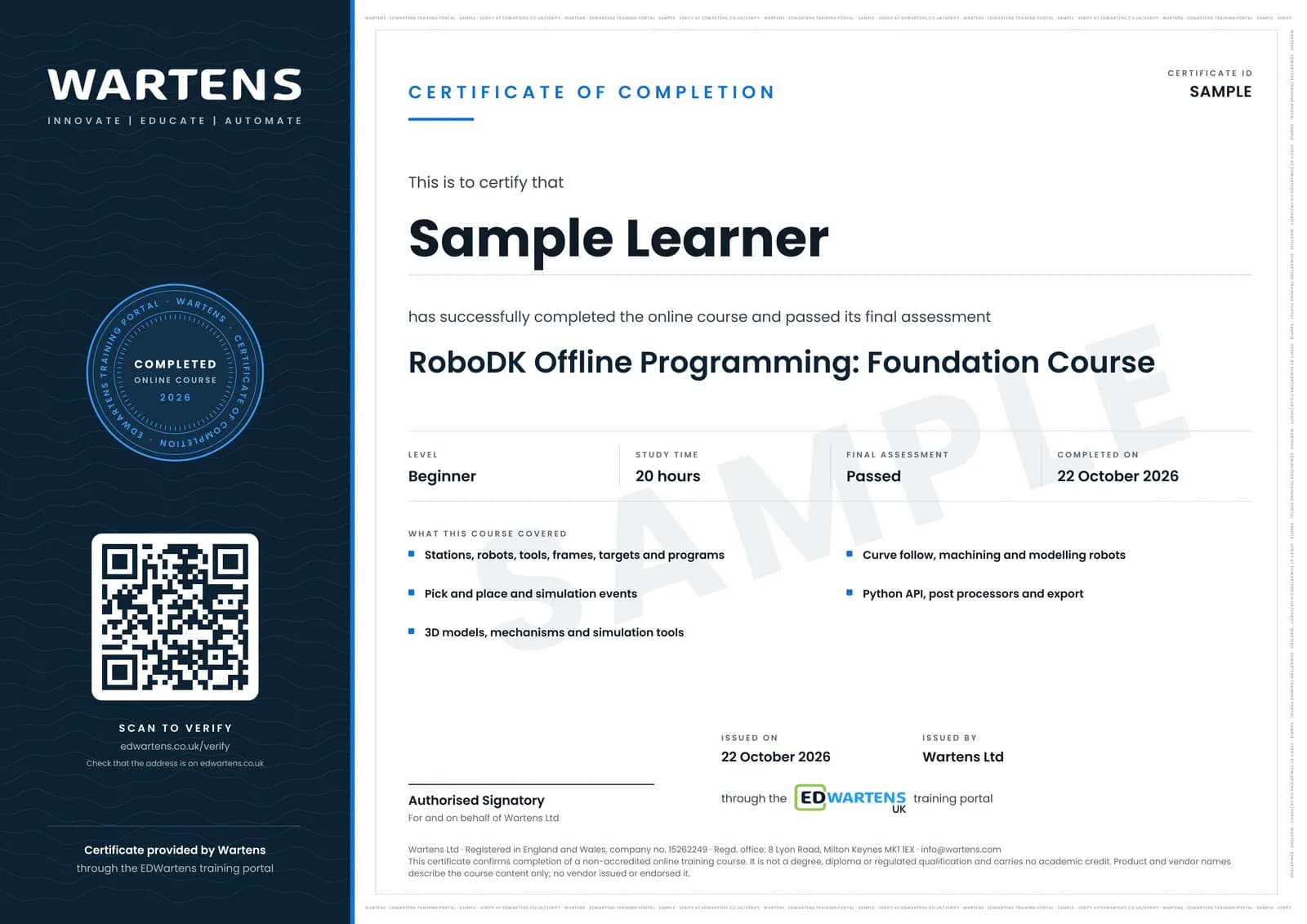
Sample certificate. Optional, issued when you pass the final exam.
- Level
- Beginner
- Modules
- 13
- Video
- 26 hours
- Price
- Free
Outcome
What you will be able to do
Build RoboDK stations with robots, tools, frames and objects, create targets and programs, teach targets on surfaces, simulate pick and place with events, import and prepare 3D models, model mechanisms and your own robot, check collisions, singularities and cycle time, generate curve-follow and machining programs, script with Python and post-process programs for real controllers.
- Install RoboDK and build stations with robots, tools and frames
- Create targets and programs and teach on surfaces
- Simulate pick and place with events and mechanisms
- Check collisions, singularities, reach and cycle time
- Generate curve-follow, machining and 3D-printing paths
- Script with Python and post-process for real robots
Software
RoboDK (free trial and education licence)
Hardware
None required. Any supported robot runs the generated programs.
Syllabus
13 modules
Each module has video lessons, notes and a short quiz. The final exam closes the course.
- RoboDK and Installation5 lessons
- Robots, Tools and Reference Frames8 lessonsLab
- Movements, Targets and Programs7 lessonsLab
- Teaching Targets on Surfaces, Subprograms and Circular Motion6 lessons
- Station Creation: Library, Objects and Paths from Parts11 lessons
- Pick and Place10 lessonsLab
- Simulation Events11 lessonsLab
- 3D Models and Mechanisms16 lessons
- Mechanism Applications and Simulation Tools17 lessons
- Advanced Paths: Curve Follow, Machining and 3D Printing16 lessons
- Modelling Your Own Robot and Cell11 lessons
- Python API, Post Processors and Export9 lessons
- Final Assessment1 lesson
How it works
How this course works
- Watch the video lessonsOne module at a time, at your own pace.
- Take the module quizA short quiz at the end of each module shows what stuck.
- Keep your notesWrite in My notes beside each module and ask the trainer if you are stuck.
- Practise in the labOptionalTry a task from the module in the EDWartens Lab, in your browser.
- Sit the final examPass it once you have been through the modules.
- Certificate, if you want oneOptionalPaid, and only after you pass. Anyone can check it online.
EDWartens Lab
Practise this in the EDWartens Lab
Jog an arm with a pendant, teach points and run a pick and place cycle in the Lab's robot simulator.
Works alongside RoboDK Offline Programming and Simulation. The Lab is robot cell practice in your browser: no install, no hardware, free to use. Sign in as a learner and it opens with your account.
Levels to try with this course
ROB-02 · Robotics lab
Jog
Open in the lab (opens in a new tab)ROB-03 · Robotics lab
Teach and run
Open in the lab (opens in a new tab)ROB-04 · Robotics lab
Pick and place
Open in the lab (opens in a new tab)ROB-05 · Robotics lab
Palletising
Open in the lab (opens in a new tab)
Optional. Skip it whenever you like: it never blocks your progress or your certificate.
Why practise in a lab
Technical work is judged on what you can do: wiring, commissioning, finding a fault. Doing a task yourself teaches more than watching it a second time, and a lab lets you try it safely before you meet real equipment. It does not replace working on real hardware.
- Practise safely, so a mistake costs nothing.
- The lab checks your work like a site test, so you know when it is right.
- Free, in your browser, with nothing to install.
Certificate
An optional certificate when you pass
Learning is free. Pass the final exam and you can have a certificate for £19, including VAT, with a number employers can check online. It records that you completed a free online course; it is not a regulated qualification or a CPD certificate.
- Your name, the course, its study time and your final exam score
- A unique certificate number and a QR code to its verification page
- Issued by Wartens Ltd; add it to your LinkedIn profile in one click
- Pay now or after you pass: it is issued the moment you pass the final
Questions
About this course
Which robot brands does RoboDK support?
Is RoboDK free?
Do I need to know Python?
Is the course really free?
What certificate do I get, and is it a vendor qualification?
Who made the video lessons?
How long does the course take?
Want a live class and career support?
The Professional Module is five live days of Siemens PLC, HMI and SCADA with an instructor, then a resume session and a CPD certificate.