
Free course · AI and machine learning
Industrial Data with Python
The plumbing nobody teaches: values out of PLCs and meters over Modbus and OPC UA from Python, published over MQTT, stored as time series, cleaned and gridded, forecast and scored for anomalies, and wired to a dashboard — every stage built against a simulator on your own laptop, so no plant is needed and nothing you break matters.
Free to learn. Verifiable certificate £19 when you pass the final exam (optional, VAT included).
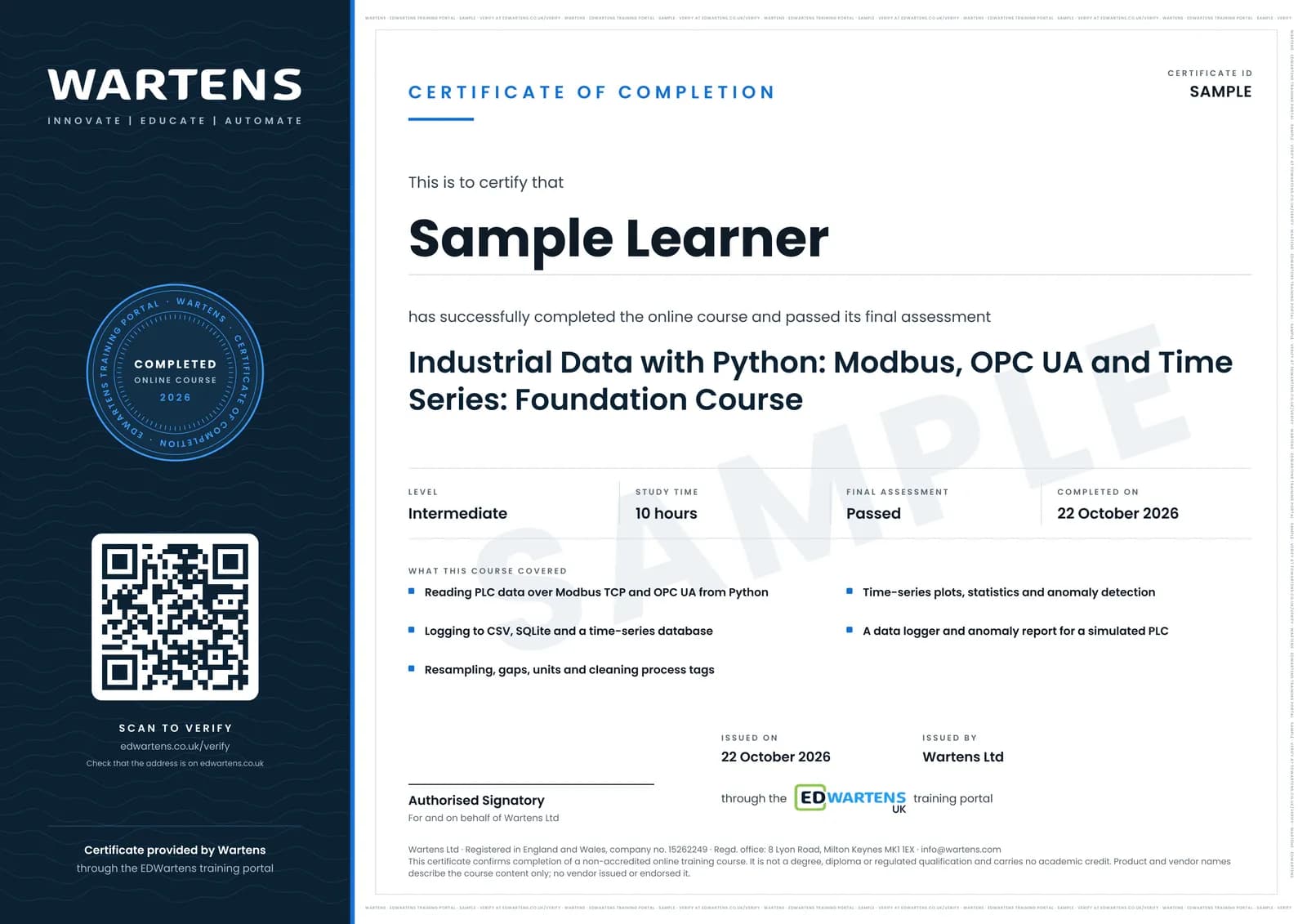
Sample certificate. Optional, issued when you pass the final exam.
- Level
- Intermediate
- Modules
- 12
- Video
- 16 hours
- Price
- Free
Outcome
What you will be able to do
Read Modbus TCP and RTU devices and OPC UA servers from Python and run simulators of both; subscribe rather than poll; publish on well-designed MQTT topics with quality and timestamps; store in SQLite or InfluxDB with Grafana; clean and grid live process data honestly; forecast day-ahead load and beat the seasonal-naive baseline; detect anomaly episodes on process tags; and assemble the whole pipeline with Node-RED and a model served over HTTP, run as services with security and documentation.
- Read holding registers over Modbus TCP and RTU from Python and decode floats, offsets and scaling correctly
- Run an OPC UA server and client in Python, subscribe to changes and log value, quality and source timestamp
- Design MQTT topics and payloads and bridge OPC UA to a broker with retain and last will
- Store time series in SQLite or InfluxDB, downsample honestly and dashboard with Grafana
- Clean live process data: quality masks, grids, frozen sensors, coverage, joins by time
- Forecast day-ahead load against a seasonal-naive baseline and detect anomaly episodes on process tags
Software
Python on your own laptop (not only Colab): pymodbus, minimalmodbus, asyncua, paho-mqtt, Mosquitto, SQLite, optionally InfluxDB, Grafana and Node-RED. All free.
Hardware
None. A USB–RS485 adapter and any Modbus meter make the serial module real; a Raspberry Pi makes the OPC UA server a device.
Syllabus
12 modules
Each module has video lessons, notes and a short quiz. The final exam closes the course.
- Where plant data lives, and where Python fits2 lessons
- Modbus TCP from Python4 lessonsLab
- Modbus RTU and serial devices3 lessons
- OPC UA from Python7 lessons
- OPC UA security, and a Pi as a server4 lessonsLab
- MQTT: publish once, subscribe anywhere3 lessonsLab
- Storing time series3 lessons
- Cleaning and resampling process data1 lessonLab
- Time-series analysis and forecasting3 lessonsLab
- Anomaly detection on process tags2 lessonsLab
- Node-RED, dashboards and the end-to-end pipeline2 lessons
- Final assessment0 lessons
How it works
How this course works
- Watch the video lessonsOne module at a time, at your own pace.
- Take the module quizA short quiz at the end of each module shows what stuck.
- Keep your notesWrite in My notes beside each module and ask the trainer if you are stuck.
- Practise in the labOptionalTry a task from the module in the EDWartens Lab, in your browser.
- Sit the final examPass it once you have been through the modules.
- Certificate, if you want oneOptionalPaid, and only after you pass. Anyone can check it online.
EDWartens Lab
Practise this in the EDWartens Lab
Train a model on plant data, move the decision threshold and weigh the cost of errors in the Lab's AI workbench.
Works alongside Industrial Data with Python. The Lab is ai for industry practice in your browser: no install, no hardware, free to use. Sign in as a learner and it opens with your account.
Levels to try with this course
AIW-01 · AI Workbench
Data health check
Open in the lab (opens in a new tab)AIW-03 · AI Workbench
Choose the metric and the threshold
Open in the lab (opens in a new tab)PRC-09 · Process lab
Plant data to the dashboard: Modbus, OPC UA and MQTT
Open in the lab (opens in a new tab)
Optional. Skip it whenever you like: it never blocks your progress or your certificate.
Why practise in a lab
Technical work is judged on what you can do: wiring, commissioning, finding a fault. Doing a task yourself teaches more than watching it a second time, and a lab lets you try it safely before you meet real equipment. It does not replace working on real hardware.
- Practise safely, so a mistake costs nothing.
- The lab checks your work like a site test, so you know when it is right.
- Free, in your browser, with nothing to install.
Certificate
An optional certificate when you pass
Learning is free. Pass the final exam and you can have a certificate for £19, including VAT, with a number employers can check online. It records that you completed a free online course; it is not a regulated qualification or a CPD certificate.
- Your name, the course, its study time and your final exam score
- A unique certificate number and a QR code to its verification page
- Issued by Wartens Ltd; add it to your LinkedIn profile in one click
- Pay now or after you pass: it is issued the moment you pass the final
Credits
Who made the lessons
The video lessons belong to their creators. EDWartens wrote the study plan, notes, quizzes and the final exam.
- Fusion Automate
the OPC UA and Python series, the Modbus TCP and RTU tutorials and the OPC UA to MQTT converters
- Rocket Systems
the OPC UA series with Raspberry Pi, security and a dashboard
- APMonitor.com
data transfer with Modbus, OPC and SQL
- RealPars
the OPC UA and Node-RED explainers
- Chipsee
reading Modbus data with Python
- Johannes 4GNU_Linux
a Modbus TCP server with pyModbusTCP
- InfluxData
time-series basics and querying InfluxDB with Grafana
- Masters Of The Code
InfluxDB 2, Grafana and Python monitoring
- IT and Automation Academy
the MQTT explainer
- Dave Ebbelaar
detecting outliers in sensor data
- Rob Mulla
time-series forecasting with XGBoost
- freeCodeCamp.org
time-series forecasting in Python
- Lianne and Justin
ARIMA models in Python
- AIEngineering
anomaly detection with Isolation Forest on time series
- NeuralNine
anomaly detection for time-series data
Questions
About this course
Do I need a PLC or a meter?
Why not just use Node-RED?
What are the projects?
Is the course really free?
What certificate do I get?
Who made the video lessons?
How long does the course take?
Want a live class and career support?
The Professional Module is five live days of Siemens PLC, HMI and SCADA with an instructor, then a resume session and a CPD certificate.