
Free course · AI and machine learning
AI for Industrial Automation
The hub of the industrial track: where AI actually sits beside PLC, SCADA, MES and the historian; which of the seven use cases pay and what data each needs; OPC UA, MQTT and the unified namespace; edge against cloud; predictive maintenance as a business case; vision, digital twins, copilots and agents; the vendor landscape; safety, security and governance — ending with a readiness audit of a real process.
Free to learn. Verifiable certificate £19 when you pass the final exam (optional, VAT included).
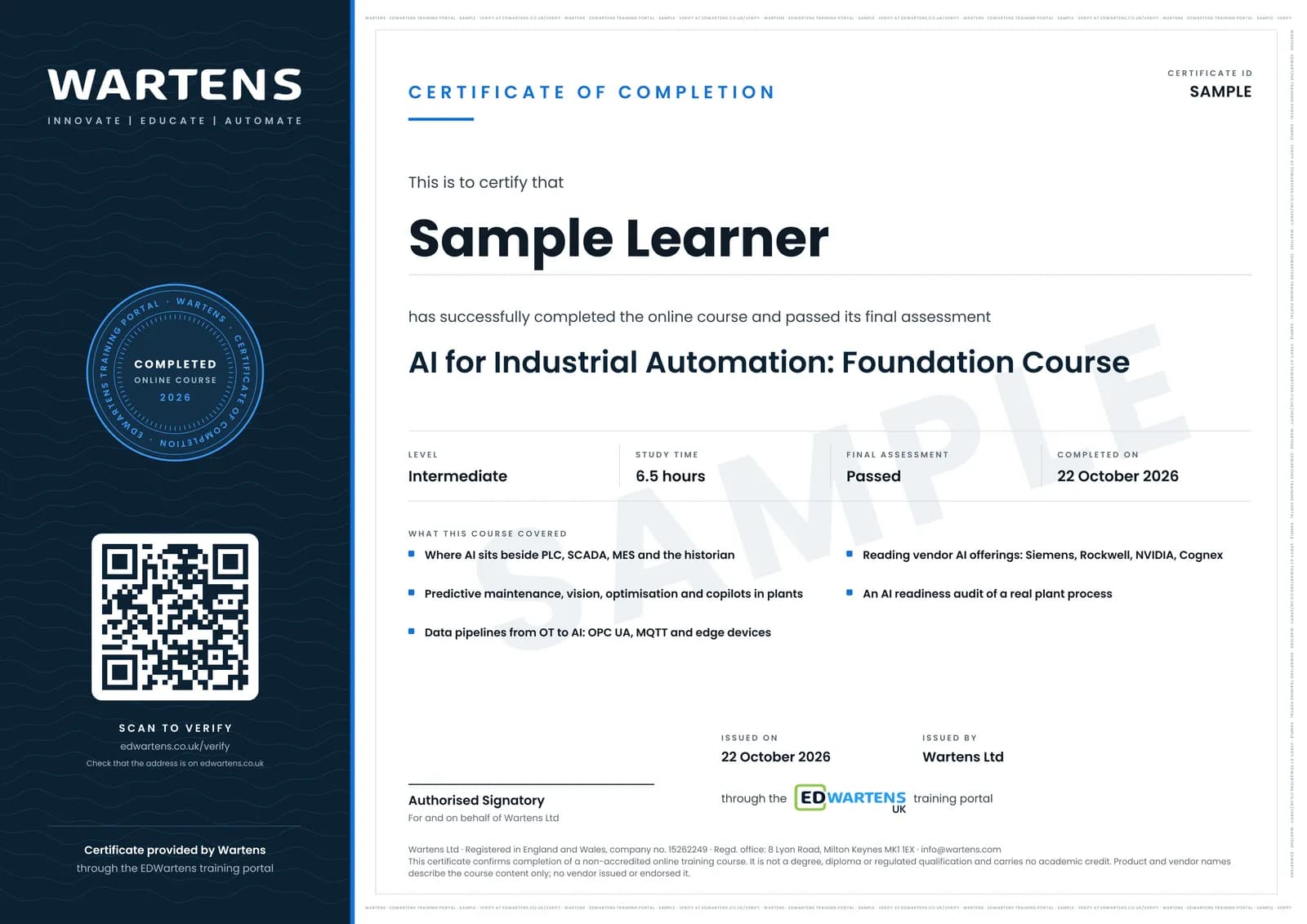
Sample certificate. Optional, issued when you pass the final exam.
- Level
- Intermediate
- Modules
- 13
- Video
- 12 hours
- Price
- Free
Outcome
What you will be able to do
Place any AI proposal on the control hierarchy and the use-case map; inventory a plant's data and its quality problems; choose OPC UA, MQTT or a unified namespace for getting data to a model; decide edge or cloud; build the predictive-maintenance business case; specify a vision, twin or copilot project with the PLC in charge; read a vendor demo critically; apply functional safety, 62443 and change control to a model; and write the eight-section readiness audit a plant manager can fund.
- Place any AI proposal on the control hierarchy and say what the PLC keeps
- Match a plant problem to one of seven use cases and name the label it needs
- Get data to a model with OPC UA, MQTT and a unified namespace without loading the PLC
- Decide edge or cloud, and size the box
- Build the predictive-maintenance business case with sourced numbers
- Write the eight-section AI readiness audit a plant manager can fund
Software
None required. Pandas on the track's datasets for the optional business-case project.
Hardware
None.
Syllabus
13 modules
Each module has video lessons, notes and a short quiz. The final exam closes the course.
- Where AI sits in a plant3 lessons
- The use-case map2 lessons
- The data a plant already has1 lessonLab
- Getting data out: OPC UA, MQTT and the unified namespace5 lessonsLab
- Edge or cloud4 lessons
- Predictive maintenance as a business case4 lessons
- Machine vision and AI inspection6 lessonsLab
- Digital twins and simulation4 lessons
- Copilots and agents for the engineering office2 lessonsLab
- The vendor landscape5 lessons
- Safety, security and governance2 lessons
- The AI readiness audit1 lesson
- Final assessment0 lessons
How it works
How this course works
- Watch the video lessonsOne module at a time, at your own pace.
- Take the module quizA short quiz at the end of each module shows what stuck.
- Keep your notesWrite in My notes beside each module and ask the trainer if you are stuck.
- Practise in the labOptionalTry a task from the module in the EDWartens Lab, in your browser.
- Sit the final examPass it once you have been through the modules.
- Certificate, if you want oneOptionalPaid, and only after you pass. Anyone can check it online.
EDWartens Lab
Practise this in the EDWartens Lab
Train a model on plant data, move the decision threshold and weigh the cost of errors in the Lab's AI workbench.
Works alongside AI for Industrial Automation. The Lab is ai for industry practice in your browser: no install, no hardware, free to use. Sign in as a learner and it opens with your account.
Levels to try with this course
AIW-01 · AI Workbench
Data health check
Open in the lab (opens in a new tab)AIW-05 · AI Workbench
Vision inspection on the conveyor
Open in the lab (opens in a new tab)AIW-08 · AI Workbench
A safe agent
Open in the lab (opens in a new tab)
Optional. Skip it whenever you like: it never blocks your progress or your certificate.
Why practise in a lab
Technical work is judged on what you can do: wiring, commissioning, finding a fault. Doing a task yourself teaches more than watching it a second time, and a lab lets you try it safely before you meet real equipment. It does not replace working on real hardware.
- Practise safely, so a mistake costs nothing.
- The lab checks your work like a site test, so you know when it is right.
- Free, in your browser, with nothing to install.
Certificate
An optional certificate when you pass
Learning is free. Pass the final exam and you can have a certificate for £19, including VAT, with a number employers can check online. It records that you completed a free online course; it is not a regulated qualification or a CPD certificate.
- Your name, the course, its study time and your final exam score
- A unique certificate number and a QR code to its verification page
- Issued by Wartens Ltd; add it to your LinkedIn profile in one click
- Pay now or after you pass: it is issued the moment you pass the final
Credits
Who made the lessons
The video lessons belong to their creators. EDWartens wrote the study plan, notes, quizzes and the final exam.
- RealPars
the OPC UA, edge computing, predictive maintenance and Ignition explainers
- NVIDIA
How AI is transforming manufacturing end to end
- IBM Technology
the edge computing, digital twin and AI agents use-case explainers
- Siemens Knowledge Hub
Industrial Edge explained, the edge AI tutorials and the digital twin clip
- Cognex
the AI for factory automation explainers
- MATLAB
Getting started with predictive maintenance and the digital twin explainer
- ADASH
vibration analysis for beginners
- 4.0 Solutions
the unified namespace and Sparkplug B explainers
- Opto Video
the introduction to MQTT and Sparkplug B
- Inductive Automation
the machine learning demo with Ignition
- Enuda
a low-cost open-source machine learning solution beside Ignition
- edureka!
AI in manufacturing
- Future in the Making
How AI is changing manufacturing
- Automatedo
What is a digital twin
- Charbax
the Siemens Engineering Copilot for TIA Portal demo
- Retrocausal AI
an AI copilot for assembly
- Microsoft Developer
securing generative AI applications
- IT and Automation Academy
a lesson in "Getting data out: OPC UA, MQTT and the unified namespace"
- Breen Machine Automation Services LLC
a lesson in "Machine vision and AI inspection"
- International Society of Automation - ISA
a lesson in "Safety, security and governance"
- Patrick Byrne - AI & Manufacturing
a lesson in "The AI readiness audit"
Questions
About this course
Is this a coding course?
Who is it for?
What are the projects?
Is the course really free?
What certificate do I get?
Who made the video lessons?
How long does the course take?
Want a live class and career support?
The Professional Module is five live days of Siemens PLC, HMI and SCADA with an instructor, then a resume session and a CPD certificate.