
Free course · Robotics
FANUC Robot Programming with the Teach Pendant and ROBOGUIDE
From jogging and frames to TP programs, registers, branching, offsets, pick-and-place, ROBOGUIDE simulation, palletising, error recovery and PLC integration.
Free to learn. Verifiable certificate £19 when you pass the final exam (optional, VAT included).
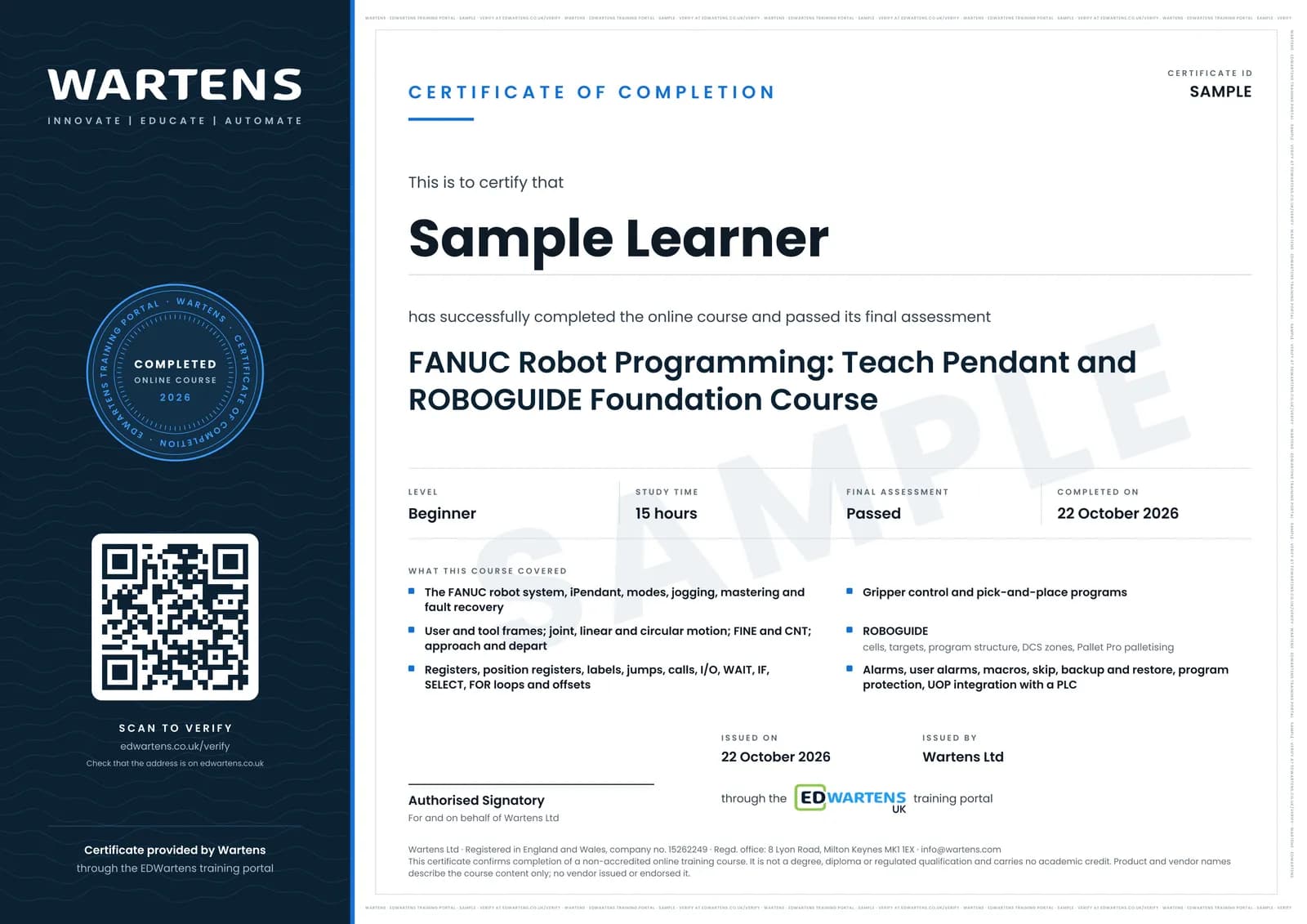
Sample certificate. Optional, issued when you pass the final exam.
- Level
- Beginner
- Modules
- 18
- Video
- 24 hours
- Price
- Free
Outcome
What you will be able to do
Explain the parts of a FANUC robot system, start, jog and recover it, define user and tool frames, write teach-pendant programs with joint, linear and circular motion, use registers, labels, calls, IF, SELECT, WAIT and loops, apply offsets, build a pick-and-place, use ROBOGUIDE with DCS and palletising, handle alarms, back up and restore, and integrate with a PLC over Ethernet I/O.
- Start, jog and fault-reset a FANUC robot in T1, T2 and AUTO
- Teach tool and user frames and know what a wrong TCP does
- Write TP programs with J, L and C motion, FINE and CNT, approach and depart
- Use registers, position registers, labels, calls, IF, SELECT, WAIT and FOR
- Apply offsets and shift a whole pattern with one register
- Build a pick-and-place with gripper confirmation and a fault path
- Simulate in ROBOGUIDE with DCS zones and palletise with Pallet Pro
- Recover from alarms, back up and restore, and drive the robot from a PLC over UOP
Software
FANUC ROBOGUIDE for the simulation modules: a licence from work or college, or a 30-day trial that FANUC grants on request through its my.FANUC portal. RoboDK is a free-trial alternative for practising offline programming
Hardware
None required. ROBOGUIDE stands in for the robot.
Syllabus
18 modules
Each module has video lessons, notes and a short quiz. The final exam closes the course.
- The FANUC Robot System and the Teach Pendant4 lessonsLab
- Starting, Jogging and Clearing Faults4 lessonsLab
- Frames: User Frames and Tool Frames4 lessons
- The First TP Program: Joint and Linear Motion4 lessonsLab
- Circular Motion, Approach and Depart6 lessonsLab
- Editing Programs4 lessons
- Registers and Position Registers6 lessonsLab
- Branching, Labels, Calls, I/O and Wait7 lessonsLab
- IF, SELECT and Loops5 lessons
- Offsets and Program Adjust3 lessons
- Grippers and Pick-and-Place5 lessons
- ROBOGUIDE: Install, Navigate, Build a Cell7 lessons
- ROBOGUIDE: Targets, Programs and DCS6 lessons
- Palletising with Pallet Pro and Pallet Tool6 lessons
- Alarms, Error Recovery and Advanced Instructions7 lessonsLab
- Production Setup, Backup and Protection4 lessons
- PLC Integration and Machine Vision Introduction3 lessons
- Final Assessment1 lesson
How it works
How this course works
- Watch the video lessonsOne module at a time, at your own pace.
- Take the module quizA short quiz at the end of each module shows what stuck.
- Keep your notesWrite in My notes beside each module and ask the trainer if you are stuck.
- Practise in the labOptionalTry a task from the module in the EDWartens Lab, in your browser.
- Sit the final examPass it once you have been through the modules.
- Certificate, if you want oneOptionalPaid, and only after you pass. Anyone can check it online.
EDWartens Lab
Practise this in the EDWartens Lab
Jog an arm with a pendant, teach points and run a pick and place cycle in the Lab's robot simulator.
Works alongside FANUC Robot Programming with the Teach Pendant and ROBOGUIDE. The Lab is robot cell practice in your browser: no install, no hardware, free to use. Sign in as a learner and it opens with your account.
Levels to try with this course
ROB-01 · Robotics lab
Safe start
Open in the lab (opens in a new tab)ROB-02 · Robotics lab
Jog
Open in the lab (opens in a new tab)ROB-04 · Robotics lab
Pick and place
Open in the lab (opens in a new tab)ROB-06 · Robotics lab
Machine tending
Open in the lab (opens in a new tab)
Optional. Skip it whenever you like: it never blocks your progress or your certificate.
Why practise in a lab
Technical work is judged on what you can do: wiring, commissioning, finding a fault. Doing a task yourself teaches more than watching it a second time, and a lab lets you try it safely before you meet real equipment. It does not replace working on real hardware.
- Practise safely, so a mistake costs nothing.
- The lab checks your work like a site test, so you know when it is right.
- Free, in your browser, with nothing to install.
Certificate
An optional certificate when you pass
Learning is free. Pass the final exam and you can have a certificate for £19, including VAT, with a number employers can check online. It records that you completed a free online course; it is not a regulated qualification or a CPD certificate.
- Your name, the course, its study time and your final exam score
- A unique certificate number and a QR code to its verification page
- Issued by Wartens Ltd; add it to your LinkedIn profile in one click
- Pay now or after you pass: it is issued the moment you pass the final
Credits
Who made the lessons
The video lessons belong to their creators. EDWartens wrote the study plan, notes, quizzes and the final exam.
- Dan Staifer
the FANUC tutorials on frames, registers, branching, offsets, ROBOGUIDE and PLC integration
- Automation Academy
the FANUC pendant, jogging, gripper and backup lessons
- Elite Automation
the ROBOGUIDE, program structure, DCS and Pallet Pro tutorials
- Robotics & Automation - Electro-Mechanical
9 lessons in "Frames: User Frames and Tool Frames", "Circular Motion, Approach and Depart", "Editing Programs", "Alarms, Error Recovery and Advanced Instructions", "Production Setup, Backup and Protection" and "PLC Integration and Machine Vision Introduction"
- Future Robotics
a lesson in "The First TP Program: Joint and Linear Motion"
Questions
About this course
Do I need a robot?
Is ROBOGUIDE free?
Which FANUC controllers does this cover?
Is this a FANUC certification?
Is the course really free?
What certificate do I get, and is it a FANUC qualification?
Who made the video lessons?
Want a live class and career support?
The Professional Module is five live days of Siemens PLC, HMI and SCADA with an instructor, then a resume session and a CPD certificate.