
Free course · DCS
Yokogawa CENTUM VP DCS
The DCS of refineries, petrochemical and power plants worldwide: architecture, FCS and HIS, function blocks, ST16 and LC64 logic, SEBOL, PID and advanced control, MC-2E device logic, HMI graphics, a full water-treatment project and ProSafe-RS.
Free to learn. Verifiable certificate £19 when you pass the final exam (optional, VAT included).
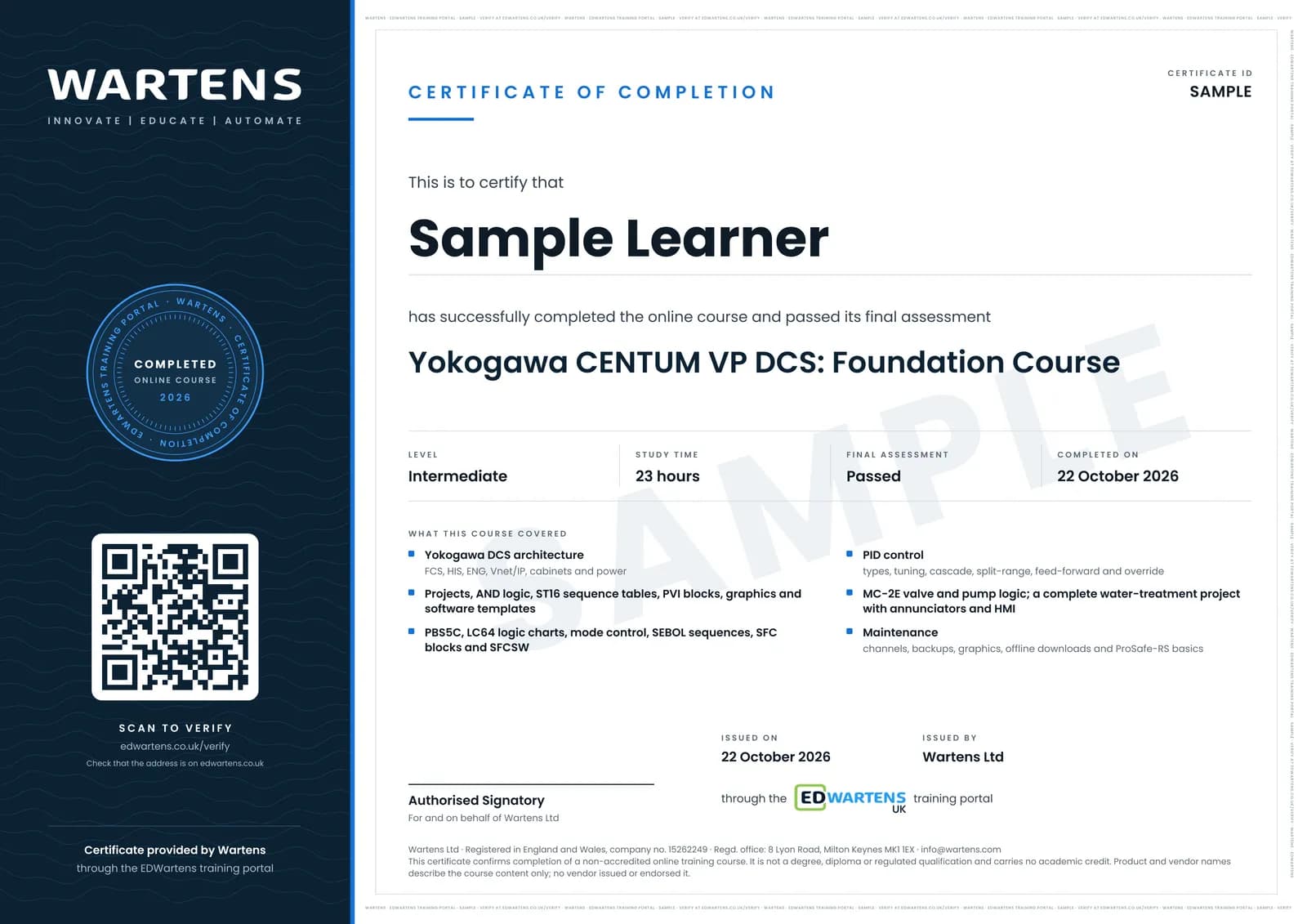
Sample certificate. Optional, issued when you pass the final exam.
- Level
- Intermediate
- Modules
- 14
- Video
- 30 hours
- Price
- Free
Outcome
What you will be able to do
Explain Yokogawa DCS architecture, create CENTUM VP projects, build logic with ST16, LC64 and SEBOL, configure PVI, templates and FCS/HIS options, configure and tune PID with cascade, split-range, feed-forward and override, build MC-2E valve and pump logic, complete a water-treatment project with annunciators and HMI, and perform channel, backup and graphics maintenance.
- Draw the CENTUM VP architecture: FCS, HIS, ENG, Vnet/IP, cabinets
- Create a project and build AND, ST16 and LC64 logic, tested in the test function
- Configure PVI, PBS5C, templates and project/FCS/HIS options
- Write SEBOL sequences and SFC blocks with signals and interrupts
- Configure and tune PID, cascade, split-range, feed-forward and override
- Build MC-2E valve and pump logic with trips and end switches
- Complete a water-treatment project with annunciators and HMI
- Maintain a live system: channels, backups, graphics, offline downloads, ProSafe-RS basics
Software
CENTUM VP (licensed; lessons use the engineering-station test function)
Hardware
None. Follow by watching and re-drawing.
Syllabus
14 modules
Each module has video lessons, notes and a short quiz. The final exam closes the course.
- Yokogawa DCS and CENTUM VP Architecture3 lessons
- First Project and AND Logic6 lessons
- ST16 Decision Matrix and Your First HMI6 lessons
- PVI Blocks, Engineering Units and Function Blocks5 lessonsLab
- Graphic and Software Templates; Project, FCS and HIS Options7 lessons
- PBS5C, LC64 Timers and Mode Control10 lessons
- SEBOL Language, SFC Blocks and Signals11 lessons
- LC64 One-shots, Timers and SFCSW7 lessons
- PID Control10 lessonsLab
- MC-2E Valve and Pump Logic13 lessonsLab
- Project: Water Treatment Plant11 lessons
- Advanced Control and SEBOL Applications12 lessons
- Maintenance, HIS and Backups19 lessons
- Final Assessment1 lesson
How it works
How this course works
- Watch the video lessonsOne module at a time, at your own pace.
- Take the module quizA short quiz at the end of each module shows what stuck.
- Keep your notesWrite in My notes beside each module and ask the trainer if you are stuck.
- Practise in the labOptionalTry a task from the module in the EDWartens Lab, in your browser.
- Sit the final examPass it once you have been through the modules.
- Certificate, if you want oneOptionalPaid, and only after you pass. Anyone can check it online.
EDWartens Lab
Practise this in the EDWartens Lab
Run a tank and pump process in the Lab, read the trends and check alarms the way an operator screen would show them.
Works alongside Yokogawa CENTUM VP DCS. The Lab is process control practice in your browser: no install, no hardware, free to use. Sign in as a learner and it opens with your account.
Levels to try with this course
PRC-02 · Process lab
Loop check
Open in the lab (opens in a new tab)PRC-04 · Process lab
Tune the level loop
Open in the lab (opens in a new tab)PRC-05 · Process lab
Flow loop and control valve
Open in the lab (opens in a new tab)PRC-06 · Process lab
Alarm rationalisation
Open in the lab (opens in a new tab)
Optional. Skip it whenever you like: it never blocks your progress or your certificate.
Why practise in a lab
Technical work is judged on what you can do: wiring, commissioning, finding a fault. Doing a task yourself teaches more than watching it a second time, and a lab lets you try it safely before you meet real equipment. It does not replace working on real hardware.
- Practise safely, so a mistake costs nothing.
- The lab checks your work like a site test, so you know when it is right.
- Free, in your browser, with nothing to install.
Certificate
An optional certificate when you pass
Learning is free. Pass the final exam and you can have a certificate for £19, including VAT, with a number employers can check online. It records that you completed a free online course; it is not a regulated qualification or a CPD certificate.
- Your name, the course, its study time and your final exam score
- A unique certificate number and a QR code to its verification page
- Issued by Wartens Ltd; add it to your LinkedIn profile in one click
- Pay now or after you pass: it is issued the moment you pass the final
Credits
Who made the lessons
The video lessons belong to their creators. EDWartens wrote the study plan, notes, quizzes and the final exam.
- Taskcoaz
the 79-lesson CENTUM VP and ProSafe-RS training (English version)
- PLC Tutor
the CENTUM VP advanced control and SEBOL series
- Davide Maggi
the Yokogawa training collection
- DCSBOYS
the Yokogawa DCS maintenance tutorials
- Instrumentation Tools
the Yokogawa DCS hardware and download tutorials
Questions
About this course
Can I practise without CENTUM VP?
Is ProSafe-RS covered?
Which lessons were left out?
Is the course really free?
What certificate do I get, and is it a Yokogawa qualification?
Who made the video lessons?
How long does the course take?
Want a live class and career support?
The Professional Module is five live days of Siemens PLC, HMI and SCADA with an instructor, then a resume session and a CPD certificate.