
Free course · Motion control
Siemens TIA Portal Motion Control: S7-1200, S7-1500 and V90
Siemens motion control the way machine builders commission it: technology objects in TIA Portal V21, pulse-train axes on the S7-1200 and PROFIdrive axes on the S7-1500, the SINAMICS V90 with V-ASSISTANT, PLCopen motion blocks, homing, limits and safe stops, axis simulation in PLCSIM, tuning, gearing and camming, and a commissioning checklist.
Free to learn. Verifiable certificate £19 when you pass the final exam (optional, VAT included).
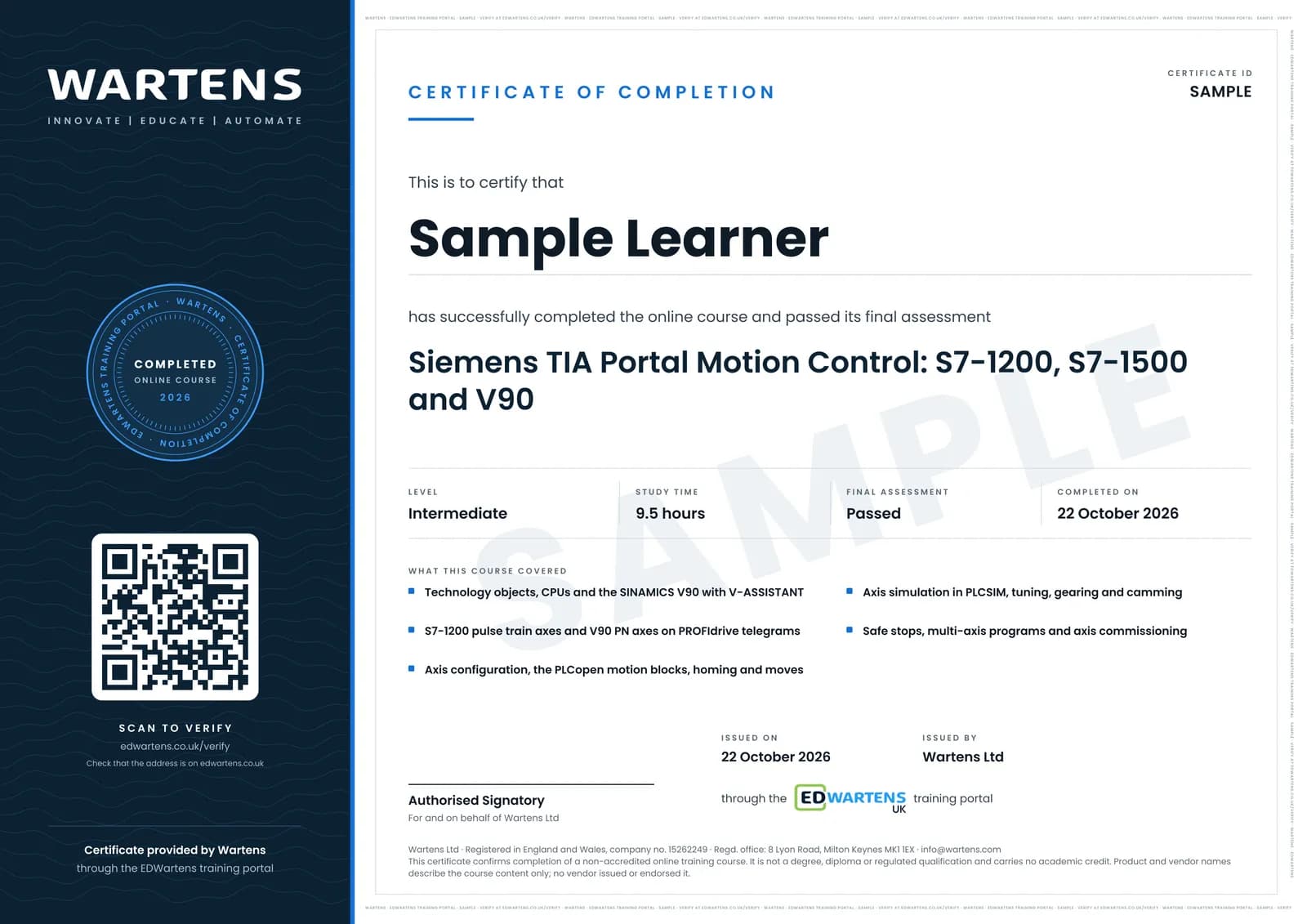
Sample certificate. Optional, issued when you pass the final exam.
- Level
- Intermediate
- Modules
- 13
- Video
- 16 hours
- Price
- Free
Outcome
What you will be able to do
Choose the right technology object and controller for an axis; wire and commission a SINAMICS V90 with V-ASSISTANT; drive it by pulse train from an S7-1200 and over PROFINET with PROFIdrive telegrams from an S7-1500; configure units, mechanics, dynamics and limits; program MC_Power, MC_Reset, MC_Home and the move and halt instructions; home with reference cams and absolute encoders; simulate axes in PLCSIM and diagnose them with the control panel and trace; tune the V90 and the position loop; gear a following axis; and commission an axis to a written checklist with safe stops in place.
- Choose the technology object and the CPU for an axis: S7-1200, S7-1500 or a T-CPU
- Wire a SINAMICS V90 and commission it with V-ASSISTANT: control mode, gear ratio, backup and jog
- Drive a V90 or a stepper by pulse train from an S7-1200, and a V90 PN over PROFINET with PROFIdrive telegrams
- Configure units, mechanics, dynamics, jerk and the hardware and software limits of a positioning axis
- Program MC_Power, MC_Reset, MC_Home, MC_MoveJog, MC_MoveAbsolute, MC_MoveRelative, MC_MoveVelocity and MC_Halt
- Home with reference cams, zero marks and absolute encoders
- Simulate axes in PLCSIM and diagnose them with the axis control panel, trace and error IDs
- Tune the V90 and the position loop, gear a following axis, and commission to a written checklist with safe stops
Software
TIA Portal V21 trial (STEP 7 Professional, 21 days) with S7-PLCSIM V21, which runs every exercise with simulated axes, and SINAMICS V-ASSISTANT, the Siemens commissioning tool for the V90, for the drive modules. Both are free downloads from Siemens.
Hardware
None required: every axis exercise runs in PLCSIM. A V90 with a 1FL6 motor, or a stepper driver on a DC/DC/DC S7-1200, makes the drive modules real. Real axes are commissioned only with guards and safety functions in place.
Syllabus
13 modules
Each module has video lessons, notes and a short quiz. The final exam closes the course.
- Motion in TIA Portal: axes, technology objects and CPUs2 lessons
- SINAMICS V90: models, wiring, V-ASSISTANT and first jog4 lessons
- S7-1200 pulse train axes: PTO driving a V90 PTI or stepper5 lessons
- V90 PN on PROFINET: PROFIdrive telegrams and the S7-1500 axis4 lessons
- Configuring the axis: units, mechanics, dynamics and limits4 lessonsLab
- MC_Power, MC_Reset and the axis state machine3 lessonsLab
- Homing: active, passive, direct and absolute encoders3 lessonsLab
- Moving the axis: jog, absolute, relative, velocity and halt3 lessonsLab
- Axis simulation in PLCSIM: control panel, trace and diagnostics4 lessons
- Tuning the V90 and the position loop3 lessonsLab
- Speed axes, external encoders, gearing and camming3 lessonsLab
- Safe stops, multi-axis programs and the commissioning checklist3 lessonsLab
- Final Assessment1 lesson
How it works
How this course works
- Watch the video lessonsOne module at a time, at your own pace.
- Take the module quizA short quiz at the end of each module shows what stuck.
- Keep your notesWrite in My notes beside each module and ask the trainer if you are stuck.
- Practise in the labOptionalTry a task from the module in the EDWartens Lab, in your browser.
- Sit the final examPass it once you have been through the modules.
- Certificate, if you want oneOptionalPaid, and only after you pass. Anyone can check it online.
EDWartens Lab
Practise this in the EDWartens Lab
Practise the commissioning half of the course in the lab: set the units and limits of a servo axis, home it, sequence MC_Power, MC_Home and the moves, tune it and prove the E-stop.
Works alongside Siemens TIA Portal Motion Control: S7-1200, S7-1500 and V90. The Lab is robot cell practice in your browser: no install, no hardware, free to use. Sign in as a learner and it opens with your account.
Levels to try with this course
ROB-09 · Robotics lab
Commission a servo axis
Open in the lab (opens in a new tab)
Optional. Skip it whenever you like: it never blocks your progress or your certificate.
Why practise in a lab
Technical work is judged on what you can do: wiring, commissioning, finding a fault. Doing a task yourself teaches more than watching it a second time, and a lab lets you try it safely before you meet real equipment. It does not replace working on real hardware.
- Practise safely, so a mistake costs nothing.
- The lab checks your work like a site test, so you know when it is right.
- Free, in your browser, with nothing to install.
Certificate
An optional certificate when you pass
Learning is free. Pass the final exam and you can have a certificate for £19, including VAT, with a number employers can check online. It records that you completed a free online course; it is not a regulated qualification or a CPD certificate.
- Your name, the course, its study time and your final exam score
- A unique certificate number and a QR code to its verification page
- Issued by Wartens Ltd; add it to your LinkedIn profile in one click
- Pay now or after you pass: it is issued the moment you pass the final
Credits
Who made the lessons
The video lessons belong to their creators. EDWartens wrote the study plan, notes, quizzes and the final exam.
- Electrical Automation Hands-On
the Siemens Motion Control series: common questions about Siemens motion, the single-axis project, technology object configuration, reset, power, home and jog, the move, stop and halt instructions, downloading to PLCSIM and the axis control panel; the stepper lessons with S7-1200 PTO; choosing a telegram; curing position overshoot by axis optimisation; and the SINAMICS drive demo project
- Siemens Knowledge Hub
the official SINAMICS V90 overviews (the servo system, easy commissioning, the V90 with PROFINET), the Automation Tasks lessons on V90 hardware configuration, positioning technology object configuration, motion control function blocks and V90 positioning axis tuning, and the S7-1500 and S7-1500 T-CPU motion overviews
- Ingus Sudints
the V90 series: wiring, set-up and auto tune with V-ASSISTANT, factory reset and parameter backup, PROFINET set-up with an S7-1500 or S7-1200, drive enable and reset, homing with the zero mark and the reference mark over PROFIdrive, absolute and relative moves, and a simple S7-1200 position control application
- HMK Automation Group Ltd
the four-part V90 pulse train series: configuring the V90 for PTI, the S7-1200 technology object with PTO, PLCopen motion commands to the V90, and optimising the servo control loop
- Hristian Rusev
the two-part synchronous drive of two motors with an S7-1500 and SINAMICS V90 axes, used for gearing
- PLC-Automations
why MC_Power stays Busy when an axis runs in PLCSIM, and the smart gantry pick and process motion project
- Muhamed Pasic
the TO_PositioningAxis configuration walk-through
- Hack The Wire
setting a servo home position on the S7-1200 in three steps
Questions
About this course
Who is this TIA Portal motion control course for?
Is the course free to learn?
Do I need a servo drive or a PLC to practise?
Which software and versions does it use?
How is it different from the other servo and Siemens courses?
Does it cover gearing, camming and synchronous motion?
How long does the course take?
What certificate do I get?
Want a live class and career support?
The Professional Module is five live days of Siemens PLC, HMI and SCADA with an instructor, then a resume session and a CPD certificate.