

Free course · HMI
Siemens TIA Portal HMI: KTP and Comfort Panels with WinCC
Every screen a plant operator touches, built in TIA Portal: tags, buttons, symbols, numeric input, bar graphs, navigation and templates, trends, alarms, recipes, faceplates, pop-ups, users and languages.
Free to learn. Verifiable certificate £19 when you pass the final exam (optional, VAT included).
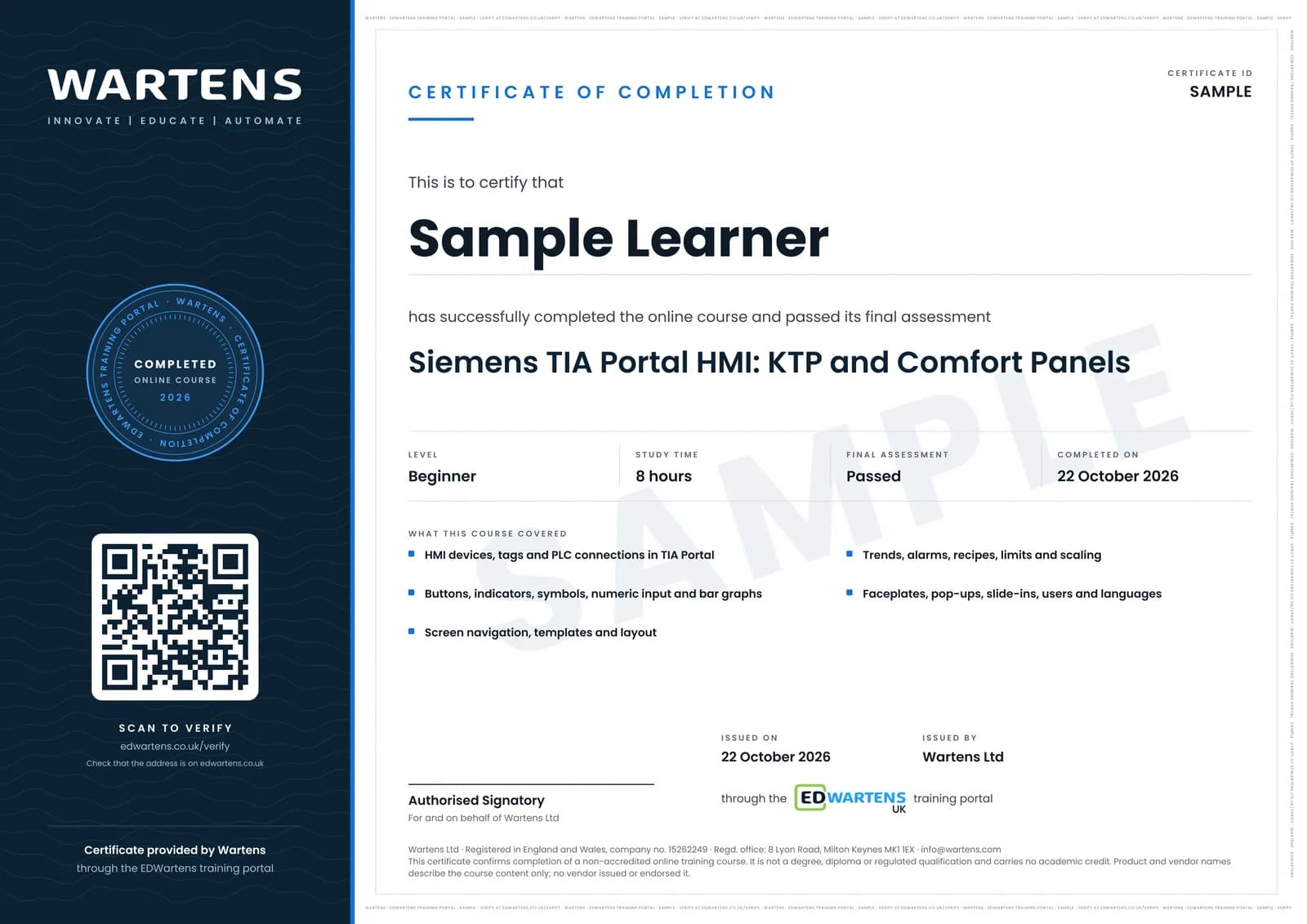
Sample certificate. Optional, issued when you pass the final exam.
- Level
- Beginner
- Modules
- 11
- Video
- 12 hours
- Price
- Free
Outcome
What you will be able to do
Add a KTP or Comfort panel to a TIA Portal project, connect HMI tags to the PLC, build screens with buttons, indicators, numeric fields, bars and gauges, add navigation and templates, configure trends, alarms, recipes, faceplates, pop-ups and slide-ins, manage users and languages, and download it all to a panel or the simulator.
- Add a panel, create HMI tags and connect them to PLC tags
- Build buttons, indicators, symbols, numeric input and bar graphs
- Design screen navigation, templates and a modern screen layout
- Configure trends, discrete and analog alarms and recipes
- Build reusable faceplates with UDTs, pop-ups and slide-in screens
- Set up user administration and multi-language projects
Software
TIA Portal V21 trial (21 days) with WinCC for KTP Basic and Comfort panels, the panel runtime simulator and S7-PLCSIM V21, on 64-bit Windows 11 Pro or Enterprise
Hardware
None. A KTP700 Basic panel makes it real but is not required.
Syllabus
11 modules
Each module has video lessons, notes and a short quiz. The final exam closes the course.
- Adding a Panel, HMI Tags and the PLC Connection4 lessonsLab
- Buttons, Indicators, Symbols and Multi-State Objects2 lessonsLab
- Numeric Display and Input, Bar Graphs and Tank Levels2 lessonsLab
- Screens, Navigation and Templates6 lessons
- Symbols, Animation, Visibility and Machine State4 lessonsLab
- Trends and Alarms3 lessonsLab
- Recipes, Limits and Scaling on the Panel3 lessonsLab
- Pop-up Screens, Slide-in Screens and Events3 lessons
- Faceplates with UDTs3 lessonsLab
- User Administration, Languages and a Modern Screen Template6 lessons
- Final Assessment1 lesson
How it works
How this course works
- Watch the video lessonsOne module at a time, at your own pace.
- Take the module quizA short quiz at the end of each module shows what stuck.
- Keep your notesWrite in My notes beside each module and ask the trainer if you are stuck.
- Practise in the labOptionalTry a task from the module in the EDWartens Lab, in your browser.
- Sit the final examPass it once you have been through the modules.
- Certificate, if you want oneOptionalPaid, and only after you pass. Anyone can check it online.
EDWartens Lab
Practise this in the EDWartens Lab
Practise the screen design you build in WinCC: bind tags to indicators and bars, show trends and faceplates, and set alarms that an operator can act on.
Works alongside Siemens TIA Portal HMI: KTP and Comfort Panels with WinCC. The Lab is process control practice in your browser: no install, no hardware, free to use. Sign in as a learner and it opens with your account.
Levels to try with this course
PRC-01 · Process lab
Read the P&ID
Open in the lab (opens in a new tab)PRC-07 · Process lab
Build an operator screen
Open in the lab (opens in a new tab)PRC-06 · Process lab
Alarm rationalisation
Open in the lab (opens in a new tab)PRC-10 · Process lab
Connect the panel to the PLC
Open in the lab (opens in a new tab)
Optional. Skip it whenever you like: it never blocks your progress or your certificate.
Why practise in a lab
Technical work is judged on what you can do: wiring, commissioning, finding a fault. Doing a task yourself teaches more than watching it a second time, and a lab lets you try it safely before you meet real equipment. It does not replace working on real hardware.
- Practise safely, so a mistake costs nothing.
- The lab checks your work like a site test, so you know when it is right.
- Free, in your browser, with nothing to install.
Certificate
An optional certificate when you pass
Learning is free. Pass the final exam and you can have a certificate for £19, including VAT, with a number employers can check online. It records that you completed a free online course; it is not a regulated qualification or a CPD certificate.
- Your name, the course, its study time and your final exam score
- A unique certificate number and a QR code to its verification page
- Issued by Wartens Ltd; add it to your LinkedIn profile in one click
- Pay now or after you pass: it is issued the moment you pass the final
Credits
Who made the lessons
The video lessons belong to their creators. EDWartens wrote the study plan, notes, quizzes and the final exam.
- The Automation Craze
the TIA Portal PLC and HMI tutorial series (tutorials 28 to 37)
- Hegamurl
the TIA Portal HMI, TP and WinCC series
- PLCskilltree
the TIA Portal HMI tutorial videos
Questions
About this course
Which panel does the course use?
Is WinCC Unified covered?
Is the course really free?
What certificate do I get, and is it a Siemens qualification?
Who made the video lessons?
How long does the course take?
Can I take it if I have never built an HMI screen?
Want a live class and career support?
The Professional Module is five live days of Siemens PLC, HMI and SCADA with an instructor, then a resume session and a CPD certificate.