
Free course · PLC programming
Siemens TIA Portal Commissioning: Hardware, PLCSIM, Backups and Troubleshooting
The site-engineer half of TIA Portal: getting the software, configuring hardware, sizing I/O and power with the selection tool, PLCSIM including sequences and hardware events, download, upload, backups, firmware, resets, cross references, traces, web server and program protection.
Free to learn. Verifiable certificate £19 when you pass the final exam (optional, VAT included).
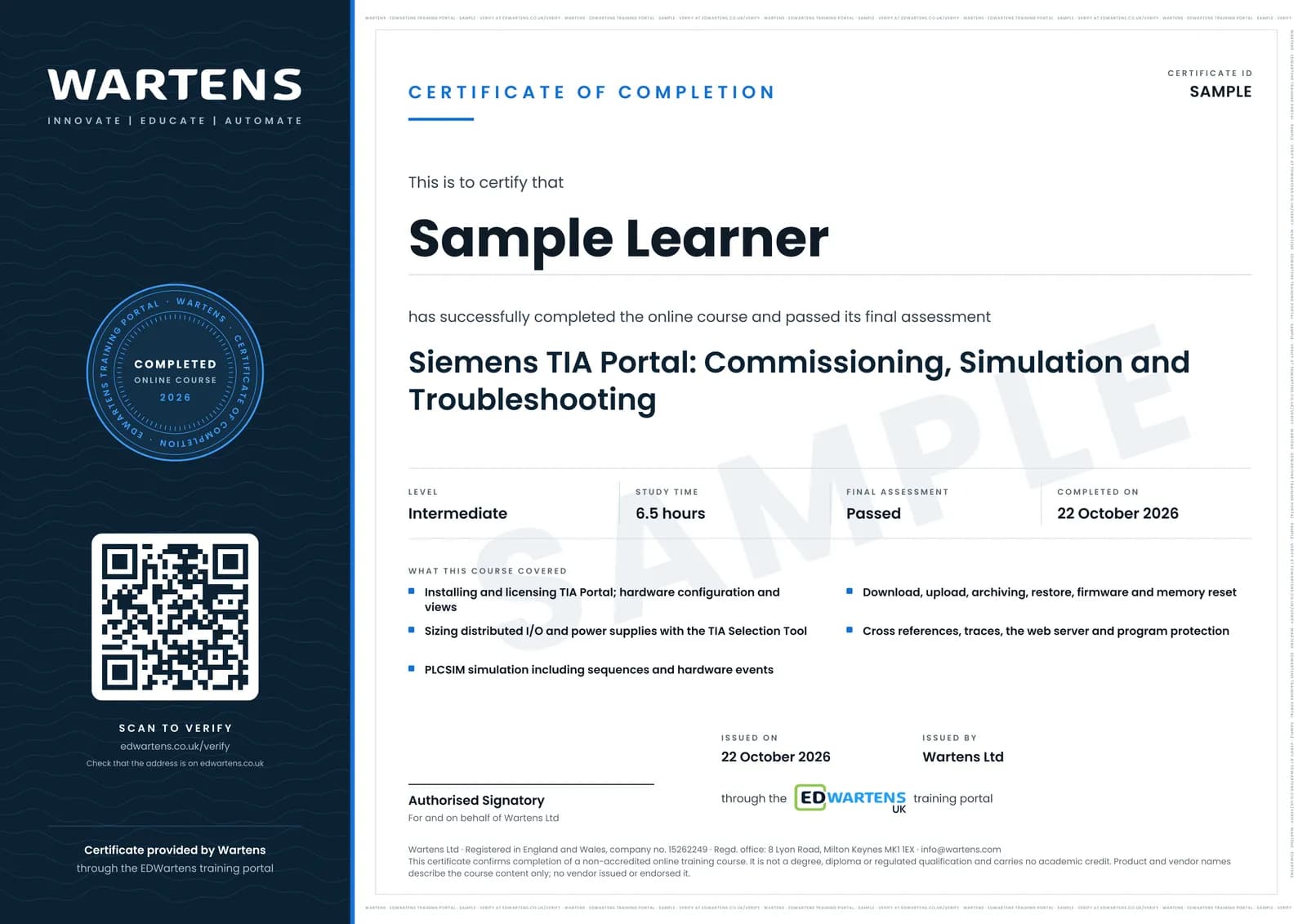
Sample certificate. Optional, issued when you pass the final exam.
- Level
- Intermediate
- Modules
- 10
- Video
- 10 hours
- Price
- Free
Outcome
What you will be able to do
Install TIA Portal, configure and check hardware in the device, network and topology views, size distributed I/O and power supplies, simulate in PLCSIM, download to and upload from a PLC, archive and restore projects, handle firmware and memory resets, find faults with cross references and traces, use the web server, and protect a program with passwords, block protection and copy protection.
- Get, install and license TIA Portal and pick the right version
- Configure hardware and read the device, network and topology views
- Size ET 200 distributed I/O and power supplies with the TIA Selection Tool
- Simulate in PLCSIM, including sequences and hardware events
- Download, upload, back up, archive, restore and update firmware
- Troubleshoot with cross references, overlapping access and traces, and protect a program
Software
TIA Portal V21 trial (21 days) with S7-PLCSIM V21, on 64-bit Windows 11 Pro or Enterprise; the free TIA Selection Tool
Hardware
None required. A real S7-1200 makes the download and backup modules real.
Syllabus
10 modules
Each module has video lessons, notes and a short quiz. The final exam closes the course.
- Getting, Installing and Licensing TIA Portal2 lessons
- Hardware Configuration and the Device, Network and Topology Views; Inside an S7-12003 lessons
- Sizing Distributed I/O and Power Supplies with the TIA Selection Tool3 lessons
- PLCSIM: Simulation, Simulator Differences, Sequences and Hardware Events5 lessonsLab
- Download, Upload, Program Backup and Archiving4 lessons
- Restart, Memory Reset, Factory Reset and Firmware Handling3 lessons
- Troubleshooting: Cross References, Overlapping Access, Watch and Force Tables, and Traces3 lessonsLab
- Online Access: the IP Address Popup, PROFINET Device Names and the Web Server2 lessons
- Program Protection: Passwords, Block Protection, Copy Protection and Project Data4 lessons
- Final Assessment1 lesson
How it works
How this course works
- Watch the video lessonsOne module at a time, at your own pace.
- Take the module quizA short quiz at the end of each module shows what stuck.
- Keep your notesWrite in My notes beside each module and ask the trainer if you are stuck.
- Practise in the labOptionalTry a task from the module in the EDWartens Lab, in your browser.
- Sit the final examPass it once you have been through the modules.
- Certificate, if you want oneOptionalPaid, and only after you pass. Anyone can check it online.
EDWartens Lab
Practise this in the EDWartens Lab
Write and test the same ladder logic in the Lab's PLC simulator, go online and force inputs. The Lab uses a vendor-neutral editor, so brand software stays in the course.
Works alongside Siemens TIA Portal Commissioning: Hardware, PLCSIM, Backups and Troubleshooting. The Lab is plc programming practice in your browser: no install, no hardware, free to use. Sign in as a learner and it opens with your account.
Levels to try with this course
PLC-01 · PLC lab
Motor start/stop with overload
Open in the lab (opens in a new tab)PLC-02 · PLC lab
Forward/reverse conveyor
Open in the lab (opens in a new tab)
Optional. Skip it whenever you like: it never blocks your progress or your certificate.
Why practise in a lab
Technical work is judged on what you can do: wiring, commissioning, finding a fault. Doing a task yourself teaches more than watching it a second time, and a lab lets you try it safely before you meet real equipment. It does not replace working on real hardware.
- Practise safely, so a mistake costs nothing.
- The lab checks your work like a site test, so you know when it is right.
- Free, in your browser, with nothing to install.
Certificate
An optional certificate when you pass
Learning is free. Pass the final exam and you can have a certificate for £19, including VAT, with a number employers can check online. It records that you completed a free online course; it is not a regulated qualification or a CPD certificate.
- Your name, the course, its study time and your final exam score
- A unique certificate number and a QR code to its verification page
- Issued by Wartens Ltd; add it to your LinkedIn profile in one click
- Pay now or after you pass: it is issued the moment you pass the final
Credits
Who made the lessons
The video lessons belong to their creators. EDWartens wrote the study plan, notes, quizzes and the final exam.
- Hegamurl
the TIA Portal hardware series
- Hegamurl
the TIA Portal simulation series
- Hegamurl
the TIA Portal troubleshooting series
- Hegamurl
the TIA Portal protection series
- PLCskilltree
the TIA Portal installation, download and upload lessons
Questions
About this course
Which TIA Portal version should I install?
Do I need a real PLC?
Is the course really free?
What certificate do I get, and is it a Siemens qualification?
Who made the video lessons?
How long does the course take?
Is this course suitable for beginners?
Want a live class and career support?
The Professional Module is five live days of Siemens PLC, HMI and SCADA with an instructor, then a resume session and a CPD certificate.