
Free course · PLC programming
TIA Portal: Build a Machine
One machine, start to finish. Take a bottle filling line from a written specification and an I/O list to a structured S7-1200 program with a fill station, a capper, a reject sorter and an operator screen with alarms, then test it against a written record and archive it for hand-over. The lessons are the reference; the machine is yours, and it is what you submit.
Free to learn. Verifiable certificate £19 when you pass the final exam (optional, VAT included).
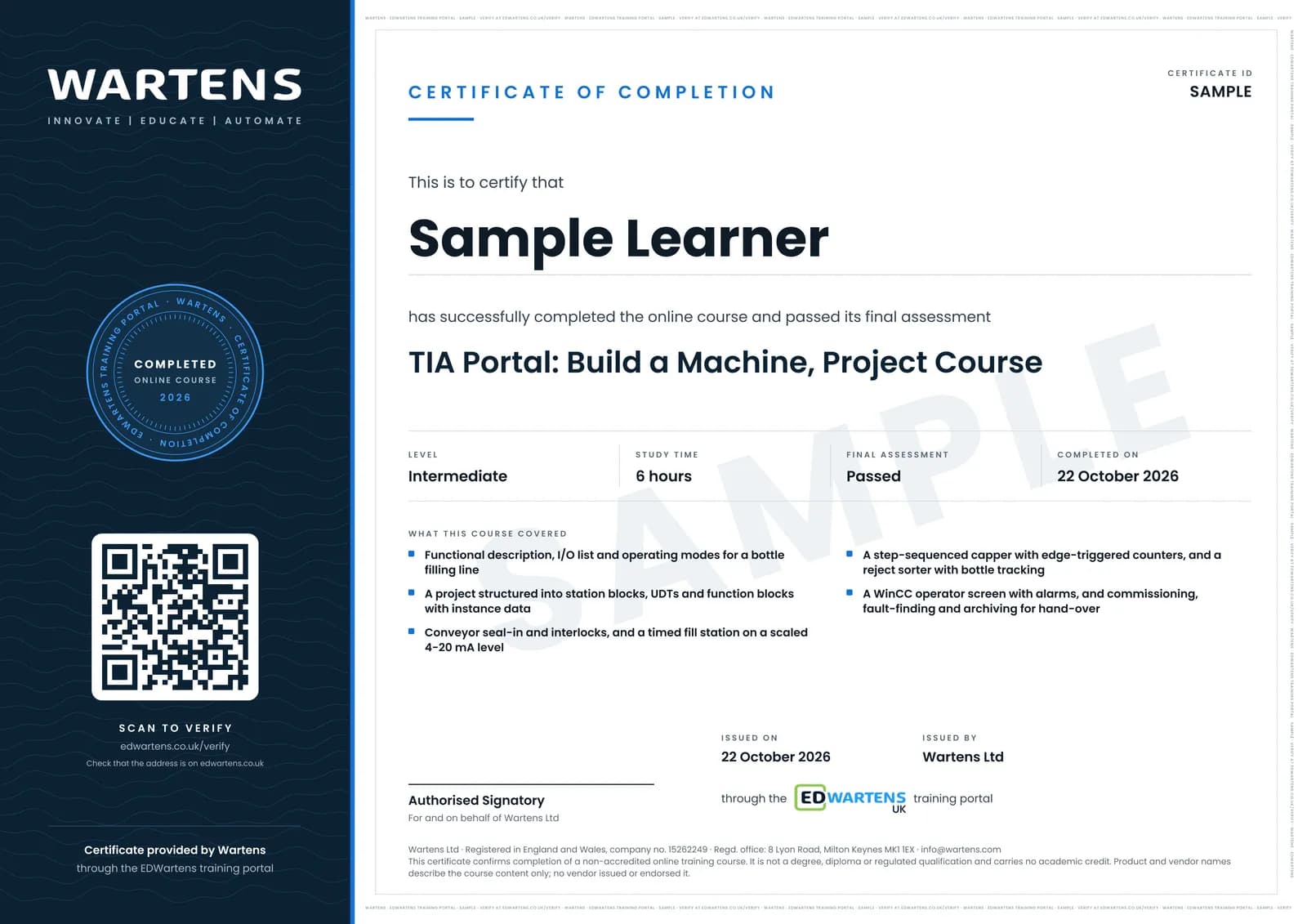
Sample certificate. Optional, issued when you pass the final exam.
- Level
- Intermediate
- Modules
- 9
- Video
- 9 hours
- Price
- Free
Outcome
What you will be able to do
Write a functional description and an I/O list for a machine, structure a TIA Portal project into station blocks with UDTs, program a conveyor with seal-in and interlocks, a timed fill station on a scaled 4-20 mA level, a step-sequenced capper with edge-triggered counters, an inspection and reject sorter with bottle tracking, and a WinCC screen with setpoints, alarms and a trend; then commission it against a test record, find a planted fault with cross-references and a trace, and archive and protect the project so another engineer can restart the line from your hand-over note.
- Write a functional description in numbered steps and an I/O list with addresses, types and normal states before the first rung
- Structure a project into station blocks called from OB1, with UDTs and an FB with instance data wherever state must be remembered
- Program a motor rung where Stop always wins, with the E-stop and the downstream interlock in series with the seal-in
- Scale a 4-20 mA tank level to litres and build a fill sequence with the right timer for each job
- Sequence a pneumatic capper on a step number proven by its sensors, and count bottles so one bottle is one count
- Track a failed bottle to the reject pusher with a shift register, and stop the line on a run of rejects
- Build the operator screen with momentary buttons, limited setpoints, discrete and analog alarms and a trend
- Commission against a written test record, find a planted fault with cross-references and a trace, and archive, protect and hand over the project
Software
TIA Portal V17+ (21-day trial) with S7-PLCSIM and the WinCC HMI simulator. Factory I/O (30-day trial) is optional and makes the machine visible; every stage can be proven in PLCSIM alone.
Hardware
None, everything runs in simulation
Syllabus
9 modules
Each module has video lessons, notes and a short quiz. The final exam closes the course.
- The Machine, the Spec and the I/O List1 lesson
- Program Skeleton: Blocks, UDTs and a Tag Table That Scales3 lessons
- Infeed Conveyor: Start, Stop, Seal-in and Interlocks3 lessonsLab
- Fill Station: Timers and a Scaled Tank Level4 lessonsLab
- Capping and Counting: Cylinder Sequence, Edges and Counters5 lessonsLab
- Inspection and Reject: the Sorter Station2 lessonsLab
- The Operator Screen: Buttons, Counts, Alarms and a Trend4 lessonsLab
- Commissioning and Hand-over: Test, Trace, Archive, Protect5 lessons
- Final Assessment1 lesson
How it works
How this course works
- Watch the video lessonsOne module at a time, at your own pace.
- Take the module quizA short quiz at the end of each module shows what stuck.
- Keep your notesWrite in My notes beside each module and ask the trainer if you are stuck.
- Practise in the labOptionalTry a task from the module in the EDWartens Lab, in your browser.
- Sit the final examPass it once you have been through the modules.
- Certificate, if you want oneOptionalPaid, and only after you pass. Anyone can check it online.
EDWartens Lab
Practise this in the EDWartens Lab
Write and test the same ladder logic in the Lab's PLC simulator, go online and force inputs. The Lab uses a vendor-neutral editor, so brand software stays in the course.
Works alongside TIA Portal: Build a Machine. The Lab is plc programming practice in your browser: no install, no hardware, free to use. Sign in as a learner and it opens with your account.
Levels to try with this course
PLC-01 · PLC lab
Motor start/stop with overload
Open in the lab (opens in a new tab)PLC-05 · PLC lab
Tank filling pump
Open in the lab (opens in a new tab)PLC-04 · PLC lab
Batch counter on a packing line
Open in the lab (opens in a new tab)PLC-07 · PLC lab
Parcel sorter
Open in the lab (opens in a new tab)
Optional. Skip it whenever you like: it never blocks your progress or your certificate.
Why practise in a lab
Technical work is judged on what you can do: wiring, commissioning, finding a fault. Doing a task yourself teaches more than watching it a second time, and a lab lets you try it safely before you meet real equipment. It does not replace working on real hardware.
- Practise safely, so a mistake costs nothing.
- The lab checks your work like a site test, so you know when it is right.
- Free, in your browser, with nothing to install.
Certificate
An optional certificate when you pass
Learning is free. Pass the final exam and you can have a certificate for £19, including VAT, with a number employers can check online. It records that you completed a free online course; it is not a regulated qualification or a CPD certificate.
- Your name, the course, its study time and your final exam score
- A unique certificate number and a QR code to its verification page
- Issued by Wartens Ltd; add it to your LinkedIn profile in one click
- Pay now or after you pass: it is issued the moment you pass the final
Credits
Who made the lessons
The video lessons belong to their creators. EDWartens wrote the study plan, notes, quizzes and the final exam.
- Instrumentation Tools
interlocks, scaling, edges, counters, the in-range check, function blocks, the separating station and the tank-level scene
- ControlByte Automation
signals and variables, the output latch, the pneumatic cylinder sequence and the first HMI screen
- PLC Automation Academy
the conveyor sequence and the sorter project in Factory I/O
- Smart Builds
the filling tank with timers and the queue with counters
- Technical Mindshare
getting started with Factory I/O and connecting it to TIA Portal
- The Automation Craze
HMI alarms and the trend view
- Hegamurl
cross-references, traces, archiving and password protection
- PLCskilltree
UDTs for I/O structures and downloading to S7-PLCSIM
Questions
About this course
How is this different from the Siemens TIA Portal course?
What does the project ask me to submit?
Do I need Factory I/O?
Do I need to buy TIA Portal?
Who marks the project?
Is the course really free?
What certificate do I get, and is it a Siemens qualification?
Want a live class and career support?
The Professional Module is five live days of Siemens PLC, HMI and SCADA with an instructor, then a resume session and a CPD certificate.