
Free course · PLC programming
Siemens S7-1500 Advanced Programming in TIA Portal
Beyond the basics: block design, optimized DBs, UDTs, S7-GRAPH, SCL, drives, libraries, software units, multiuser, testing tools and worked projects on the S7-1500.
Free to learn. Verifiable certificate £19 when you pass the final exam (optional, VAT included).
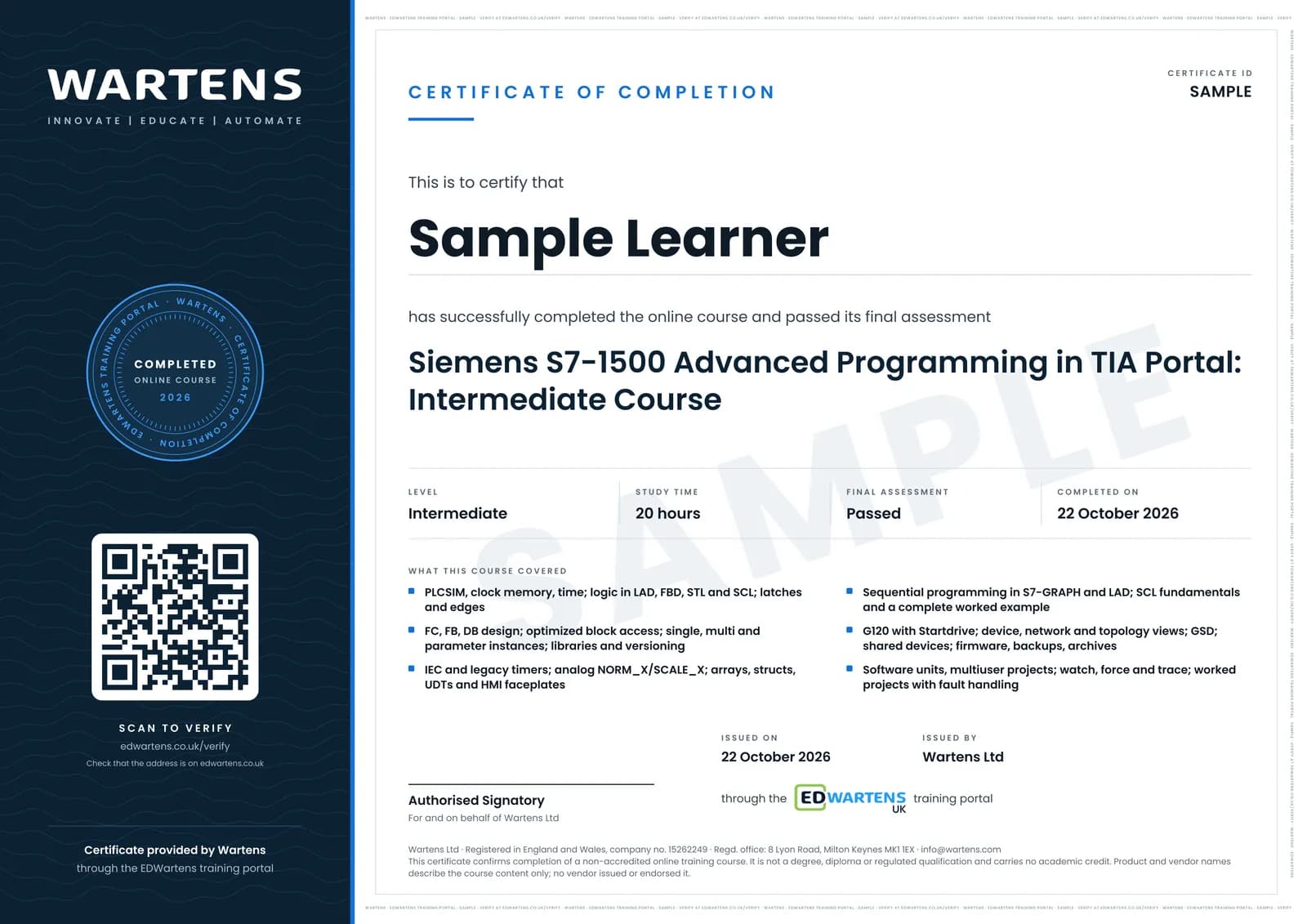
Sample certificate. Optional, issued when you pass the final exam.
- Level
- Intermediate
- Modules
- 19
- Video
- 28 hours
- Price
- Free
Outcome
What you will be able to do
Simulate an S7-1500, choose FC, FB and DB correctly, use optimized access, instances, libraries and versioning, design with UDTs into faceplates, write sequences in S7-GRAPH and LAD, program SCL to a complete example, commission a G120, read the three views, manage firmware and archives, use software units and multiuser, test with watch, force and trace, and build worked projects with fault handling.
- Simulate on PLCSIM and use clock memory and time functions
- Choose FC, FB, DB and instance types deliberately, with libraries and versioning
- Use optimized block access and know when standard access is still needed
- Design with arrays, structs and UDTs into HMI faceplates
- Write sequences in S7-GRAPH with interlocks and supervision, and in LAD
- Program in SCL from operators to a complete worked example
- Commission a G120 with Startdrive, read device, network and topology views, handle firmware and archives
- Split projects into software units and multiuser sessions, and test with watch, force and trace
- Handle errors with OB80, OB82, OB86 and OB121, and use cyclic and hardware interrupts
Software
TIA Portal with PLCSIM (trial); Startdrive for the drive modules
Hardware
None. PLCSIM S7-1500 runs every exercise.
Syllabus
19 modules
Each module has video lessons, notes and a short quiz. The final exam closes the course.
- PLCSIM, Clock Memory and Time4 lessons
- Logic in Four Languages, Latches and Edges4 lessonsLab
- Functions and Function Blocks2 lessons
- Data Blocks and Optimized Access2 lessons
- Instances, Libraries and Versioning3 lessons
- Timers: IEC and Legacy2 lessonsLab
- Analog Processing2 lessonsLab
- Arrays, Structs, UDTs and Faceplates4 lessons
- Sequential Programming: S7-GRAPH and LAD4 lessonsLab
- SCL Fundamentals: Logic, Timers, CASE and Loops9 lessonsLab
- SCL Worked Example I4 lessons
- SCL Worked Example II4 lessons
- Drives: G120 with Startdrive3 lessons
- Device, Network and Topology Views, GSD, Shared Devices3 lessons
- Firmware, Backups and Archives4 lessons
- Software Units and Multiuser Projects4 lessons
- Diagnostics and Testing: Error OBs, Interrupts, Watch, Force, Trace8 lessons
- Worked Projects6 lessonsLab
- Final Assessment1 lesson
How it works
How this course works
- Watch the video lessonsOne module at a time, at your own pace.
- Take the module quizA short quiz at the end of each module shows what stuck.
- Keep your notesWrite in My notes beside each module and ask the trainer if you are stuck.
- Practise in the labOptionalTry a task from the module in the EDWartens Lab, in your browser.
- Sit the final examPass it once you have been through the modules.
- Certificate, if you want oneOptionalPaid, and only after you pass. Anyone can check it online.
EDWartens Lab
Practise this in the EDWartens Lab
Write and test the same ladder logic in the Lab's PLC simulator, go online and force inputs. The Lab uses a vendor-neutral editor, so brand software stays in the course.
Works alongside Siemens S7-1500 Advanced Programming in TIA Portal. The Lab is plc programming practice in your browser: no install, no hardware, free to use. Sign in as a learner and it opens with your account.
Levels to try with this course
PLC-01 · PLC lab
Motor start/stop with overload
Open in the lab (opens in a new tab)PLC-06 · PLC lab
Pedestrian crossing
Open in the lab (opens in a new tab)PLC-05 · PLC lab
Tank filling pump
Open in the lab (opens in a new tab)PLC-08 · PLC lab
Duty and standby pumps
Open in the lab (opens in a new tab)
Optional. Skip it whenever you like: it never blocks your progress or your certificate.
Why practise in a lab
Technical work is judged on what you can do: wiring, commissioning, finding a fault. Doing a task yourself teaches more than watching it a second time, and a lab lets you try it safely before you meet real equipment. It does not replace working on real hardware.
- Practise safely, so a mistake costs nothing.
- The lab checks your work like a site test, so you know when it is right.
- Free, in your browser, with nothing to install.
Certificate
An optional certificate when you pass
Learning is free. Pass the final exam and you can have a certificate for £19, including VAT, with a number employers can check online. It records that you completed a free online course; it is not a regulated qualification or a CPD certificate.
- Your name, the course, its study time and your final exam score
- A unique certificate number and a QR code to its verification page
- Issued by Wartens Ltd; add it to your LinkedIn profile in one click
- Pay now or after you pass: it is issued the moment you pass the final
Credits
Who made the lessons
The video lessons belong to their creators. EDWartens wrote the study plan, notes, quizzes and the final exam.
- Hegamurl
the TIA Portal advanced programming series
- Ksu hab
the SCL fundamentals course
- Jonathan Stodden
the eight-part SCL worked example
- PLC-Automations
the worked TIA Portal projects and G120C configuration
- The Automation Craze
a lesson in "SCL Fundamentals: Logic, Timers, CASE and Loops"
Questions
About this course
Do I need the free TIA Portal course first?
Which TIA Portal version?
Some source lessons are members-only. Are they included?
Is S7-GRAPH included in the trial?
Is the course really free?
What certificate do I get, and is it a Siemens qualification?
Who made the video lessons?
Want a live class and career support?
The Professional Module is five live days of Siemens PLC, HMI and SCADA with an instructor, then a resume session and a CPD certificate.