
Free course · Robotics
ROS 2 Robot Programming with Python
A ROS 2 course for Python users: install ROS 2, write nodes and launch files, follow a wall, learn SLAM. Free to learn; the certificate is optional and paid.
Free to learn. Verifiable certificate £19 when you pass the final exam (optional, VAT included).
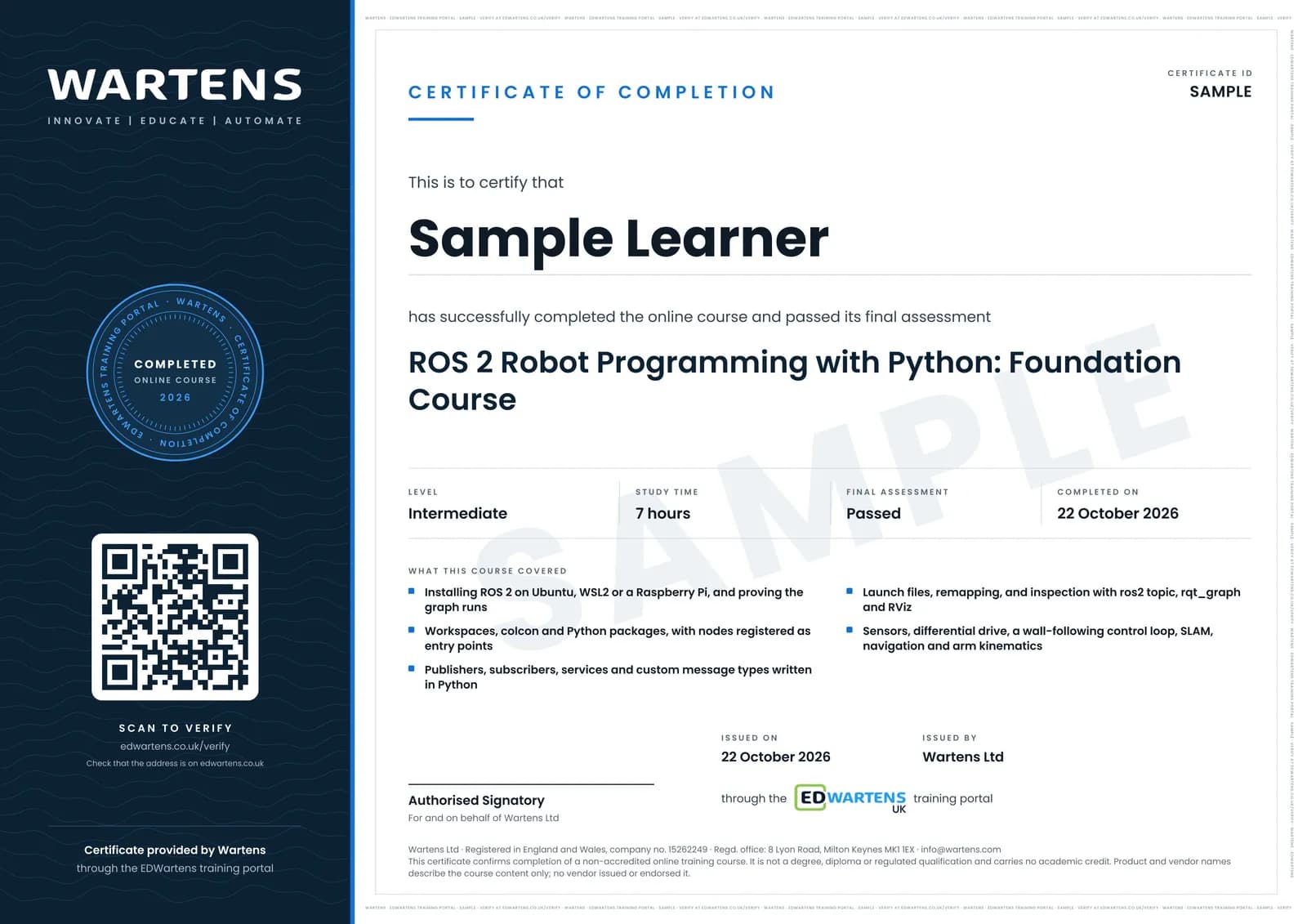
Sample certificate. Optional, issued when you pass the final exam.
- Level
- Intermediate
- Modules
- 13
- Video
- 11 hours
- Price
- Free
Outcome
What you will be able to do
Install ROS 2 on Ubuntu or a Raspberry Pi and prove the graph is running; create a workspace and a Python package that builds with colcon; write publisher, subscriber and service nodes and define your own message; bring a whole system up with one launch file and inspect it with ros2 topic, rqt_graph and RViz; read a LaserScan and drive a base with Twist to follow a wall; explain how SLAM, costmaps and the global and local planners produce autonomous navigation; describe forward and inverse kinematics and why an arm still needs a motion planner; and read a C++ node, plan a ROS 1 to ROS 2 migration, and place a language model above the navigation stack rather than inside the control loop.
- Install ROS 2 on Ubuntu, WSL2 or a Raspberry Pi and prove the graph is running
- Create a workspace, build a Python package with colcon and run a node you wrote
- Write publisher, subscriber and service nodes, and define your own message type
- Bring a whole robot up with one launch file and inspect it with ros2 topic, rqt_graph and RViz
- Read a LaserScan and drive a base with Twist to follow a wall under proportional control
- Explain how SLAM, costmaps and the global and local planners produce autonomous navigation
Software
Ubuntu 22.04 or 24.04, natively or through WSL2 or Docker. ROS 2 Humble or Jazzy, Python 3, colcon, rqt, RViz and Gazebo. Every tool is free and open source.
Hardware
A laptop with about 8 GB RAM and 30 GB free disk, because ROS 2 and a simulator have to be installed. The notes, practice questions and study plan read on a phone; the practicals do not. A Raspberry Pi, a 2D lidar and a small differential-drive base appear in the lessons and are optional.
Syllabus
13 modules
Each module has video lessons, notes and a short quiz. The final exam closes the course.
- What ROS 2 is and the problem it solves4 lessons
- Installing ROS 2 and setting up the machine4 lessons
- Nodes, topics and the ROS graph4 lessons
- Workspaces and Python packages4 lessons
- Publishers, subscribers and messages in Python3 lessons
- Launch files and the inspection tools2 lessons
- Services: request and reply in one node2 lessons
- Sensors, motors and the mobile base3 lessons
- Writing a control loop: the wall follower2 lessons
- SLAM, mapping and autonomous navigation2 lessons
- Manipulators and arm motion1 lessonLab
- Beyond Python: C++ nodes, a ROS 1 bridge and a language model4 lessons
- Final assessment0 lessons
How it works
How this course works
- Watch the video lessonsOne module at a time, at your own pace.
- Take the module quizA short quiz at the end of each module shows what stuck.
- Keep your notesWrite in My notes beside each module and ask the trainer if you are stuck.
- Practise in the labOptionalTry a task from the module in the EDWartens Lab, in your browser.
- Sit the final examPass it once you have been through the modules.
- Certificate, if you want oneOptionalPaid, and only after you pass. Anyone can check it online.
EDWartens Lab
Practise this in the EDWartens Lab
Jog an arm with a pendant, teach points and run a pick and place cycle in the Lab's robot simulator.
Works alongside ROS 2 Robot Programming with Python. The Lab is robot cell practice in your browser: no install, no hardware, free to use. Sign in as a learner and it opens with your account.
Levels to try with this course
ROB-02 · Robotics lab
Jog
Open in the lab (opens in a new tab)ROB-03 · Robotics lab
Teach and run
Open in the lab (opens in a new tab)
Optional. Skip it whenever you like: it never blocks your progress or your certificate.
Why practise in a lab
Technical work is judged on what you can do: wiring, commissioning, finding a fault. Doing a task yourself teaches more than watching it a second time, and a lab lets you try it safely before you meet real equipment. It does not replace working on real hardware.
- Practise safely, so a mistake costs nothing.
- The lab checks your work like a site test, so you know when it is right.
- Free, in your browser, with nothing to install.
Certificate
An optional certificate when you pass
Learning is free. Pass the final exam and you can have a certificate for £19, including VAT, with a number employers can check online. It records that you completed a free online course; it is not a regulated qualification or a CPD certificate.
- Your name, the course, its study time and your final exam score
- A unique certificate number and a QR code to its verification page
- Issued by Wartens Ltd; add it to your LinkedIn profile in one click
- Pay now or after you pass: it is issued the moment you pass the final
Credits
Who made the lessons
The video lessons belong to their creators. EDWartens wrote the study plan, notes, quizzes and the final exam.
- The Construct Robotics Institute
the ROS 2 tutorial lessons: installing Jazzy and installing on a Raspberry Pi, nodes and topics from the command line, workspaces, Python and C++ packages, publishers and subscribers, custom messages, launch files, services combined in one node, the wall follower, the ros1_bridge lesson and the language-model robot
- ROBOTIS OpenSourceTeam
the ROS Robot Programming chapters used for the concepts underneath: robot software platforms, the development environment, the core concepts and tools, sensors and motors, the embedded layer, mobile robots, SLAM and navigation, and manipulators
Questions
About this course
Which ROS 2 version should I learn?
Is ROS 1 still supported?
Which Ubuntu version do I need for ROS 2?
Is the course really free?
What certificate do I get?
Who made the video lessons?
What computer do I need?
Do I need to know Python first?
Some lessons were recorded on ROS 1. Does that matter?
Is this the same as an official ROS certification?
Will this help me get a robotics job?
Want a live class and career support?
The Professional Module is five live days of Siemens PLC, HMI and SCADA with an instructor, then a resume session and a CPD certificate.