
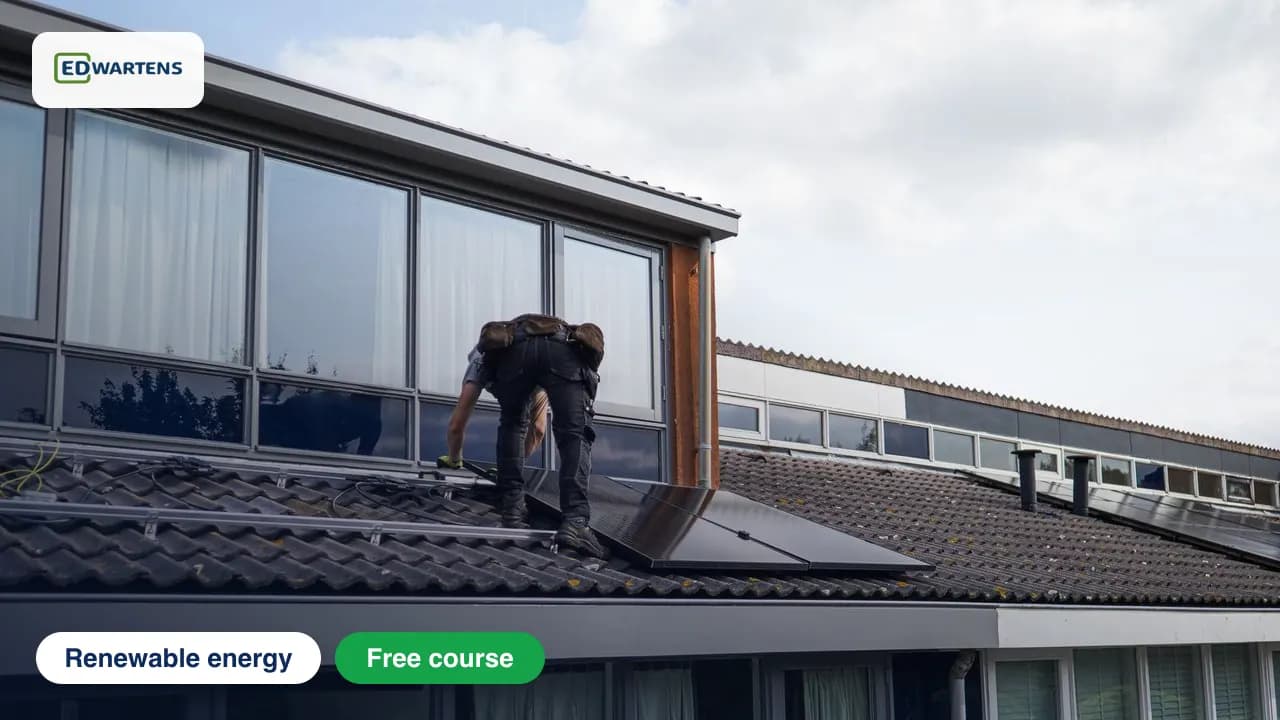
Free course · Renewable energy
Rooftop Solar PV Design and Installation
Design, install and commission a 3.68 kW to 50 kW rooftop solar system the British way: irradiance and PVGIS, MCS standards, modules and inverters, sizing from an electricity bill, site survey and roof structure, string and cable sizing to BS 7671, protection, earthing and lightning, batteries, G98/G99 grid connection and the Smart Export Guarantee, safe work at height, testing and Part P, and yield and payback.
Free to learn. Verifiable certificate £19 when you pass the final exam (optional, VAT included).

Sample certificate. Optional, issued when you pass the final exam.
- Level
- Beginner
- Modules
- 14
- Video
- 17 hours
- Price
- Free
Outcome
What you will be able to do
Read irradiance data from PVGIS and turn it into peak sun hours; read module and inverter datasheets; size an on-grid array from a year of GB electricity bills; survey a roof for shade, structure and UK hazards; size strings against the inverter's voltage and MPPT limits at British temperatures; size DC and AC cables to BS 7671; specify isolators, fuses, SPDs, RCDs and labels to BS 7671 Section 712; earth the array and keep it clear of lightning protection; size a battery for a hybrid system with the IET Code of Practice in mind; take a home system through G98 or G99 and the Smart Export Guarantee; install it safely under the Work at Height Regulations 2005; test and commission it to BS EN IEC 62446-1 and BS 7671 Part 6 with Part P notification; and work out performance ratio, yield and simple payback.
- Turn PVGIS irradiation into peak sun hours and an energy estimate for a British roof
- Read module and inverter datasheets and correct them for temperature
- Size an on-grid array from a year of GB electricity bills
- Survey a roof for shade, structure and UK hazards such as asbestos cement and fragile roofs
- Size strings for British temperatures and the MPPT window
- Size DC and AC cables to BS 7671 and specify protection to Section 712
- Size a battery and a hybrid inverter, with the IET Code of Practice in mind
- Take a system through G98 or G99 and the Smart Export Guarantee, then commission it to BS EN IEC 62446-1 with Part P notification
Software
Free tools only: PVGIS (web), SolarEdge Designer (web, free account), SAM, the System Advisor Model (free download, free account), Google Earth and a spreadsheet.
Hardware
None. A tape measure, a compass app and access to a roof you can reach safely make the survey task more real.
Syllabus
14 modules
Each module has video lessons, notes and a short quiz. The final exam closes the course.
- The sun, irradiance and peak sun hours6 lessons
- Panels and inverters, and reading their datasheets6 lessons
- Load and consumption analysis from an electricity bill5 lessonsLab
- Site survey, shading and roof structure8 lessons
- Array layout and string sizing8 lessonsLab
- DC and AC cable sizing and voltage drop5 lessonsLab
- Protection: DC isolators, fuses, SPDs, RCDs and BS 7671 Section 7129 lessonsLab
- Earthing and lightning protection for rooftop PV5 lessons
- Batteries and hybrid system sizing8 lessons
- Grid connection: G98, G99 and the Smart Export Guarantee10 lessons
- Mounting, installation sequence and working at height6 lessons
- Testing, commissioning and Building Regulations notification8 lessonsLab
- Operation, monitoring, yield and payback8 lessons
- Final Assessment1 lesson
How it works
How this course works
- Watch the video lessonsOne module at a time, at your own pace.
- Take the module quizA short quiz at the end of each module shows what stuck.
- Keep your notesWrite in My notes beside each module and ask the trainer if you are stuck.
- Practise in the labOptionalTry a task from the module in the EDWartens Lab, in your browser.
- Sit the final examPass it once you have been through the modules.
- Certificate, if you want oneOptionalPaid, and only after you pass. Anyone can check it online.
EDWartens Lab
Practise this in the EDWartens Lab
Test a solar string, isolate the DC side safely and find an EV charger fault in the Lab's Solar and EV simulator.
Works alongside Rooftop Solar PV Design and Installation. The Lab is solar and ev charging practice in your browser: no install, no hardware, free to use. Sign in as a learner and it opens with your account.
Levels to try with this course
SEV-04 · Solar and EV lab
Generation against load: size the array for self-consumption
Open in the lab (opens in a new tab)SEV-02 · Solar and EV lab
String sizing for the coldest and hottest day
Open in the lab (opens in a new tab)SEV-03 · Solar and EV lab
Select cables, fuses, isolators and surge protectors
Open in the lab (opens in a new tab)SEV-06 · Solar and EV lab
Commission the system: the safe energising order
Open in the lab (opens in a new tab)
Optional. Skip it whenever you like: it never blocks your progress or your certificate.
Why practise in a lab
Technical work is judged on what you can do: wiring, commissioning, finding a fault. Doing a task yourself teaches more than watching it a second time, and a lab lets you try it safely before you meet real equipment. It does not replace working on real hardware.
- Practise safely, so a mistake costs nothing.
- The lab checks your work like a site test, so you know when it is right.
- Free, in your browser, with nothing to install.
Certificate
An optional certificate when you pass
Learning is free. Pass the final exam and you can have a certificate for £19, including VAT, with a number employers can check online. It records that you completed a free online course; it is not a regulated qualification or a CPD certificate.
- Your name, the course, its study time and your final exam score
- A unique certificate number and a QR code to its verification page
- Issued by Wartens Ltd; add it to your LinkedIn profile in one click
- Pay now or after you pass: it is issued the moment you pass the final
Credits
Who made the lessons
The video lessons belong to their creators. EDWartens wrote the study plan, notes, quizzes and the final exam.
- ISA Academy - International Solar Alliance
the lessons "Module 14 - Solar Radiation and Solar Path", "Module 5: Inverters and Power Conditioning Units of Solar PV: I-SED Training and Learning", "Module 7 - PV System & Electrical Components" and 4 more
- Gary Does Solar
the lesson "Find Out How Much Solar Power Your Home Can Generate (using the PVGIS utility)"
- Materials & Manufacturing Training at Swansea Uni
the lesson "Using PVGIS to Calculate Solar Yield for Renewable Energy Projects"
- UNICEF Solar Hub
the lesson "Accessing Irradiance & Temperature Data from PVGIS"
- Encraft
the lesson "MCS compliant Solar PV Calculator"
- ReneSola Global
the lesson "How to read a Solar Panel Technical Data Sheet Understanding IV Curves ReneSola Vitus"
- Design of photovoltaic systems
the lessons "Datasheet study", "Effect of temperature", "PV system design - load profile" and 5 more
- The Solar Energy Channel by Paradise Energy
the lesson "When to Use String Inverters vs. Microinverters"
- DIY Solar Power with Will Prowse
the lesson "How to Size your Solar Power System"
- Schneider Electric
the lessons "Photovoltaic Self-Consumption: The 5 Most Frequently Asked Questions", "Photovoltaic Self-Consumption: 4 Ways to Manage Excess PV Production"
- SepiSolar
the lesson "How to Perform a Solar Site Survey"
- Solmetric
the lesson "Solmetric MCS feature"
- The Guided By Safety Channel
the lesson "RE3 Guide: Fire Safety for Rooftop Solar Panels"
- wienerberger UK
the lesson "How to Install In-Roof Solar"
- HeatSpring
the lesson "What is String Sizing in PV Solar Design?"
- Mayfield Renewables
the lesson "PV String Sizing Calculations"
- IECCalc
the lessons "PV String Sizing Calculation", "Solar PV DC Voltage Drop Calculation"
- SolarEdgePV
the lesson "Creating residential projects in SolarEdge's Designer"
- Broughton's Electrical Group Ltd
the lesson "A basic introduction to cable sizing calculations - BS7671"
- Cleversolarpower by Nick
the lesson "Cable Size for Solar Panels - How to Size Wire for Voltage Drop"
- eFIXX
the lessons "Do you need to fit a DC isolator?| Solar Inverter Installation UK", "DON'T Install DC Isolators On Solar, Electricians Warned", "What is a Surge Protection Device (SPD)? and How Do They Work?" and 1 more
- Modecsoft Ltd
the lesson "ElectricalOM Webinar - Solar PV Design based on BS 7671 Section 712"
- Roland W
the lesson "In-Depth: Earthing and Bonding of Solar Inverters. Why?"
- LEARN ELECTRICS
the lessons "PNB & PME DIFFERENCES - EARTHING SYSTEMS - BS7671 AMENDMENT 4 - MUST KNOW", "PART P WHAT IS IT? The Building Regulations and Approved Document P."
- Photovoltaics Explained
the lessons "Lightning & Surge Protection: Course Photovoltaics #28", "PV System Yield: Course Photovoltaics #36"
- IET - Institution of Engineering and Technology
the lesson "IET Wiring Regulations BS7671 Amendment 4: Stationary Secondary Batteries Explained"
- Speak to the Geek
the lessons "Solar Wiring Walkthrough: GivEnergy All-in-One Battery and Gateway with SolarEdge Inverter", "Solar and Battery Payback Calculator - with real data! How long does it take to get your m"
- The Natural Energy Company
the lesson "DNO Approval Explained for Solar & Home Batteries"
- CCL Components Ltd
the lesson "Avoid solar PV project delays: How to use the ENA Connect Direct Register (G98, G99, G100"
- Grid Guru
the lesson "Getting Your DNO G98 & G99 Applications Correct !"
- British Gas
the lesson "What is the Smart Export Guarantee (SEG)?"
- health and safety at work
the lesson "Work at Height"
- Blue Electrics
the lesson "Installing Solar Panels on a UK roof - Full Walkthrough"
- Artisan Electrics
the lesson "5 MISTAKES to avoid when installing Solar"
- chriskitcher
the lessons "Solar PV Testing with Chris Kitcher 'Open Circuit Test' Episode 2", "Solar PV insulation resistance test with Chris Kitcher."
- GreenPro
the lesson "Completing the Solar PV Handover Certificate"
- Prof. Dr. Henrik te Heesen
the lesson "Solar Energy. 9 Performance Ratio"
- Sunsave
the lesson "What are the best UK solar export tariffs? (August 2026)"
Questions
About this course
Who is this rooftop solar course for?
Is the course really free?
What software do I need?
Does it cover G98, G99 and the Smart Export Guarantee?
Which standards does it follow?
What certificate do I get?
How long does the course take?
How is this different from the PVsyst course?
Want a live class and career support?
The Professional Module is five live days of Siemens PLC, HMI and SCADA with an instructor, then a resume session and a CPD certificate.