
Free course · Renewable energy
PVsyst Solar Power Plant Design
For electrical engineers: design a solar plant in PVsyst, size strings, model shading, read the report. Free to learn; the certificate is optional and paid.
Free to learn. Verifiable certificate £19 when you pass the final exam (optional, VAT included).
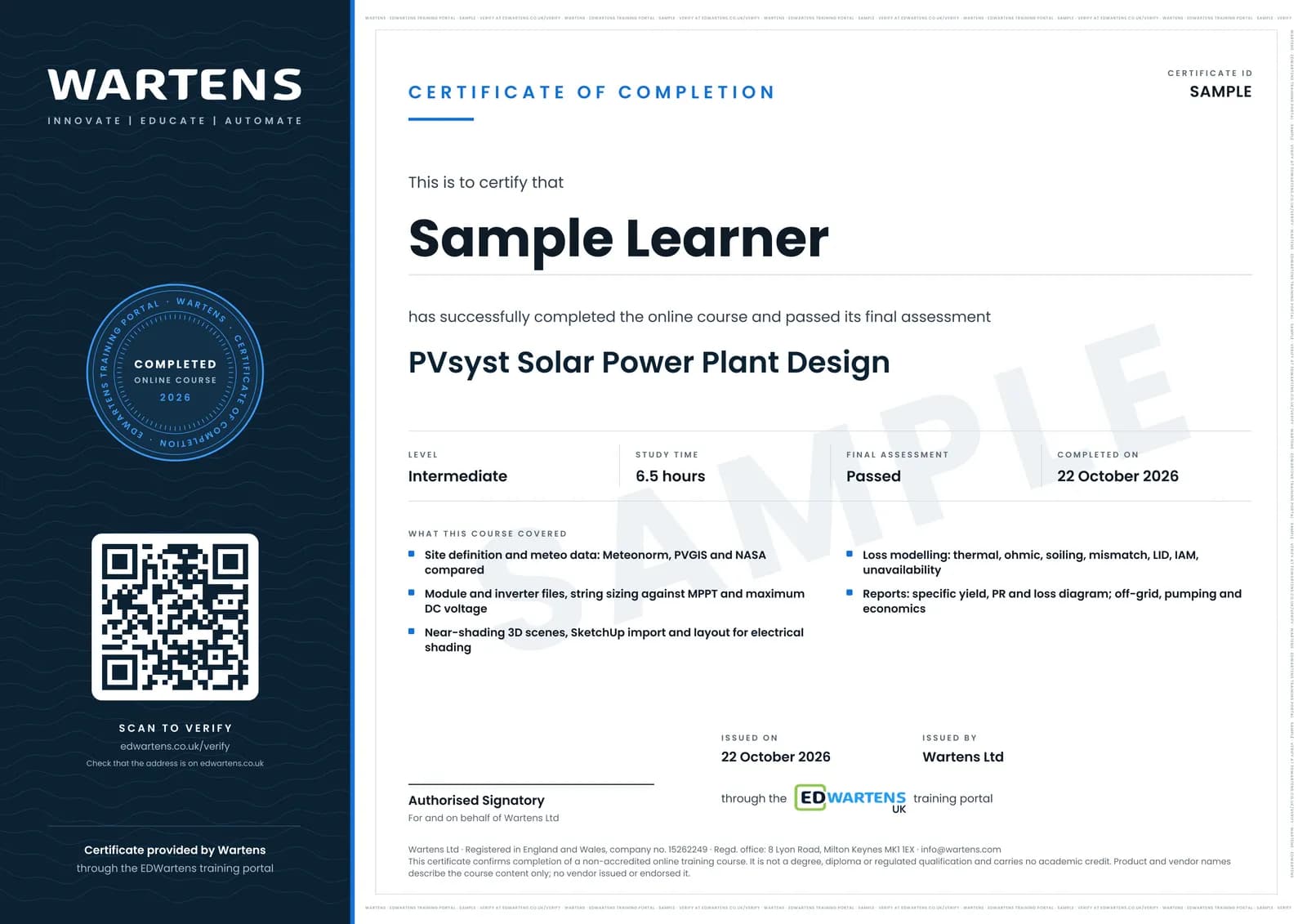
Sample certificate. Optional, issued when you pass the final exam.
- Level
- Intermediate
- Modules
- 12
- Video
- 10 hours
- Price
- Free
Outcome
What you will be able to do
Take a site and a target capacity and produce a complete PVsyst study: create the meteo site and justify the climate source, load modules and inverters from PAN and OND files, size strings against the MPPT window and the maximum DC input voltage with the arithmetic shown, set tilt, azimuth and row pitch at a sensible ground cover ratio, build or import a 3D near-shading scene and read its loss, assign module layout so electrical shading is modelled on the real wiring, set thermal, ohmic, soiling, mismatch, LID and IAM losses you can justify, run the simulation and read specific yield, performance ratio and the loss diagram, and extend the same method to off-grid, pumping, batch and economic studies.
- Build a PVsyst project from coordinates and choose a climate source you can defend to a reviewer
- Read PAN and OND files against the datasheet and size a string to the inverter MPPT window and its maximum DC input voltage
- Set tilt, azimuth, row pitch and ground cover ratio, and see what each costs in yield
- Build or import a 3D near-shading scene and separate linear shading loss from electrical shading loss
- Set thermal, ohmic, soiling, mismatch, LID and IAM losses with a written justification for every figure
- Read a PVsyst report by specific yield, performance ratio and the loss diagram, and run batch and economic comparisons
Software
PVsyst 8: a 30-day evaluation (generic components only, watermarked reports) or a licensed seat at work. Google Earth and SketchUp Free for site imagery and 3D scenes.
Hardware
None required.
Syllabus
12 modules
Each module has video lessons, notes and a short quiz. The final exam closes the course.
- The PVsyst workflow end to end3 lessons
- Site, meteo and climate data5 lessons
- The components database: modules and inverters3 lessons
- Orientation, system sizing and the first grid-connected run2 lessonsLab
- Near shading: building the 3D scene4 lessons
- Importing and managing 3D scenes4 lessons
- Module layout, energy management and a full design pass2 lessonsLab
- Detailed losses2 lessons
- Running the simulation and reading the report3 lessons
- Off-grid and solar pumping systems3 lessons
- Optimisation, batch simulation and the economic evaluation4 lessons
- Final assessment0 lessons
How it works
How this course works
- Watch the video lessonsOne module at a time, at your own pace.
- Take the module quizA short quiz at the end of each module shows what stuck.
- Keep your notesWrite in My notes beside each module and ask the trainer if you are stuck.
- Practise in the labOptionalTry a task from the module in the EDWartens Lab, in your browser.
- Sit the final examPass it once you have been through the modules.
- Certificate, if you want oneOptionalPaid, and only after you pass. Anyone can check it online.
EDWartens Lab
Practise this in the EDWartens Lab
Test a solar string, isolate the DC side safely and find an EV charger fault in the Lab's Solar and EV simulator.
Works alongside PVsyst Solar Power Plant Design. The Lab is solar and ev charging practice in your browser: no install, no hardware, free to use. Sign in as a learner and it opens with your account.
Levels to try with this course
SEV-02 · Solar and EV lab
String sizing for the coldest and hottest day
Open in the lab (opens in a new tab)SEV-04 · Solar and EV lab
Generation against load: size the array for self-consumption
Open in the lab (opens in a new tab)
Optional. Skip it whenever you like: it never blocks your progress or your certificate.
Why practise in a lab
Technical work is judged on what you can do: wiring, commissioning, finding a fault. Doing a task yourself teaches more than watching it a second time, and a lab lets you try it safely before you meet real equipment. It does not replace working on real hardware.
- Practise safely, so a mistake costs nothing.
- The lab checks your work like a site test, so you know when it is right.
- Free, in your browser, with nothing to install.
Certificate
An optional certificate when you pass
Learning is free. Pass the final exam and you can have a certificate for £19, including VAT, with a number employers can check online. It records that you completed a free online course; it is not a regulated qualification or a CPD certificate.
- Your name, the course, its study time and your final exam score
- A unique certificate number and a QR code to its verification page
- Issued by Wartens Ltd; add it to your LinkedIn profile in one click
- Pay now or after you pass: it is issued the moment you pass the final
Credits
Who made the lessons
The video lessons belong to their creators. EDWartens wrote the study plan, notes, quizzes and the final exam.
- PVsyst
the official PVsyst 7 tutorials: licensing, the module and inverter databases, meteo sites, the first grid-connected simulation, detailed losses, the shading editor from user interface to importing and managing a 3D scene, the optimisation and batch tools, and the economic evaluation
- Consulting Technical Solutions
the long end-to-end design walk-throughs: a complete grid-connected plant, 3D near-shading analysis, importing PAN and OND files, off-grid and solar pumping design, and exporting time-series and weather data
- TechBurst Solutions
choosing a weather database, setting up a project, the detailed loss pages, near shading from a SketchUp import, module layout and energy management, running the simulation and reading the report
Questions
About this course
What happens when the PVsyst trial ends?
What is performance ratio (PR) in PVsyst?
Do I need a PVsyst licence?
What should I already know?
Is this the same as an official PVsyst certification or a paid solar design certification?
Does it cover rooftop or utility scale?
Is the course really free?
What certificate do I get, and is it a vendor qualification?
Who made the video lessons?
Will this help me get a solar job?
Want a live class and career support?
The Professional Module is five live days of Siemens PLC, HMI and SCADA with an instructor, then a resume session and a CPD certificate.