
Free course · Project management
Primavera P6 Planning and Scheduling for Engineers
Plan, schedule and control EPC and construction work in Oracle Primavera P6 Professional: CPM by hand, EPS and WBS, calendars, activities, relationships and lags, constraints, the critical path and float, layouts and printing, resources and levelling, cost loading and cash flow, baselines and progress updates, earned value, DCMA 14-point checks, XER exchange and the basics of delay analysis.
Free to learn. Verifiable certificate £19 when you pass the final exam (optional, VAT included).
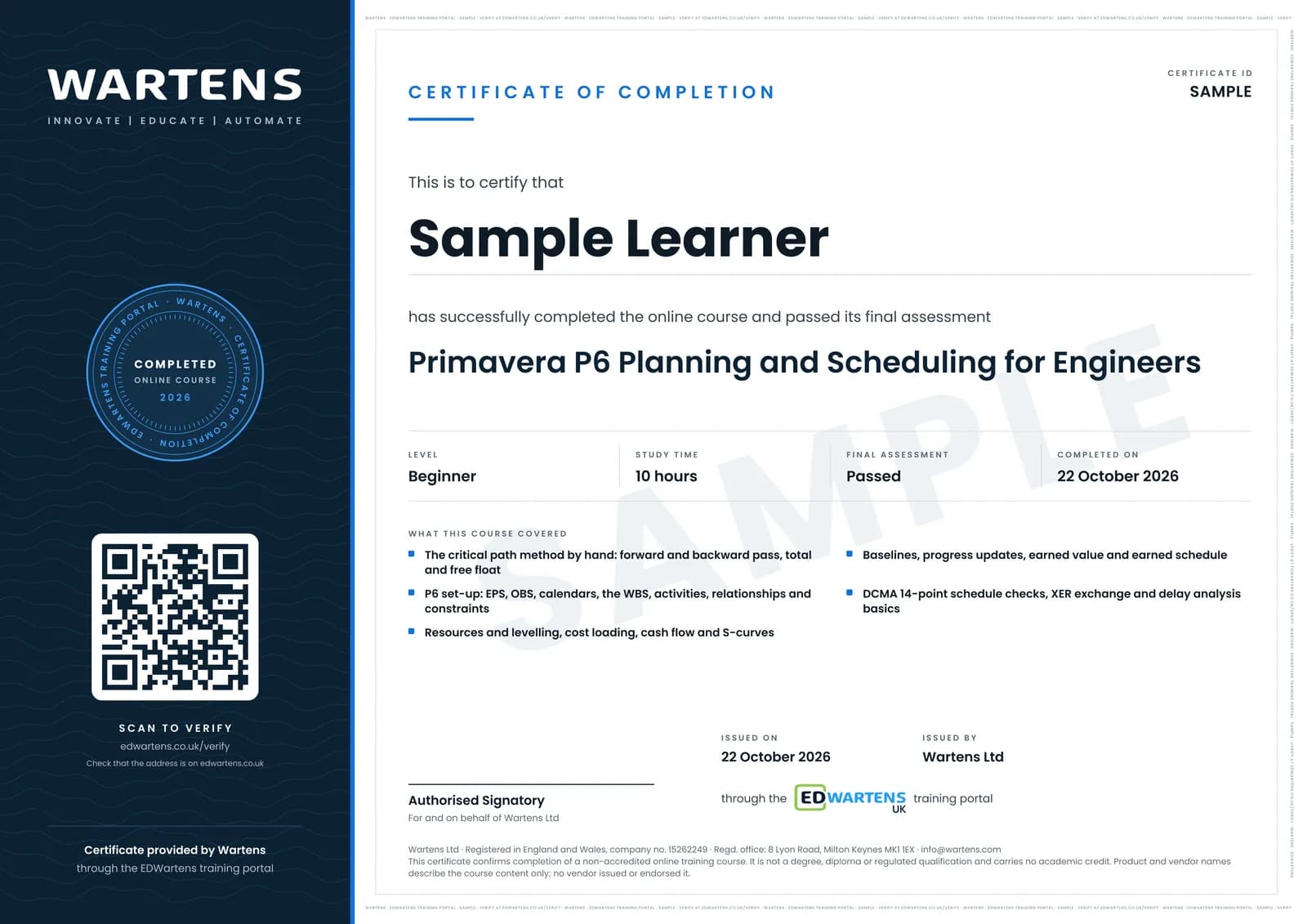
Sample certificate. Optional, issued when you pass the final exam.
- Level
- Beginner
- Modules
- 14
- Video
- 17 hours
- Price
- Free
Outcome
What you will be able to do
Calculate a critical path by hand; set up an EPS, OBS, calendars and a WBS in P6; build activities with the right types, durations and codes; link them with relationships, lags and only the constraints that are needed; read total float, free float and the longest path; produce layouts, filters and printed programmes; load resources and costs, level resources and produce an S-curve; baseline and update a schedule at a data date; calculate earned value from schedule data; run the DCMA 14-point checks and exchange XER files; and explain fragnets, time impact analysis and extension of time claims at the level planning interviews expect.
- Calculate the critical path, total float and free float by hand with a forward and backward pass
- Set up an EPS, OBS, calendars and a deliverable-based WBS in Primavera P6
- Build activities, relationships and lags, and use constraints only where a real date demands one
- Read the critical path, the longest path and float paths, and explain negative float
- Load resources and costs, level resources, and produce a histogram and an S-curve
- Baseline a schedule, update it at a data date, and calculate earned value and earned schedule
- Run the DCMA 14-point schedule check and exchange schedules as XER files
- Model a delay as a fragnet and explain time impact analysis and extension of time
Software
Oracle Primavera P6 Professional if your employer or college licenses it. Oracle has no free edition, and its standard trial terms allow evaluation only and exclude using a trial to attend third-party training, so every exercise can also be done in ProjectLibre, which is free and open source, or by hand in a spreadsheet.
Hardware
A Windows 10 or 11 (64-bit) PC for P6 Professional; Oracle's stated minimum is 4 GB of memory and 5 GB of disk. ProjectLibre also runs on macOS and Linux.
Syllabus
14 modules
Each module has video lessons, notes and a short quiz. The final exam closes the course.
- The planner's job and CPM by hand4 lessons
- Getting P6: licences, the workspace, EPS and OBS5 lessons
- Project set-up: calendars and the WBS5 lessons
- Activities: types, durations, codes and steps5 lessons
- Relationships, lags and constraints5 lessons
- Scheduling: the critical path, float and the longest path4 lessons
- Layouts, filters, grouping and printing2 lessons
- Resources and roles: loading, histograms and levelling5 lessons
- Costs: budgets, expenses, cost loading and cash flow5 lessons
- Baselines and progress updates4 lessons
- Earned value from a P6 schedule3 lessons
- Schedule quality and XER handover: the DCMA 14 points4 lessons
- Delay analysis basics: fragnets, TIA and extension of time3 lessons
- Final assessment1 lesson
How it works
How this course works
- Watch the video lessonsOne module at a time, at your own pace.
- Take the module quizA short quiz at the end of each module shows what stuck.
- Keep your notesWrite in My notes beside each module and ask the trainer if you are stuck.
- Sit the final examPass it once you have been through the modules.
- Certificate, if you want oneOptionalPaid, and only after you pass. Anyone can check it online.
Certificate
An optional certificate when you pass
Learning is free. Pass the final exam and you can have a certificate for £19, including VAT, with a number employers can check online. It records that you completed a free online course; it is not a regulated qualification or a CPD certificate.
- Your name, the course, its study time and your final exam score
- A unique certificate number and a QR code to its verification page
- Issued by Wartens Ltd; add it to your LinkedIn profile in one click
- Pay now or after you pass: it is issued the moment you pass the final
Credits
Who made the lessons
The video lessons belong to their creators. EDWartens wrote the study plan, notes, quizzes and the final exam.
- TechnoCivil
the 25 lessons of the Primavera P6 series used across the course: EPS and OBS, admin categories and preferences, new projects, calendars, the WBS, activities and their settings, duration types, activity codes, relationships and constraints, printing, roles and resources, resource histograms, expenses and cost accounts, baselines, progress updating, earned value, and XER export and import
- Phil Hirst
the beginner and intermediate P6 tutorials on the workspace, the EPS and a new project, calendars, the WBS and activities, schedule logic and layouts, filters, grouping and baselines, and importing and resources
- Plan Academy Inc.
CPM scheduling in P6 (also the recap in the final module), how calendars affect durations, the four relationship types, finding loops, defining critical activities, the longest path, float paths, cost-loading a fixed bid, indirects and overheads, an earned value layout, and earned schedule
- Global Project Control
near-critical activities, resource levelling, the activity usage spreadsheet and profile, financial periods, baseline settings, out-of-sequence progress, and the schedule log
- Engineer4Free
the forward and backward pass, the critical path, and total and free float worked by hand
- Obalim | Ciel Consulting
the DCMA 14-point schedule check in P6, and fragnets and time impact analysis step by step
- Claims Village
the introduction to the Society of Construction Law Delay and Disruption Protocol
- Learn with EngrWaqas
delay analysis and claims management with a windows analysis in Primavera P6
Questions
About this course
Who is this Primavera P6 course for?
Is this an Oracle Primavera certification?
Do I need a Primavera P6 licence?
Is the course free to learn?
Does it cover delay analysis and extension of time claims?
Will it help me get a planning engineer job?
How long does the course take?
What certificate do I get?
What is the project?
Want a live class and career support?
The Professional Module is five live days of Siemens PLC, HMI and SCADA with an instructor, then a resume session and a CPD certificate.