
Free course · Data and analytics
Power BI Data Analyst (PL-300 Prep)
The general Power BI analyst course, organised around Microsoft's PL-300 skills: getting data and choosing a storage mode, profiling and cleaning in Power Query, merge, append and unpivot, star-schema modelling and relationships, DAX measures and CALCULATE, date tables and time intelligence, visuals and report design, bookmarks, drillthrough and tooltips, the Power BI service, row-level security, performance, a review of the PL-300 skill areas and a capstone. Preparation for the exam, not the Microsoft certification itself.
Free to learn. Verifiable certificate £19 when you pass the final exam (optional, VAT included).
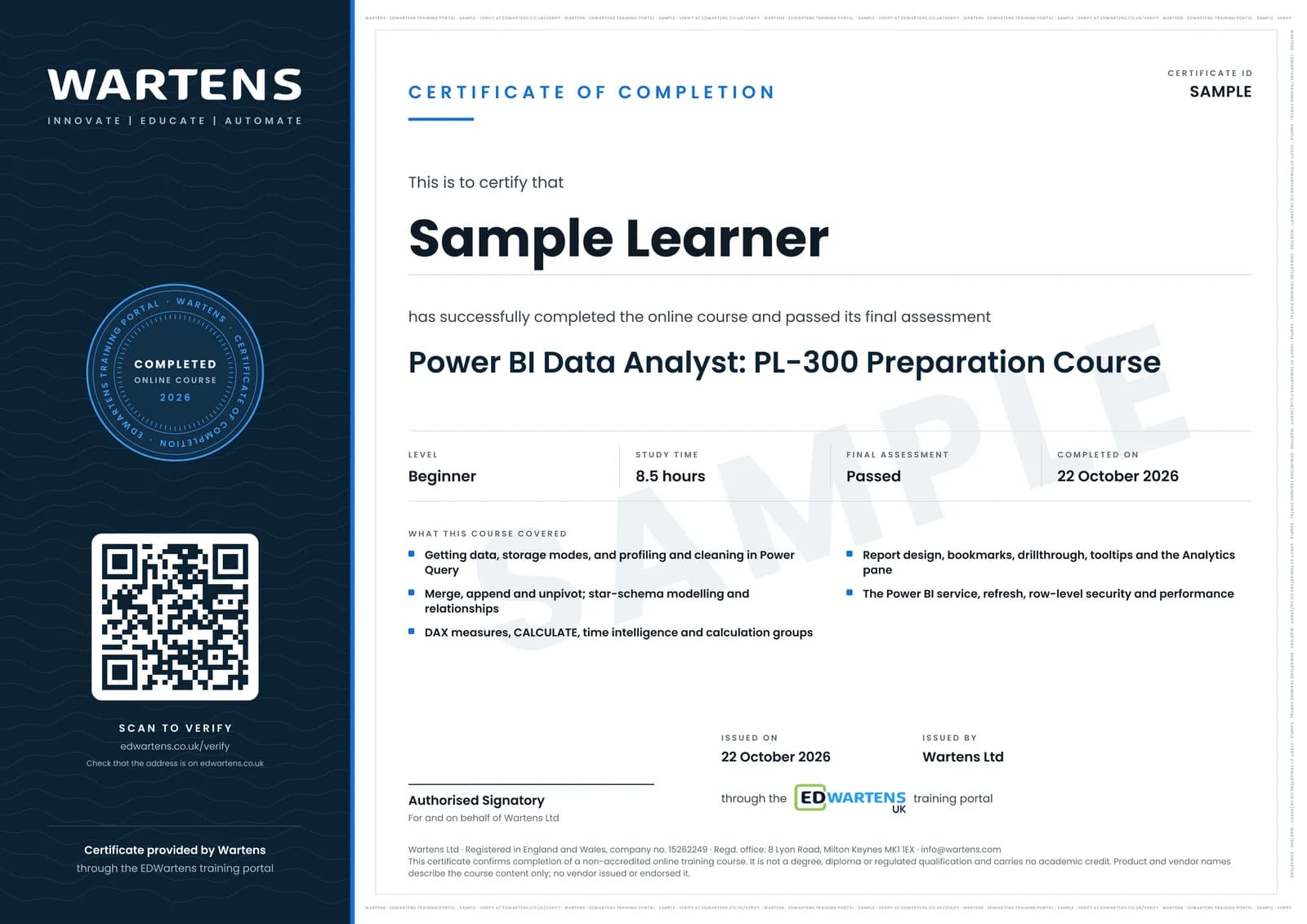
Sample certificate. Optional, issued when you pass the final exam.
- Level
- Beginner
- Modules
- 15
- Video
- 13 hours
- Price
- Free
Outcome
What you will be able to do
Connect Power BI to files, databases and shared semantic models and choose Import, DirectQuery or Direct Lake with a reason; profile and clean data in Power Query with steps that rerun on refresh; merge, append, unpivot and group queries; build a star schema with correct cardinality, cross-filter direction and a role-playing date table; write DAX measures with CALCULATE, time intelligence, semi-additive logic and calculation groups; design report pages with suitable visuals, themes, conditional formatting, bookmarks, drillthrough and tooltips; publish, share and refresh in the Power BI service; secure data with static and dynamic row-level security; find and fix slow visuals with Performance Analyzer; and map all of it to the PL-300 skills measured before sitting Microsoft's exam.
- Choose Import, DirectQuery or Direct Lake for a table and give the reason
- Profile and clean data in Power Query with recorded steps that rerun on every refresh
- Merge, append, unpivot and group queries into long, narrow tables
- Build a star schema with the right cardinality, filter direction and a role-playing date table
- Write DAX measures with CALCULATE, fiscal year-to-date, prior year and semi-additive balances
- Design report pages with bookmarks, drillthrough and tooltips that answer real questions
- Publish, share through apps, schedule refresh and secure data with row-level security
- Find slow visuals with Performance Analyzer and map every skill to the PL-300 outline
Software
Power BI Desktop, a free download from Microsoft that runs on Windows only (a Mac needs Windows in a virtual machine). Microsoft's free AdventureWorks Sales sample workbook. Publishing and sharing in the Power BI service need a work or school account and a Power BI licence or trial; those modules can be followed in Desktop without one. Copilot is not needed for any module.
Hardware
A Windows PC or laptop with 8 GB of memory or more.
Syllabus
15 modules
Each module has video lessons, notes and a short quiz. The final exam closes the course.
- What a Power BI data analyst does, and your first report2 lessons
- Getting data: sources, storage modes and parameters3 lessons
- Profiling and cleaning data in Power Query2 lessonsLab
- Shaping and combining: merge, append, unpivot and group2 lessonsLab
- Data modelling: star schema and relationships3 lessons
- DAX basics: measures, calculated columns and CALCULATE3 lessons
- Date tables, time intelligence and calculation groups3 lessons
- Visuals and report design3 lessons
- Interactive reports and finding patterns4 lessons
- The Power BI service: publish, share and refresh3 lessons
- Row-level security and governance3 lessons
- Model and report performance3 lessons
- PL-300 skill areas reviewed2 lessons
- Capstone: an end-to-end report1 lesson
- Final Assessment1 lesson
How it works
How this course works
- Watch the video lessonsOne module at a time, at your own pace.
- Take the module quizA short quiz at the end of each module shows what stuck.
- Keep your notesWrite in My notes beside each module and ask the trainer if you are stuck.
- Practise in the labOptionalTry a task from the module in the EDWartens Lab, in your browser.
- Sit the final examPass it once you have been through the modules.
- Certificate, if you want oneOptionalPaid, and only after you pass. Anyone can check it online.
EDWartens Lab
Practise this in the EDWartens Lab
Practise the prepare-the-data half of the course in the lab: profile and clean a messy export with applied steps, merge tables and group rows. DAX, models, visuals and the exam are not in the lab.
Works alongside Power BI Data Analyst (PL-300 Prep). The Lab is ai for industry practice in your browser: no install, no hardware, free to use. Sign in as a learner and it opens with your account.
Levels to try with this course
AIW-16 · AI Workbench
The downtime report: clean the export, answer in SQL
Open in the lab (opens in a new tab)
Optional. Skip it whenever you like: it never blocks your progress or your certificate.
Why practise in a lab
Technical work is judged on what you can do: wiring, commissioning, finding a fault. Doing a task yourself teaches more than watching it a second time, and a lab lets you try it safely before you meet real equipment. It does not replace working on real hardware.
- Practise safely, so a mistake costs nothing.
- The lab checks your work like a site test, so you know when it is right.
- Free, in your browser, with nothing to install.
Certificate
An optional certificate when you pass
Learning is free. Pass the final exam and you can have a certificate for £19, including VAT, with a number employers can check online. It records that you completed a free online course; it is not a regulated qualification or a CPD certificate.
- Your name, the course, its study time and your final exam score
- A unique certificate number and a QR code to its verification page
- Issued by Wartens Ltd; add it to your LinkedIn profile in one click
- Pay now or after you pass: it is issued the moment you pass the final
Credits
Who made the lessons
The video lessons belong to their creators. EDWartens wrote the study plan, notes, quizzes and the final exam.
- Alex The Analyst
installing Power BI and a first visual, Power Query in Power BI, relationships, DAX for beginners, conditional formatting, and the full guided project used as the capstone
- Pragmatic Works
the top five areas to study for PL-300, creating dimension tables for a star schema, the ultimate guide to date tables, visual data analysis for PL-300, and the PL-300 practice exam questions and answers
- Guy in a Cube
choosing Import, DirectQuery or a live connection, Direct Lake in Microsoft Fabric, why Power BI loves a star schema, report design, bookmarks, anomaly detection, org apps, setting up row-level security, row-level and object-level security together, the performance troubleshooting checklist and debugging a slow report with Phil Seamark
- SQLBI
Import versus DirectQuery, measures versus calculated columns, introducing CALCULATE, and introducing Performance Analyzer
- Chandoo
the Power Query beginner to pro masterclass, calculation groups in DAX, and learning the Power BI service in fifteen minutes
- How to Power BI
combining data with merge and append, and five design tricks for report pages
- Curbal
when to transpose, pivot or unpivot in Power Query
- Goodly
a year-to-date calculation in Power BI
- Leila Gharani
drillthrough from a chart to a detail page
- Maven Analytics
designing custom report-page tooltips
- RADACAD
dynamic row-level security, and the best ways to share reports with apps, licensing and good practice
Questions
About this course
Is this the Microsoft PL-300 certification?
What certificate do I get?
Is the course really free?
Who made the video lessons?
Do I need to buy Power BI?
How is this different from the Power BI OEE course?
How long does the course take?
What is the project?
Want a live class and career support?
The Professional Module is five live days of Siemens PLC, HMI and SCADA with an instructor, then a resume session and a CPD certificate.