
Free course · CAD
Piping Design and Isometrics for Oil and Gas (ASME B31.3)
The piping fundamentals an EPC contractor or refinery hires for: pipe sizes and schedules, fittings, flanges, gaskets, bolting and valves, materials and piping classes, ASME B31.3 wall thickness, plot plans, pipe racks and nozzle orientation, reading and drawing isometrics with cut lengths, weld numbers and a BOM, supports and spans, thermal expansion and flexibility, line lists, MTOs and hydrotest.
Free to learn. Verifiable certificate £19 when you pass the final exam (optional, VAT included).
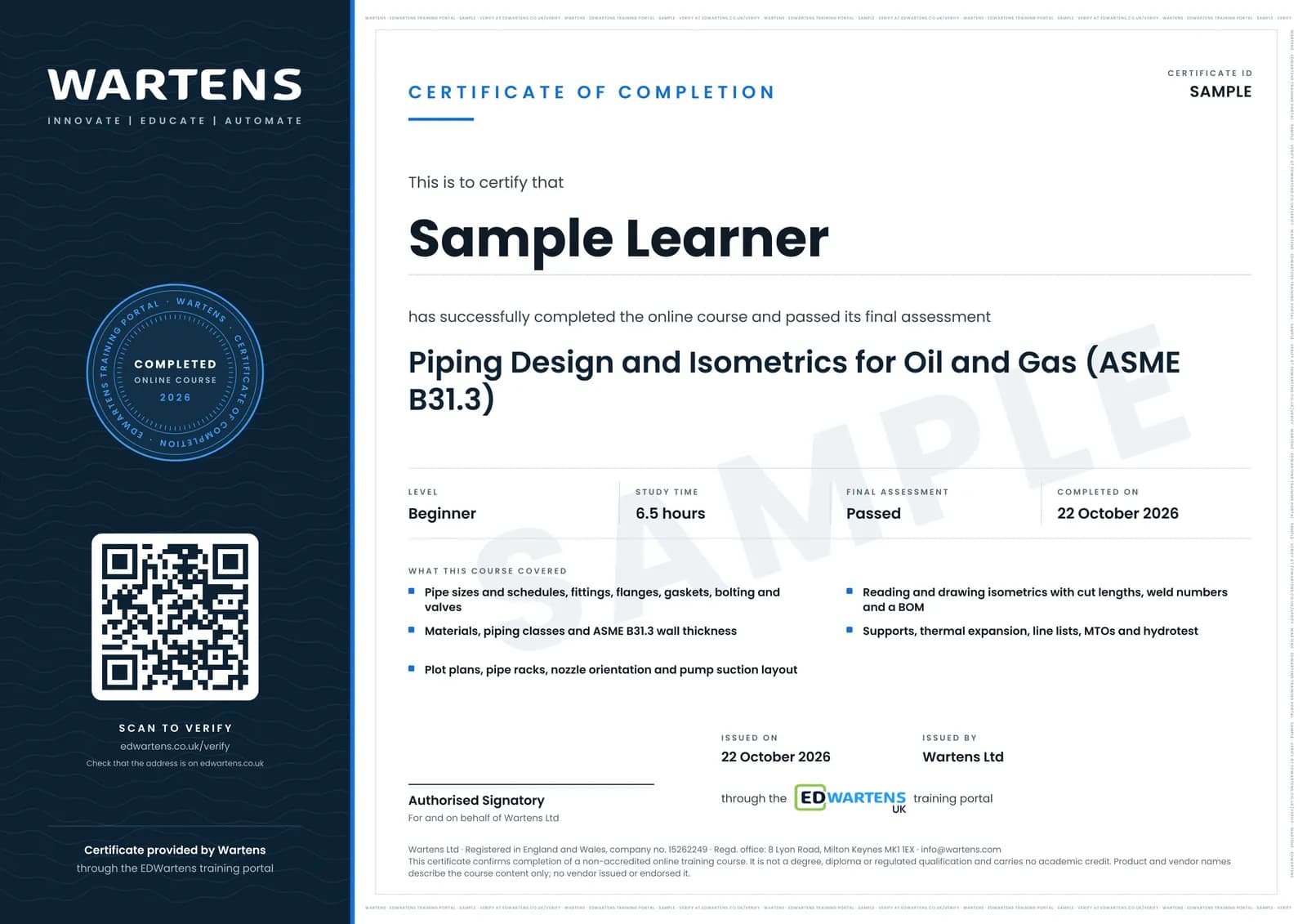
Sample certificate. Optional, issued when you pass the final exam.
- Level
- Beginner
- Modules
- 13
- Video
- 12 hours
- Price
- Free
Outcome
What you will be able to do
Explain how piping fits into an EPC project and what each piping deliverable is for; read pipe tables and calculate weights; choose fittings, flanges, gaskets, bolting and valves for a service; select materials and read a piping class; calculate B31.3 wall thickness and pick a schedule; read plot plans, rack layouts, GA drawings and nozzle orientations; read isometrics and draw them with cut lengths, weld numbers and a BOM; place supports from span tables; calculate thermal growth and recognise when a line needs stress analysis; and produce a line list, an MTO and a hydrotest pressure.
- Read pipe tables: NPS, DN, OD and schedule, and work out bore, weight and water content
- Choose fittings, flanges, gaskets and bolting, and pick a flange class from the B16.5 rating table
- Select valves by duty and lay out the valves around a pair of pumps
- Read a piping class and choose materials for cold, hot and corrosive service
- Calculate ASME B31.3 wall thickness with corrosion allowance and mill tolerance
- Read plot plans, rack sections and nozzle orientations, and check pump NPSH
- Read and draw isometrics with coordinates, cut lengths, weld numbers, spools and a BOM
- Place supports, estimate thermal growth, and produce a line list, an MTO and a hydrotest pressure
Software
A spreadsheet (LibreOffice Calc is free) for the calculations. For drawing isometrics, LibreCAD (free 2D CAD with an isometric grid) or FreeCAD (free 3D CAD; the Dodo add-on draws pipes, elbows and flanges). AutoCAD and its Plant 3D toolset are optional: free to eligible students and educators on the Autodesk Education plan, otherwise a short trial. Squared or isometric paper works for every exercise.
Hardware
None. Any laptop that runs a spreadsheet and LibreCAD is enough.
Syllabus
13 modules
Each module has video lessons, notes and a short quiz. The final exam closes the course.
- Piping in a plant: the team, the deliverables and the workflow2 lessons
- Pipe sizes, schedules, weights and manufacture2 lessons
- Fittings, flanges, gaskets and bolting3 lessons
- Valves: types, standards and selection2 lessons
- Materials and piping classes3 lessons
- ASME B31.3: scope, structure and wall thickness3 lessons
- Plot plans, equipment layout, pipe racks and nozzle orientation4 lessons
- Reading piping isometrics3 lessons
- Drawing isometrics: cut lengths, weld numbers, the BOM and CAD tools3 lessons
- Pipe supports and spans3 lessons
- Thermal expansion and flexibility basics3 lessons
- Line lists, MTO, spools and hydrotest4 lessons
- Final assessment1 lesson
How it works
How this course works
- Watch the video lessonsOne module at a time, at your own pace.
- Take the module quizA short quiz at the end of each module shows what stuck.
- Keep your notesWrite in My notes beside each module and ask the trainer if you are stuck.
- Sit the final examPass it once you have been through the modules.
- Certificate, if you want oneOptionalPaid, and only after you pass. Anyone can check it online.
Certificate
An optional certificate when you pass
Learning is free. Pass the final exam and you can have a certificate for £19, including VAT, with a number employers can check online. It records that you completed a free online course; it is not a regulated qualification or a CPD certificate.
- Your name, the course, its study time and your final exam score
- A unique certificate number and a QR code to its verification page
- Issued by Wartens Ltd; add it to your LinkedIn profile in one click
- Pay now or after you pass: it is issued the moment you pass the final
Credits
Who made the lessons
The video lessons belong to their creators. EDWartens wrote the study plan, notes, quizzes and the final exam.
- Piping Mantra
the lessons on FEED, fittings, flange types, valves, codes and standards, equipment layout, nozzle orientation, the 30 percent model review, pipe supports and spans, thermal expansion and anchors, the stress critical line list, MTO, shop and field welds, and pressure testing
- HardHat Engineer
the guides to pipe sizes and schedules, API 5L against A106 pipe, piping material selection, and anchors, guides and limit stops
- The Piping Engineer
piping isometric drawings for beginners, reading isometrics and calculating slopes, and the recap in the final module
- Welding and NDT
the English lessons on pipe sizes, schedules, NPS and DN, and on piping material codes and specifications
- PipingStress
pipe rack design tips and the hand calculation of an expansion loop
- Technical Piping
selecting a flange rating class from ASME B16.5, and drawing a piping isometric from an orthographic view in AutoCAD
- saVRee
the animated explanation of gate, globe, ball and butterfly valves
- Basics4Piping
the chapter-by-chapter tour of ASME B31.3
- I4I Academy
the minimum required thickness calculation and schedule selection to ASME B31.3
- WeldTube
reading and drawing pipe-fitting isometric blueprints from the fitter's side
- EPSC DESIGN
the piping line list and its columns
- Plant 3D virtual factory
the AutoCAD Plant 3D beginner tutorial, from a 3D model to isometrics and drawings
- Learn with EngrWaqas
the piping engineering workflow in EPC projects, from P&ID to isometrics, that opens the course
- The Engineering Mindset
pump NPSH basics for the pump suction layout module
Questions
About this course
Who is this piping design course for?
Is the course free to learn?
Do I need to buy a copy of ASME B31.3?
Which software does the course use?
What will I be able to do at the end?
Is this useful for piping jobs in the Gulf and on international projects?
How long does the course take?
What certificate do I get?
Want a live class and career support?
The Professional Module is five live days of Siemens PLC, HMI and SCADA with an instructor, then a resume session and a CPD certificate.