
Free course · Instrumentation
P&ID Reading and Instrumentation Design Documents
Read any P&ID like an EPC engineer, then produce the instrument design documents design offices hire for: ISA 5.1 symbols and tags, loops, interlocks and trips, line numbers and spec breaks, the instrument index and I/O list, datasheets, loop diagrams, hook-ups, junction box and cable schedules, layouts, vendor review and an overview of Intergraph Smart Instrumentation (SPI).
Free to learn. Verifiable certificate £19 when you pass the final exam (optional, VAT included).
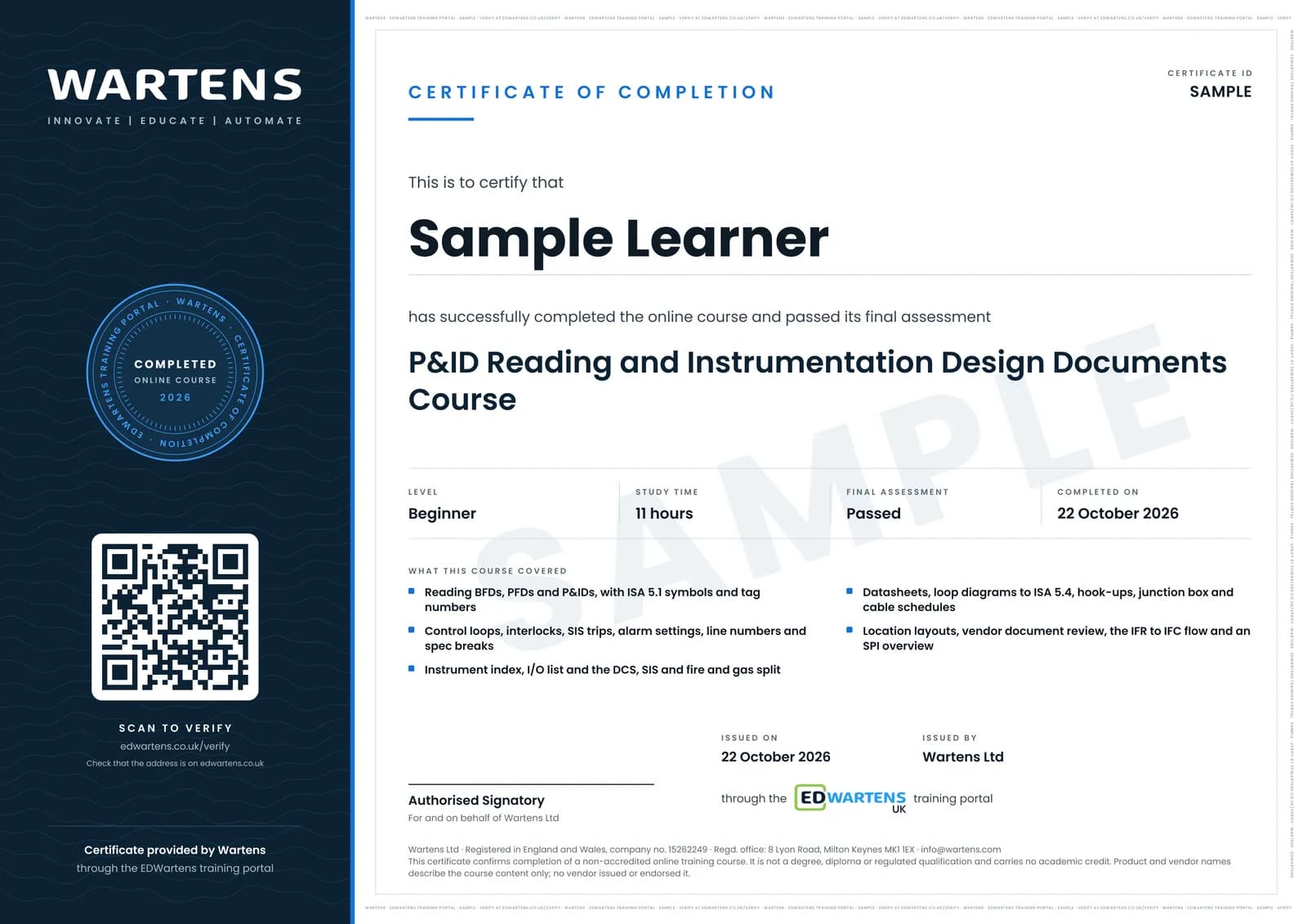
Sample certificate. Optional, issued when you pass the final exam.
- Level
- Beginner
- Modules
- 13
- Video
- 15 hours
- Price
- Free
Outcome
What you will be able to do
Tell a BFD, a PFD and a P&ID apart and know who issues each; decode any ISA 5.1 tag and symbol; trace control loops, interlocks, SIS trips and alarms on a P&ID; decode line numbers and place spec breaks; build an instrument index and an I/O list with the DCS, SIS and fire and gas split; fill an instrument datasheet and select ranges; draw a loop diagram to ISA 5.4 and check its voltage budget; draw a hook-up and its bill of materials; group junction boxes and fill cable and JB schedules; estimate cable lengths from a layout; review vendor documents through IFR to IFC; and explain what Intergraph Smart Instrumentation (SPI) does with the same data.
- Tell a BFD, a PFD and a P&ID apart and read a P&ID sheet in the right order
- Decode any ISA 5.1 tag and symbol, including location and signal lines
- Trace control loops, interlocks, SIS trips and alarm settings on a P&ID
- Decode line numbers, read piping classes and place spec breaks
- Build an instrument index and an I/O list with the DCS, SIS and fire and gas split
- Fill an instrument datasheet, choose ranges and check DP flow figures
- Draw a loop diagram to ISA 5.4, a hook-up with its BOM, and JB and cable schedules
- Review vendor documents through IFR to IFC and explain what SPI does with the data
Software
A spreadsheet and a drawing tool. draw.io (diagrams.net) and LibreOffice are free; QElectroTech or LibreCAD suit loop diagrams. AutoCAD or Intergraph Smart Instrumentation (SPI) are useful but not required.
Hardware
None.
Syllabus
13 modules
Each module has video lessons, notes and a short quiz. The final exam closes the course.
- BFD, PFD and P&ID: who makes each and when5 lessons
- ISA 5.1 symbols and tag numbers3 lessonsLab
- Reading control loops, interlocks, SIS and alarms on a P&ID2 lessonsLab
- Valves, line numbers, piping specifications and spec breaks3 lessons
- Instrument index and I/O list, with the DCS, SIS and fire and gas split3 lessons
- Instrument datasheets: ISA 20 and IEC 60534 style forms3 lessons
- Loop diagrams (ISA 5.4)3 lessonsLab
- Hook-up drawings and the bill of materials2 lessons
- Junction box, marshalling and cable schedules2 lessons
- Instrument location layouts and cable routing1 lesson
- Vendor document review and the EPC deliverable flow (IFR, IFC)3 lessons
- Smart Instrumentation (SPI): what the design database does, an overview6 lessons
- Final Assessment1 lesson
How it works
How this course works
- Watch the video lessonsOne module at a time, at your own pace.
- Take the module quizA short quiz at the end of each module shows what stuck.
- Keep your notesWrite in My notes beside each module and ask the trainer if you are stuck.
- Practise in the labOptionalTry a task from the module in the EDWartens Lab, in your browser.
- Sit the final examPass it once you have been through the modules.
- Certificate, if you want oneOptionalPaid, and only after you pass. Anyone can check it online.
EDWartens Lab
Practise this in the EDWartens Lab
Calibrate a 4 to 20 mA transmitter, tune a level or flow loop and read the trend in the Lab's process simulator.
Works alongside P&ID Reading and Instrumentation Design Documents. The Lab is process control practice in your browser: no install, no hardware, free to use. Sign in as a learner and it opens with your account.
Levels to try with this course
PRC-01 · Process lab
Read the P&ID
Open in the lab (opens in a new tab)PRC-02 · Process lab
Loop check
Open in the lab (opens in a new tab)
Optional. Skip it whenever you like: it never blocks your progress or your certificate.
Why practise in a lab
Technical work is judged on what you can do: wiring, commissioning, finding a fault. Doing a task yourself teaches more than watching it a second time, and a lab lets you try it safely before you meet real equipment. It does not replace working on real hardware.
- Practise safely, so a mistake costs nothing.
- The lab checks your work like a site test, so you know when it is right.
- Free, in your browser, with nothing to install.
Certificate
An optional certificate when you pass
Learning is free. Pass the final exam and you can have a certificate for £19, including VAT, with a number employers can check online. It records that you completed a free online course; it is not a regulated qualification or a CPD certificate.
- Your name, the course, its study time and your final exam score
- A unique certificate number and a QR code to its verification page
- Issued by Wartens Ltd; add it to your LinkedIn profile in one click
- Pay now or after you pass: it is issued the moment you pass the final
Credits
Who made the lessons
The video lessons belong to their creators. EDWartens wrote the study plan, notes, quizzes and the final exam.
- InstruNexus
the lessons on ISA 5.1 symbols, the instrument index, I/O lists, loop diagrams and hook-up drawings, and the Module 2 training sessions on reading P&IDs, cause and effect matrices, I/O lists, control valve datasheets, loop diagrams, hook-ups, termination drawings, cable routing layouts and material requisitions
- ProLytX
the SPI Boot Camp episodes on spec sheets, process data sheets, loop and tag creation, I/O loading, cables, wire connections and index reporting in Smart Instrumentation
- RealPars
the lessons on how to read a P&ID and how to interpret DCS and PLC symbols on it
- Piping Technology
the three-part series How to Read P&ID Diagrams: what a P&ID is, equipment and valve symbols, and a worked example
- LearnChemE
the short lesson on the basics of BFDs, PFDs and P&IDs
- Kimray Inc
the lesson on reading an oil and gas P&ID with control valve symbols to ANSI/ISA 5.1
- HardHat Engineer
the guide to pipe classes and piping specifications
- Asad (I&C Engineer)
the lesson on decoding a line number on a P&ID
- Amr Balbaa | Instrumentation & Control
the lesson on ISA-5.1 symbols, tag numbers and instrument identification
- Deanna Eldred
the detailed walkthrough of instrumentation loop diagrams
- WOIN - World of Instrumentation
the practical design guidelines for junction box grouping
- Offshore Engineering Academy
the lesson on vendor data and the inspection release certificate in EPCI procurement
- eFunda Engineers
the lessons on engineering discipline deliverables from basic design and FEED to detailed design, and the overview of SmartPlant Instrumentation
Questions
About this course
Who is this P&ID and instrument design course for?
What do I need to know before starting?
Which standards does the course follow?
Do I need SmartPlant Instrumentation (SPI) or AutoCAD?
How long does the course take?
Is the course free?
What certificate do I get?
What job does this lead to?
Want a live class and career support?
The Professional Module is five live days of Siemens PLC, HMI and SCADA with an instructor, then a resume session and a CPD certificate.