
Free course · Robotics
Physical AI: Teach a Robot Arm with LeRobot
Teach a robot arm by showing it, not by programming points: imitation learning, LeRobot and its datasets on the Hugging Face Hub, PushT and ALOHA in simulation, ACT and diffusion policies, the SO-101 arm, teleoperation and recording, training and honest evaluation, SmolVLA and vision-language-action models, Isaac Sim and sim-to-real, and the safety rules that keep learned control out of safety functions.
Free to learn. Verifiable certificate £19 when you pass the final exam (optional, VAT included).
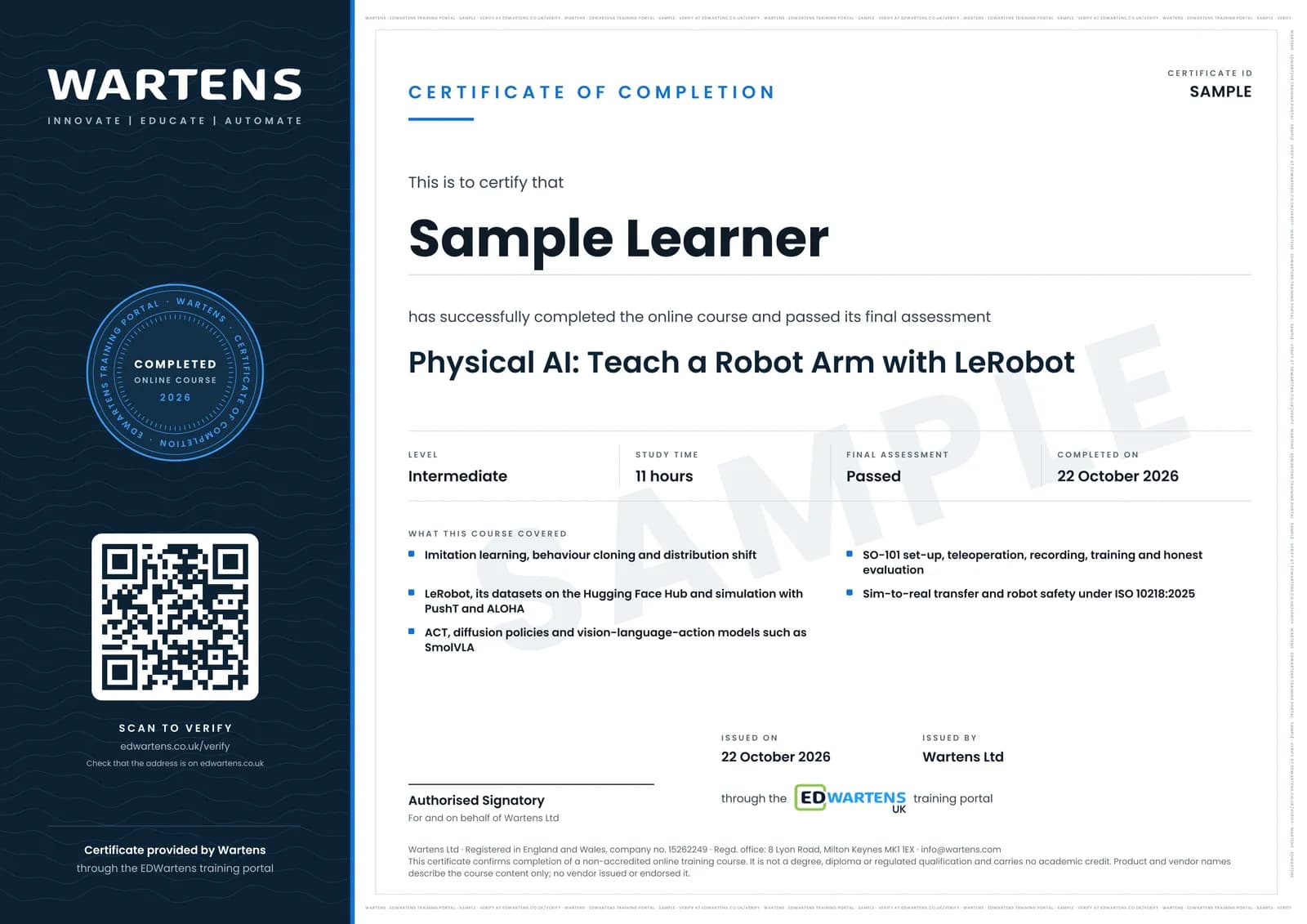
Sample certificate. Optional, issued when you pass the final exam.
- Level
- Intermediate
- Modules
- 13
- Video
- 18 hours
- Price
- Free
Outcome
What you will be able to do
Explain how a learned policy differs from a taught-point robot program; load and inspect LeRobot datasets from the Hub; explain behaviour cloning, distribution shift and action chunking; evaluate a pretrained policy in the PushT simulator and train ACT on a simulated task; choose between ACT, diffusion and SmolVLA for a task and GPU; assemble, set up and calibrate an SO-101, teleoperate it and record demonstrations; train, deploy and evaluate a policy with an honest success rate; describe sim-to-real transfer and domain randomisation; and write the risk assessment that keeps a learned policy away from safety functions.
- Explain how a learned policy differs from a taught-point robot program, and where each belongs
- Load LeRobot datasets from the Hugging Face Hub and read their observations and actions
- Explain behaviour cloning, compounding error and why action chunking and diffusion help
- Evaluate a pretrained policy in the PushT simulator and train ACT on a simulated ALOHA task, with no hardware
- Choose between ACT, diffusion and SmolVLA for a task, a GPU and a number of demonstrations
- Set up, calibrate and teleoperate an SO-101 arm and record clean demonstrations (optional hardware path)
- Train, deploy and evaluate a policy with a written protocol and an honest 95 percent interval
- Explain sim-to-real transfer and domain randomisation, and keep learned control out of safety functions under ISO 10218:2025
Software
LeRobot (open source, Apache 2.0, version 0.6 line in October 2026) with Python 3.12 and PyTorch, Google Colab for a free GPU, the PushT and ALOHA simulation environments, and the Hugging Face Hub. Isaac Sim is free but optional and needs an RTX GPU.
Hardware
None required: every module has a simulation-only path that runs on Colab. Optional: an SO-101 leader and follower arm kit with two USB cameras, and an NVIDIA GPU with 8 GB or more for local training. Isaac Sim needs a recent RTX GPU with about 16 GB of memory.
Syllabus
13 modules
Each module has video lessons, notes and a short quiz. The final exam closes the course.
- From programmed robots to learned skills: what physical AI is4 lessonsLab
- The LeRobot stack and datasets on the Hugging Face Hub2 lessons
- Imitation learning: behaviour cloning and why it drifts3 lessons
- Simulation first: gym environments and PushT on Colab2 lessons
- ACT: action chunking with transformers, explained2 lessons
- Diffusion policy and choosing a policy2 lessons
- SO-101 hardware: motors, assembly and calibration (optional)3 lessons
- Teleoperation and recording demonstrations3 lessonsLab
- Training on real data, deploying and evaluating2 lessons
- Vision-language-action models and SmolVLA4 lessons
- Isaac Sim and sim-to-real: an overview (optional, needs an RTX GPU)6 lessons
- Safety: cobot standards, guarding and where learned control is not allowed3 lessonsLab
- Final Assessment1 lesson
How it works
How this course works
- Watch the video lessonsOne module at a time, at your own pace.
- Take the module quizA short quiz at the end of each module shows what stuck.
- Keep your notesWrite in My notes beside each module and ask the trainer if you are stuck.
- Practise in the labOptionalTry a task from the module in the EDWartens Lab, in your browser.
- Sit the final examPass it once you have been through the modules.
- Certificate, if you want oneOptionalPaid, and only after you pass. Anyone can check it online.
EDWartens Lab
Practise this in the EDWartens Lab
Jog an arm with a pendant, teach points and run a pick and place cycle in the Lab's robot simulator.
Works alongside Physical AI: Teach a Robot Arm with LeRobot. The Lab is robot cell practice in your browser: no install, no hardware, free to use. Sign in as a learner and it opens with your account.
Levels to try with this course
ROB-02 · Robotics lab
Jog
Open in the lab (opens in a new tab)ROB-03 · Robotics lab
Teach and run
Open in the lab (opens in a new tab)ROB-07 · Robotics lab
Safety validation
Open in the lab (opens in a new tab)
Optional. Skip it whenever you like: it never blocks your progress or your certificate.
Why practise in a lab
Technical work is judged on what you can do: wiring, commissioning, finding a fault. Doing a task yourself teaches more than watching it a second time, and a lab lets you try it safely before you meet real equipment. It does not replace working on real hardware.
- Practise safely, so a mistake costs nothing.
- The lab checks your work like a site test, so you know when it is right.
- Free, in your browser, with nothing to install.
Certificate
An optional certificate when you pass
Learning is free. Pass the final exam and you can have a certificate for £19, including VAT, with a number employers can check online. It records that you completed a free online course; it is not a regulated qualification or a CPD certificate.
- Your name, the course, its study time and your final exam score
- A unique certificate number and a QR code to its verification page
- Issued by Wartens Ltd; add it to your LinkedIn profile in one click
- Pay now or after you pass: it is issued the moment you pass the final
Credits
Who made the lessons
The video lessons belong to their creators. EDWartens wrote the study plan, notes, quizzes and the final exam.
- Hugging Face
the LeRobot research presentations on ALOHA and ACT and on Diffusion Policy, the LeRobot tutorials on assembling the SO-100, recording a dataset and evaluating a policy, the LeLab introduction and the shirt-folding recap in the final module
- NVIDIA
how robots learn through training, simulation and real-world deployment, the next wave of physical AI, and narrowing the sim-to-real gap with Isaac Sim
- IBM Technology
the explainer on what physical AI is and how robots learn and adapt
- Google for Developers
the talk introducing LeRobot and why it lowers the entry barrier to AI for robotics
- RAIL
Sergey Levine's UC Berkeley CS 285 lecture on imitation learning, part 1
- e-Yantra
the IIT Bombay series on the LeRobot SO-101 arm: hardware and degrees of freedom, leader-follower teleoperation, and an introduction to imitation learning
- Welch Labs
how vision-language-action models work inside
- Trelis Research
training an ACT policy for the SO-101 with LeRobot end to end
- Articulated Robotics
Isaac Sim in under half an hour
- exida
hazard analysis and risk assessment of collaborative robots
- Ilia
running AI robotics experiments at home with LeRobot and the SO-ARM100
- Phospho AI
repairing, merging and splitting LeRobot datasets
- Sanjiban Choudhury
the core concepts of imitation learning
- Aleksandar Haber PhD
the introduction to the Gymnasium interface with the Cart-Pole environment
- Foundation Models For Robotics
training a behaviour-cloning policy on PushT with LeRobot, SmolVLA explained, and LeRobot asynchronous inference
- Trossen Robotics
the ALOHA tutorial with Hugging Face LeRobot
- Robraintics
why diffusion policy is changing robot learning
- Trushant Adeshara
SO-101 motor configuration and calibration
- Pius Lim
ACT against SmolVLA on the same SO-101
- Shane Reetz
the Sim-to-Real with NVIDIA Isaac series: building a home robot lab and an SO-101 workspace
- Lightwheel
teleoperating the SO-101 in Isaac Sim with LeRobot, step by step
- Learning Automation
summaries of ISO 10218-1:2025 and ISO 10218-2:2025
Questions
About this course
Who is this physical AI and LeRobot course for?
Do I need a robot arm to take the course?
What do I need to know first?
Which software does it use?
Is the course free to learn?
How long does the course take?
Is a learned policy safe to use on a factory robot?
What certificate do I get?
Want a live class and career support?
The Professional Module is five live days of Siemens PLC, HMI and SCADA with an instructor, then a resume session and a CPD certificate.