
Free course · AI for professionals
Microsoft 365 Copilot and Copilot Studio Agents
Use Microsoft 365 Copilot well and build your first agent: what Copilot, Copilot Chat and Copilot Studio each are, how grounding works, Copilot in Word, Excel, Outlook and PowerPoint, prompting and saved prompts, the Researcher and Analyst agents, building and grounding an agent in Copilot Studio, and responsible use.
Free to learn. Verifiable certificate £19 when you pass the final exam (optional, VAT included).
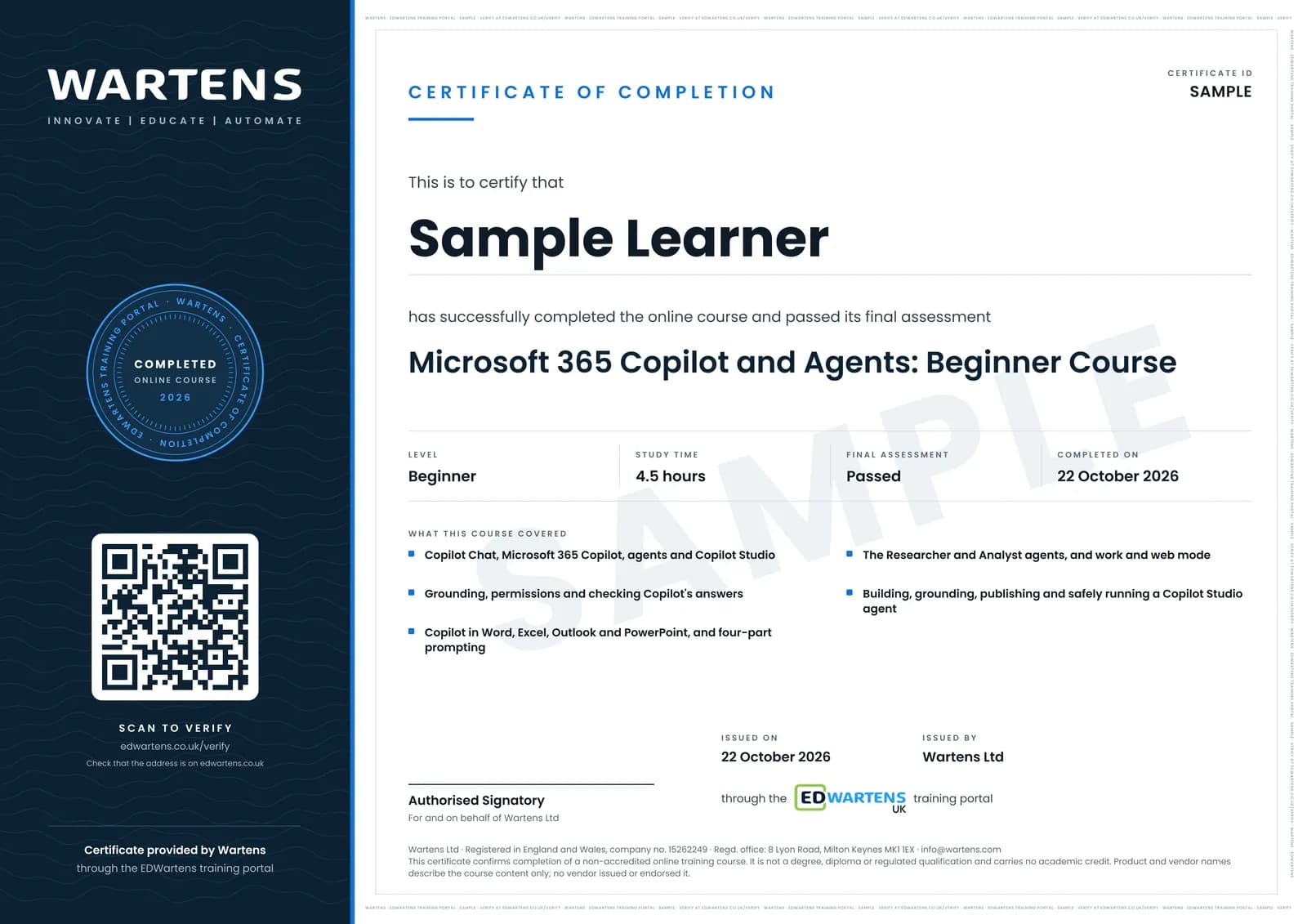
Sample certificate. Optional, issued when you pass the final exam.
- Level
- Beginner
- Modules
- 9
- Video
- 7 hours
- Price
- Free
Outcome
What you will be able to do
Explain the difference between Copilot Chat, Microsoft 365 Copilot, agents and Copilot Studio; describe how grounding and permissions shape every answer; use Copilot in Word, Excel, Outlook and PowerPoint and check its output; write prompts with goal, context, expectations and source, and save the ones that work; choose between Copilot Chat, Researcher and Analyst, and between work and web-only grounding; build, ground, test and publish a simple agent in Copilot Studio; and manage hallucination, prompt injection and data protection risks.
- Tell apart Copilot Chat, Microsoft 365 Copilot, agents and Copilot Studio
- Explain grounding and why permissions shape every Copilot answer
- Use Copilot in Word, Excel, Outlook and PowerPoint, and check its output
- Write prompts with goal, context, expectations and source, and save the ones that work
- Choose between Copilot Chat, Researcher and Analyst, and between work and web-only grounding
- Build, ground, test and publish a simple agent in Copilot Studio
- Manage hallucination, prompt injection, oversharing and personal data
- Prepare a safe rollout: permissions, a safe-use note and a test log for an agent
Software
A Microsoft work or school account. Copilot Chat covers most exercises; Copilot inside the apps and the Researcher and Analyst agents need a Microsoft 365 Copilot licence; Copilot Studio has a free trial. Every exercise says what to do without a licence.
Hardware
A laptop or desktop with a browser.
Syllabus
9 modules
Each module has video lessons, notes and a short quiz. The final exam closes the course.
- Copilot and Copilot Studio: what each one is2 lessons
- How Copilot works: models, grounding, chat and agents2 lessons
- Copilot in Word, Excel, Outlook and PowerPoint4 lessonsLab
- Prompting Copilot, and saving the prompts that work3 lessonsLab
- The Researcher and Analyst agents3 lessonsLab
- Build your first agent in Copilot Studio5 lessonsLab
- Grounding an agent in your own knowledge1 lessonLab
- Responsible AI in Copilot: hallucination, prompt injection and data2 lessonsLab
- Final Assessment1 lesson
How it works
How this course works
- Watch the video lessonsOne module at a time, at your own pace.
- Take the module quizA short quiz at the end of each module shows what stuck.
- Keep your notesWrite in My notes beside each module and ask the trainer if you are stuck.
- Practise in the labOptionalTry a task from the module in the EDWartens Lab, in your browser.
- Sit the final examPass it once you have been through the modules.
- Certificate, if you want oneOptionalPaid, and only after you pass. Anyone can check it online.
EDWartens Lab
Practise this in the EDWartens Lab
Practise the checks every Copilot user needs: verify an AI summary against the data, write a prompt that gives exact output, and keep an agent to its sources and limits.
Works alongside Microsoft 365 Copilot and Copilot Studio Agents. The Lab is ai for industry practice in your browser: no install, no hardware, free to use. Sign in as a learner and it opens with your account.
Levels to try with this course
AIW-11 · AI Workbench
Check the AI's work: finance
Open in the lab (opens in a new tab)AIW-06 · AI Workbench
Prompt to spec
Open in the lab (opens in a new tab)AIW-07 · AI Workbench
Answers with sources
Open in the lab (opens in a new tab)AIW-08 · AI Workbench
A safe agent
Open in the lab (opens in a new tab)
Optional. Skip it whenever you like: it never blocks your progress or your certificate.
Why practise in a lab
Technical work is judged on what you can do: wiring, commissioning, finding a fault. Doing a task yourself teaches more than watching it a second time, and a lab lets you try it safely before you meet real equipment. It does not replace working on real hardware.
- Practise safely, so a mistake costs nothing.
- The lab checks your work like a site test, so you know when it is right.
- Free, in your browser, with nothing to install.
Certificate
An optional certificate when you pass
Learning is free. Pass the final exam and you can have a certificate for £19, including VAT, with a number employers can check online. It records that you completed a free online course; it is not a regulated qualification or a CPD certificate.
- Your name, the course, its study time and your final exam score
- A unique certificate number and a QR code to its verification page
- Issued by Wartens Ltd; add it to your LinkedIn profile in one click
- Pay now or after you pass: it is issued the moment you pass the final
Credits
Who made the lessons
The video lessons belong to their creators. EDWartens wrote the study plan, notes, quizzes and the final exam.
- Skills Pragati
the AB-730 preparatory lessons and labs: how large language models and Copilot fit together, Copilot Chat against agents, Copilot in Word, Excel, Outlook and PowerPoint, prompt engineering, saving and scheduling prompts, the Researcher and Analyst agents, work and web grounding, and responsible AI
- Lisa Crosbie
the Copilot Studio tutorials: what Copilot Studio is, creating a first agent, adding knowledge, working with topics, adding actions and publishing
- Microsoft Learn
the PL-7008 series episodes that open the course, explain grounding an agent in knowledge, and close the course
Questions
About this course
Who is this course for?
Do I need a Microsoft 365 Copilot licence?
Is this a Microsoft course or exam preparation?
Will I build a real agent?
Is the course really free?
What certificate do I get?
How long does the course take?
What can I do after finishing it?
Want a live class and career support?
The Professional Module is five live days of Siemens PLC, HMI and SCADA with an instructor, then a resume session and a CPD certificate.