
Free course · AI and machine learning
Private AI with Local LLMs: Ollama, Open WebUI and Offline RAG
Run AI on your own hardware so confidential drawings, specifications and plant data never leave the building: open-weight models and their licences, GPU and RAM sizing, quantisation, Ollama, Open WebUI for a team, the API and Python, offline RAG with citations, datasheet extraction, vision models, benchmarking, air-gapped deployment and an acceptable use policy.
Free to learn. Verifiable certificate £19 when you pass the final exam (optional, VAT included).
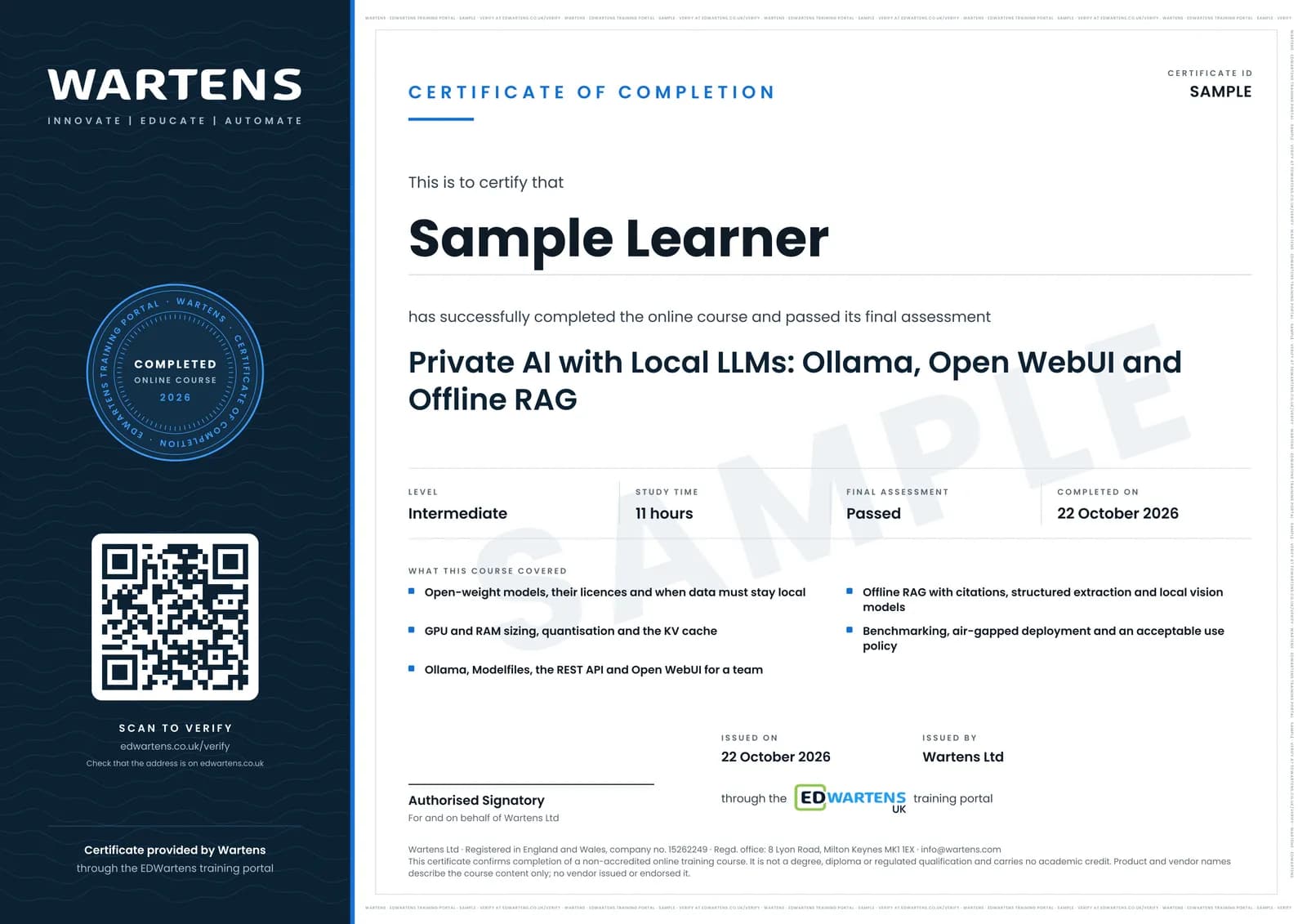
Sample certificate. Optional, issued when you pass the final exam.
- Level
- Intermediate
- Modules
- 13
- Video
- 18 hours
- Price
- Free
Outcome
What you will be able to do
Explain when a model must run locally and classify documents by where they may go; compare open-weight models and their licences; size VRAM, RAM and speed for a model, quantisation and context length; install and configure Ollama and write Modelfiles; run Open WebUI for a team with roles and groups; call models from the REST API and Python; build an offline RAG pipeline that cites and refuses; extract structured data from datasheets and nameplates with schema validation; benchmark local against hosted models on your own test set; deploy into an air-gapped network with checksums; and write the acceptable use policy that governs it.
- Decide which documents may go to a hosted AI tool, which must stay on a local model and which go nowhere
- Compare open-weight models and their licences: Apache 2.0, MIT and the Llama community licence
- Size GPU memory and speed for a model from its parameters, quantisation, context length and users
- Install and configure Ollama, and write a Modelfile your whole team can use
- Run Open WebUI as a private team chat server with roles, groups and model presets
- Build offline RAG over specifications that cites the clause and says NOT FOUND
- Extract datasheet and nameplate data with a JSON schema, validation and a human check
- Benchmark local against hosted models, deploy air-gapped with checksums and write the acceptable use policy
Software
Ollama, Open WebUI (in Docker), Python with the ollama, chromadb and pydantic packages, and optionally LM Studio and promptfoo. All are free to download.
Hardware
A laptop with 16 GB of RAM runs the small models used in the modules. A GPU with 8 GB or more of memory, or an Apple silicon Mac with 16 GB or more, makes them faster. The sizing module shows how to size a team server; you do not need to buy one.
Syllabus
13 modules
Each module has video lessons, notes and a short quiz. The final exam closes the course.
- Why run AI locally: confidentiality, export control, cost and offline sites4 lessonsLab
- Open-weight models and their licences: Llama, Qwen, Gemma, Mistral and gpt-oss4 lessons
- Hardware sizing: VRAM, RAM, CPU-only and quantisation (GGUF, Q4, Q8)4 lessons
- Installing Ollama: the CLI, environment variables and the Modelfile5 lessons
- Open WebUI: a private ChatGPT for the team2 lessons
- The Ollama REST API and Python3 lessons
- Offline RAG over drawings, specifications and manuals4 lessonsLab
- Structured output: extracting data from datasheets2 lessonsLab
- Vision models locally: reading nameplates and P&ID snippets2 lessons
- Benchmarking local against cloud on your own tasks3 lessonsLab
- Air-gapped deployment, updates and access control3 lessons
- Governance: what may go in, logging and acceptable use3 lessonsLab
- Final assessment1 lesson
How it works
How this course works
- Watch the video lessonsOne module at a time, at your own pace.
- Take the module quizA short quiz at the end of each module shows what stuck.
- Keep your notesWrite in My notes beside each module and ask the trainer if you are stuck.
- Practise in the labOptionalTry a task from the module in the EDWartens Lab, in your browser.
- Sit the final examPass it once you have been through the modules.
- Certificate, if you want oneOptionalPaid, and only after you pass. Anyone can check it online.
EDWartens Lab
Practise this in the EDWartens Lab
Practise what makes a private AI server useful: answers that cite their source, exact structured output, and personal data removed before anything is shared.
Works alongside Private AI with Local LLMs: Ollama, Open WebUI and Offline RAG. The Lab is ai for industry practice in your browser: no install, no hardware, free to use. Sign in as a learner and it opens with your account.
Levels to try with this course
AIW-10 · AI Workbench
Privacy first
Open in the lab (opens in a new tab)AIW-06 · AI Workbench
Prompt to spec
Open in the lab (opens in a new tab)AIW-07 · AI Workbench
Answers with sources
Open in the lab (opens in a new tab)
Optional. Skip it whenever you like: it never blocks your progress or your certificate.
Why practise in a lab
Technical work is judged on what you can do: wiring, commissioning, finding a fault. Doing a task yourself teaches more than watching it a second time, and a lab lets you try it safely before you meet real equipment. It does not replace working on real hardware.
- Practise safely, so a mistake costs nothing.
- The lab checks your work like a site test, so you know when it is right.
- Free, in your browser, with nothing to install.
Certificate
An optional certificate when you pass
Learning is free. Pass the final exam and you can have a certificate for £19, including VAT, with a number employers can check online. It records that you completed a free online course; it is not a regulated qualification or a CPD certificate.
- Your name, the course, its study time and your final exam score
- A unique certificate number and a QR code to its verification page
- Issued by Wartens Ltd; add it to your LinkedIn profile in one click
- Pay now or after you pass: it is issued the moment you pass the final
Credits
Who made the lessons
The video lessons belong to their creators. EDWartens wrote the study plan, notes, quizzes and the final exam.
- Matt Williams
the free Ollama Course lessons on installing Ollama, the CLI, environment variables, custom models, model types, quantisation, the file layout, the OpenAI-compatible API, RAG and embeddings
- IBM Technology
the explainers on Ollama, open-source LLMs, privacy-preserving AI at home, open against closed AI, Llama, llama.cpp, LLM benchmarks, LLM as a judge, AI governance and AI data exposure, and the local deployment recap in the final module
- freeCodeCamp.org
the three-hour Ollama course by Paulo Dichone, building local AI apps with the API and Python
- Christian Lempa
the self-hosted Ollama and Open WebUI platform build
- NetworkChuck
hosting the full local AI stack on a Linux GPU server with per-user restrictions
- Tech With Tim
the LM Studio tutorial
- Syntax
the episode on local AI hardware, setup and models
- Real Python
running models locally with Ollama and Python
- Sam Witteveen
building a vision app with Ollama structured outputs
- pixegami
the Python RAG tutorial with local LLMs over PDFs
- Case Done by AI
the complete guide to Open WebUI admin settings
- Professor Patterns
Open WebUI knowledge bases, RAG and embeddings
- Tony Kipkemboi
structured outputs with Ollama and Pydantic models
- Ian Wootten
Ollama structured outputs in five minutes
- Leon van Zyl
Llama 3.2 Vision with Ollama, chatting with images locally
- Skill Leap AI
running OpenAI's open-weight gpt-oss models locally
- Jason Koo
getting started with promptfoo for testing models
- BlueSpork
running a model fully offline from a USB drive
- AppSecEngineer
the guide to the OWASP Top 10 for LLM applications
Questions
About this course
Who is this private AI and local LLM course for?
Is the course free to learn?
What do I need to know first?
What hardware do I need to run local LLMs?
Which software does it use?
Is a local model safe to use on confidential and export-controlled data?
How long does the course take?
What certificate do I get?
Want a live class and career support?
The Professional Module is five live days of Siemens PLC, HMI and SCADA with an instructor, then a resume session and a CPD certificate.