
Free course · Software and DevOps
Linux for Engineers
Linux for engineers who build AI, IIoT, robotics and OT systems: the shell and the filesystem, text and pipes, users and permissions, packages, processes and systemd services, networking tools, SSH, Bash scripting, scheduled jobs, logs and journalctl, Raspberry Pi and edge boxes, and the basics of hardening a device.
Free to learn. Verifiable certificate £19 when you pass the final exam (optional, VAT included).
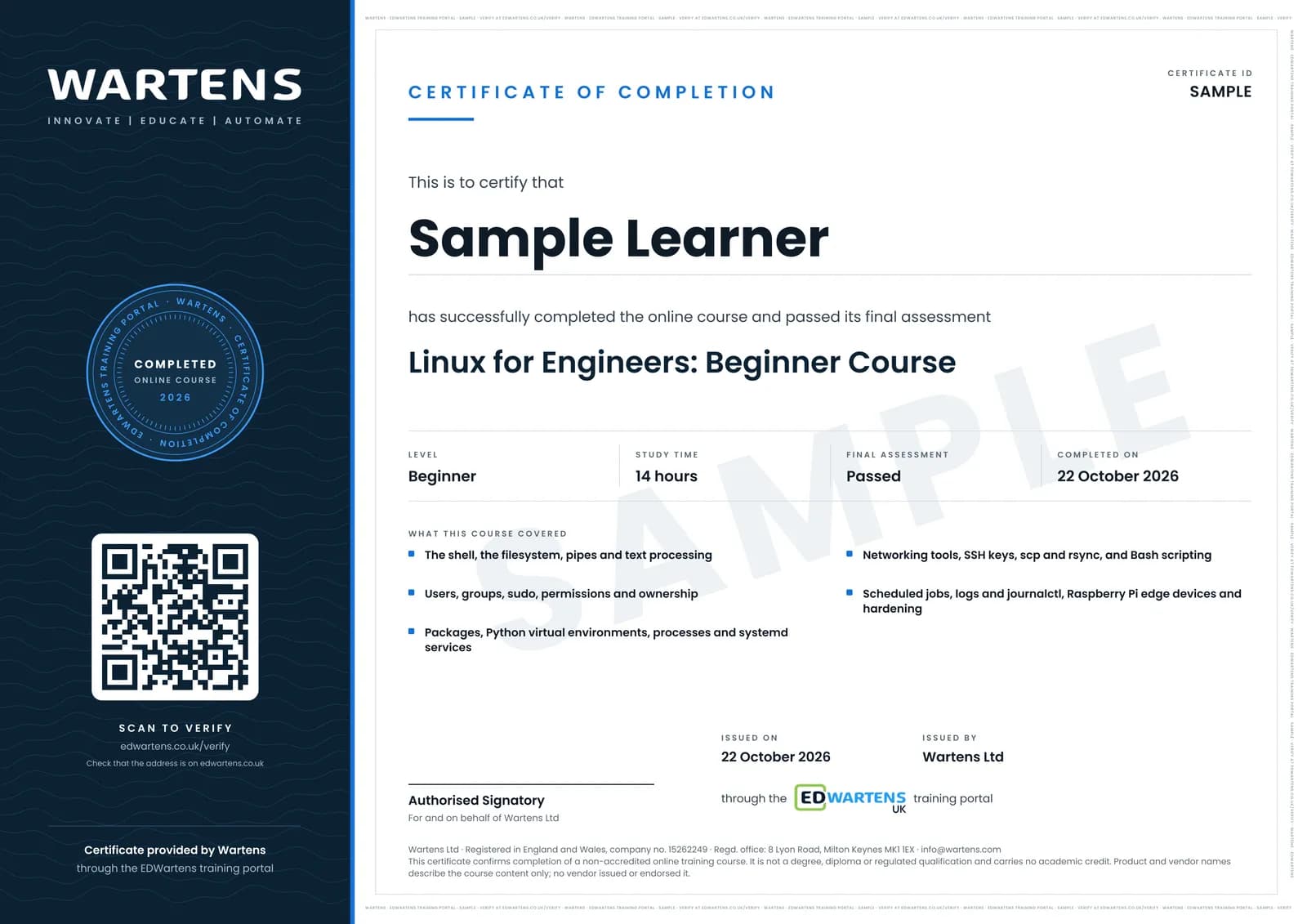
Sample certificate. Optional, issued when you pass the final exam.
- Level
- Beginner
- Modules
- 15
- Video
- 19 hours
- Price
- Free
Outcome
What you will be able to do
Explain where Linux runs in engineering systems and choose a distribution; move around the filesystem and edit configuration files; filter logs and data with pipes and grep; manage users, groups and sudo rights; set permissions and ownership correctly; install software with apt and Python libraries in a virtual environment; manage processes and run your own program as a systemd service; diagnose network problems with ip, ss, ping and dig; work over SSH with keys and copy files with scp and rsync; write Bash scripts with arguments, tests and exit codes; schedule jobs with cron and systemd timers; find faults with journalctl and keep disks from filling; set up a Raspberry Pi as a headless edge device; and apply first-hour hardening to a new machine.
- Read a Linux system: kernel, distribution, version and architecture, and find help with man and --help
- Move around the filesystem, edit configuration files with nano and answer questions about logs with pipes and grep
- Manage users, groups and narrow sudo rules, and set permissions and ownership by number
- Install software with apt, keep Python libraries in a virtual environment and turn on automatic security updates
- Run your own program as a systemd service that restarts itself, and stop processes safely
- Diagnose network faults with ip, ss, ping and dig, and work over SSH with keys, scp, rsync and tunnels
- Write Bash scripts with arguments and exit codes, schedule them with cron or systemd timers, and keep dated backups
- Set up a Raspberry Pi as a headless edge gateway, find faults with journalctl, and harden a new device with ufw and key-only SSH
Software
One Linux machine to practise on: Ubuntu 26.04 LTS (or 24.04 LTS) in VirtualBox or UTM, WSL 2 on Windows, a Raspberry Pi with Raspberry Pi OS (Debian 13 trixie), or a small cloud server. Everything used in the course is free and open source.
Hardware
A computer that can run a virtual machine, or WSL 2 on Windows. A Raspberry Pi 4 or 5 with a microSD card is useful for the edge-device module and the project but is not required.
Syllabus
15 modules
Each module has video lessons, notes and a short quiz. The final exam closes the course.
- Why Linux, and your first terminal2 lessons
- The filesystem, paths and editing files3 lessons
- Text, pipes and searching3 lessons
- Users, groups and sudo3 lessons
- Permissions, ownership and links2 lessons
- Packages and updates3 lessons
- Processes and systemd3 lessons
- Networking tools4 lessons
- SSH, keys and copying files3 lessons
- Bash scripting1 lesson
- Automation: cron, timers and backups3 lessons
- Logs, journalctl and disk space3 lessons
- Linux on a Raspberry Pi and edge boxes3 lessons
- Hardening basics3 lessons
- Final Assessment1 lesson
How it works
How this course works
- Watch the video lessonsOne module at a time, at your own pace.
- Take the module quizA short quiz at the end of each module shows what stuck.
- Keep your notesWrite in My notes beside each module and ask the trainer if you are stuck.
- Sit the final examPass it once you have been through the modules.
- Certificate, if you want oneOptionalPaid, and only after you pass. Anyone can check it online.
Certificate
An optional certificate when you pass
Learning is free. Pass the final exam and you can have a certificate for £19, including VAT, with a number employers can check online. It records that you completed a free online course; it is not a regulated qualification or a CPD certificate.
- Your name, the course, its study time and your final exam score
- A unique certificate number and a QR code to its verification page
- Issued by Wartens Ltd; add it to your LinkedIn profile in one click
- Pay now or after you pass: it is issued the moment you pass the final
Credits
Who made the lessons
The video lessons belong to their creators. EDWartens wrote the study plan, notes, quizzes and the final exam.
- Learn Linux TV (Jay LaCroix)
the Linux Crash Course lessons on navigating the filesystem, nano, data streams, grep, head and tail, managing groups, sudoers.d, file and directory permissions, symbolic links, the apt command, unattended upgrades, htop, systemctl, the ip, ss, ping and dig commands, connecting with SSH, public key authentication, scp, cron, systemd timers, rsync, understanding logging, journalctl, df and du, inspecting hardware, UUIDs in fstab, getting started with Raspberry Pi, the first things to do on a new server, UFW and securing OpenSSH
- NetworkChuck
the Linux for Hackers series: the first look at Linux, getting help, the Linux file system, users and sudo, package management with apt, dpkg and pip, and managing and killing processes, plus the 60 Linux commands review before the final
- freeCodeCamp.org
the Bash scripting tutorial for beginners
Questions
About this course
Who is this course for?
Which Linux do I need?
Do I need a Raspberry Pi?
Is this Linux+ or LPIC preparation?
What should I take after this course?
Is the course really free?
What certificate do I get?
How long does the course take?
What is the project?
Want a live class and career support?
The Professional Module is five live days of Siemens PLC, HMI and SCADA with an instructor, then a resume session and a CPD certificate.