
Free course · Instrumentation
Instrumentation for PLC Engineers
The half of the loop that is not code. Follow one measurement from the transmitter in the field, down the 4-20 mA loop, into the analog card, through NORM_X and SCALE_X into engineering units, out again to a valve, and back to the control room when the reading is wrong.
Free to learn. Verifiable certificate £19 when you pass the final exam (optional, VAT included).
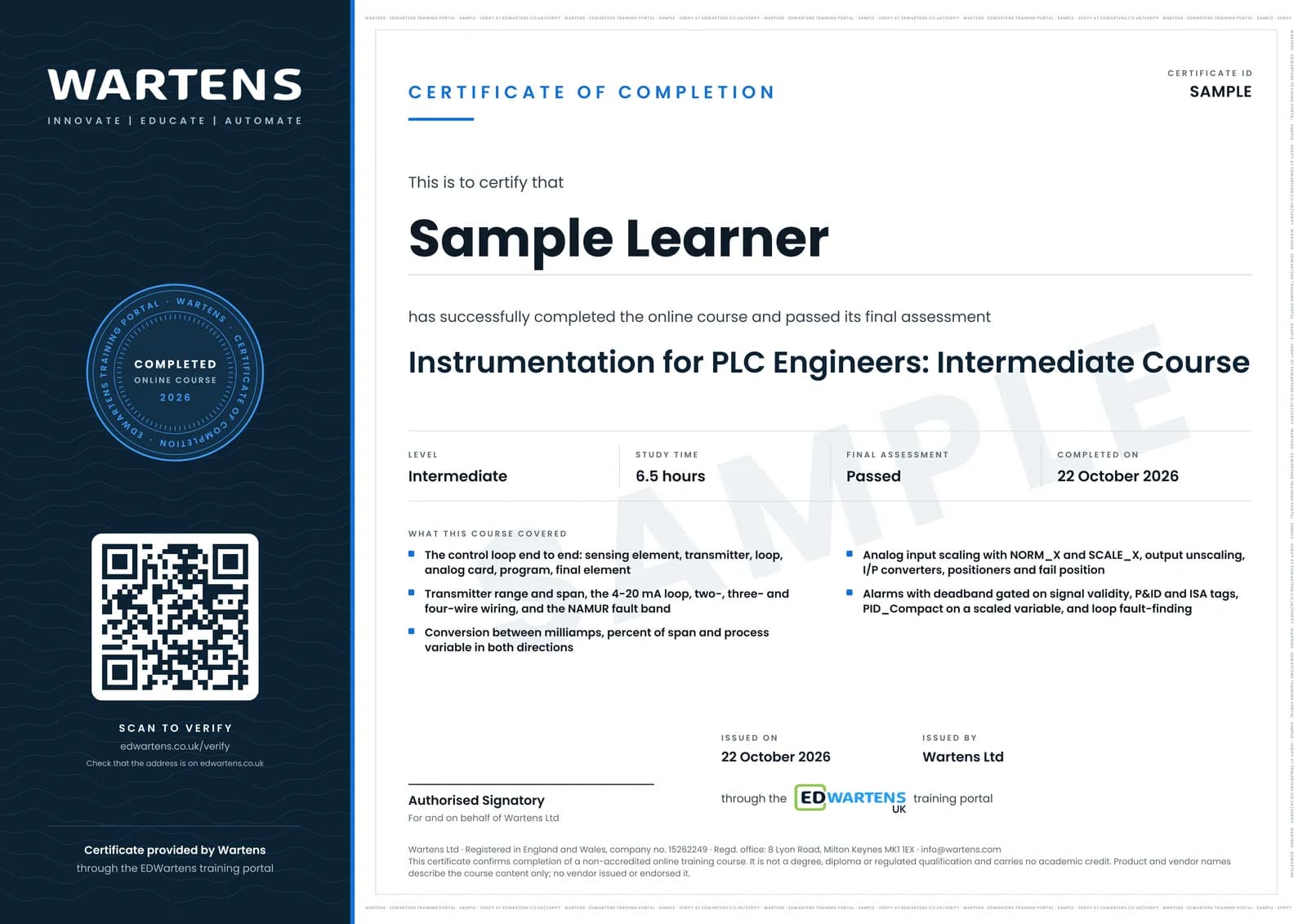
Sample certificate. Optional, issued when you pass the final exam.
- Level
- Intermediate
- Modules
- 12
- Video
- 11 hours
- Price
- Free
Outcome
What you will be able to do
Trace a control loop end to end and say who owns each part of it; read a transmitter's range and predict what the PLC will read at any current; wire two-, three- and four-wire transmitters and diagnose a loop from its current alone; convert between milliamps, percent and engineering units in both directions; scale an analog input with NORM_X and SCALE_X and unscale an output to a valve; build alarm levels with deadband and detect a transmitter you cannot trust; read a P&ID and an ISA tag; choose between a switch and a transmitter and wire PNP or NPN correctly; put PID_Compact on a real process variable; and work backwards from a wrong number on the HMI to the fault in the field.
- Trace one loop from sensing element to final element and say which half a wrong reading is in
- Read a transmitter's range and span, and work out the process variable at any current
- Wire two-, three- and four-wire transmitters, and tell a fault current from a measurement
- Convert between milliamps, percent of span and engineering units without looking anything up
- Scale an analog input with NORM_X and SCALE_X, and unscale a demand back out to a valve
- Alarm on the scaled value with a deadband, and hold a safe state when the signal cannot be trusted
- Read a P&ID and an ISA tag, and find the card and channel on the loop sheet
- Put PID_Compact on a real process variable, tune it, and say when a loop should not be PID at all
- Work backwards from a wrong number on the screen to the fault, cheapest check first
Software
TIA Portal V17+ (21-day trial) with S7-PLCSIM for the scaling, alarm and PID exercises. The instrumentation modules need nothing installed.
Hardware
None. A multimeter and a loop calibrator are useful if you have them, and every exercise is written to work without them.
Syllabus
12 modules
Each module has video lessons, notes and a short quiz. The final exam closes the course.
- The Signal Path: Field Device to PLC to Valve3 lessons
- Transmitters: What the Field Device Actually Sends4 lessons
- The 4-20 mA Loop and How It Is Wired5 lessonsLab
- Percent, Milliamps and Process Variable4 lessons
- Into the PLC: Analog Cards, Raw Counts, NORM_X and SCALE_X3 lessonsLab
- Out of the PLC: Unscaling, I/P Converters and Valves4 lessons
- Alarms, Interlocks and a Signal You Cannot Trust4 lessonsLab
- Reading the Drawings: P&ID and the Loop Sheet3 lessonsLab
- The Other Half: Switches, Proximity Sensors and Encoders5 lessons
- Closing the Loop: PID_Compact on a Real Measurement3 lessonsLab
- Calibration and Finding the Fault from the Control Room3 lessons
- Final Assessment1 lesson
How it works
How this course works
- Watch the video lessonsOne module at a time, at your own pace.
- Take the module quizA short quiz at the end of each module shows what stuck.
- Keep your notesWrite in My notes beside each module and ask the trainer if you are stuck.
- Practise in the labOptionalTry a task from the module in the EDWartens Lab, in your browser.
- Sit the final examPass it once you have been through the modules.
- Certificate, if you want oneOptionalPaid, and only after you pass. Anyone can check it online.
EDWartens Lab
Practise this in the EDWartens Lab
Calibrate a 4 to 20 mA transmitter, tune a level or flow loop and read the trend in the Lab's process simulator.
Works alongside Instrumentation for PLC Engineers. The Lab is process control practice in your browser: no install, no hardware, free to use. Sign in as a learner and it opens with your account.
Levels to try with this course
PRC-01 · Process lab
Read the P&ID
Open in the lab (opens in a new tab)PRC-02 · Process lab
Loop check
Open in the lab (opens in a new tab)PRC-06 · Process lab
Alarm rationalisation
Open in the lab (opens in a new tab)PRC-04 · Process lab
Tune the level loop
Open in the lab (opens in a new tab)
Optional. Skip it whenever you like: it never blocks your progress or your certificate.
Why practise in a lab
Technical work is judged on what you can do: wiring, commissioning, finding a fault. Doing a task yourself teaches more than watching it a second time, and a lab lets you try it safely before you meet real equipment. It does not replace working on real hardware.
- Practise safely, so a mistake costs nothing.
- The lab checks your work like a site test, so you know when it is right.
- Free, in your browser, with nothing to install.
Certificate
An optional certificate when you pass
Learning is free. Pass the final exam and you can have a certificate for £19, including VAT, with a number employers can check online. It records that you completed a free online course; it is not a regulated qualification or a CPD certificate.
- Your name, the course, its study time and your final exam score
- A unique certificate number and a QR code to its verification page
- Issued by Wartens Ltd; add it to your LinkedIn profile in one click
- Pay now or after you pass: it is issued the moment you pass the final
Credits
Who made the lessons
The video lessons belong to their creators. EDWartens wrote the study plan, notes, quizzes and the final exam.
- Instrumentation Tools
the 4-20 mA loop, transmitter wiring, the percent and process variable calculations, control valves, P&ID reading, calibration and the loop in a PLC or DCS
- Instrumentation Academy
the animated fundamentals: what instrumentation is, pressure transmitters, why 4-20 mA, proximity sensors, I/P converters, positioners and P&ID drawings
- Hegamurl
analog processing in TIA Portal: NORM_X and SCALE_X, output unscaling, and PID_Compact with its tuning
Questions
About this course
Is this an instrumentation course or a PLC course?
I have never touched an instrument. Can I follow it?
Do I need a multimeter, a loop calibrator or a real transmitter?
Do I need to buy TIA Portal?
Does it cover HART and fieldbus?
Is the course really free?
What certificate do I get?
Want a live class and career support?
The Professional Module is five live days of Siemens PLC, HMI and SCADA with an instructor, then a resume session and a CPD certificate.