
Free course · Instrumentation
Instrument Calibration, Loop Checks and Commissioning
Calibrate pressure, temperature, level and flow transmitters to a written procedure, then run the cold and hot loop checks that hand a plant over: calibration vocabulary and TUR, the 5-point as-found and as-left test, DP flow and level, RTDs and thermocouples, 4-20 mA and HART, switches, valve stroke checks, loop folders and calibration management.
Free to learn. Verifiable certificate £19 when you pass the final exam (optional, VAT included).
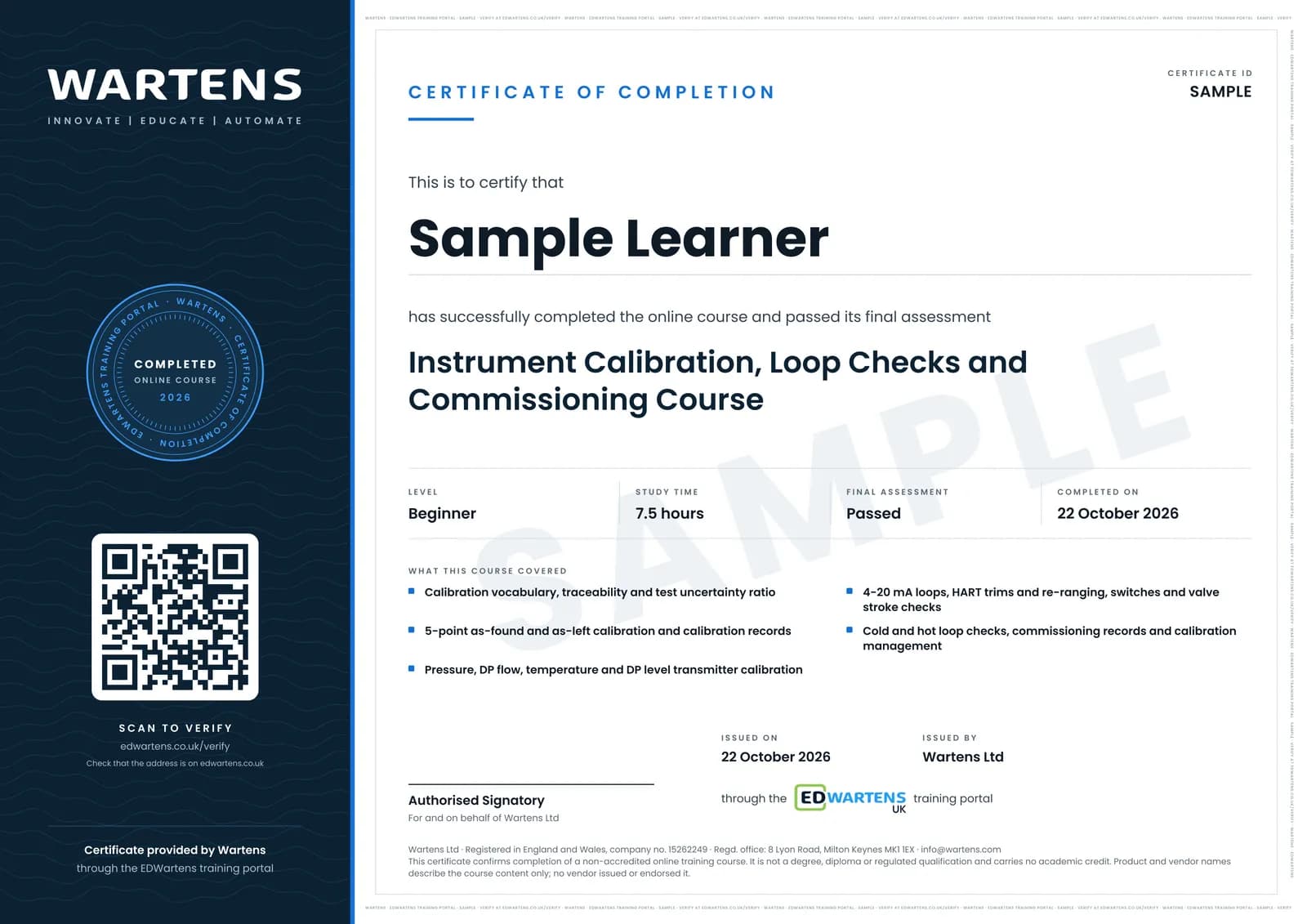
Sample certificate. Optional, issued when you pass the final exam.
- Level
- Beginner
- Modules
- 13
- Video
- 13 hours
- Price
- Free
Outcome
What you will be able to do
Use calibration vocabulary correctly and check a reference with a test uncertainty ratio; run a 5-point as-found and as-left calibration and decide pass or fail; calibrate pressure, DP flow, temperature and DP level transmitters, including square-root, wet-leg and suppressed ranges; work the 4-20 mA loop maths and a loop voltage budget; choose between a HART re-range and a trim; test switches and trips for set point and deadband; stroke-check a control valve; run cold and hot loop checks and fill in the records; and set calibration intervals and keep a register an auditor can follow.
- Calculate span, percent-of-span error and a test uncertainty ratio, and judge whether a reference is good enough
- Run a 5-point as-found and as-left calibration and write a record someone can sign
- Calibrate pressure and DP flow transmitters, including square-root flow
- Check RTDs and thermocouples, with lead resistance and cold-junction compensation
- Work out DP level ranges with wet legs, suppression and elevation, and set up guided-wave radar
- Do the 4-20 mA arithmetic and a loop voltage budget, and use a loop calibrator in the right mode
- Choose between a HART sensor trim, output trim and re-range
- Run cold and hot loop checks, raise punch items and set calibration intervals
Software
A spreadsheet (Excel, Google Sheets or LibreOffice Calc) for the calibration sheets and register. No calibration software is needed.
Hardware
None required. A loop calibrator or process meter, a hand pump and a spare transmitter make the practice tasks real, but every task can be done on paper.
Syllabus
13 modules
Each module has video lessons, notes and a short quiz. The final exam closes the course.
- Calibration vocabulary: range, span, accuracy, uncertainty and TUR4 lessons
- The 5-point as-found and as-left calibration and the certificate3 lessonsLab
- Pressure and DP transmitters: hand pump, reference gauge and square-root flow3 lessonsLab
- Temperature: RTD and thermocouple checks, dry blocks and cold-junction compensation4 lessons
- Level: DP level with wet and dry legs, suppression, elevation and guided-wave radar4 lessons
- 4-20 mA loop maths, loop power, the 250 ohm resistor and loop calibrators3 lessons
- HART: what it carries, trim versus re-range, communicators and DD tools4 lessons
- Switches and trips: set point, deadband and alarm testing3 lessons
- Control valve stroke check and positioner calibration3 lessonsLab
- Cold loop check: tag to junction box to marshalling to I/O card3 lessonsLab
- Hot loop check, pre-commissioning and handover records3 lessonsLab
- Calibration management: intervals, ISO/IEC 17025 and records3 lessons
- Final Assessment1 lesson
How it works
How this course works
- Watch the video lessonsOne module at a time, at your own pace.
- Take the module quizA short quiz at the end of each module shows what stuck.
- Keep your notesWrite in My notes beside each module and ask the trainer if you are stuck.
- Practise in the labOptionalTry a task from the module in the EDWartens Lab, in your browser.
- Sit the final examPass it once you have been through the modules.
- Certificate, if you want oneOptionalPaid, and only after you pass. Anyone can check it online.
EDWartens Lab
Practise this in the EDWartens Lab
Calibrate a 4 to 20 mA transmitter, tune a level or flow loop and read the trend in the Lab's process simulator.
Works alongside Instrument Calibration, Loop Checks and Commissioning. The Lab is process control practice in your browser: no install, no hardware, free to use. Sign in as a learner and it opens with your account.
Levels to try with this course
PRC-03 · Process lab
Calibrate a pressure transmitter
Open in the lab (opens in a new tab)PRC-02 · Process lab
Loop check
Open in the lab (opens in a new tab)PRC-05 · Process lab
Flow loop and control valve
Open in the lab (opens in a new tab)PRC-08 · Process lab
Site acceptance and fault finding
Open in the lab (opens in a new tab)
Optional. Skip it whenever you like: it never blocks your progress or your certificate.
Why practise in a lab
Technical work is judged on what you can do: wiring, commissioning, finding a fault. Doing a task yourself teaches more than watching it a second time, and a lab lets you try it safely before you meet real equipment. It does not replace working on real hardware.
- Practise safely, so a mistake costs nothing.
- The lab checks your work like a site test, so you know when it is right.
- Free, in your browser, with nothing to install.
Certificate
An optional certificate when you pass
Learning is free. Pass the final exam and you can have a certificate for £19, including VAT, with a number employers can check online. It records that you completed a free online course; it is not a regulated qualification or a CPD certificate.
- Your name, the course, its study time and your final exam score
- A unique certificate number and a QR code to its verification page
- Issued by Wartens Ltd; add it to your LinkedIn profile in one click
- Pay now or after you pass: it is issued the moment you pass the final
Credits
Who made the lessons
The video lessons belong to their creators. EDWartens wrote the study plan, notes, quizzes and the final exam.
- Beamex
the calibration lessons: pressure transmitters and a pressure loop, HART pressure transmitters, RTD temperature transmitters and Pt100 sensors, pressure and temperature switches, a HART valve linearity test, the long lesson on calibrating and trimming HART transmitters, and the webinar on how often instruments should be calibrated
- Instrumentation & Control
the introduction to instrumentation calibration, the guided-wave radar echo curve, sourcing and simulating 4-20 mA with a process meter, the pressure transmitter re-range workshop, reading a loop diagram and common 4-20 mA loop faults
- RealPars
the lessons on what an instrument calibrator is and what the HART protocol is
- Calibration Academy
DP flow transmitter zero and span, thermocouple cold-junction compensation and loop resistance, sensor trim against current trim, and an analog loop test on a Rosemount 3051
- Precision Digital
the full lesson on the fundamentals of 4-20 mA current loops
- Fisher Valves & Instruments (Emerson)
zero and span calibration of a Fisher 3582 positioner
- Siemens Knowledge Hub
configuring the SIPART PS2 valve positioner
- Endress+Hauser
commissioning Levelflex and Micropilot radar level instruments, and calibration interval optimisation
- Spartan Controls
configuring a Rosemount 5300 guided-wave radar level transmitter
- ECAS
the wet-leg level transmitter's purpose and set-up, and how to read and navigate loop diagrams
- Morehouse Instrument Company
the lessons on test uncertainty ratio and on accuracy against uncertainty
- Mensor
what k = 2 means on a calibration certificate
- RJ Quality Consulting
the ISO/IEC 17025 calibration certificate requirements
- Analog Devices
the short lesson on thermocouple cold-junction compensation
- Tim Wilborne
how to measure a 4-20 mA circuit without blowing the meter's fuse
- Ashcroft
the calibration procedure for single set point pressure switches
- ICxA
the difference between pre-commissioning and commissioning
- IIQA
instrument commissioning questions from pre-commissioning to handover
- Kistler Group
setting the initial calibration interval and adjusting it
Questions
About this course
Who is this course for?
Does this course prepare me for the ISA CCST?
Do I need calibration equipment or software?
Which standards does it follow?
How long does the course take?
Is the course really free?
What certificate do I get?
What jobs does it lead to?
Want a live class and career support?
The Professional Module is five live days of Siemens PLC, HMI and SCADA with an instructor, then a resume session and a CPD certificate.