
Free course · IIoT
Industrial DataOps: OPC UA, MQTT and Unified Namespace
Plant data architecture for IT/OT engineers: the ISA-95 pyramid and why it is being replaced by an event-driven Unified Namespace, OPC UA information models, subscriptions and security, OPC UA servers on S7-1500 and CODESYS, MQTT QoS, retained messages and last will, a Mosquitto broker, Sparkplug B, edge gateways, UNS topic and payload design, industrial DataOps and OEE, a Telegraf, InfluxDB and Grafana historian, and TLS, ACLs and IEC 62443 zones.
Free to learn. Verifiable certificate £19 when you pass the final exam (optional, VAT included).
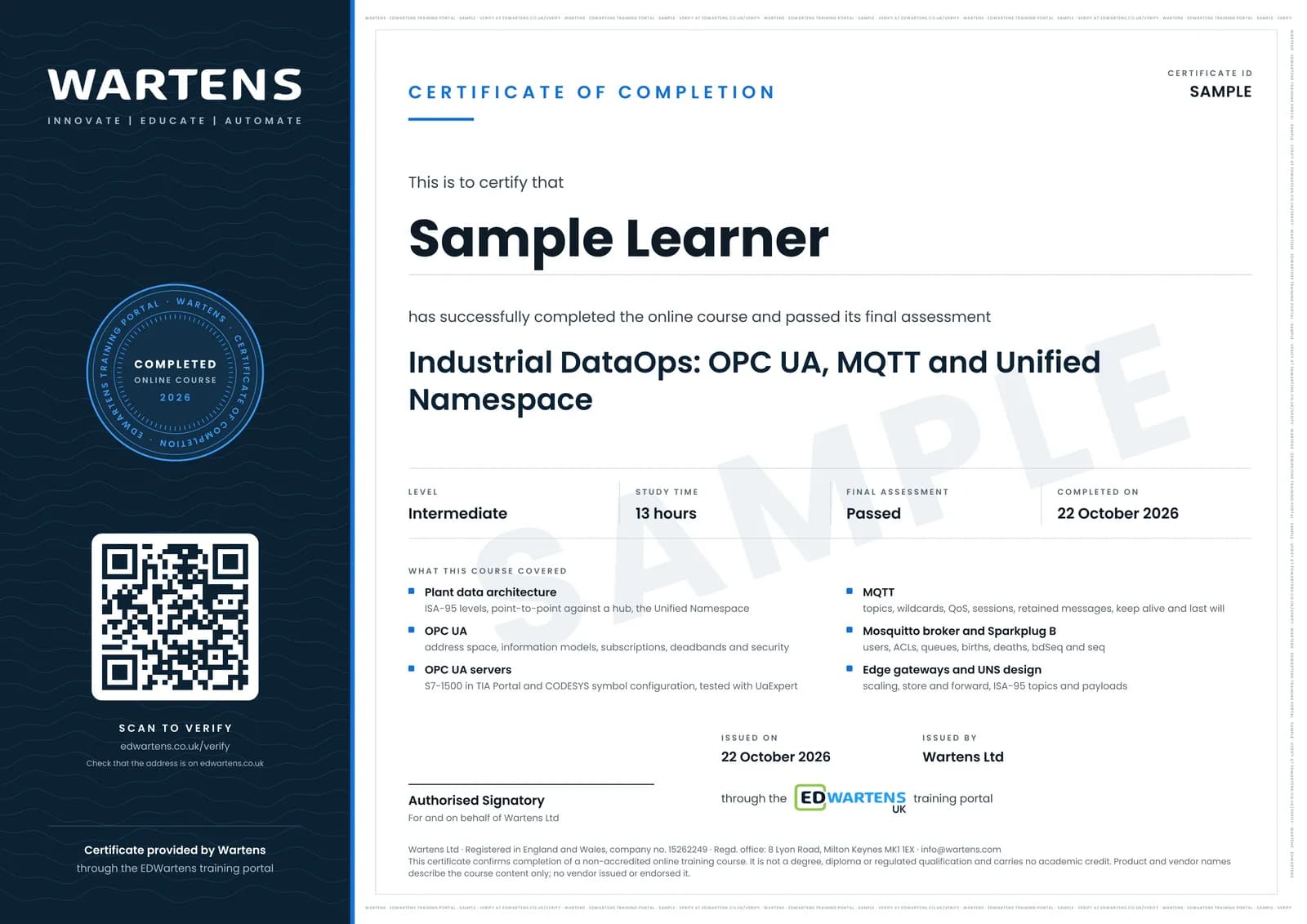
Sample certificate. Optional, issued when you pass the final exam.
- Level
- Intermediate
- Modules
- 14
- Video
- 18 hours
- Price
- Free
Outcome
What you will be able to do
Explain why plants move from point-to-point integration to a Unified Namespace; read and build OPC UA information models; configure OPC UA subscriptions and security and enable the server on an S7-1500 or CODESYS controller; use MQTT QoS, retained messages, persistent sessions and last will correctly; run and secure a Mosquitto broker; read and write Sparkplug B topics and explain its state management; design an edge gateway and scale raw PLC values; design an ISA-95 topic hierarchy and payload convention; build reusable data models and derived KPIs such as OEE; historise UNS data with Telegraf, InfluxDB and Grafana; and secure the data path with TLS, ACLs and IEC 62443 zones and conduits.
- Explain why a Unified Namespace beats point-to-point integration, using the ISA-95 levels
- Browse and model OPC UA address spaces, and configure subscriptions, deadbands and SignAndEncrypt security
- Enable and test the OPC UA server on an S7-1500 in TIA Portal and on a CODESYS controller with UaExpert
- Choose MQTT QoS, retained messages, persistent sessions, keep alive and last will for each kind of message
- Run Eclipse Mosquitto with users, ACLs and TLS, and size its offline queue
- Read and write Sparkplug B topics and explain births, deaths, bdSeq and seq
- Design an edge gateway, an ISA-95 topic tree and a payload convention, and compute OEE once from the namespace
- Historise UNS data with Telegraf, InfluxDB and Grafana, and draw IEC 62443 zones and conduits for the data path
Software
All free: Eclipse Mosquitto, MQTT Explorer, UaExpert (free OPC UA client, registration needed), Node-RED, the CODESYS Development System with CODESYS Control Win (demo mode), Telegraf, InfluxDB 3 Core and Grafana. Optional: TIA Portal with PLCSIM Advanced for the S7-1500 server, Kepware Server (2 hour demo mode, restartable) and Ignition Maker Edition (free for personal, non-commercial use).
Hardware
None. A laptop with 8 GB of RAM runs every exercise; a Raspberry Pi or a real S7-1500 or CODESYS controller is optional.
Syllabus
14 modules
Each module has video lessons, notes and a short quiz. The final exam closes the course.
- From the automation pyramid to a Unified Namespace4 lessonsLab
- OPC UA fundamentals: the address space and information models3 lessons
- OPC UA communication: services, subscriptions, security and PubSub3 lessonsLab
- OPC UA servers on real controllers: S7-1500 and CODESYS4 lessons
- MQTT fundamentals: brokers, clients and topics6 lessons
- MQTT reliability: QoS, sessions, retained messages and last will7 lessonsLab
- Running a broker: Mosquitto, authentication and MQTT Explorer3 lessons
- Sparkplug B: state-aware MQTT for operational technology7 lessons
- Edge gateways: getting PLC data into the namespace6 lessonsLab
- Designing the Unified Namespace: topic hierarchy and payloads5 lessons
- Industrial DataOps: models, contextualisation and governance3 lessons
- Historian and dashboards: Telegraf, InfluxDB and Grafana4 lessons
- Securing the data path: TLS, access control and IEC 62443 zones3 lessonsLab
- Final assessment1 lesson
How it works
How this course works
- Watch the video lessonsOne module at a time, at your own pace.
- Take the module quizA short quiz at the end of each module shows what stuck.
- Keep your notesWrite in My notes beside each module and ask the trainer if you are stuck.
- Practise in the labOptionalTry a task from the module in the EDWartens Lab, in your browser.
- Sit the final examPass it once you have been through the modules.
- Certificate, if you want oneOptionalPaid, and only after you pass. Anyone can check it online.
EDWartens Lab
Practise this in the EDWartens Lab
Practise the plant side of your data path: place every device on its level of the plant model, then split and lock down the network the data crosses.
Works alongside Industrial DataOps: OPC UA, MQTT and Unified Namespace. The Lab is ot security practice in your browser: no install, no hardware, free to use. Sign in as a learner and it opens with your account.
Levels to try with this course
OTS-01 · OT security lab
Map the plant network: put every device on its level
Open in the lab (opens in a new tab)OTS-02 · OT security lab
Zones and conduits: split a flat network
Open in the lab (opens in a new tab)OTS-03 · OT security lab
Firewall rules: the minimum, then deny by default
Open in the lab (opens in a new tab)PRC-09 · Process lab
Plant data to the dashboard: Modbus, OPC UA and MQTT
Open in the lab (opens in a new tab)
Optional. Skip it whenever you like: it never blocks your progress or your certificate.
Why practise in a lab
Technical work is judged on what you can do: wiring, commissioning, finding a fault. Doing a task yourself teaches more than watching it a second time, and a lab lets you try it safely before you meet real equipment. It does not replace working on real hardware.
- Practise safely, so a mistake costs nothing.
- The lab checks your work like a site test, so you know when it is right.
- Free, in your browser, with nothing to install.
Certificate
An optional certificate when you pass
Learning is free. Pass the final exam and you can have a certificate for £19, including VAT, with a number employers can check online. It records that you completed a free online course; it is not a regulated qualification or a CPD certificate.
- Your name, the course, its study time and your final exam score
- A unique certificate number and a QR code to its verification page
- Issued by Wartens Ltd; add it to your LinkedIn profile in one click
- Pay now or after you pass: it is issued the moment you pass the final
Credits
Who made the lessons
The video lessons belong to their creators. EDWartens wrote the study plan, notes, quizzes and the final exam.
- HiveMQ
the MQTT Essentials series (publish/subscribe, topics, QoS, persistent sessions, retained messages, last will, keep alive), the Sparkplug Essentials series and its Node-RED demo, the UNS Essentials lessons, the Architecting a Unified Namespace webinar, the MQTT security Q&A and the smart-factory UNS demo in the final
- Industry40tv
the Fundamentals of OPC UA series: how OPC UA works, information models and companion specifications, client/server communication, technology mapping and security, and PubSub over MQTT
- UMH
the Unified Namespace Basics series: the automation pyramid, event-driven architecture, the ISA-95 topic hierarchy, sending data to a broker, contextualisation and protocol converters
- 4.0 Solutions
Walker Reynolds on what the Unified Namespace is, an enterprise UNS example and the software categories used to build one
- HighByte
the webinars on industrial DataOps and data contextualisation and on how OPC UA accelerates a UNS
- InfluxData
the introduction to Telegraf, monitoring MQTT devices with Telegraf, and running Telegraf, InfluxDB 3 and Grafana in Docker
- AutomationStation
setting up the S7-1500 OPC UA server with UaExpert diagnostics, and configuring a Mosquitto 2 broker with user authentication
- System-Restored
the S7-1500 OPC UA standard server tutorial in TIA Portal
- WAGO Germany
configuring an OPC UA server and an OPC UA client in CODESYS 3.5
- Jim's Garage
the Mosquitto broker explanation and setup
- BINARYUPDATES
the MQTT Explorer tutorial
- Steve Cope
the beginners guide to MQTT Sparkplug
- Fusion Automate
the Kepware IoT Gateway MQTT agent lesson
- Edge Signal
the OPC UA server to cloud MQTT gateway demo
- RealPars
using Node-RED and MQTT on a PLCnext controller as an edge gateway
- Thetips4you
the full InfluxDB, Telegraf and Grafana setup for beginners
- Shawn Hymel
getting started with the Mosquitto broker with SSL/TLS certificates
- SolutionsPT
the webinar on network security zones and conduits
Questions
About this course
What is a Unified Namespace (UNS)?
Who is this industrial DataOps course for?
OPC UA or MQTT: which one should I learn?
Does the course cover MQTT Sparkplug B?
What software do I need, and is it free?
Is the course free to learn, and how long does it take?
What certificate do I get, and how is it verified?
Which standards does the course follow, and where are these skills used?
Want a live class and career support?
The Professional Module is five live days of Siemens PLC, HMI and SCADA with an instructor, then a resume session and a CPD certificate.