
Free course · CAD
GD&T to ASME Y14.5: Read, Apply and Inspect Drawings
Geometric dimensioning and tolerancing for engineers who design, make or inspect parts: why plus/minus tolerancing fails, Rule #1, ASME Y14.5-2018 and the ISO GPS equivalents, the feature control frame, datums, form, orientation, position with bonus tolerance and virtual condition, profile, runout, worst-case and RSS stack-ups, surface plate, gauge and CMM inspection, and GD&T in Fusion, Onshape and FreeCAD drawings.
Free to learn. Verifiable certificate £19 when you pass the final exam (optional, VAT included).
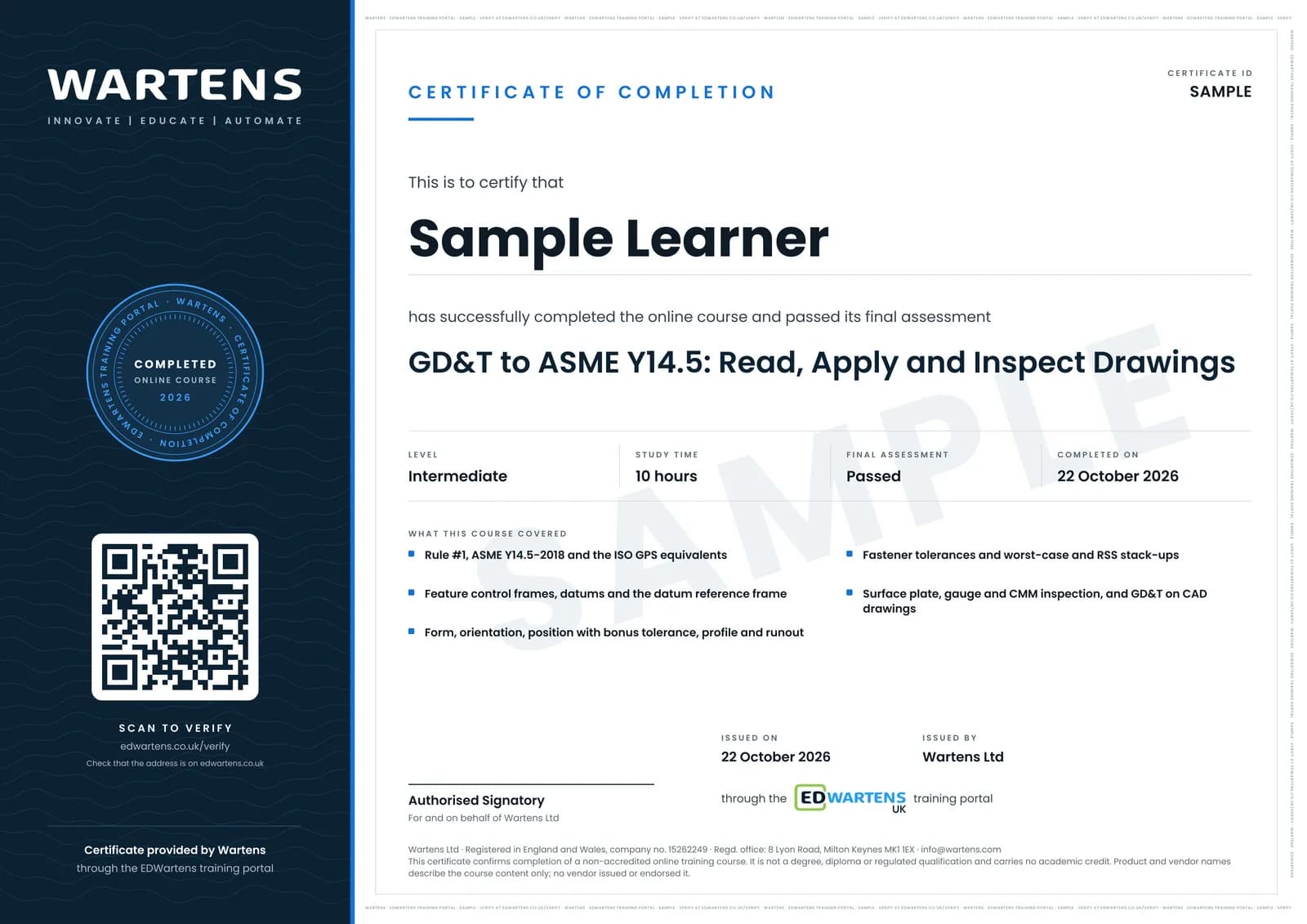
Sample certificate. Optional, issued when you pass the final exam.
- Level
- Intermediate
- Modules
- 13
- Video
- 17 hours
- Price
- Free
Outcome
What you will be able to do
Explain why plus/minus location tolerancing fails and what Rule #1 does; read any feature control frame in ASME Y14.5-2018 and recognise its ISO 1101 equivalent; choose datum features from function and build the datum reference frame; apply and inspect flatness, straightness, circularity, cylindricity, perpendicularity, parallelism and angularity; calculate position with bonus tolerance, virtual and resultant condition and fastener tolerances; read profile and composite frames; specify runout on a shaft; run worst-case and RSS stack-ups by hand and in a spreadsheet; plan inspection on a surface plate, with gauges and on a CMM; and annotate a drawing with GD&T in Fusion, Onshape or FreeCAD.
- Explain why plus/minus location tolerancing fails and what Rule #1 controls
- Read any feature control frame to ASME Y14.5-2018 and recognise its ISO GPS equivalent
- Choose datum features from function and build a datum reference frame
- Calculate bonus tolerance, virtual and resultant condition, and position from CMM coordinates
- Size position tolerances for floating and fixed fastener joints and functional gauges
- Interpret profile, composite position and runout frames on real parts
- Run worst-case and RSS tolerance stack-ups by hand and in a spreadsheet
- Plan inspection on a surface plate, with gauges and on a CMM, and annotate a drawing in Fusion, Onshape or FreeCAD
Software
A calculator and a spreadsheet (LibreOffice Calc is free) for the calculations and stack-ups. For the drawing module, any one of Autodesk Fusion (free personal-use licence), Onshape Free or FreeCAD 1.1 (free and open source).
Hardware
None. A dial indicator, a granite or thick glass plate and a vernier caliper make the inspection practice more real, but they are optional.
Syllabus
13 modules
Each module has video lessons, notes and a short quiz. The final exam closes the course.
- Why GD&T: the limits of plus and minus, Rule #1, ASME and ISO4 lessons
- The language: features of size, MMC, LMC, virtual condition and basic dimensions3 lessons
- Reading the feature control frame and its modifiers3 lessons
- Datums and the datum reference frame3 lessons
- Form: flatness, straightness, circularity and cylindricity3 lessons
- Orientation: perpendicularity, parallelism and angularity2 lessons
- Position: true position, bonus tolerance, virtual condition and fasteners4 lessons
- Profile, composite tolerancing and position patterns4 lessons
- Runout, coaxiality and what changed in 20183 lessons
- Tolerance stack-ups: worst case and RSS4 lessons
- Inspection: surface plates, gauges and the CMM5 lessons
- GD&T in CAD drawings, a drawing review and the road to GDTP4 lessons
- Final assessment1 lesson
How it works
How this course works
- Watch the video lessonsOne module at a time, at your own pace.
- Take the module quizA short quiz at the end of each module shows what stuck.
- Keep your notesWrite in My notes beside each module and ask the trainer if you are stuck.
- Sit the final examPass it once you have been through the modules.
- Certificate, if you want oneOptionalPaid, and only after you pass. Anyone can check it online.
Certificate
An optional certificate when you pass
Learning is free. Pass the final exam and you can have a certificate for £19, including VAT, with a number employers can check online. It records that you completed a free online course; it is not a regulated qualification or a CPD certificate.
- Your name, the course, its study time and your final exam score
- A unique certificate number and a QR code to its verification page
- Issued by Wartens Ltd; add it to your LinkedIn profile in one click
- Pay now or after you pass: it is issued the moment you pass the final
Credits
Who made the lessons
The video lessons belong to their creators. EDWartens wrote the study plan, notes, quizzes and the final exam.
- R. Dean Odell
the backbone of the course: GD&T Lessons 1 to 8 (key concepts, form, orientation, datums, runout, profile, position and advanced position), Rule #1, reading frames, MMC, LMC and RFS, bonus tolerance, the projected zone, choosing datums, profile zone disposition, composite frames, coaxial controls, fixed fasteners, stack-ups, inspection, the GDTP Senior exam and the interview recap in the final
- GD&T Basics - Engineer Essentials
true position against coordinate dimensions, the MMC formula, datums and degrees of freedom, flatness, circularity, virtual condition, the removal of concentricity, chain and baseline dimensioning, go and no-go gauging, CMM part set-up and functional gauging
- Straight To The Point Engineering
the ten-minute introduction to GD&T that opens the course
- GeoTolPro
the comparison of the ASME envelope principle with ISO independency
- The Efficient Engineer
the animated overview of GD&T, tolerance zones and material conditions
- Dimensional Control Systems
the lesson on statistical, RSS and worst-case tolerance analysis
- Joko Engineeringhelp
GD&T tools in FreeCAD TechDraw
- Brian Acquesta
GD&T on Onshape drawings
- Orzel Technologies
placing feature control frames in Autodesk Fusion drawings
Questions
About this course
What is the UK drawing standard?
Who is this GD&T course for?
Is the course free to learn?
Does it follow ASME Y14.5 or ISO GPS?
Does this course give me ASME GDTP certification?
Do I need CAD software?
Does it cover inspection and CMMs?
How long does the course take?
What is the project?
Want a live class and career support?
The Professional Module is five live days of Siemens PLC, HMI and SCADA with an instructor, then a resume session and a CPD certificate.