
Free course · IIoT
ESP32 Industrial IoT: Sensors to MQTT Dashboards
Build a field-ready ESP32 monitoring node the way an industrial job needs it: the ESP32 family and the Arduino-ESP32 3.x core, GPIO, 24 V inputs, relays and PWM, the ADC and external converters, 4-20 mA and 0-10 V signals with NAMUR NE 43 checks, Modbus RTU over RS-485 and Modbus TCP, MQTT with JSON, last will and TLS, watchdogs, FreeRTOS tasks and store-and-forward, OTA and deep sleep, 24 V power, surge and EMC protection, Node-RED, InfluxDB and Grafana dashboards, and a tank level monitor capstone.
Free to learn. Verifiable certificate £19 when you pass the final exam (optional, VAT included).
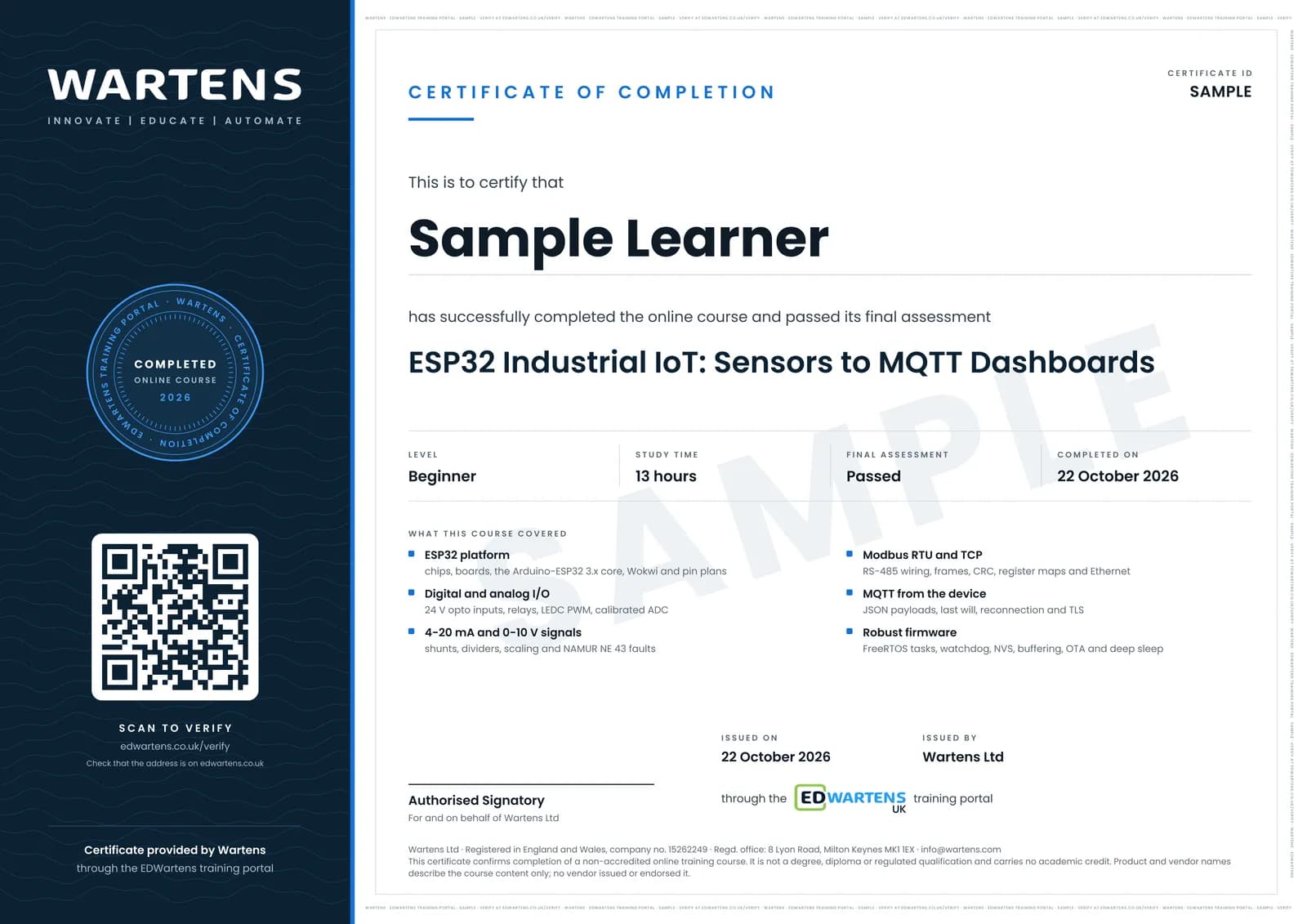
Sample certificate. Optional, issued when you pass the final exam.
- Level
- Beginner
- Modules
- 13
- Video
- 21 hours
- Price
- Free
Outcome
What you will be able to do
Choose an ESP32 board for a field job and plan its pins around flash, strapping, input-only and ADC2 restrictions; write non-blocking Arduino-ESP32 3.x firmware for 24 V inputs, interrupts, relays and LEDC PWM; read calibrated millivolts and add an ADS1115 where accuracy demands it; condition and scale 4-20 mA and 0-10 V signals and report NE 43 faults; poll meters over Modbus RTU and serve or read Modbus TCP over Wi-Fi or Ethernet; publish JSON over MQTT with a retained last will, safe reconnects and TLS; keep a node alive with watchdogs, tasks, NVS settings and store-and-forward; update it over the air and run it from a battery; power and protect it in a 24 V panel; build dashboards with alarms that operators trust; and commission and document a tank level monitor.
- Plan ESP32 pins for a field node around flash, strapping, input-only and ADC2 rules
- Read 24 V contacts through optocouplers, count pulses with interrupts and drive relays and LEDC PWM on the 3.x core
- Read calibrated millivolts, scale 4-20 mA and 0-10 V signals and report NAMUR NE 43 faults
- Wire RS-485 correctly and poll Modbus RTU meters, and build Modbus TCP frames over Wi-Fi or Ethernet
- Publish JSON over MQTT with a retained last will, non-blocking reconnects and TLS
- Keep a node alive with FreeRTOS tasks, the task watchdog, NVS settings and store-and-forward
- Update firmware over the air, estimate battery life from deep sleep, and power and protect a node in a 24 V panel
- Build Node-RED, InfluxDB and Grafana dashboards with trustworthy alarms, and commission a tank level monitor
Software
All free: Arduino IDE 2 with the Arduino-ESP32 core 3.x (boards manager URL https://espressif.github.io/arduino-esp32/package_esp32_index.json), the Wokwi online simulator, the PubSubClient, ArduinoJson and ModbusMaster libraries, Eclipse Mosquitto, MQTT Explorer, Node-RED with the FlowFuse Dashboard (Dashboard 2.0), InfluxDB and Grafana. ESP-IDF (Apache 2.0) is introduced for reference.
Hardware
Optional: every exercise runs in the Wokwi simulator. To build a real node: an ESP32 development board, a TTL to RS-485 module, a 120 ohm 0.1 percent shunt, a 4-20 mA transmitter or loop calibrator, a 24 V DC supply and a buck converter; an ESP32 Ethernet board (WT32-ETH01 or W5500) is useful but not required.
Syllabus
13 modules
Each module has video lessons, notes and a short quiz. The final exam closes the course.
- The ESP32 for industrial IoT: chips, boards, Arduino IDE and Wokwi4 lessons
- Digital I/O: GPIO, interrupts, 24 V inputs, relays and PWM4 lessons
- Analog inputs: the ESP32 ADC, calibration and external ADCs4 lessons
- 4-20 mA and 0-10 V signals: shunts, dividers, scaling and faults4 lessonsLab
- Modbus RTU over RS-485: wiring, frames and polling meters5 lessonsLab
- Networking the node: Wi-Fi, Ethernet and Modbus TCP4 lessonsLab
- MQTT from the ESP32: PubSubClient, JSON, last will and TLS6 lessonsLab
- Firmware that survives the field: watchdogs, tasks and store-and-forward4 lessons
- OTA updates and low power: ArduinoOTA, HTTP update and deep sleep3 lessons
- E3210: Hardware for the panel: 24 V power, protection, EMC and enclosures6 lessons
- E3211: Dashboards: Mosquitto, Node-RED Dashboard 2.0, InfluxDB and Grafana5 lessons
- E3212: Capstone: an ESP32 tank level monitor from transmitter to dashboard3 lessonsLab
- E3213: Final assessment1 lesson
How it works
How this course works
- Watch the video lessonsOne module at a time, at your own pace.
- Take the module quizA short quiz at the end of each module shows what stuck.
- Keep your notesWrite in My notes beside each module and ask the trainer if you are stuck.
- Practise in the labOptionalTry a task from the module in the EDWartens Lab, in your browser.
- Sit the final examPass it once you have been through the modules.
- Certificate, if you want oneOptionalPaid, and only after you pass. Anyone can check it online.
EDWartens Lab
Practise this in the EDWartens Lab
Practise the field-side half of your sensor node: wire a 4 to 20 mA level transmitter, scale it and see why a broken loop must read as a fault.
Works alongside ESP32 Industrial IoT: Sensors to MQTT Dashboards. The Lab is control panel build practice in your browser: no install, no hardware, free to use. Sign in as a learner and it opens with your account.
Levels to try with this course
Panel Lab
Commission the 4-20 mA level loop
Open in the lab (opens in a new tab)PRC-02 · Process lab
Loop check
Open in the lab (opens in a new tab)PRC-09 · Process lab
Plant data to the dashboard: Modbus, OPC UA and MQTT
Open in the lab (opens in a new tab)
Optional. Skip it whenever you like: it never blocks your progress or your certificate.
Why practise in a lab
Technical work is judged on what you can do: wiring, commissioning, finding a fault. Doing a task yourself teaches more than watching it a second time, and a lab lets you try it safely before you meet real equipment. It does not replace working on real hardware.
- Practise safely, so a mistake costs nothing.
- The lab checks your work like a site test, so you know when it is right.
- Free, in your browser, with nothing to install.
Certificate
An optional certificate when you pass
Learning is free. Pass the final exam and you can have a certificate for £19, including VAT, with a number employers can check online. It records that you completed a free online course; it is not a regulated qualification or a CPD certificate.
- Your name, the course, its study time and your final exam score
- A unique certificate number and a QR code to its verification page
- Issued by Wartens Ltd; add it to your LinkedIn profile in one click
- Pay now or after you pass: it is issued the moment you pass the final
Credits
Who made the lessons
The video lessons belong to their creators. EDWartens wrote the study plan, notes, quizzes and the final exam.
- DIY TechRush
getting started with an ESP32 board in the Arduino IDE, controlling relay boards, and connecting the ESP32 to Wi-Fi
- Hardware.ai
the ESP32 chip family explained in under 500 seconds
- PrivAI Compute Labs
which ESP32 to buy: the S2, S3, C3, C6 and H2 compared
- Programming Electronics Academy
the Wokwi ESP32 simulator, OTA updates with the ESP32, and getting started with deep sleep
- Paul McWhorter
pushbuttons with pull-up and pull-down resistors, pulse width modulation, and reading analog voltages (Arduino tutorials 27, 8 and 10)
- Andreas Spiess
ESP32 interrupts and deep sleep under the hood, how good the ESP32 ADC is against an ADS1115, RS-485 Modbus sensors on an ESP32, and working with FreeRTOS
- G6EJD - David
the ESP32 ADC's advanced functions and calibration
- How To Electronics
the ADS1115 16-bit ADC with the ESP32, and reading sensor data over Modbus RTU
- Texas Instruments
4-20 mA current loop transmitters, what RS-485 is, TVS diode specifications and the IEC 61000-4-5 surge standard
- RealPars
2-wire and 4-wire transmitter output loops
- Werewolf Wu
a 4-20 mA sensor explained with a simple microcontroller example
- Impulse Tech
connecting an industrial 4-20 mA sensor to an ESP32 for monitoring
- ICP DAS USA, Inc.
Modbus in two minutes, RTU against TCP (also the final recap)
- Antony Cartwright (Electronics & Code)
making Modbus work on an ESP32 over RS-485
- DroneBot Workshop
Ethernet and Power over Ethernet with the ESP32, ESP32 non-volatile storage, OTA updates, and the ESP32 Guide 2026 for choosing a board
- Yaser Ali Husen
uploading code to a WT32-ETH01 Ethernet board, and a Modbus TCP server with Node-RED as the client
- IoT Bhai
a beginner's guide to the ESP32 and MQTT
- OhioIoT
connecting and publishing with the PubSubClient library
- High Voltages
simulating an ESP32 MQTT project in Wokwi
- HiveMQ
setting up TLS for a cloud MQTT broker
- IoT Frontier
mutual TLS between an ESP32 and Node-RED, an ESP32 MQTT dashboard in Node-RED, a Node-RED, InfluxDB and Grafana dashboard, and the end-to-end capstone-style project
- Kolban Technical Tutorials
how the ESP32 watchdogs work
- Simply Explained
multitasking with FreeRTOS on the ESP32
- KARTIS
how to power microcontroller projects properly
- Nexperia
the basics of ESD and TVS protection
- Hans Rosenberg
the PCB grounding mistakes that cause noise problems
- DonskyTech
installing and testing the Mosquitto broker on Windows
- Steve Cope
an introduction to Node-RED Dashboard 2
- Michael Klements
a Grafana dashboard fed by an ESP32 through InfluxDB
- Tech StudyCell
an ESP32 water level monitoring system
- Electronic Clinic
water level monitoring with a waterproof ultrasonic sensor and an ESP32
Questions
About this course
What does this ESP32 industrial IoT course teach?
Who is this ESP32 IoT course for, and what do I need to know first?
Do I need an ESP32 board or other hardware?
What software does the course use, and is it free?
Is the course free to learn, and how long does it take?
What certificate do I get, and how is it verified?
Which standards and protocols does the course follow?
How is this different from the Industrial DataOps, Node-RED and OpenPLC courses?
Want a live class and career support?
The Professional Module is five live days of Siemens PLC, HMI and SCADA with an instructor, then a resume session and a CPD certificate.