
Free course · Cybersecurity
Cybersecurity Fundamentals for Beginners
Start in cybersecurity from zero: the eight security domains, the CIA triad, risk with the NIST and NCSC frameworks, Cyber Essentials, UK GDPR and the Computer Misuse Act, networks and firewalls, Linux and access control, malware, incident response, and honest advice on a first job. Built on Google's public Cybersecurity Certificate lessons.
Free to learn. Verifiable certificate £19 when you pass the final exam (optional, VAT included).
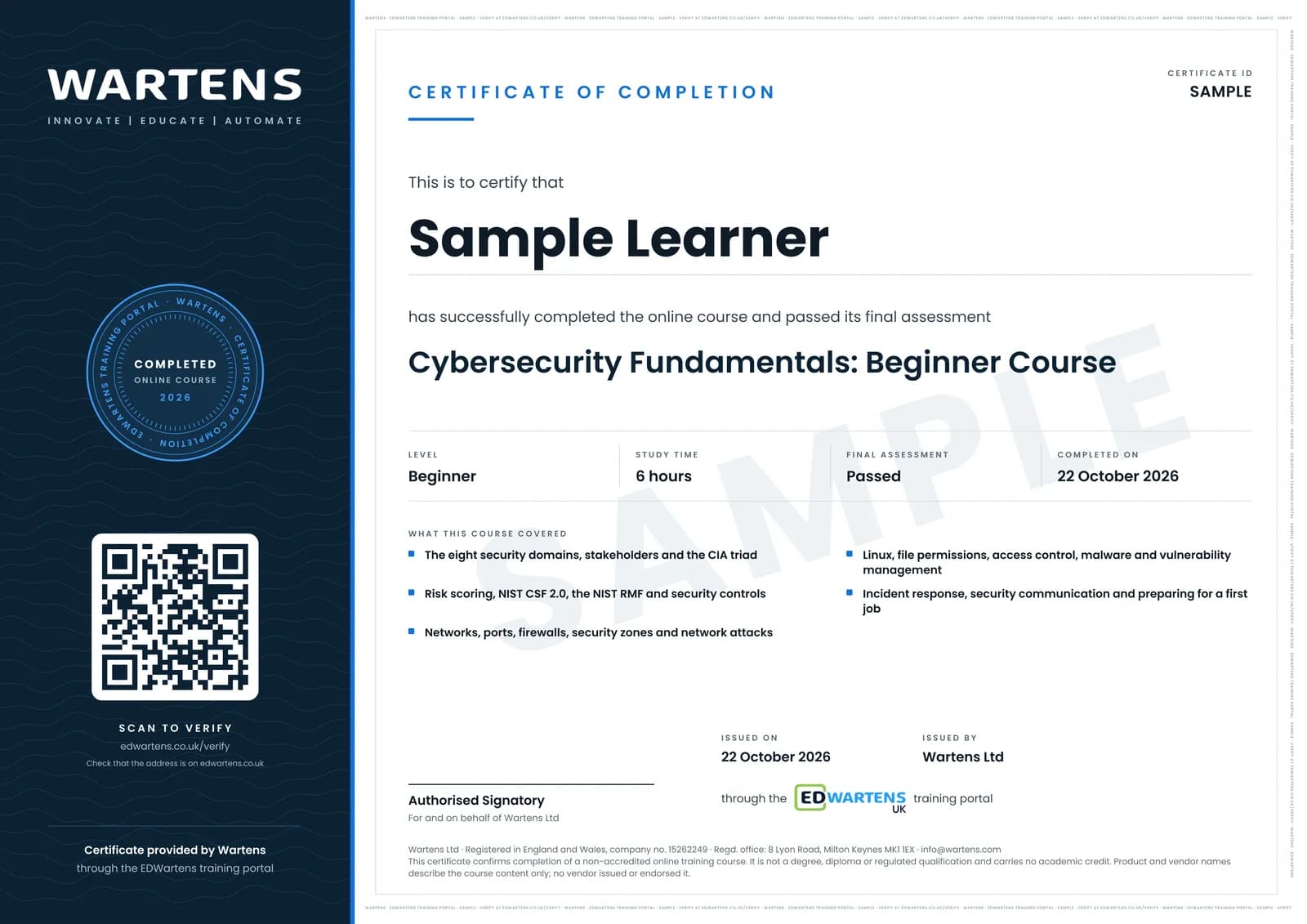
Sample certificate. Optional, issued when you pass the final exam.
- Level
- Beginner
- Modules
- 9
- Video
- 8 hours
- Price
- Free
Outcome
What you will be able to do
Explain the eight security domains and the CIA triad; assess a risk and pick controls using NIST CSF, the NIST RMF and the NCSC's 10 Steps and Cyber Essentials; describe how networks work, how firewalls and zones protect them and how common network attacks unfold; read Linux file permissions and apply least privilege; explain symmetric and asymmetric encryption and hashing; recognise malware types and prioritise vulnerabilities by CVSS; follow the incident response lifecycle, know when a UK personal data breach must be reported to the ICO, and write an incident summary a manager can act on; and prepare honestly for an entry-level security interview.
- Explain the eight security domains and where an analyst fits
- Describe incidents using the CIA triad
- Score risks and use NIST CSF, the NIST RMF, the NCSC 10 Steps and Cyber Essentials
- Explain networks, ports, firewalls and security zones
- Read and set Linux file permissions and apply least privilege and MFA
- Recognise malware and prioritise vulnerabilities with CVSS
- Follow the incident response lifecycle and know when to report a breach to the ICO
- Write an incident summary and prepare a portfolio and STAR answers for a first security interview
Software
A free Linux environment (a virtual machine with Ubuntu, Windows Subsystem for Linux, or a browser-based Linux lab) and Wireshark. Everything used is free.
Hardware
Any laptop or desktop that can run a small virtual machine. 8 GB of RAM is comfortable.
Syllabus
9 modules
Each module has video lessons, notes and a short quiz. The final exam closes the course.
- The eight domains, and who a security analyst works with2 lessons
- Foundations of cybersecurity1 lesson
- Managing risks, threats and frameworks1 lesson
- Networks, and how to secure them4 lessonsLab
- Operating systems, Linux, access control and encryption4 lessons
- Malware, and how to prepare for it1 lessonLab
- Incidents: detection, response and telling the story3 lessonsLab
- Your first cybersecurity job2 lessons
- Final Assessment0 lessons
How it works
How this course works
- Watch the video lessonsOne module at a time, at your own pace.
- Take the module quizA short quiz at the end of each module shows what stuck.
- Keep your notesWrite in My notes beside each module and ask the trainer if you are stuck.
- Practise in the labOptionalTry a task from the module in the EDWartens Lab, in your browser.
- Sit the final examPass it once you have been through the modules.
- Certificate, if you want oneOptionalPaid, and only after you pass. Anyone can check it online.
EDWartens Lab
Practise this in the EDWartens Lab
Practise firewall rules, ranking weaknesses, reading logs and responding to an incident in the OT security lab, on a fictional plant network.
Works alongside Cybersecurity Fundamentals for Beginners. The Lab is ot security practice in your browser: no install, no hardware, free to use. Sign in as a learner and it opens with your account.
Levels to try with this course
OTS-03 · OT security lab
Firewall rules: the minimum, then deny by default
Open in the lab (opens in a new tab)OTS-06 · OT security lab
Patch or protect: choose within the maintenance window
Open in the lab (opens in a new tab)OTS-05 · OT security lab
Spot the intruder: the events that matter in a day's log
Open in the lab (opens in a new tab)OTS-08 · OT security lab
Incident drill: a simulated note on an operator screen
Open in the lab (opens in a new tab)
Optional. Skip it whenever you like: it never blocks your progress or your certificate.
Why practise in a lab
Technical work is judged on what you can do: wiring, commissioning, finding a fault. Doing a task yourself teaches more than watching it a second time, and a lab lets you try it safely before you meet real equipment. It does not replace working on real hardware.
- Practise safely, so a mistake costs nothing.
- The lab checks your work like a site test, so you know when it is right.
- Free, in your browser, with nothing to install.
Certificate
An optional certificate when you pass
Learning is free. Pass the final exam and you can have a certificate for £19, including VAT, with a number employers can check online. It records that you completed a free online course; it is not a regulated qualification or a CPD certificate.
- Your name, the course, its study time and your final exam score
- A unique certificate number and a QR code to its verification page
- Issued by Wartens Ltd; add it to your LinkedIn profile in one click
- Pay now or after you pass: it is issued the moment you pass the final
Credits
Who made the lessons
The video lessons belong to their creators. EDWartens wrote the study plan, notes, quizzes and the final exam.
- Grow with Google
the lessons "What are the 8 Cybersecurity Domains?", "Who are the Stakeholders in Cybersecurity?", "Cybersecurity for Beginners" and 15 more
Questions
About this course
Do I need any IT background?
Is this the Google Cybersecurity Certificate?
Does it cover UK law and guidance?
Will this get me a job?
Is the course really free?
What certificate do I get?
How long does it take?
How does it compare with Security+ or the Google certificate?
Want a live class and career support?
The Professional Module is five live days of Siemens PLC, HMI and SCADA with an instructor, then a resume session and a CPD certificate.