
Free course · Cybersecurity
Cybersecurity for Building Automation: BMS and BACnet
Secure the building management systems you design, install or run: real building hacks, BMS network architecture and its weak points, hardening controllers and front ends, secure design with zones and conduits, BACnet Secure Connect, defence in depth for BACnet/IP, secure vendor remote access and zero trust.
Free to learn. Verifiable certificate £19 when you pass the final exam (optional, VAT included).
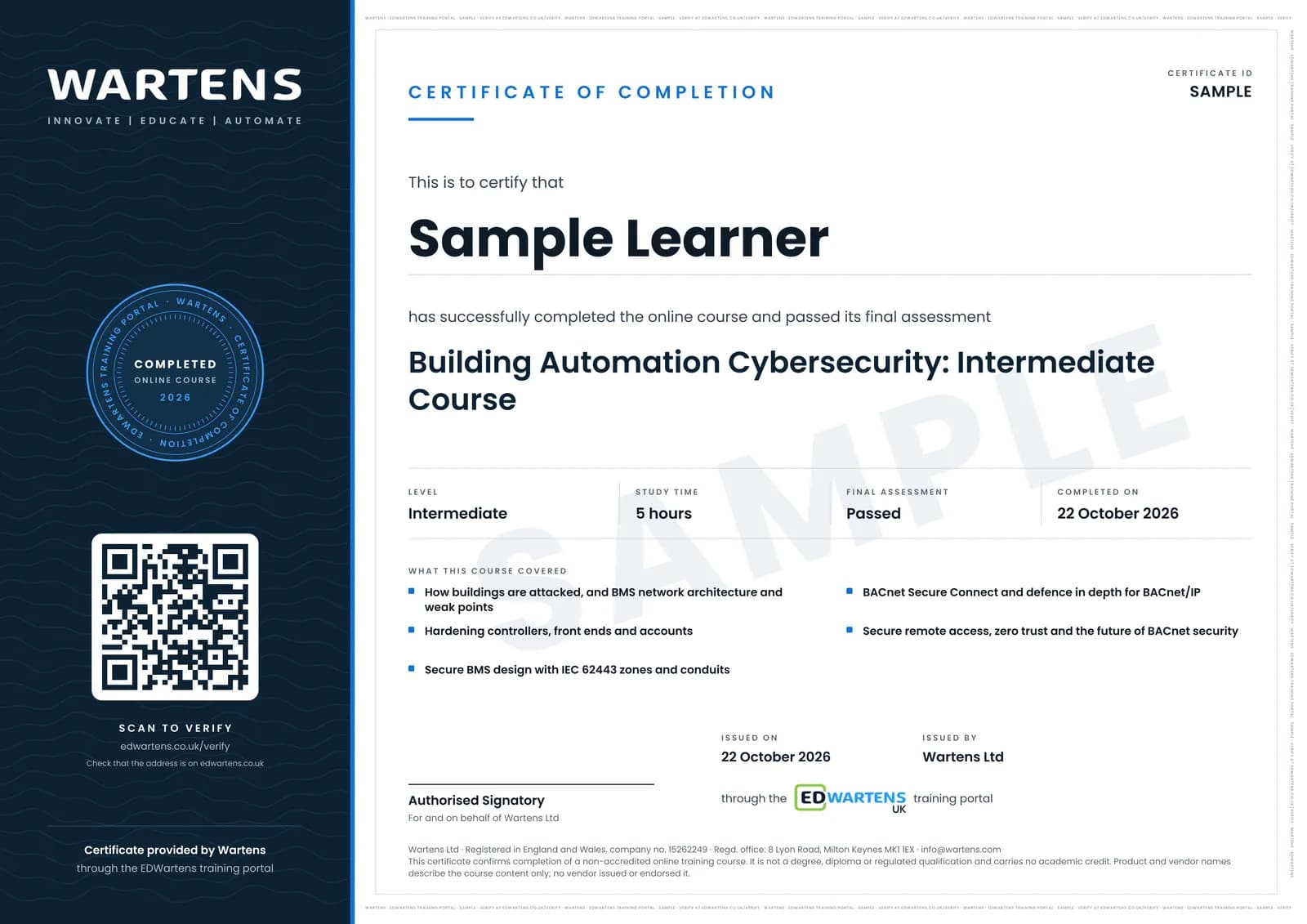
Sample certificate. Optional, issued when you pass the final exam.
- Level
- Intermediate
- Modules
- 9
- Video
- 8 hours
- Price
- Free
Outcome
What you will be able to do
Explain how buildings have been attacked and why the BMS can be a way into the business; describe a BMS network from management to field level and find its weak points; harden controllers, servers and workstations; design a secure BMS with zones, conduits and security requirements in the specification; explain and plan BACnet Secure Connect with its hubs and certificates; secure existing BACnet/IP systems in depth; design secure vendor remote access; and plan the move to authenticated, authorised and audited BACnet.
- Explain how buildings have been hacked and why a BMS can be a way into the business
- Describe BMS architecture and find the weak points in BACnet, Modbus and MS/TP networks
- Harden controllers, servers and accounts in the building's priorities
- Design a secure BMS with IEC 62443 zones, conduits and specification clauses
- Explain and plan BACnet Secure Connect with hubs and certificates
- Secure existing BACnet/IP systems in depth
- Design secure, time-limited vendor remote access
- Plan authorisation, audit logging and a phased migration
Software
None required. Wireshark (free) is useful for looking at BACnet traffic on a test network you own.
Hardware
None. A spare BACnet controller on a bench network makes the hardening exercises more real.
Syllabus
9 modules
Each module has video lessons, notes and a short quiz. The final exam closes the course.
- Buildings that got hacked4 lessons
- How a BMS network is built, and where it is weak2 lessonsLab
- Cyber security for building automation1 lesson
- Designing a secure building management system1 lessonLab
- BACnet Secure Connect3 lessons
- Securing BACnet systems in depth1 lessonLab
- Segmentation, remote access and zero trust3 lessonsLab
- Where BACnet security is going1 lesson
- Final Assessment1 lesson
How it works
How this course works
- Watch the video lessonsOne module at a time, at your own pace.
- Take the module quizA short quiz at the end of each module shows what stuck.
- Keep your notesWrite in My notes beside each module and ask the trainer if you are stuck.
- Practise in the labOptionalTry a task from the module in the EDWartens Lab, in your browser.
- Sit the final examPass it once you have been through the modules.
- Certificate, if you want oneOptionalPaid, and only after you pass. Anyone can check it online.
EDWartens Lab
Practise this in the EDWartens Lab
Map a plant network, find the odd device and set deny-by-default firewall rules in the Lab's OT security simulator.
Works alongside Cybersecurity for Building Automation: BMS and BACnet. The Lab is ot security practice in your browser: no install, no hardware, free to use. Sign in as a learner and it opens with your account.
Levels to try with this course
OTS-01 · OT security lab
Map the plant network: put every device on its level
Open in the lab (opens in a new tab)OTS-02 · OT security lab
Zones and conduits: split a flat network
Open in the lab (opens in a new tab)OTS-03 · OT security lab
Firewall rules: the minimum, then deny by default
Open in the lab (opens in a new tab)OTS-04 · OT security lab
Remote access: the vendor comes in through the DMZ
Open in the lab (opens in a new tab)
Optional. Skip it whenever you like: it never blocks your progress or your certificate.
Why practise in a lab
Technical work is judged on what you can do: wiring, commissioning, finding a fault. Doing a task yourself teaches more than watching it a second time, and a lab lets you try it safely before you meet real equipment. It does not replace working on real hardware.
- Practise safely, so a mistake costs nothing.
- The lab checks your work like a site test, so you know when it is right.
- Free, in your browser, with nothing to install.
Certificate
An optional certificate when you pass
Learning is free. Pass the final exam and you can have a certificate for £19, including VAT, with a number employers can check online. It records that you completed a free online course; it is not a regulated qualification or a CPD certificate.
- Your name, the course, its study time and your final exam score
- A unique certificate number and a QR code to its verification page
- Issued by Wartens Ltd; add it to your LinkedIn profile in one click
- Pay now or after you pass: it is issued the moment you pass the final
Credits
Who made the lessons
The video lessons belong to their creators. EDWartens wrote the study plan, notes, quizzes and the final exam.
- Instrumentation Tools
the lessons on building automation and control systems, network segmentation and secure remote access
- Siemens Knowledge Hub
the overview of security in smart buildings and the two lessons on BACnet Secure Connect
- BACnet International
the lessons on cybersecurity for BACnet building automation systems and future directions for BACnet security
- Smart Buildings Academy
the lessons on cyber security for building automation and BACnet/SC for secure networks
- Aayat Technical
the lesson on BMS networking and cyber security
- IBM Technology
the short explainer on zero trust
- IFSEC Insider
the lesson on smart buildings that were hacked
- Intelligent Buildings
the building cyber security primer
- Kaspersky
the lesson on designing cyber-secured building management systems
- Techno Service Co.
the closing lesson on building management system cybersecurity
- Cimetrics
the overview of cybersecurity for building automation systems
Questions
About this course
Who is this course for?
Is this a hacking course?
Is it tied to one BMS vendor?
Do I need BACnet/SC equipment?
Is the course really free?
What certificate do I get?
How long does the course take?
What is the project?
Want a live class and career support?
The Professional Module is five live days of Siemens PLC, HMI and SCADA with an instructor, then a resume session and a CPD certificate.