
Free course · CAD
AutoCAD 2D and 3D Fundamentals
Free AutoCAD course for beginners: draw, edit, dimension and plot 2D drawings, then model basic 3D parts. The certificate is optional and paid.
Free to learn. Verifiable certificate £19 when you pass the final exam (optional, VAT included).
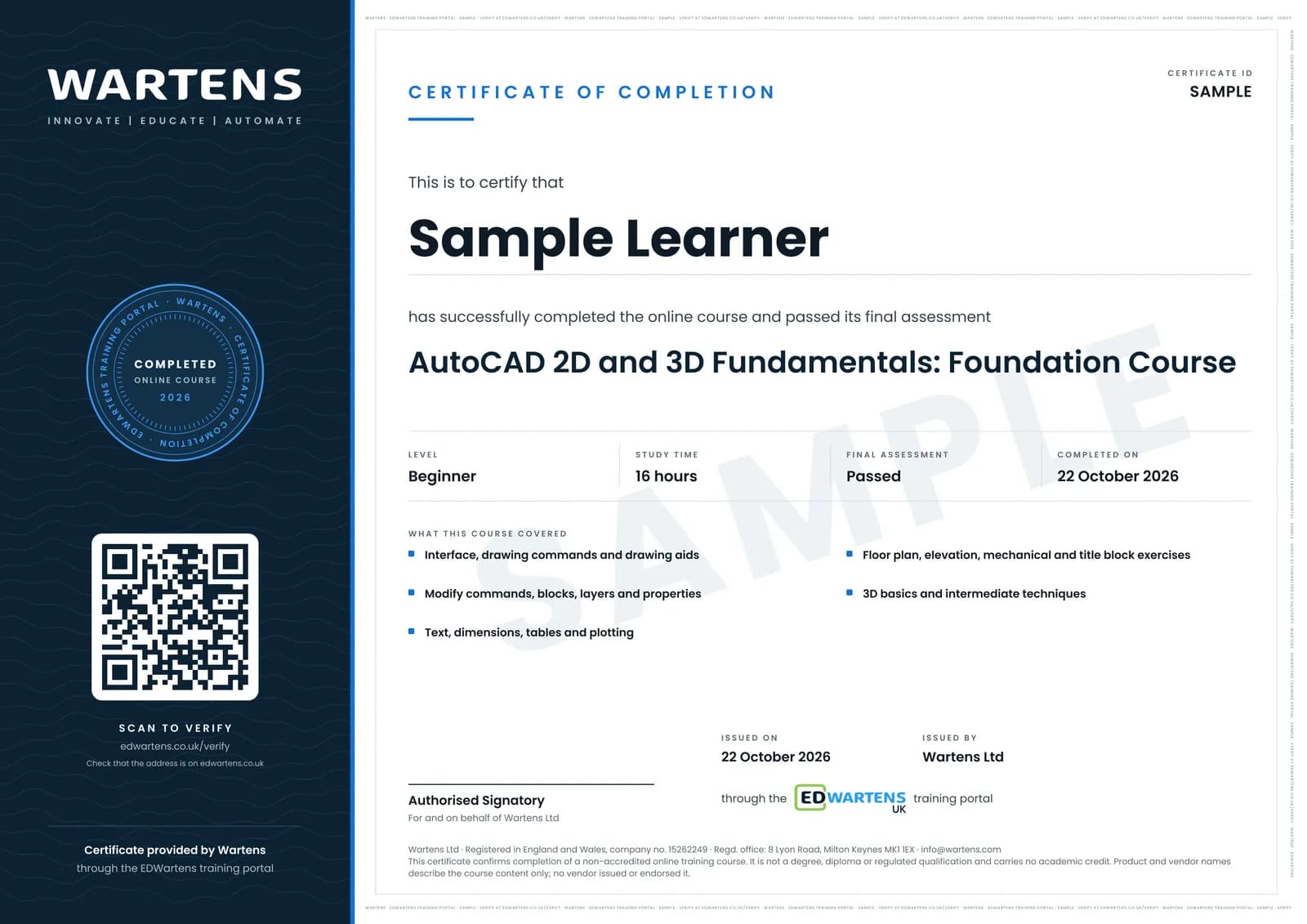
Sample certificate. Optional, issued when you pass the final exam.
- Level
- Beginner
- Modules
- 11
- Video
- 22 hours
- Price
- Free
Outcome
What you will be able to do
Navigate AutoCAD, draw with lines, arcs, polylines, circles and hatches, use snaps and drawing aids, modify with trim, extend, offset, fillet and arrays, build blocks, layers and properties, add text, dimensions, leaders and tables, plot from layouts, complete floor plans, elevations and mechanical drawings, model basic 3D and apply intermediate workflow techniques.
- Navigate the interface, files, units and selection
- Draw with lines, arcs, polylines, circles and hatch using snaps
- Modify with trim, extend, offset, fillet and arrays
- Use blocks, attributes, xrefs, layers and properties
- Add text, dimensions, tables and plot from layouts
- Draw floor plans, elevations, mechanical parts and basic 3D
Software
AutoCAD (free education licence for students and educators, or a 15-day trial)
Hardware
None required.
Syllabus
11 modules
Each module has video lessons, notes and a short quiz. The final exam closes the course.
- Interface, Files, Units, Selection and Navigation6 lessons
- Drawing Commands12 lessons
- Drawing Aids: Snaps, Ortho, Reference Lines and Dynamic Input5 lessons
- Modify Commands15 lessons
- Blocks, Layers and Properties9 lessons
- Text, Dimensions, Leaders, Tables and Plotting12 lessons
- The Complete Beginner Course8 lessons
- Exercises: Floor Plan, Elevation, Mechanical and Title Block11 lessons
- 3D Basics10 lessons
- Intermediate Techniques: Not Staying a Beginner6 lessons
- Final Assessment1 lesson
How it works
How this course works
- Watch the video lessonsOne module at a time, at your own pace.
- Take the module quizA short quiz at the end of each module shows what stuck.
- Keep your notesWrite in My notes beside each module and ask the trainer if you are stuck.
- Sit the final examPass it once you have been through the modules.
- Certificate, if you want oneOptionalPaid, and only after you pass. Anyone can check it online.
Certificate
An optional certificate when you pass
Learning is free. Pass the final exam and you can have a certificate for £19, including VAT, with a number employers can check online. It records that you completed a free online course; it is not a regulated qualification or a CPD certificate.
- Your name, the course, its study time and your final exam score
- A unique certificate number and a QR code to its verification page
- Issued by Wartens Ltd; add it to your LinkedIn profile in one click
- Pay now or after you pass: it is issued the moment you pass the final
Credits
Who made the lessons
The video lessons belong to their creators. EDWartens wrote the study plan, notes, quizzes and the final exam.
- CADREGION Tutorials
the step-by-step AutoCAD tutorials for beginners
- CAD in black
the full AutoCAD beginners course and exercises
- CAD CAM Tutorials
the AutoCAD tutorials and training exercises
Questions
About this course
What jobs use AutoCAD?
Do I need a degree or a certification to work as a CAD drafter?
AutoCAD or AutoCAD Electrical?
Is AutoCAD free?
Is 3D covered?
Is the course really free?
What certificate do I get, and is it a vendor qualification?
Who made the video lessons?
How long does the course take?
Want a live class and career support?
The Professional Module is five live days of Siemens PLC, HMI and SCADA with an instructor, then a resume session and a CPD certificate.