
Free course · AI for professionals
AI for Project Managers: Planning, Risk and Reporting
Use ChatGPT, Claude, Gemini and Copilot on real project work: prompts built for project tasks, charters and scope from stakeholder notes, WBS and schedules you check yourself, estimates with honest ranges, risk registers with EMV, minutes and RAID logs, status reports for each audience, user stories for agile teams, the AI in Planner, Jira and Asana, and the confidentiality rules that come first.
Free to learn. Verifiable certificate £19 when you pass the final exam (optional, VAT included).
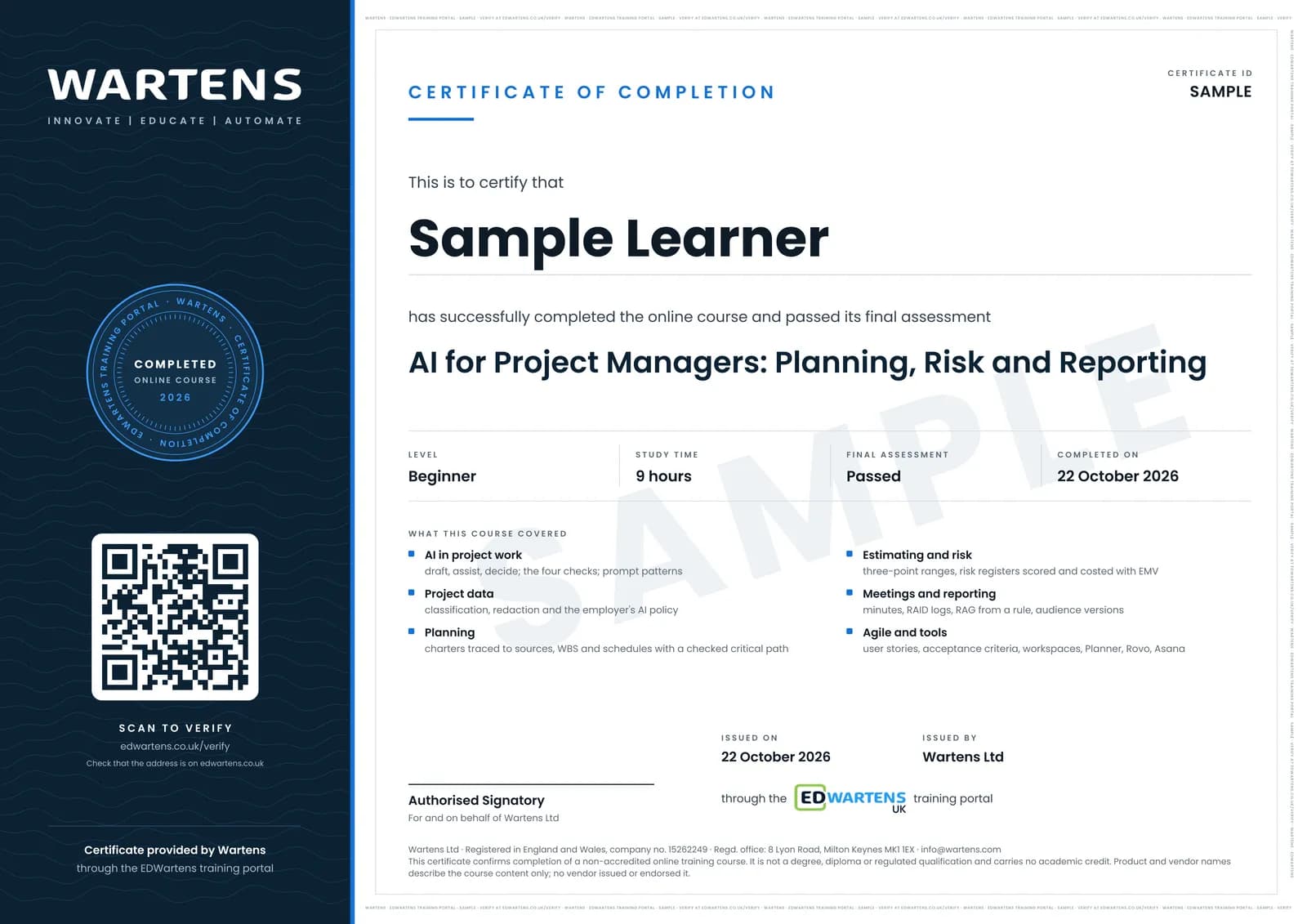
Sample certificate. Optional, issued when you pass the final exam.
- Level
- Beginner
- Modules
- 14
- Video
- 16 hours
- Price
- Free
Outcome
What you will be able to do
Decide which project tasks AI may draft, assist with or never decide; write prompts with role, context, task, format and checks; keep confidential project data out of public tools and follow your employer's AI policy; turn stakeholder notes into a charter and scope you have traced to sources; get a WBS and schedule drafted and prove its critical path yourself; build three-point estimates with ranges; generate, score and cost a risk register with EMV; turn meetings into minutes, actions and RAID logs; set status from a written RAG rule and tune reports to each audience; refine user stories and acceptance criteria; set up an AI workspace; judge the AI features in Planner, Jira and Asana; and measure the benefit with a team playbook.
- Sort project tasks into what AI may draft, what it may assist with and what a person must decide
- Write prompts with role, context, task, format and checks, and save them as templates
- Keep confidential client, commercial and personal data out of public AI tools
- Draft charters and scope from stakeholder notes and trace every statement to a source
- Check AI-drafted schedules for broken logic and calculate the critical path yourself
- Build three-point estimates and a risk register costed with expected monetary value
- Turn meetings into minutes, actions and RAID logs, and set report status from a written RAG rule
- Use AI in agile refinement, judge the AI in Planner, Jira and Asana, and measure the benefit
Software
A free account on at least one of ChatGPT, Claude, Gemini or Microsoft Copilot, and a spreadsheet (Excel, Google Sheets or LibreOffice Calc). ProjectLibre is optional. Microsoft 365 Copilot, Atlassian Rovo and Asana AI are shown in demonstrations, not required.
Hardware
A laptop or desktop with a browser.
Syllabus
14 modules
Each module has video lessons, notes and a short quiz. The final exam closes the course.
- Where AI helps a project manager, and where it must not decide3 lessons
- Prompt patterns for project work4 lessonsLab
- Data confidentiality and your organisation's AI policy4 lessonsLab
- Charter and scope from stakeholder notes4 lessons
- WBS and schedule drafting, then checking the logic5 lessonsLab
- Estimating with AI support, and its limits2 lessons
- Risk register: generation, scoring and response planning3 lessons
- Meetings to actions: minutes, action items and RAID logs5 lessons
- Status reports and stakeholder messages tuned by audience3 lessons
- AI in agile: backlog refinement, user stories, acceptance criteria and retrospectives6 lessons
- Your AI workspace: projects, files and custom assistants3 lessons
- AI features inside project management tools7 lessons
- Measuring the benefit, a team AI playbook, and the PMP 2026 link3 lessons
- Final assessment1 lesson
How it works
How this course works
- Watch the video lessonsOne module at a time, at your own pace.
- Take the module quizA short quiz at the end of each module shows what stuck.
- Keep your notesWrite in My notes beside each module and ask the trainer if you are stuck.
- Practise in the labOptionalTry a task from the module in the EDWartens Lab, in your browser.
- Sit the final examPass it once you have been through the modules.
- Certificate, if you want oneOptionalPaid, and only after you pass. Anyone can check it online.
EDWartens Lab
Practise this in the EDWartens Lab
Practise using AI on projects in the AI Workbench: structured prompts, personal data removed, and an AI schedule note checked for a wrong critical path and a missing dependency.
Works alongside AI for Project Managers: Planning, Risk and Reporting. The Lab is ai for industry practice in your browser: no install, no hardware, free to use. Sign in as a learner and it opens with your account.
Levels to try with this course
AIW-06 · AI Workbench
Prompt to spec
Open in the lab (opens in a new tab)AIW-10 · AI Workbench
Privacy first
Open in the lab (opens in a new tab)AIW-15 · AI Workbench
Check the AI's work: project management
Open in the lab (opens in a new tab)
Optional. Skip it whenever you like: it never blocks your progress or your certificate.
Why practise in a lab
Technical work is judged on what you can do: wiring, commissioning, finding a fault. Doing a task yourself teaches more than watching it a second time, and a lab lets you try it safely before you meet real equipment. It does not replace working on real hardware.
- Practise safely, so a mistake costs nothing.
- The lab checks your work like a site test, so you know when it is right.
- Free, in your browser, with nothing to install.
Certificate
An optional certificate when you pass
Learning is free. Pass the final exam and you can have a certificate for £19, including VAT, with a number employers can check online. It records that you completed a free online course; it is not a regulated qualification or a CPD certificate.
- Your name, the course, its study time and your final exam score
- A unique certificate number and a QR code to its verification page
- Issued by Wartens Ltd; add it to your LinkedIn profile in one click
- Pay now or after you pass: it is issued the moment you pass the final
Credits
Who made the lessons
The video lessons belong to their creators. EDWartens wrote the study plan, notes, quizzes and the final exam.
- Project Management Institute (PMI)
the lessons on ten ways AI tools boost project results, the CREATE prompt formula for project managers, tips for using generative AI tools, building a risk management plan with AI, and how project managers can thrive with AI
- PMPwithRay
the full tutorial on building a project risk register with ChatGPT, and the two reviews of AI tools for project managers used in the benefit module and the final
- Ricardo Vargas
using ChatGPT Projects as a project management workspace
- IT Project Managers
what AI is actually useful for in project management and what is hype
- Helena Liu
writing a project charter, a project management plan and user stories with ChatGPT
- Adriana Girdler
what a project status report should include
- Kevin Stratvert
the Claude Projects tutorial and the Atlassian Rovo agents tutorial for beginners
- Scott Brant
the Microsoft Planner Copilot agent for project management and automating Teams meeting notes with Copilot
- Google Workspace
the Gemini at Work lesson on AI for project management with Gemini and the grounded notebook
- Microsoft Copilot
the overview of Copilot experiences in Microsoft Planner
- Atlassian
Rovo in five minutes and how project managers use Rovo
- Asana
managing projects with Asana AI and what Asana AI Studio is
- CBT Nuggets
whether ChatGPT is safe for work and how enterprise AI compliance works
- 365 Data Science
how safe your data is when you use AI tools
- Simon Sez IT
ChatGPT prompts for everyday project management work
- iZenBridge Consultancy Pvt Ltd.
the workshop on AI for product owners working with user stories
- Tim Fairley
project scheduling with ChatGPT
- TeamGantt
turning a ChatGPT plan into a live, editable Gantt chart
- Tactiq
meeting minutes with ChatGPT and whether Claude can take meeting notes
- ClickUp
generating action items from meetings with ChatGPT
- Bulb Digital
Microsoft 365 Copilot for project managers, used for reporting
- Balanced PM
the estimating experiment comparing PMI Infinity, ChatGPT and Meta AI
- Chad Meyer
three AI estimates of the same plans, showing how far AI estimates spread
- Dr Sasha Nikolic
safety and risk analysis for project work with ChatGPT, Copilot and Gemini
- Alvin the PM - Become a Certified Project Manager
the RAID log explained
- Sustained Agility
AI for product owners: themes, epics and user stories
- Techcanvass
whether ChatGPT can write acceptance criteria for user stories
- Shefali Jain
real examples of AI for scrum masters and agile coaches
- AgileWoW
fixing sprint retrospectives with AI
- Blazing Zebra
project management with Claude's workspace features
- GANTT SCHOLAR
the breakdown of the July 2026 PMP exam content outline
- Project Leadership Institute
a project manager creating a WBS with ChatGPT
- ATCPM
a charter, WBS and Microsoft Project-ready schedule drafted in ChatGPT
- Learn with EngrWaqas
using ChatGPT alongside Primavera P6 for planning engineers
- Pieter Rademeyer
preparing a project scope statement with ChatGPT
- Work Smart Tech
weekly status reports with ChatGPT
- Max Mao
how AI is changing project management and the skills that matter
- Johannes Jolkkonen | Funktio AI
LLMs and data privacy in six minutes
- GRC Times
how to write a generative AI acceptable use policy
Questions
About this course
What is the AI for Project Managers course?
Who is this AI for project management course for?
Do I need AI, coding or paid software to start?
Is the course free to learn?
Is it safe to paste project documents into ChatGPT?
How long does the course take?
What certificate do I get, and does it count for the PMP or PDUs?
What job does this course help with?
Want a live class and career support?
The Professional Module is five live days of Siemens PLC, HMI and SCADA with an instructor, then a resume session and a CPD certificate.