
Free course · AI and machine learning
AI for PLC Programming: Structured Text, TIA Portal and Siemens Eigen
Use ChatGPT, Claude, local models and Siemens' TIA Portal agent to write, convert, document and test PLC code without trusting it blindly: Structured Text and SCL, specifications an AI can follow, importing generated code into TIA Portal, ladder and legacy conversion, CODESYS and TwinCAT interfaces, tag and alarm lists, simulation in PLCSIM and Factory I/O, TcUnit tests, a code review checklist and a team AI policy.
Free to learn. Verifiable certificate £19 when you pass the final exam (optional, VAT included).
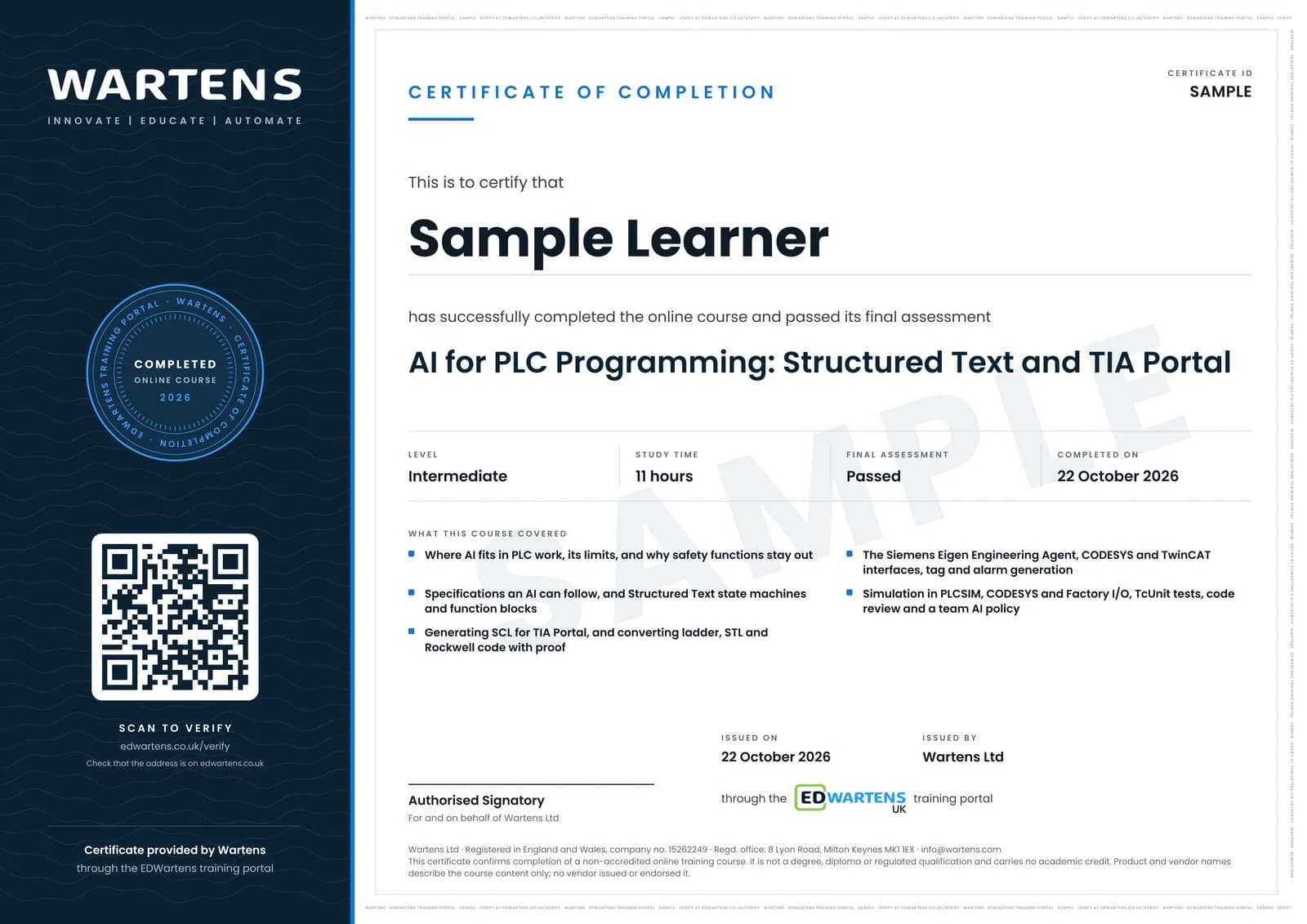
Sample certificate. Optional, issued when you pass the final exam.
- Level
- Intermediate
- Modules
- 13
- Video
- 18 hours
- Price
- Free
Outcome
What you will be able to do
Explain what an AI model can and cannot safely do in PLC work; refresh Structured Text and write CASE state machines and function blocks; write an I/O list, sequence and interlock table an AI can follow; generate SCL with ChatGPT or Claude, import it into TIA Portal and fix its compile errors; translate and explain ladder, FBD, STL and Rockwell code and prove the conversion with test cases; evaluate Siemens' Engineering Copilot TIA and Eigen Engineering Agent; use interfaces and methods in CODESYS and TwinCAT as prompts; generate tag tables, alarm lists and comments and check them; test AI code in PLCSIM, CODESYS and Factory I/O and with TcUnit unit tests; review code against a written checklist that covers scan time, race conditions, retentive data and safety; and set up a prompt library and an AI use policy for a controls team.
- Decide which PLC tasks to give an AI model and which never to, and why safety logic stays out
- Write an I/O list, sequence, interlock table and alarm list that an AI can code from without guessing
- Generate SCL with ChatGPT or Claude, import it into TIA Portal as an external source and fix its errors
- Convert ladder, STL and Rockwell code with AI and prove the conversion with input sequences
- Evaluate Siemens' Eigen Engineering Agent (formerly Engineering Copilot TIA) on real tasks
- Use CODESYS and TwinCAT interfaces as prompts, and give agents least-privilege tools
- Test AI code in PLCSIM, CODESYS and Factory I/O, and with TcUnit unit tests
- Review AI code against a checklist: double writes, edges, wiring sense, loops, retentive data and security
Software
CODESYS V3.5 (free) with its built-in simulator; the TIA Portal and PLCSIM trial licences from Siemens; Factory I/O (trial); TwinCAT 3 XAE (free download) with the open-source TcUnit library; a free tier of ChatGPT or Claude; Ollama (free) for a local model. The Siemens Eigen Engineering Agent has a one-month trial and is optional.
Hardware
A Windows PC that runs TIA Portal or CODESYS (16 GB of RAM is comfortable). No PLC is needed; everything runs in simulation. A local model needs more memory or a GPU; a cloud model needs none.
Syllabus
13 modules
Each module has video lessons, notes and a short quiz. The final exam closes the course.
- What AI can and cannot do for a PLC programmer3 lessons
- Structured Text refresher for AI work: types, function blocks and CASE state machines4 lessons
- Writing a PLC specification an AI can follow: I/O list, sequence and interlocks2 lessonsLab
- Generating SCL for TIA Portal with ChatGPT or Claude, then importing and compiling2 lessons
- Ladder, FBD and legacy code: translation, explanation and migration with AI5 lessonsLab
- Siemens AI in TIA Portal: Engineering Copilot TIA and the Eigen Engineering Agent6 lessons
- CODESYS and TwinCAT with AI: object-oriented function blocks and interfaces4 lessons
- AI for tag lists, alarms, comments and documentation3 lessons
- Simulate before the machine: PLCSIM, CODESYS and Factory I/O2 lessonsLab
- Unit tests for PLC code: TcUnit and test-driven work with AI4 lessons
- Code review checklist: scan time, race conditions, retentive data and safety4 lessonsLab
- A prompt library and a confidentiality policy, with local models as an option2 lessons
- Final Assessment1 lesson
How it works
How this course works
- Watch the video lessonsOne module at a time, at your own pace.
- Take the module quizA short quiz at the end of each module shows what stuck.
- Keep your notesWrite in My notes beside each module and ask the trainer if you are stuck.
- Practise in the labOptionalTry a task from the module in the EDWartens Lab, in your browser.
- Sit the final examPass it once you have been through the modules.
- Certificate, if you want oneOptionalPaid, and only after you pass. Anyone can check it online.
EDWartens Lab
Practise this in the EDWartens Lab
Write and test the same ladder logic in the Lab's PLC simulator, go online and force inputs. The Lab uses a vendor-neutral editor, so brand software stays in the course.
Works alongside AI for PLC Programming: Structured Text, TIA Portal and Siemens Eigen. The Lab is plc programming practice in your browser: no install, no hardware, free to use. Sign in as a learner and it opens with your account.
Levels to try with this course
PLC-01 · PLC lab
Motor start/stop with overload
Open in the lab (opens in a new tab)PLC-02 · PLC lab
Forward/reverse conveyor
Open in the lab (opens in a new tab)PLC-04 · PLC lab
Batch counter on a packing line
Open in the lab (opens in a new tab)PLC-08 · PLC lab
Duty and standby pumps
Open in the lab (opens in a new tab)
Optional. Skip it whenever you like: it never blocks your progress or your certificate.
Why practise in a lab
Technical work is judged on what you can do: wiring, commissioning, finding a fault. Doing a task yourself teaches more than watching it a second time, and a lab lets you try it safely before you meet real equipment. It does not replace working on real hardware.
- Practise safely, so a mistake costs nothing.
- The lab checks your work like a site test, so you know when it is right.
- Free, in your browser, with nothing to install.
Certificate
An optional certificate when you pass
Learning is free. Pass the final exam and you can have a certificate for £19, including VAT, with a number employers can check online. It records that you completed a free online course; it is not a regulated qualification or a CPD certificate.
- Your name, the course, its study time and your final exam score
- A unique certificate number and a QR code to its verification page
- Issued by Wartens Ltd; add it to your LinkedIn profile in one click
- Pay now or after you pass: it is issued the moment you pass the final
Credits
Who made the lessons
The video lessons belong to their creators. EDWartens wrote the study plan, notes, quizzes and the final exam.
- ControlByte Automation
ChatGPT writing PLC code, the TIA Portal and Claude Code workshop, the live LAD to SCL conversion, the Micro820 with AI workshop, CODESYS Python scripting with Claude, the CODESYS MCP server with Claude, and running a local model for PLC coding
- Tim Wilborne
ChatGPT doing PLC homework, and the lead/lag alternating pump quiz and its answer used for the specification exercise
- ACC Automation: PLC & Industrial Control Learning
the PLC challenge Claude gets subtly wrong, and seven common ladder logic mistakes
- SquishyBrained
the introduction to IEC 61131-3 and the Structured Text state machines lesson
- RealPars
the basics of Structured Text and which PLC language suits which job
- Tohid Alizadeh
the CODESYS state machine example in Structured Text
- Hegamurl
free AI code generation for TIA Portal, and the four PLC memory areas
- ELSCITECH
generating source files from STEP 7 and TIA Portal blocks and importing them
- PLCskilltree
moving from Studio 5000 to TIA Portal program execution, and the Eigen Engineering Agent free trial and set-up guide
- Grollmus | TIA Portal & Automatisierung
the introduction to the TIA Portal Copilot and the quick alarm analysis that creates an SCL block
- Siemens
the launch film introducing the Eigen Engineering Agent
- Siemens Knowledge Hub
the conversation with Michael Schrapp on the Eigen agent for automation engineering
- Antomatix
an independent test of whether the Eigen agent is any good on real tasks
- CODESYS Group
object-oriented industrial programming in CODESYS with practical examples
- Beckhoff Automation USA
TwinCAT Chat, the chat model inside TwinCAT engineering
- zeller automation and plc
exporting and importing TIA Portal PLC tags through Excel
- Engineering made Easy (Ing ME)
the introduction to TIA Portal Openness with block import and export
- Ngoza Automation Solutions
PLC simulation in PLCSIM with an S7-1200, including tag import and export
- plcgoods
linking CODESYS with Factory I/O for a sorting machine
- Jakob Sagatowski
the four-part unit testing in TwinCAT series with TcUnit
- Diligent Automation
four programming mistakes that cause intermittent machine faults
- S4 Events
the talk on secure coding practices for PLCs
- Hamed Adefuwa
connecting Claude to TIA Portal through a simple MCP server
- LEARNACON
the introduction to IEC 61131-3 used as the final review
Questions
About this course
Who is this AI for PLC programming course for?
Can ChatGPT or Claude write PLC code?
What is the Siemens Eigen Engineering Agent?
What software do I need?
Is the course free to learn?
How long does the course take?
What certificate do I get?
What should I take before or after this course?
Want a live class and career support?
The Professional Module is five live days of Siemens PLC, HMI and SCADA with an instructor, then a resume session and a CPD certificate.