
Free course · AI for professionals
AI for Electrical and MEP Design Engineers
How an electrical or MEP design engineer uses ChatGPT, Claude, Gemini and Copilot on real design work without handing over the engineering: checked calculations, cable sizing, specifications, BOQ, code look-up, Python scripts, PDF extraction and QA of AI output.
Free to learn. Verifiable certificate £19 when you pass the final exam (optional, VAT included).
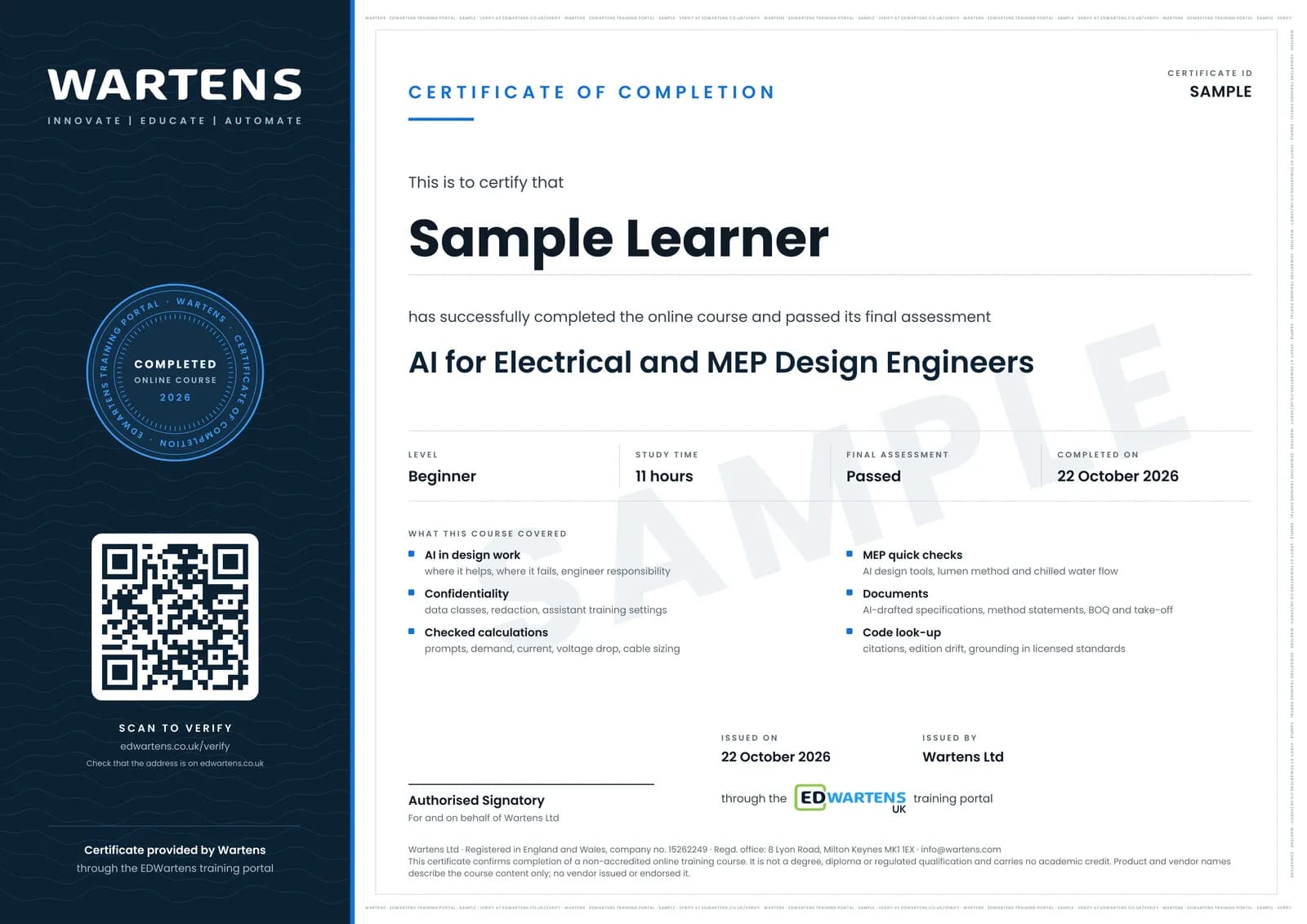
Sample certificate. Optional, issued when you pass the final exam.
- Level
- Beginner
- Modules
- 13
- Video
- 18 hours
- Price
- Free
Outcome
What you will be able to do
Decide which design tasks AI can speed up and which it must not own; keep client drawings and data confidential; write calculation prompts with inputs, units and method and check every answer by a second route; verify AI load, current, voltage drop and cable sizing results; check lighting and chilled water numbers; draft and review specifications and method statements; use AI on take-off and BOQ with reconciled counts; look up code requirements with editions and citations; write and test Python scripts for repetitive calculations; extract and reconcile data from PDFs and drawings; record a five-step review in a verification register; and build a personal design assistant.
- Sort design tasks into AI drafts, AI assists with checks, and AI must not own
- Keep client drawings and data confidential with the right plan, settings and redaction
- Write calculation prompts with inputs, units and method, and check every answer by a second route
- Catch the classic AI errors in current, maximum demand, voltage drop and cable sizing
- Draft and review specifications, method statements and BOQs with AI, with reconciled counts
- Look up code requirements with editions and citations, and spot edition drift
- Specify, test and run Python scripts for repetitive calculations and PDF data extraction
- Run a five-step review with a verification register and build a personal design assistant
Software
Any one AI assistant: ChatGPT, Claude, Gemini or Microsoft Copilot (free tiers work for most exercises; product and model names are as of October 2026 and change often). A spreadsheet (LibreOffice Calc is free). Python with pandas, openpyxl and pdfplumber for two modules, free in Google Colab with nothing to install.
Hardware
None. Any laptop with a browser is enough.
Syllabus
13 modules
Each module has video lessons, notes and a short quiz. The final exam closes the course.
- Where AI helps and where it fails in design work4 lessons
- Client data, confidentiality and a safe AI workspace3 lessonsLab
- Prompting for design calculations with independent checks3 lessons
- Load, current and cable sizing with an AI assistant, verified5 lessonsLab
- AI in MEP design tools, and quick checks for lighting and HVAC3 lessons
- Specifications and method statements with AI5 lessons
- Quantity take-off and BOQ with AI help4 lessonsLab
- Code and standard look-up: citations and their limits4 lessons
- Python scripts written with AI for repetitive calculations5 lessons
- Extracting data from PDFs and drawings4 lessons
- Quality assurance of AI output3 lessonsLab
- Building a personal design assistant4 lessons
- Final assessment1 lesson
How it works
How this course works
- Watch the video lessonsOne module at a time, at your own pace.
- Take the module quizA short quiz at the end of each module shows what stuck.
- Keep your notesWrite in My notes beside each module and ask the trainer if you are stuck.
- Practise in the labOptionalTry a task from the module in the EDWartens Lab, in your browser.
- Sit the final examPass it once you have been through the modules.
- Certificate, if you want oneOptionalPaid, and only after you pass. Anyone can check it online.
EDWartens Lab
Practise this in the EDWartens Lab
Practise the independent check an AI answer needs: size a motor circuit yourself in the MCC lab, and review AI text against its source in the AI Workbench.
Works alongside AI for Electrical and MEP Design Engineers. The Lab is ai for industry practice in your browser: no install, no hardware, free to use. Sign in as a learner and it opens with your account.
Levels to try with this course
MCC-03 · Substation and MCC lab
Size a motor circuit
Open in the lab (opens in a new tab)AIW-11 · AI Workbench
Check the AI's work: finance
Open in the lab (opens in a new tab)AIW-10 · AI Workbench
Privacy first
Open in the lab (opens in a new tab)
Optional. Skip it whenever you like: it never blocks your progress or your certificate.
Why practise in a lab
Technical work is judged on what you can do: wiring, commissioning, finding a fault. Doing a task yourself teaches more than watching it a second time, and a lab lets you try it safely before you meet real equipment. It does not replace working on real hardware.
- Practise safely, so a mistake costs nothing.
- The lab checks your work like a site test, so you know when it is right.
- Free, in your browser, with nothing to install.
Certificate
An optional certificate when you pass
Learning is free. Pass the final exam and you can have a certificate for £19, including VAT, with a number employers can check online. It records that you completed a free online course; it is not a regulated qualification or a CPD certificate.
- Your name, the course, its study time and your final exam score
- A unique certificate number and a QR code to its verification page
- Issued by Wartens Ltd; add it to your LinkedIn profile in one click
- Pay now or after you pass: it is issued the moment you pass the final
Credits
Who made the lessons
The video lessons belong to their creators. EDWartens wrote the study plan, notes, quizzes and the final exam.
- Design Master Software
the series on AI in MEP design: whether MEP design is ready for AI, AI electrical design in Revit, AI against 201 Revit panels, the future of MEP design, and the ElectroBIM AI design review webinar
- Tim Fairley
getting AI to read construction drawings, comparing AI models on drawings, estimating with ChatGPT and reviewing a construction contract with ChatGPT
- Connor Ferster
handcalcs for readable Python calculations, handcalcs in Jupyter against Excel, and Python in structural engineering practice
- Josh Turner | Construction AI
what ChatGPT does and does not do for construction, and turning a drawing set into a database with Claude
- Jeff Su
data analysis with ChatGPT and the ChatGPT Work agent
- Google Cloud Tech
the introduction to large language models that opens the course
- codebasics
hallucination, simply explained
- David Bombal
why secrets and private data stay out of ChatGPT
- Christopher Penn
keeping data confidential with ChatGPT
- John Ferrell, Esq.
a lawyer's view of data, privacy and AI chat tools
- The Revenue Ready Engineer
ChatGPT prompts for engineering work
- Leila Gharani
what ChatGPT does with a messy Excel file
- LEARN ELECTRICS
the voltage drop formula and cable size calculation used as the independent check
- Electrical Code Coach
a quick method for voltage drop calculations
- Engineering Master
the guide to cable selection and voltage drop calculation
- Schnackel Engineers
an MEP consultancy's AI for MEP tooling
- Engineering Institute of Technology
the webinar on AI in electrical engineering and automation
- Young Architect
construction specifications and the project manual
- Lementai
how to write a construction method statement
- Will On Safety
what risk assessments and method statements are and why they matter
- Awarded Bid
CSI MasterFormat for construction specifications
- Construction Learning
automating construction take-offs with ChatGPT
- TogalAI
AI symbol search and counting in an electrical take-off tool
- Dave Cooper LIVE
an electrical estimator's walk-through of AI take-off
- The Brazilian Engineer in Australia
grounding NotebookLM in engineering textbooks and checking its answers
- Paul J Lipsky
working with Gemini Notebook
- Grow with Google
managing project documentation with NotebookLM
- AI for Civil Engineers
NotebookLM use cases for engineers working with codes and documents
- Dave Ebbelaar
reading Excel files with pandas
- Tetra Elements LLC
automating calculations and writing formulas into Excel with openpyxl
- Pythonology
extracting text and tables from PDFs with PyMuPDF, PyPDF and pdfplumber
- Krish Naik
what LLM hallucination is and how to reduce it
- Anthropic
getting started with projects in Claude
- Claude
getting started with Claude Cowork
- Kevin Stratvert
ChatGPT projects for beginners
- Moveworks
the two-minute recap on AI hallucinations in the final module
Questions
About this course
What is the AI for Electrical and MEP Design Engineers course?
Can ChatGPT do electrical design calculations?
Is AI output compliant with IEC 60364, BS 7671 or the NEC?
Is it safe to put client drawings into ChatGPT or Claude?
Who is this course for and what do I need to know first?
Which AI tools and software do I need?
How long does the course take and is it free?
What certificate do I get and how is it verified?
Want a live class and career support?
The Professional Module is five live days of Siemens PLC, HMI and SCADA with an instructor, then a resume session and a CPD certificate.