
Free course · AI and machine learning
AI Coding for Engineers: Claude Code, Cursor and Copilot
Use AI coding agents the way an engineer should: set up Claude Code, Cursor and GitHub Copilot, write the spec before the prompt, review every diff, let tests and Git catch the mistakes, connect tools with MCP, keep secrets out, build a Python Modbus and OPC UA logger, and generate PLC Structured Text that is checked and simulated before it goes near a machine.
Free to learn. Verifiable certificate £19 when you pass the final exam (optional, VAT included).
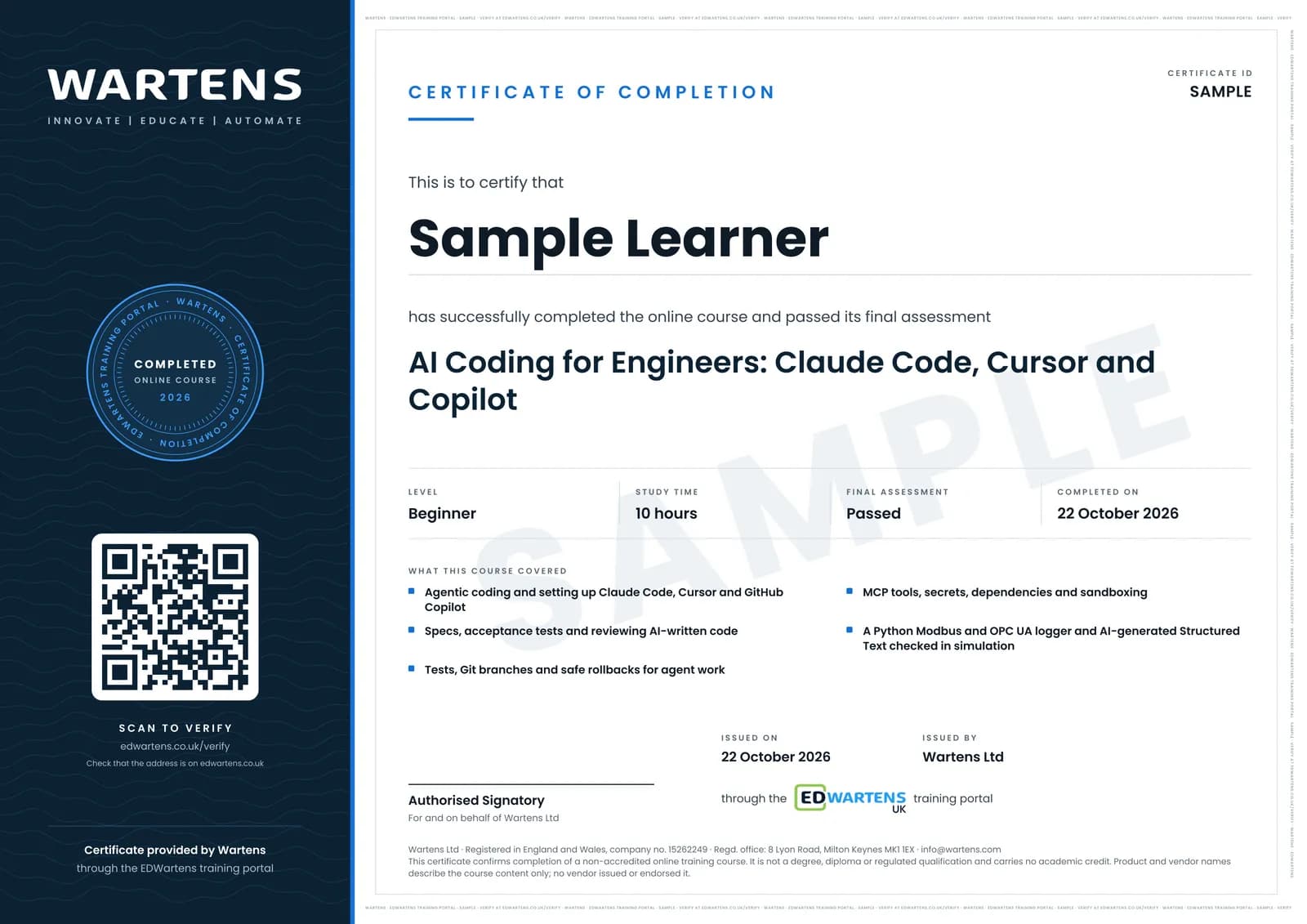
Sample certificate. Optional, issued when you pass the final exam.
- Level
- Beginner
- Modules
- 13
- Video
- 15 hours
- Price
- Free
Outcome
What you will be able to do
Explain what a coding agent does and where it fits in engineering work; install and configure Claude Code, Cursor and GitHub Copilot with project instructions and safe permission modes; write a spec and acceptance tests before prompting; review AI code with a checklist; use pytest and Git so any agent change can be proved or undone; connect tools through MCP and keep plant-facing tools read only; keep credentials out of prompts and repositories and check what an agent installs; build a tested Python Modbus and OPC UA data logger; and review and simulate AI-generated IEC 61131-3 Structured Text before it goes near a machine.
- Explain what a coding agent does and which engineering tasks to give it
- Install and configure Claude Code, Cursor and GitHub Copilot with safe permission modes
- Write a one-page spec with acceptance tests before prompting
- Review AI code with a checklist and catch invented functions and swallowed errors
- Use pytest and Git so every agent change can be proved or undone
- Connect tools through MCP and keep plant-facing tools read only
- Keep credentials out of prompts and repositories and check every new dependency
- Build a tested Python Modbus and OPC UA logger and review AI-written Structured Text in a simulator
Software
VS Code, Python 3.10 or later, Git, and at least one of Claude Code, Cursor or GitHub Copilot. Cursor and Copilot have free plans; Claude Code needs a paid Claude plan or a Console account. A PLC simulator (PLCSIM, CODESYS or OpenPLC) for the Structured Text module.
Hardware
A computer that runs VS Code. No PLC or plant equipment: every exercise runs against simulators.
Syllabus
13 modules
Each module has video lessons, notes and a short quiz. The final exam closes the course.
- What agentic coding is, and what it is not2 lessons
- Setting up Claude Code2 lessons
- Setting up Cursor2 lessons
- Setting up GitHub Copilot4 lessons
- Spec first: prompting an agent for code3 lessons
- Reading and reviewing AI code3 lessonsLab
- Tests as guardrails2 lessons
- Git and safe rollbacks2 lessons
- MCP and tool use2 lessons
- Security, secrets and sandboxing4 lessonsLab
- Worked build: a Python Modbus and OPC UA data logger2 lessons
- Structured Text with AI: check every line, simulate before the machine4 lessons
- Final Assessment1 lesson
How it works
How this course works
- Watch the video lessonsOne module at a time, at your own pace.
- Take the module quizA short quiz at the end of each module shows what stuck.
- Keep your notesWrite in My notes beside each module and ask the trainer if you are stuck.
- Practise in the labOptionalTry a task from the module in the EDWartens Lab, in your browser.
- Sit the final examPass it once you have been through the modules.
- Certificate, if you want oneOptionalPaid, and only after you pass. Anyone can check it online.
EDWartens Lab
Practise this in the EDWartens Lab
Practise the habits that keep AI-assisted work safe in the AI Workbench: checking an AI's claims against the source and keeping an agent from obeying planted text.
Works alongside AI Coding for Engineers: Claude Code, Cursor and Copilot. The Lab is ai for industry practice in your browser: no install, no hardware, free to use. Sign in as a learner and it opens with your account.
Levels to try with this course
AIW-11 · AI Workbench
Check the AI's work: finance
Open in the lab (opens in a new tab)AIW-08 · AI Workbench
A safe agent
Open in the lab (opens in a new tab)
Optional. Skip it whenever you like: it never blocks your progress or your certificate.
Why practise in a lab
Technical work is judged on what you can do: wiring, commissioning, finding a fault. Doing a task yourself teaches more than watching it a second time, and a lab lets you try it safely before you meet real equipment. It does not replace working on real hardware.
- Practise safely, so a mistake costs nothing.
- The lab checks your work like a site test, so you know when it is right.
- Free, in your browser, with nothing to install.
Certificate
An optional certificate when you pass
Learning is free. Pass the final exam and you can have a certificate for £19, including VAT, with a number employers can check online. It records that you completed a free online course; it is not a regulated qualification or a CPD certificate.
- Your name, the course, its study time and your final exam score
- A unique certificate number and a QR code to its verification page
- Issued by Wartens Ltd; add it to your LinkedIn profile in one click
- Pay now or after you pass: it is issued the moment you pass the final
Credits
Who made the lessons
The video lessons belong to their creators. EDWartens wrote the study plan, notes, quizzes and the final exam.
- Anthropic
the talk on the future of agentic coding with Claude Code, and Mastering Claude Code in 30 minutes
- Tech With Tim
the full beginner tutorials for Claude Code and Cursor 3.0, and the pytest tutorial on writing tests in Python
- freeCodeCamp.org
the Claude Code full course on VS Code setup, autonomous goals, MCP servers and GitHub
- Cursor
ten working tips for Cursor's Agent
- Visual Studio Code
getting started with Copilot Free, the agent mode tutorial with MCP and custom agents, and local, background and cloud agents
- GitHub
when to use Copilot's cloud (coding) agent versus agent mode, and automating code review and testing with Copilot
- IBM Technology
the explainers on agentic coding, spec-driven development, agentic engineering versus vibe coding, AI in code review, and MCP
- Microsoft Developer
the session on planning, specifying and implementing with GitHub Spec Kit
- Owain Lewis
the lessons on coding with AI agents from a spec and on test-driven development with Claude Code
- John Kim
the lesson on how an experienced engineer reviews AI-written code
- Corey Schafer
the Git command-line fundamentals and the lesson on fixing mistakes and undoing bad commits
- Snyk
the lesson on securing AI-generated code
- SiteGround.com
the security checklist for vibe-coded projects
- Nate Herk | AI Automation
the lesson on using Claude Code's safer permission modes instead of bypassing permissions
- Fuzz Puppy
running Claude Code safely inside a VS Code dev container
- APMonitor.com
reading and writing Modbus from Python
- Fusion Automate
a basic Modbus data logger in Python with SQLite
- Siemens Knowledge Hub
the introduction to the Industrial Copilot for engineering
- Jakob Sagatowski
the TwinCAT specialist's test of ChatGPT for PLC programming
- Automatedo
the guide from prompt to PLC code with AI
- LEARNACON
generating PLC code with AI for TIA Portal
Questions
About this course
Who is this course for?
Do I need to pay for Claude Code, Cursor or Copilot?
Will this course go out of date?
Can AI write PLC programs for my machine?
Is this the same as the prompt engineering or Python courses?
Is the course really free?
What certificate do I get?
How long does the course take?
What is the project?
Want a live class and career support?
The Professional Module is five live days of Siemens PLC, HMI and SCADA with an instructor, then a resume session and a CPD certificate.