
Free course · AI and machine learning
AI Agents and MCP for Engineers
Build AI agents that read plant data safely: the agent loop, tool calling from Python, the Model Context Protocol, FastMCP servers for a SQL historian, OPC UA and Modbus that are read only by design, hosts from Claude to a local Ollama model, the OpenAI Agents SDK, LangGraph and Microsoft Agent Framework, a maintenance triage agent with human approval, guardrails, evaluation and deployment across network zones.
Free to learn. Verifiable certificate £19 when you pass the final exam (optional, VAT included).
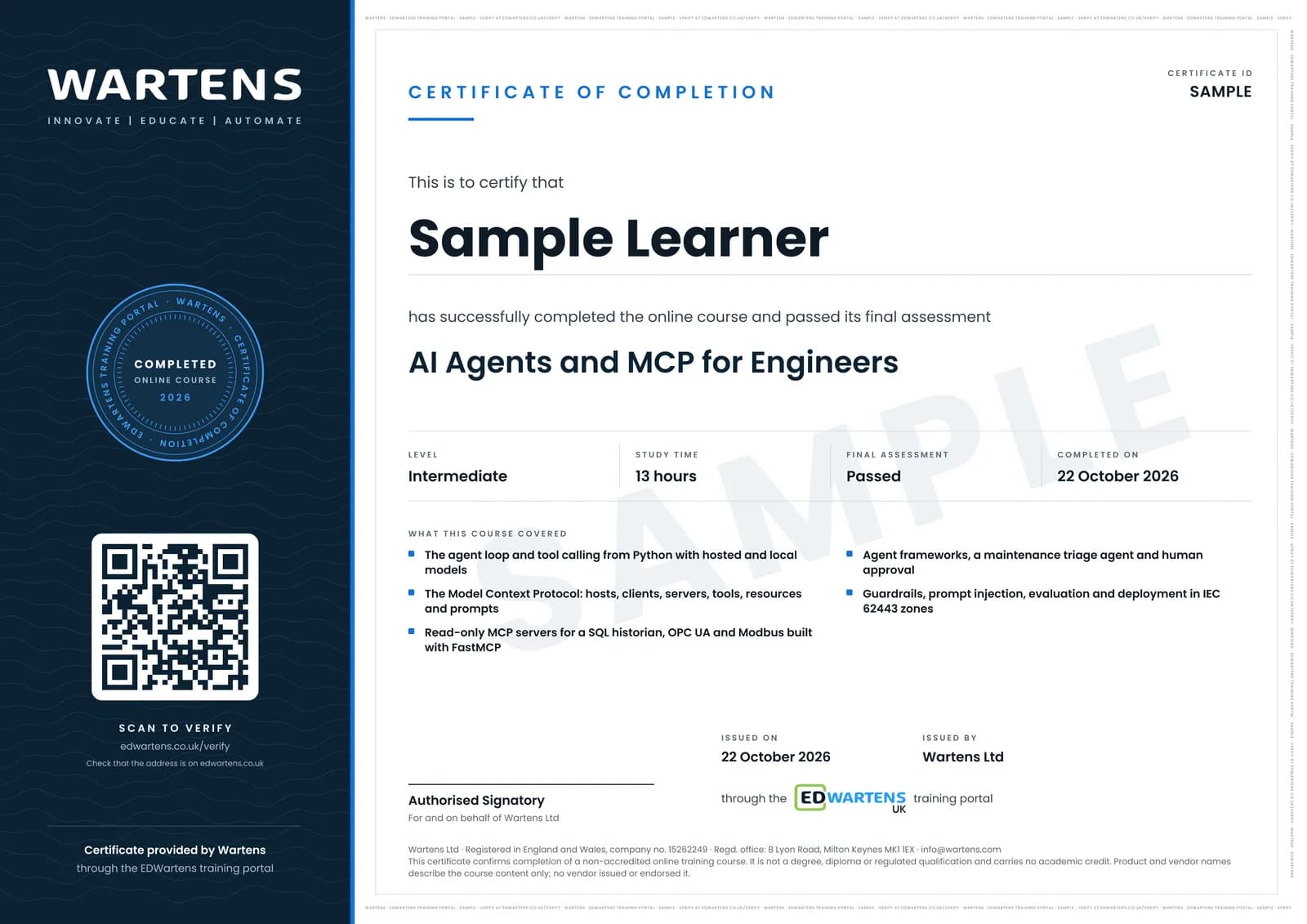
Sample certificate. Optional, issued when you pass the final exam.
- Level
- Intermediate
- Modules
- 13
- Video
- 18 hours
- Price
- Free
Outcome
What you will be able to do
Explain what an AI agent is and when a plain workflow is better; write tool definitions and a tool-calling loop in Python against hosted and local models; describe the Model Context Protocol's hosts, clients, servers, tools, resources and prompts as of the 2026-07-28 specification; build and test FastMCP servers for a SQL historian, OPC UA and Modbus that are read only by design; connect them to Claude, VS Code and a local Ollama model; choose between the OpenAI Agents SDK, LangGraph and Microsoft Agent Framework; build a maintenance triage agent that stops at a draft for human approval; add allow-lists, rate limits, audit logs and defences against prompt injection; evaluate an agent for success, latency and tokens; and deploy it for a team with containers, secrets and IEC 62443 zones.
- Explain the agent loop and choose between a workflow and an agent
- Write tool definitions and a tool-calling loop in Python, including against a local model in Ollama
- Describe MCP hosts, clients, servers, tools, resources and prompts as of the 2026-07-28 specification
- Build and test FastMCP servers for a SQL historian, OPC UA and Modbus that are read only by design
- Connect MCP servers to Claude Code, Claude Desktop, VS Code and an OpenAI Agents SDK agent
- Build a maintenance triage agent that cites evidence and stops at a draft a person approves
- Add allow-lists, rate limits, step budgets, audit logs and defences against prompt injection
- Evaluate an agent for success, refusals, latency and tokens, and deploy it in IEC 62443 zones
Software
Python 3.10 or later with FastMCP, asyncua, pymodbus, the OpenAI Agents SDK and LangGraph (all free, installed with pip), VS Code, SQLite, and at least one MCP host: Claude Desktop or Claude Code, VS Code with GitHub Copilot, or a local model in Ollama. Every exercise can be done with free tools and a local model.
Hardware
A computer with 16 GB of memory is enough for a small local model; 8 GB works if you use a hosted model instead. No PLC or plant equipment: every exercise runs against simulators and a sample historian.
Syllabus
13 modules
Each module has video lessons, notes and a short quiz. The final exam closes the course.
- What an agent is: model, tools, memory and stop conditions2 lessons
- Tool calling from Python3 lessonsLab
- The Model Context Protocol: hosts, clients, servers and primitives2 lessons
- Your first MCP server with FastMCP1 lesson
- An MCP server for a SQL historian, read only by design1 lessonLab
- MCP for OPC UA and Modbus: browse, read, and why writes stay off4 lessonsLab
- Using MCP servers from Claude, VS Code and local models4 lessons
- Agent frameworks compared: OpenAI Agents SDK, LangGraph, Microsoft Agent Framework3 lessons
- A multi-step maintenance triage agent3 lessonsLab
- Guardrails: approval, allow-lists, rate limits, audit logs and prompt injection3 lessonsLab
- Evaluating agents: task success, traces, cost and latency3 lessons
- Deploying agents for a team: containers, secrets and network zones3 lessons
- Final Assessment1 lesson
How it works
How this course works
- Watch the video lessonsOne module at a time, at your own pace.
- Take the module quizA short quiz at the end of each module shows what stuck.
- Keep your notesWrite in My notes beside each module and ask the trainer if you are stuck.
- Practise in the labOptionalTry a task from the module in the EDWartens Lab, in your browser.
- Sit the final examPass it once you have been through the modules.
- Certificate, if you want oneOptionalPaid, and only after you pass. Anyone can check it online.
EDWartens Lab
Practise this in the EDWartens Lab
Practise the guardrails behind a plant agent in the AI Workbench: tool calls within limits, approval before action, citing evidence and resisting planted instructions.
Works alongside AI Agents and MCP for Engineers. The Lab is ai for industry practice in your browser: no install, no hardware, free to use. Sign in as a learner and it opens with your account.
Levels to try with this course
AIW-07 · AI Workbench
Answers with sources
Open in the lab (opens in a new tab)AIW-08 · AI Workbench
A safe agent
Open in the lab (opens in a new tab)
Optional. Skip it whenever you like: it never blocks your progress or your certificate.
Why practise in a lab
Technical work is judged on what you can do: wiring, commissioning, finding a fault. Doing a task yourself teaches more than watching it a second time, and a lab lets you try it safely before you meet real equipment. It does not replace working on real hardware.
- Practise safely, so a mistake costs nothing.
- The lab checks your work like a site test, so you know when it is right.
- Free, in your browser, with nothing to install.
Certificate
An optional certificate when you pass
Learning is free. Pass the final exam and you can have a certificate for £19, including VAT, with a number employers can check online. It records that you completed a free online course; it is not a regulated qualification or a CPD certificate.
- Your name, the course, its study time and your final exam score
- A unique certificate number and a QR code to its verification page
- Issued by Wartens Ltd; add it to your LinkedIn profile in one click
- Pay now or after you pass: it is issued the moment you pass the final
Credits
Who made the lessons
The video lessons belong to their creators. EDWartens wrote the study plan, notes, quizzes and the final exam.
- IBM Technology
the explainers on what AI agents are and what tool calling is
- Anthropic
the talk with tips for building AI agents, and the session on building with MCP and the Claude API
- Claude
the short lesson on adding MCP servers to Claude Code
- Dave Ebbelaar
the full beginner tutorial on OpenAI function calling, and the practical guide to human-in-the-loop for AI agents
- Mervin Praison
tool calling with a local model in Ollama
- Google Cloud Tech
how the Model Context Protocol works, and how to evaluate agents in practice
- freeCodeCamp.org
the introduction to MCP servers with Python course
- Microsoft Reactor
the Python + MCP session on building servers with FastMCP, the Python + Agents session on a first agent, and getting started with Microsoft Agent Framework
- Tech With Tim
the advanced MCP server build with databases and authentication, and connecting local models in Ollama to MCP
- Industry40tv
building an MCP server for industrial data with FastMCP and OPC UA
- APMonitor.com
OPC UA with Python
- IoT Frontier
using Claude and MCP with an OPC UA industrial IoT system
- Fusion Automate
building a basic Modbus TCP server in Python with pymodbus, used as a simulator
- Visual Studio Code
MCP servers in VS Code and GitHub Copilot
- OpenAI
the Build Hour on the Agents SDK
- LangChain
building effective agents with LangGraph, and LangGraph interrupt for human-in-the-loop agents
- N3uron
an MCP server that makes plant data accessible to AI agents
- SAS FSA
Mika Karaila of Valmet on an AI agent using MCP and OPC UA
- AAIF Live
the Agentic AI Foundation session on MCP security exploits and how to stop them
- Langfuse
the walkthrough of agent tracing, evaluations and experiments
- Aishwarya Srinivasan
the explanation of AI evals and how to evaluate agents
- Docker
configuring MCP servers securely with the Docker MCP Toolkit, and the MCP Toolkit and gateway explained
- Automation World
partitioning an OT network into security zones
- ByteByteGo
the short review of what AI agents are really about, before the final
Questions
About this course
Who is this AI agents and MCP course for?
What is MCP and why does an engineer need it?
Is the course free to learn, and what software do I need?
Will an agent from this course write to my PLC?
How is this different from the n8n, RAG and AI coding courses?
How long does the course take?
What certificate do I get?
What job does this course lead to?
Want a live class and career support?
The Professional Module is five live days of Siemens PLC, HMI and SCADA with an instructor, then a resume session and a CPD certificate.