
Learning path · 5 courses
Civil and structural engineer
The design office and site toolkit: ETABS and SAFE for concrete buildings, STAAD.Pro for frames and steel sheds, quantity surveying from drawings to the final account, site QA/QC for concrete, steel and earthworks, and a programme in Microsoft Project.
In order
The courses
Take them in this order. Each one is free and stands on its own.
- ETABS and SAFE: Building Analysis and DesignCivil engineering · Intermediate · 21 hoursStart free
- STAAD.Pro: Structural Analysis and DesignCivil engineering · Intermediate · 23 hoursStart free
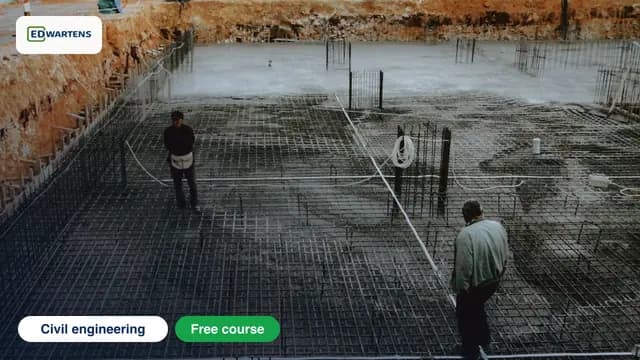
- Quantity Surveying and Building EstimationCivil engineering · Beginner · 21 hoursStart free
- Civil QA/QC Engineer: Concrete, Steel and EarthworksCivil engineering · Beginner · 15 hoursStart free
- Microsoft Project for Planning EngineersProject management · Beginner · 12 hoursStart free
Practise as you learn
Watching is a start. Do it in the Lab, free.
The EDWartens Lab runs in your browser, with nothing to install. It is a practice environment, not the vendors' own software.
- Build ladder, SFC and structured text programs
- Go online and watch power flow through each rung
- Force inputs and outputs and see the machine respond
Then
Practise the job and find one
- PLC Programmer job simulation
Write the I/O list, program the line, run the FAT and handle a change request. Days 1 to 5 are free.
- PLC and automation jobs in the UK
Live jobs, updated daily. Free to browse and apply.
- EDWartens Lab
Free browser simulators to practise what each course teaches.
Questions
Civil and structural engineer: common questions
Is the Civil and structural engineer path free?
Yes. All 5 courses are free: every lesson, quiz and final exam costs nothing. A verifiable certificate for a course is optional, at £19 including VAT once you pass its final exam. It is a certificate of completion, not a regulated qualification.
How long does it take?
About 92 hours of video across 5 courses, plus quizzes. At five hours a week that is roughly 18 weeks, and you can start or stop any course whenever you like.
Do I need hardware or paid software?
No PLC hardware is needed. Each course page lists the software it uses; most run in free or trial versions, and many have practice in the browser-based EDWartens Lab.
What can it lead to?
Practise the job itself with the free PLC Programmer job simulation (the first five days are free, no card), then browse live UK PLC and automation jobs. Neither is a promise of a job.