
Free course · Data and analytics
SQL for PLC and SCADA Engineers
This free beginner course teaches SQL to engineers who already read tags: what a relational database holds, installing MySQL or SQL Server, creating tables with keys and constraints, inserting and updating rows safely, SELECT queries with filters and sorting, shift-wise totals with GROUP BY, and joining machine, production and stoppage tables. It suits UK controls and SCADA engineers and technicians who log plant data, and it helps with SCADA, reporting and manufacturing data roles.
SQL for PLC and SCADA Engineers is a free online beginner Data and analytics course with 15 modules, about 14 hours of video lessons. Learning is free; an optional verifiable certificate costs £19 including VAT when you pass the final exam. Last updated 28 October 2026.
Free to learn. Verifiable certificate £19 when you pass the final exam (optional, VAT included).
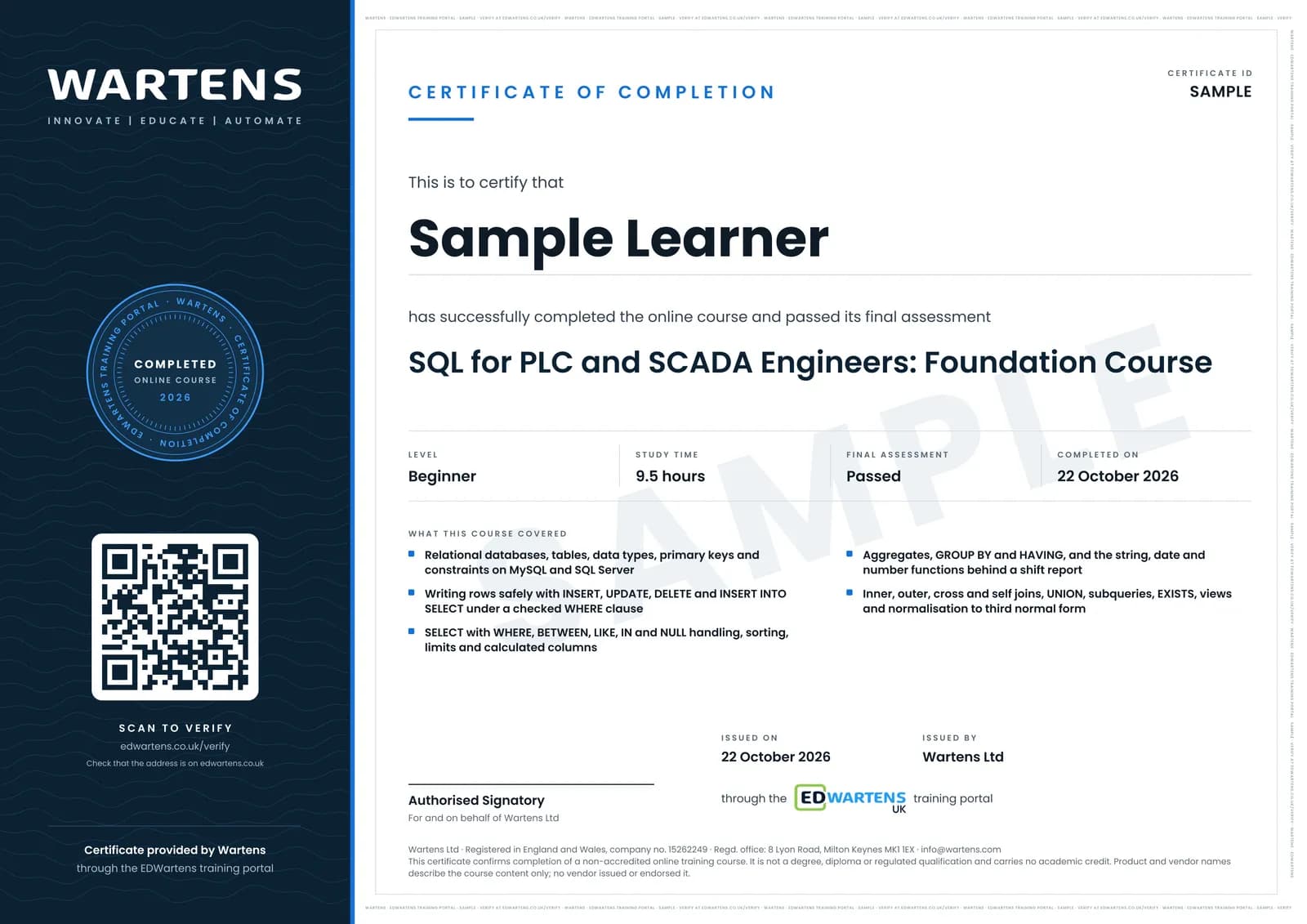
Sample certificate. Optional, issued when you pass the final exam.
- Level
- Beginner
- Modules
- 15
- Video
- 14 hours
- Price
- Free
Video time only: reading the notes, the quizzes and the final exam take extra time, at your own pace.
Outcome
What you will be able to do
Install MySQL or SQL Server and connect a client to it; create tables with the right data types and constraints; insert, update and delete rows without damaging a table; write SELECT queries with filters, sorting, limits and calculated columns; total and group rows with the aggregate functions, GROUP BY and HAVING; clean codes and timestamps with the string and date functions; join tables and predict what an inner, left, cross or self join will return before you run it; answer a question with a subquery, EXISTS or a view; and take a flat spreadsheet to a normalised schema with keys you can defend in a design review. Every one of those is ordinary SQL. What makes it a plant course is EDWartens' own notes, practice tasks and assessments, which set all of it on machine, production, alarm and downtime records.
- Install MySQL or SQL Server, connect a client, and read a refused connection for whether the server, the port or the password is wrong
- Create tables with the right data types, primary keys and constraints, and predict which INSERT a constraint will reject
- Insert, update and delete rows safely, running the SELECT first so you know how many rows will change
- Write SELECT queries with WHERE, BETWEEN, LIKE, IN and IS NULL, then sort, limit and calculate columns inside the query
- Produce shift-wise totals with COUNT, SUM and AVG, GROUP BY and HAVING, and clean batch codes and timestamps with the string and date functions
- Join machine, production and stoppage tables and predict the rows each join returns, answer harder questions with subqueries, EXISTS and views, and take a flat spreadsheet to third normal form
Software
MySQL Community Server with MySQL Workbench, or SQL Server Express with SQL Server Management Studio. Both are free downloads and a laptop is enough.
Hardware
None. Any Windows or Linux laptop that can run a database server locally.
Syllabus
15 modules
Each module has video lessons, notes and a short quiz. The final exam closes the course.
- Why plant data ends up in a database3 lessons
- Installing a database and connecting a client5 lessons
- Statements, tables and data types4 lessons
- Keys and constraints8 lessons
- Writing rows: INSERT, UPDATE and DELETE4 lessons
- SELECT and the WHERE clause4 lessonsLab
- Ranges, patterns, lists and missing values4 lessonsLab
- Sorting, limiting and calculated columns3 lessonsLab
- Aggregates and GROUP BY: the shift report4 lessonsLab
- String, date and number functions4 lessonsLab
- Joining tables4 lessonsLab
- More joins, UNION and temporary tables4 lessons
- Subqueries, EXISTS and views6 lessons
- Normalisation, ER diagrams and a schema you can defend3 lessons
- Final assessment0 lessons
How it works
How this course works
- Watch the video lessonsOne module at a time, at your own pace.
- Take the module quizA short quiz at the end of each module shows what stuck.
- Keep your notesWrite in My notes beside each module and ask the trainer if you are stuck.
- Practise in the labOptionalTry a task from the module in the EDWartens Lab, in your browser.
- Sit the final examPass it once you have been through the modules.
- Certificate, if you want oneOptionalPaid, and only after you pass. Anyone can check it online.
EDWartens Lab
Practise this in the EDWartens Lab
Practise the query half of the course in the lab: write SELECT queries on a plant downtime export, group and sort it, join the machine tables and check the answers on a second week of data.
Works alongside SQL for PLC and SCADA Engineers. The Lab is ai for industry practice in your browser: no install, no hardware, free to use. Sign in as a learner and it opens with your account.
Levels to try with this course
AIW-16 · AI Workbench
The downtime report: clean the export, answer in SQL
Open in the lab (opens in a new tab)
Optional. Skip it whenever you like: it never blocks your progress or your certificate.
Why practise in a lab
Technical work is judged on what you can do: wiring, commissioning, finding a fault. Doing a task yourself teaches more than watching it a second time, and a lab lets you try it safely before you meet real equipment. It does not replace working on real hardware.
- Practise safely, so a mistake costs nothing.
- The lab checks your work like a site test, so you know when it is right.
- Free, in your browser, with nothing to install.
Certificate
An optional certificate when you pass
Learning is free. Pass the final exam and you can have a certificate for £19, including VAT, with a number employers can check online. It records that you completed a free online course; it is not a regulated qualification or a CPD certificate.
- Your name, the course, its study time and your final exam score
- A unique certificate number and a QR code to its verification page
- Issued by Wartens Ltd; add it to your LinkedIn profile in one click
- Pay now or after you pass: it is issued the moment you pass the final
Credits
Who made the lessons
The video lessons belong to their creators. EDWartens wrote the study plan, notes, quizzes and the final exam.
- Software Testing Mentor
the numbered SQL Tutorial series that carries most of the course: statements and syntax, DDL against DML, creating databases and tables, data types, constraints, INSERT, UPDATE and DELETE, SELECT and WHERE, the operators, sorting and limits, aggregates, GROUP BY and HAVING, the string, date and maths functions, the joins, UNION, subqueries and views
- Simplilearn
the two-minute introduction to SQL, the MySQL, SQL Server and Ubuntu installation walkthroughs, and the long-form sessions on joins, GROUP BY and HAVING, temporary tables, subqueries, date types, ER diagrams and normalisation
- Bro Code
the short MySQL lessons on primary keys, the UNIQUE, NOT NULL and DEFAULT constraints, subqueries and views
- NetworkChuck
the opening case for learning SQL now, with a first query run in the video
Jobs
Jobs this course can lead to
The skills in this course are used in data science and analytics work, for example as a manufacturing data analyst, a SCADA engineer and an MES engineer. No course can promise a job, and employers also look for experience, so read what live adverts ask for.
Questions
About this course
Last reviewed 28 October 2026.
Do UK controls and SCADA jobs ask for SQL?
What do I need to run it?
Is the certificate a database qualification?
What does the SQL for PLC and SCADA Engineers course cover?
Where does SQL for PLC and SCADA Engineers start and where does it end?
How long is SQL for PLC and SCADA Engineers?
Can I practise SQL for PLC and SCADA Engineers in the browser?
Do I need any database experience?
Do the video lessons use plant data?
Is this the same as an Oracle or Microsoft database certification?
MySQL or SQL Server, which should I install?
What will I practise on?
Is the course really free?
What certificate do I get?
Who made the video lessons?
Want a live class and career support?
The Professional Module is five live days of Siemens PLC, HMI and SCADA with an instructor, then career sessions with our engineers and a CPD certificate.