
Free course · CAD
SOLIDWORKS 3D Modelling, Assemblies and Drawings
This free beginner course teaches mechanical CAD in SOLIDWORKS the way machine builders use it: sketching with relations, extrude, revolve, sweep and loft, fillets, shells and patterns, assemblies with mates, drawings with BOMs and balloons, and sheet metal with flat patterns. It suits UK mechanical design students, apprentices, technicians and engineers moving into CAD for machine building, fabrication and product design, and it helps with design and CAD technician roles.
Free to learn. Verifiable certificate £19 when you pass the final exam (optional, VAT included).
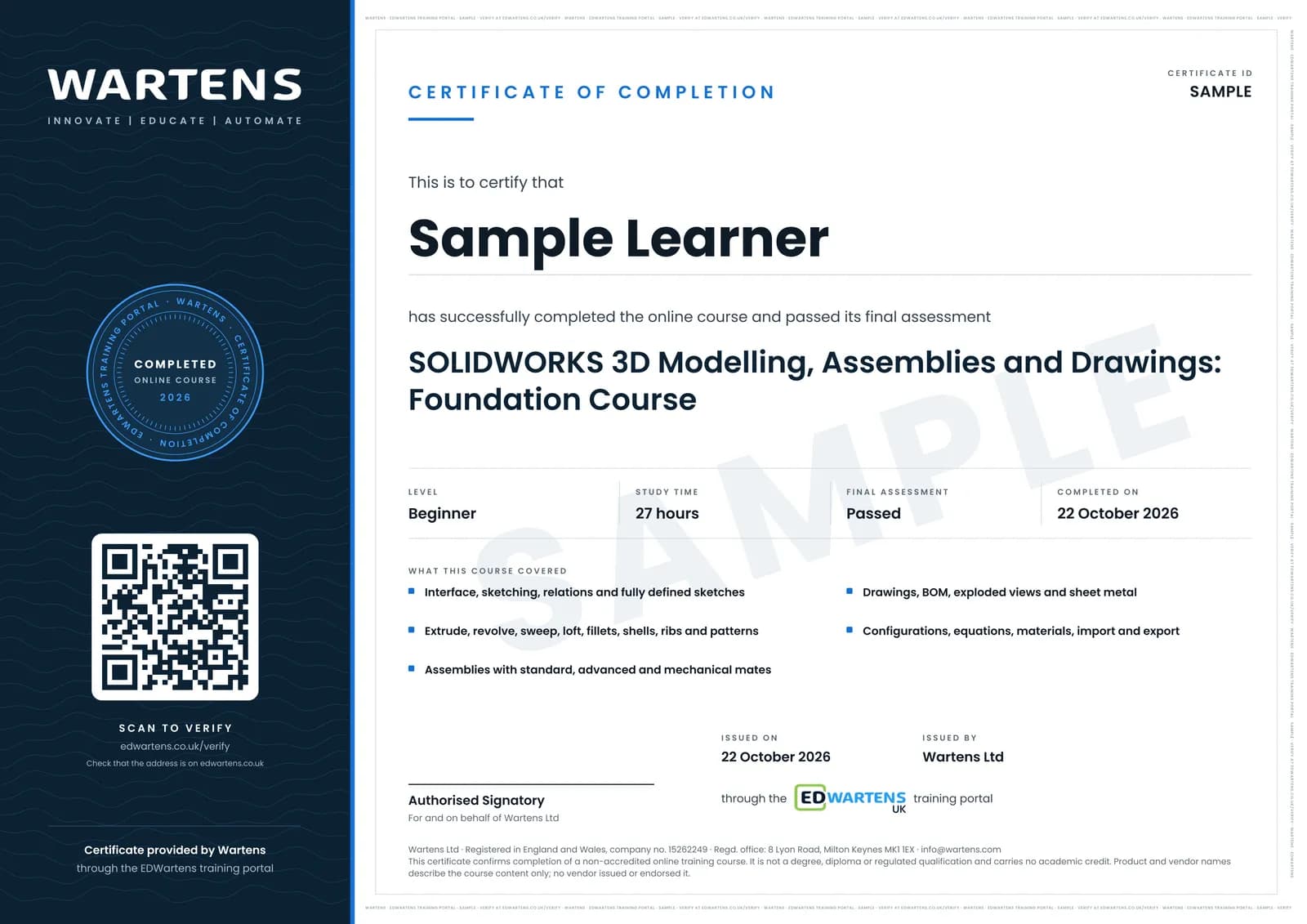
Sample certificate. Optional, issued when you pass the final exam.
- Level
- Beginner
- Modules
- 14
- Video
- 34 hours
- Price
- Free
Outcome
What you will be able to do
Sketch fully-defined profiles with relations, build parts with extrude, revolve, sweep, loft, fillet, shell, rib, draft, patterns and hole wizard, assemble parts with standard, advanced and mechanical mates, produce drawings with views, dimensions, GD&T, BOM and exploded views, design sheet metal with flat patterns, use configurations, equations and multi-body techniques, apply materials and mass properties, and import and export STEP and other files.
- Set up SOLIDWORKS and sketch fully defined profiles
- Build parts with extrude, revolve, sweep, loft, fillet, shell, rib and patterns
- Assemble parts with standard, advanced and mechanical mates
- Produce drawings with BOM, balloons and exploded views
- Design sheet metal with flat patterns and bend tables
- Use configurations, equations, materials and STEP exchange
Software
SOLIDWORKS (education, student or trial licence)
Hardware
None required.
Syllabus
14 modules
Each module has video lessons, notes and a short quiz. The final exam closes the course.
- Interface, Settings, Units, Planes and Sketch Basics7 lessons
- Sketching: Lines, Circles, Arcs, Splines and Relations9 lessons
- Extrude, Revolve and Cut9 lessons
- Sweep, Loft and Boundary10 lessons
- Fillet, Chamfer, Shell, Rib, Draft and Wrap9 lessons
- Patterns, Mirror, Hole Wizard and Threads11 lessons
- Practice Parts14 lessons
- Assemblies and Mates20 lessons
- Drawings, BOM and Exploded Views15 lessons
- Sheet Metal and Weldments19 lessons
- Advanced: Surfaces, Configurations, Equations and Multi-Body10 lessons
- Materials, Mass, Properties, Import, Export and Xpress Tools13 lessons
- Capstone: One Product from Part to Drawing7 lessons
- Final Assessment1 lesson
How it works
How this course works
- Watch the video lessonsOne module at a time, at your own pace.
- Take the module quizA short quiz at the end of each module shows what stuck.
- Keep your notesWrite in My notes beside each module and ask the trainer if you are stuck.
- Sit the final examPass it once you have been through the modules.
- Certificate, if you want oneOptionalPaid, and only after you pass. Anyone can check it online.
Certificate
An optional certificate when you pass
Learning is free. Pass the final exam and you can have a certificate for £19, including VAT, with a number employers can check online. It records that you completed a free online course; it is not a regulated qualification or a CPD certificate.
- Your name, the course, its study time and your final exam score
- A unique certificate number and a QR code to its verification page
- Issued by Wartens Ltd; add it to your LinkedIn profile in one click
- Pay now or after you pass: it is issued the moment you pass the final
Credits
Who made the lessons
The video lessons belong to their creators. EDWartens wrote the study plan, notes, quizzes and the final exam.
- CAD CAM Tutorials
the SolidWorks tutorial for beginners with exercises
- SOLIDWORKS AND ANSYS TUTOR
the beginner to expert complete course
- Too Tall Toby
the step-by-step tutorials and timed practice parts
- TriMech Group
the SOLIDWORKS basics and quick tips
- SolidWorks With Aryan Fallahi
the step-by-step beginner courses
- GoEngineer
3 lessons in "Sheet Metal and Weldments"
- CAD CAM 23
a lesson in "Sheet Metal and Weldments"
- CAD CAM TUTORIAL BY MAHTABALAM
a lesson in "Sheet Metal and Weldments"
Jobs
Jobs this course can lead to
The skills in this course are used in mechanical design and CAD work, for example as a mechanical design engineer, a CAD technician and a design technician. No course can promise a job, and employers also look for experience, so read what live adverts ask for.
Pay: Mechanical engineers (SOC 2122) had a median of £52,527 a year, full-time, in April 2026. Source: ONS, Annual Survey of Hours and Earnings 2026 (provisional). Checked 28 Oct 2026.
Questions
About this course
Last reviewed 28 October 2026.
Is SOLIDWORKS widely used by UK employers?
Do I need SOLIDWORKS to follow along?
Is the certificate an official SOLIDWORKS certification?
SOLIDWORKS or SOLIDWORKS Electrical?
Is SOLIDWORKS free?
Do I need AutoCAD first?
Is the course really free?
What certificate do I get, and is it a vendor qualification?
Who made the video lessons?
How long does the course take?
Want a live class and career support?
The Professional Module is five live days of Siemens PLC, HMI and SCADA with an instructor, then a resume session and a CPD certificate.